Introduction
The Sangean DCR-89+ is a compact digital clock radio designed for reliable performance and ease of use. It features DAB+ and FM-RDS tuning, a dual alarm clock, and a sleep timer. The device automatically synchronizes its time with DAB+ or RDS-CT signals, ensuring accurate timekeeping. This manual provides detailed instructions for setup, operation, and maintenance of your DCR-89+ radio.
Safety Instructions
- Do not expose the unit to rain or moisture to prevent fire or electric shock.
- Avoid placing the unit in direct sunlight or near heat sources.
- Ensure proper ventilation; do not block ventilation openings.
- Use only the power adapter supplied with the unit.
- Do not attempt to service the unit yourself. Refer all servicing to qualified personnel.
- Keep the unit away from strong magnetic fields.
Package Contents
Verify that all items are present in the package:
- Sangean DCR-89+ DAB+ FM-RDS Clock Radio
- Power Adapter
- User Manual
Product Overview
Front Panel and Display
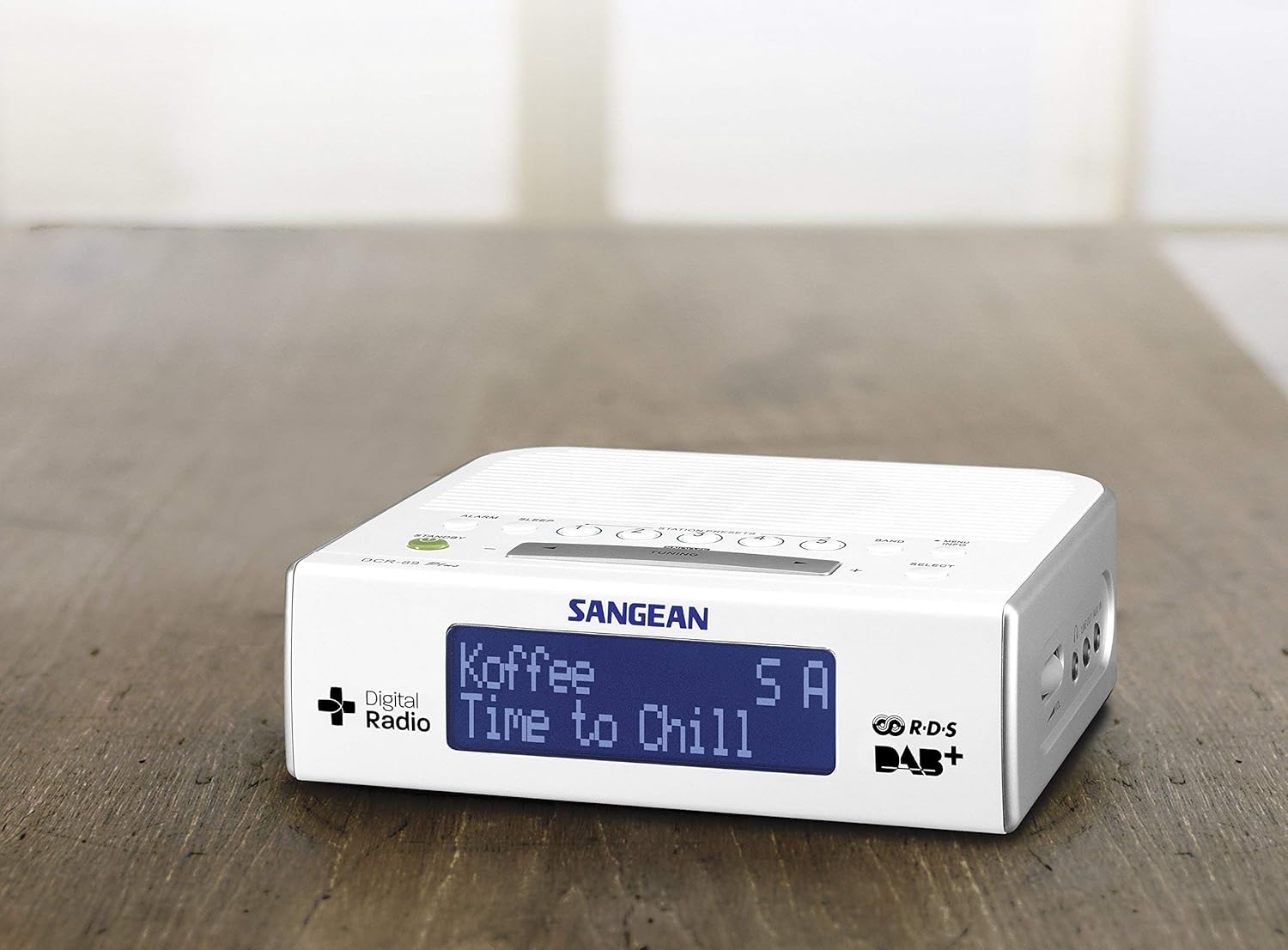
Image: Front view of the Sangean DCR-89+ radio, highlighting its large, blue-backlit LCD display. The display shows station information and time, with 'Digital Radio' and 'DAB+' logos visible on the left and right sides respectively.
The front panel features a clear LCD display with blue backlighting, showing current time, station information, and other operational details. The display is designed for easy readability.
Top Panel Controls

Image: Top view of the Sangean DCR-89+ radio, illustrating the speaker grille and control buttons. Buttons include ALARM, SLEEP, STATION PRESETS (1-5), BAND, MENU/INFO, STANDBY, TUNING controls, and SELECT.
The top panel houses the main control buttons and the integrated speaker. Key controls include:
- ALARM: For setting and managing alarms.
- SLEEP: Activates the sleep timer function.
- STATION PRESETS (1-5): Quick access to stored radio stations.
- BAND: Switches between DAB+ and FM radio bands.
- MENU/INFO: Accesses menu options and displays station information.
- STANDBY (Power button): Turns the unit on or off.
- TUNING (- / +): Adjusts frequency or navigates menu options.
- SELECT: Confirms selections in the menu.
- SNOOZE: Temporarily silences the alarm.
Rear and Side Connections
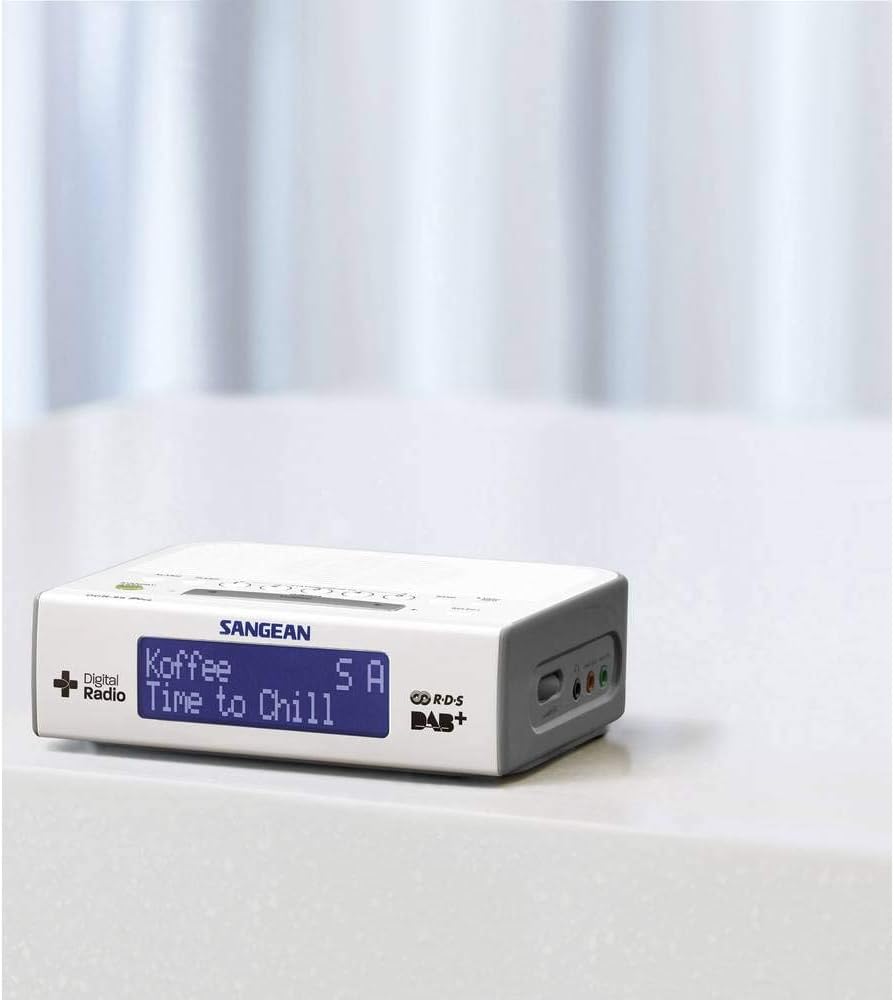
Image: Side view of the Sangean DCR-89+ radio, showing the AUX-in and Line-out ports, typically located on the rear or side for external device connectivity.
The unit includes an AUX-in port for connecting external audio devices and a Line-out port for connecting to other audio systems.
Setup
- Power Connection: Connect the supplied power adapter to the DC IN jack on the back of the radio and then plug it into a wall outlet.
- Antenna: Extend the telescopic antenna fully for optimal DAB+ and FM reception.
- Initial Power On: Press the STANDBY button. The radio will perform an initial scan for DAB+ stations and set the time automatically.
- Time Synchronization: The DCR-89+ automatically synchronizes its time using the DAB+ or RDS-CT signal. No manual time setting is typically required.
Operating Instructions
Powering On/Off
- Press the STANDBY button to turn the radio on or off.
Radio Tuning (DAB+/FM)
- Select Band: Press the BAND button to switch between DAB+ and FM modes.
- DAB+ Tuning:
- In DAB+ mode, the radio will automatically scan for available stations.
- Use the TUNING (- / +) buttons to scroll through the list of available DAB+ stations.
- Press SELECT to listen to the chosen station.
- FM Tuning:
- In FM mode, press and hold the TUNING (- / +) buttons to automatically scan for the next available station.
- Press the TUNING (- / +) buttons briefly to manually adjust the frequency step by step.
- Storing Presets:
- Tune to your desired station.
- Press and hold one of the STATION PRESET (1-5) buttons until the display confirms the station is saved.
- Recalling Presets:
- Briefly press the desired STATION PRESET (1-5) button to recall a stored station.
Setting Alarms
The DCR-89+ supports dual alarms.
- Press and hold the ALARM button.
- Use the TUNING (- / +) buttons to select Alarm 1 or Alarm 2, then press SELECT.
- Follow the on-screen prompts to set the alarm time, source (Buzzer, DAB+, or FM), and volume. Use TUNING (- / +) to adjust values and SELECT to confirm each setting.
- To activate or deactivate an alarm, briefly press the ALARM button and use TUNING (- / +) to toggle the alarm on/off, then press SELECT.
- When an alarm sounds, press the SNOOZE button to temporarily silence it. Press STANDBY to turn off the alarm completely.
Sleep Timer
The sleep timer allows you to fall asleep to music, with the radio automatically turning off after a set period.
- Press the SLEEP button repeatedly to cycle through available sleep timer durations (e.g., 15, 30, 45, 60 minutes, or OFF).
- The display will show the selected sleep time. The radio will automatically turn off after this duration.
Connecting External Devices (AUX-in)
- Connect an audio cable (not supplied) from the headphone jack or line-out of your external device (e.g., MP3 player, smartphone) to the AUX-IN port on the DCR-89+.
- Press the BAND button until 'AUX' or 'Line In' is displayed.
- Adjust the volume on both the DCR-89+ and your external device.
Maintenance
- Cleaning: Use a soft, dry cloth to clean the surface of the radio. Do not use abrasive cleaners or solvents.
- Antenna Care: Handle the telescopic antenna carefully to avoid bending or breaking.
- Storage: If storing the unit for an extended period, disconnect it from the power outlet.
Troubleshooting
| Problem | Possible Cause | Solution |
|---|---|---|
| No power | Power adapter not connected or faulty outlet. | Check power adapter connection. Try a different power outlet. |
| Poor radio reception | Antenna not extended or poor signal area. | Fully extend the telescopic antenna. Reposition the radio for better reception. Perform a full scan for DAB+ stations. |
| Alarm does not sound | Alarm not activated or volume too low. | Ensure the alarm is set and activated. Check alarm volume settings. |
| Display is blank | Unit is off or display brightness is set too low. | Press the STANDBY button to turn on. Adjust display brightness in the menu settings. |
Specifications

Image: A perspective view of the Sangean DCR-89+ radio with its key dimensions labeled: 17.2 cm (length), 14 cm (width), and 5.5 cm (height).
- Model: DCR-89+ (A500209)
- Tuner: DAB+, FM-RDS
- Display: LCD with blue backlight
- Alarms: Dual alarm (Buzzer, DAB+, FM)
- Sleep Timer: Yes
- Connections: AUX-in, Line-out
- Power Source: AC power adapter
- Dimensions (W x H x D): Approximately 17.2 x 5.5 x 14.15 cm
- Weight: Approximately 530 g
- Material: Plastic
Warranty and Support
Sangean products are manufactured to high quality standards. For warranty information and technical support, please refer to the warranty card included with your product or visit the official Sangean website. Keep your purchase receipt as proof of purchase.


