Introduction
Welcome to the Polk Audio Atrium 5 Outdoor Speakers instruction manual. This document provides essential information for the proper setup, operation, and maintenance of your new all-weather speakers. Designed for durability and exceptional sound quality, the Atrium 5 speakers are engineered to enhance your outdoor audio experience. Please read this manual thoroughly before installation and use to ensure optimal performance and longevity of your product.
Product Overview
The Polk Audio Atrium 5 speakers are built to deliver high-fidelity sound in various outdoor environments. Their robust construction ensures performance in diverse weather conditions.
Key Features:
- All-Weather Certification: Engineered to withstand extreme temperatures and heavy rain, meeting or exceeding military specifications for environmental endurance.
- Ultra-Compact Design: Features a 5-inch Dynamic Balance polypropylene woofer and a 3/4-inch anodized aluminum dome tweeter.
- Exceptional Sound: Delivers clear, full-range audio suitable for small to medium outdoor areas.
- Easy Installation: Equipped with a one-click Speed-Lock mounting bracket for secure, one-handed installation, allowing vertical or horizontal orientation.
- Easy Setup: Gold-plated 5-way binding posts ensure simple connection to wired outdoor speaker systems or any modern amplifier.
What's in the Box:
- 2 Black all-weather speakers
- 2 Mounting brackets (pre-installed)
- Owner's Manual
- Online Product Registration card
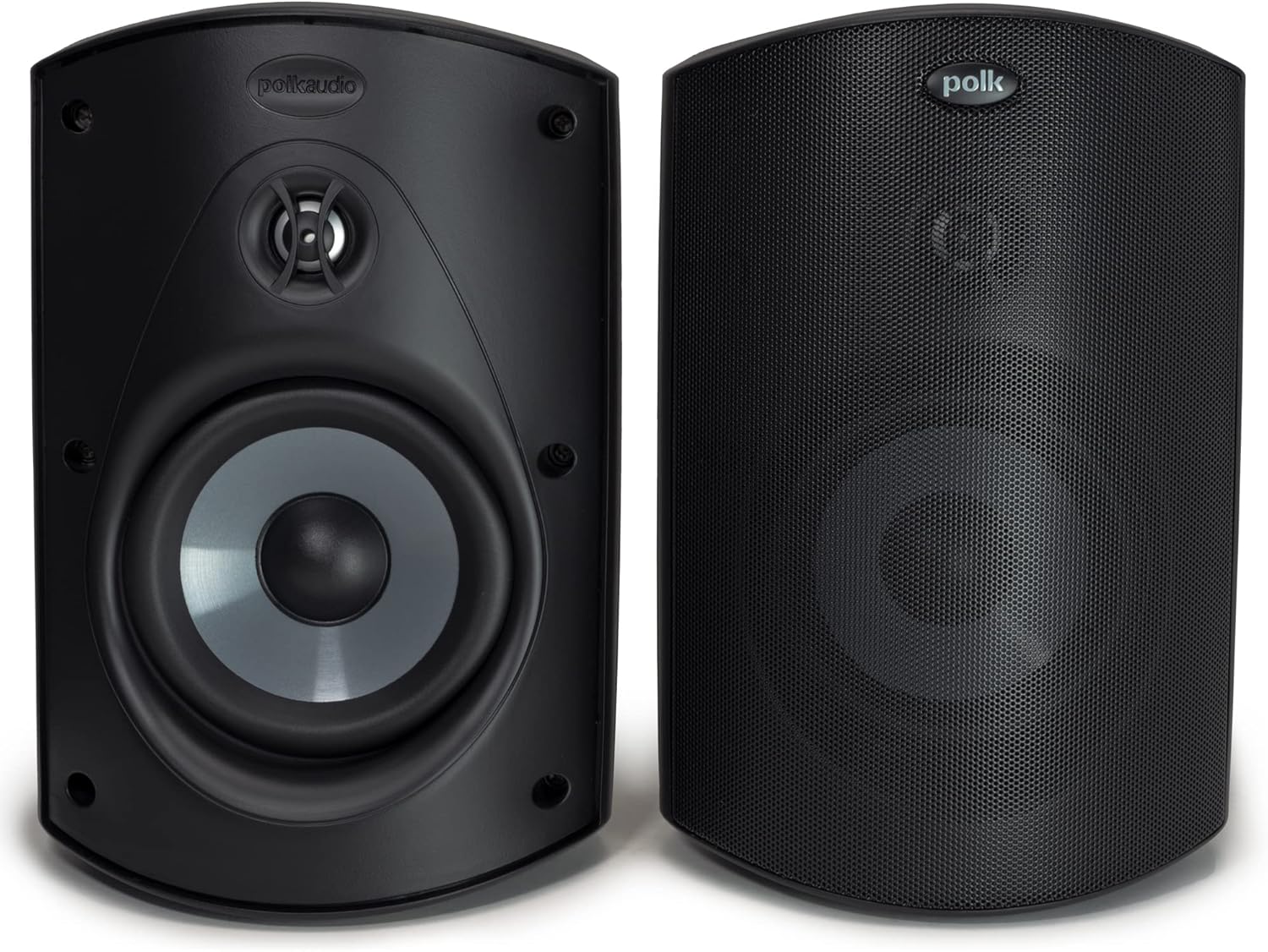
Image: Front and side view of the Polk Audio Atrium 5 Outdoor Speakers in black.
Safety Information
Before installing or operating your Polk Audio Atrium 5 speakers, please observe the following safety precautions:
- Ensure all wiring is correctly connected to prevent electrical hazards.
- Do not attempt to open or service the speaker enclosure. Refer all servicing to qualified personnel.
- Mount speakers securely to a stable surface to prevent accidental falls.
- Avoid placing speakers near heat sources or in direct sunlight for prolonged periods, despite their all-weather rating.
- Keep speaker wires clear of pathways to prevent tripping hazards.
Setup
Mounting the Speakers:
The Atrium 5 speakers feature a Speed-Lock mounting system for easy and secure installation. The pre-installed bracket allows for flexible placement.
- Choose a suitable mounting location on a wall or ceiling that can support the speaker's weight.
- Detach the speaker from the mounting bracket by loosening the knobs on the sides.
- Securely attach the mounting bracket to your chosen surface using appropriate hardware (not included).
- Reattach the speaker to the mounted bracket. The Speed-Lock system allows for one-handed installation.
- Adjust the speaker's angle for optimal sound dispersion and tighten the knobs to secure its position.

Image: A Polk Audio Atrium 5 speaker mounted horizontally under an eave, highlighting the Speed-Lock mounting system.
Wiring Connections:
Connect your Atrium 5 speakers to your amplifier using high-quality speaker wire. The speakers are equipped with gold-plated 5-way binding posts.
- Strip approximately 1/2 inch of insulation from the ends of your speaker wires.
- Connect the positive (+) terminal (red) on your amplifier to the positive (+) terminal (red) on the speaker.
- Connect the negative (-) terminal (black) on your amplifier to the negative (-) terminal (black) on the speaker.
- Ensure all connections are tight and secure to prevent signal loss or short circuits.
Product Overview Video:
Video: A brief product overview of the Polk Audio Atrium speakers, demonstrating their features and design.
Polk Atrium Family Product Overview:
Video: An overview of the Polk Atrium speaker family, showcasing various models and their shared characteristics.
Operating Instructions
Once your Polk Audio Atrium 5 speakers are securely mounted and wired, follow these steps for operation:
- Ensure your amplifier/receiver is powered off before making any connections.
- After all connections are made, power on your amplifier/receiver.
- Select the appropriate audio source on your amplifier.
- Start playing audio at a low volume and gradually increase it to your desired listening level.
- Experiment with speaker placement and angle adjustments to achieve the best soundstage and coverage for your outdoor space.

Image: Polk Audio Atrium 5 speakers seamlessly integrated into an outdoor patio, delivering immersive audio.
Maintenance
The Polk Audio Atrium 5 speakers are designed for all-weather durability, but proper maintenance will ensure their long-term performance and appearance.
- Cleaning: Periodically wipe down the speaker enclosures with a soft, damp cloth to remove dirt and debris. Avoid using harsh chemicals or abrasive cleaners.
- Weather Protection: While all-weather certified, it is recommended to place speakers under eaves or other protective structures where possible to minimize direct exposure to extreme elements.
- Connections: Occasionally check speaker wire connections for corrosion or looseness, especially in humid environments.
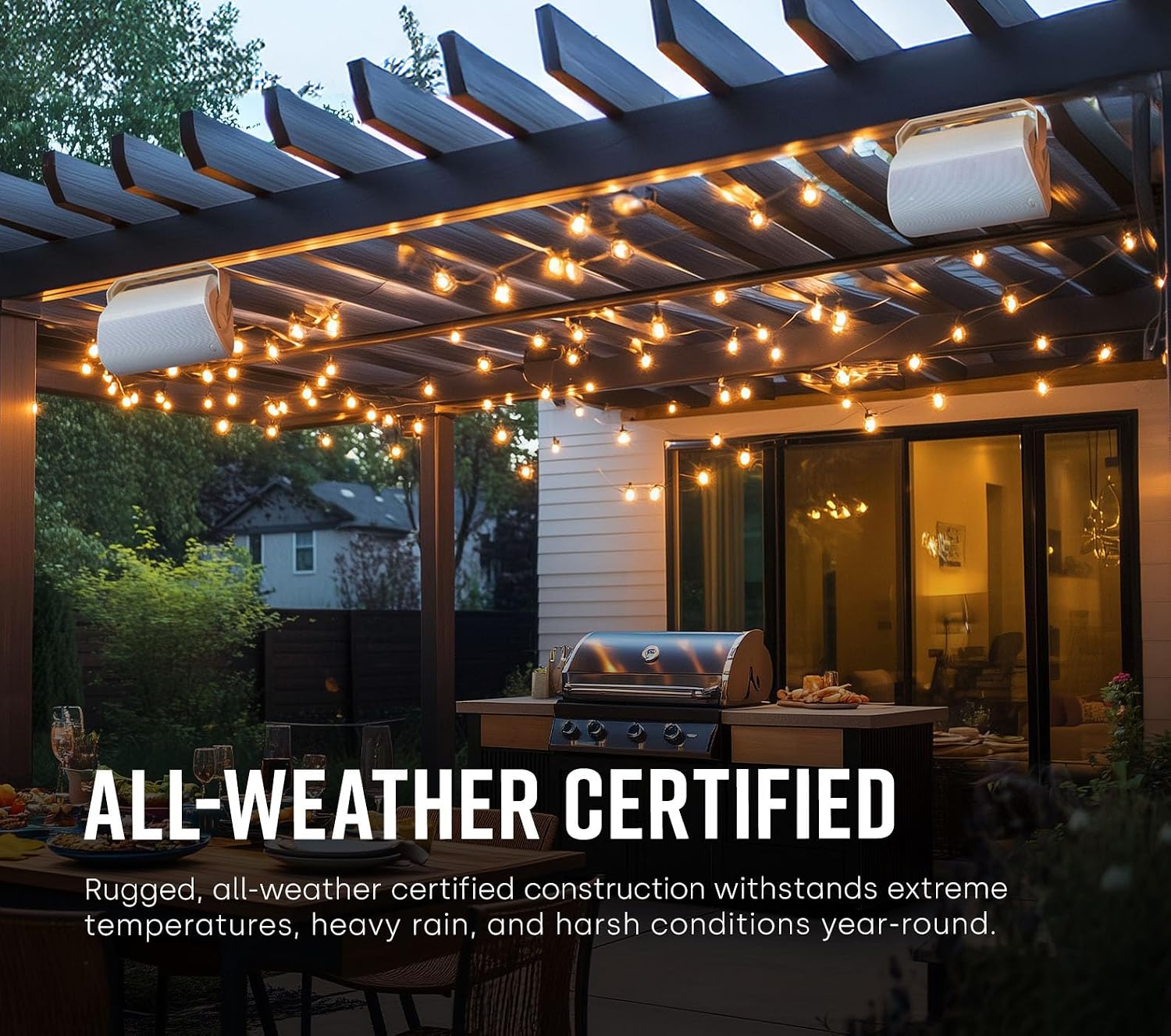
Image: Polk Audio Atrium 5 speakers installed under a pergola, emphasizing their all-weather certified construction.
Troubleshooting
If you encounter issues with your Polk Audio Atrium 5 speakers, refer to the following common troubleshooting steps:
- No Sound:
- Check all speaker wire connections at both the speaker and amplifier. Ensure polarity (+ to + and - to -) is correct.
- Verify the amplifier is powered on and the correct input source is selected.
- Test with another audio source or speaker to isolate the problem.
- Distorted Sound:
- Reduce the volume on your amplifier. Distortion often occurs at excessively high listening levels.
- Check for loose speaker wire strands that might be touching, causing a short circuit.
- Ensure the amplifier's power output matches the speaker's recommended power handling.
- Poor Bass Response:
- Confirm correct speaker wire polarity. Incorrect polarity can cause bass cancellation.
- Adjust the bass settings on your amplifier or audio source.
- Consider speaker placement; positioning speakers closer to a wall or corner can enhance bass.
Specifications
| Brand | Polk Audio |
| Model Name | Atrium 5 |
| Item Model Number | AM5085-A |
| Speaker Type | Outdoor |
| Connectivity Technology | Auxiliary (Wired) |
| Speaker Size | 5 Inches (Woofer Diameter) |
| Speaker Maximum Output Power | 100 Watts |
| Impedance | 8 Ohms |
| Frequency Response | 20 Hz (Lower limit, typical for full-range) |
| Product Dimensions | 7.75"D x 6.75"W x 10.31"H |
| Item Weight | 4.6 Pounds |
| Is Waterproof | True |
| Water Resistance Level | Water Resistant |
Warranty and Support
Polk Audio provides a limited warranty for the Atrium 5 Outdoor Speakers. For specific warranty details and duration, please refer to the warranty card included in your product packaging or visit the official Polk Audio website.
For technical support, troubleshooting assistance, or any product-related inquiries, please visit the Polk Audio Store on Amazon or their official support channels.


