Introduction
This manual provides essential information for the setup, operation, and maintenance of your Timekeeper 2253B 9" Round Wall Clock. This clock features a durable brushed silver metal frame, a clear glass cover, and an easy-to-read black dial with Arabic numerals. It operates with accurate quartz movement and includes a red step second hand for precise timekeeping. Designed for home or office environments, this clock is powered by a single AA battery (not included).

Image: Front view of the Timekeeper 2253B 9 inch Round Wall Clock, showcasing its brushed silver metal rim, black dial, and clear Arabic numerals.
Package Contents
Please verify that all items listed below are present in your package:
- One (1) Timekeeper 2253B 9" Round Wall Clock
- Note: One AA battery is required for operation and is not included in the package.
Setup
1. Battery Installation
- Locate the battery compartment on the back of the clock.
- Insert one (1) AA battery into the compartment, ensuring the positive (+) and negative (-) terminals align correctly with the indicators.
- Close the battery compartment cover securely.
2. Setting the Time
- Locate the time setting knob, typically a small wheel or dial, on the back of the clock's movement mechanism.
- Gently turn the knob clockwise or counter-clockwise until the hour and minute hands indicate the correct time.
- The red second hand will begin to move once the battery is correctly installed and the time is set.
3. Wall Mounting
- Choose a suitable location on a wall that can support the clock's weight (approximately 1 pound).
- Install a sturdy nail or screw into the wall at the desired height. Ensure it protrudes enough to securely hold the clock.
- Align the hanging slot on the back of the clock with the nail or screw head and carefully hang the clock, ensuring it is level and stable.
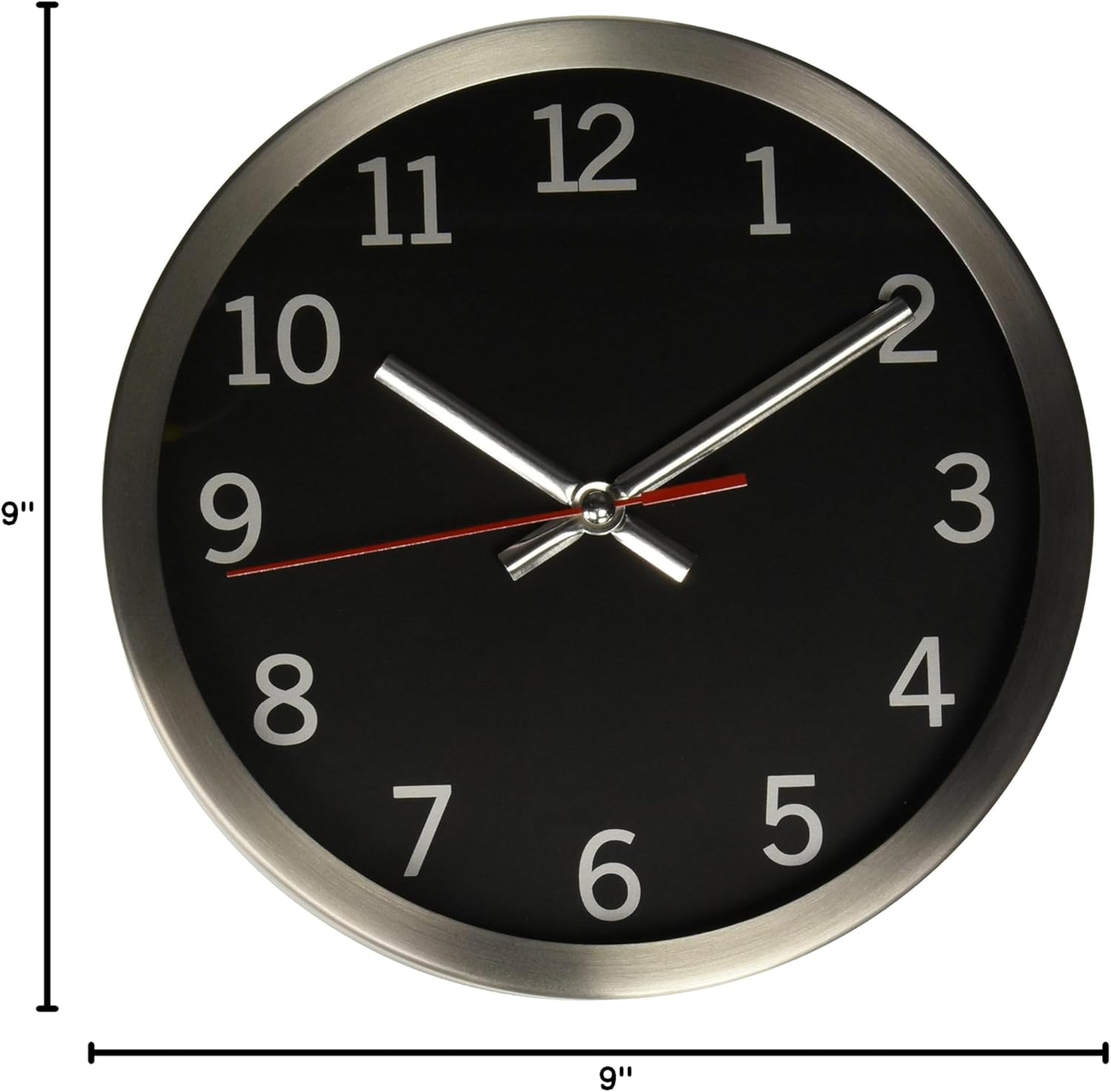
Image: The Timekeeper 2253B 9 inch Round Wall Clock with its 9-inch width and 9-inch height dimensions clearly marked, aiding in placement and mounting.
Operating Instructions
The Timekeeper 2253B wall clock operates continuously using its quartz movement. Once the battery is installed and the time is set, the clock will maintain accurate timekeeping. No further adjustments are typically needed unless there is a power interruption (battery depletion) or a need to adjust for daylight saving time.
Maintenance
- Cleaning: To clean the clock, gently wipe the glass cover and metal frame with a soft, dry, lint-free cloth. Avoid using abrasive cleaners or solvents, as these may damage the finish or glass.
- Battery Replacement: Replace the AA battery approximately once a year, or when you notice the clock losing time or the second hand movement becoming erratic. Always dispose of used batteries responsibly.
- Environment: Place the clock in a location away from direct sunlight, extreme temperatures, and high humidity to ensure optimal performance and longevity.
Troubleshooting
| Problem | Possible Cause | Solution |
|---|---|---|
| Clock is not running or stops intermittently. | Battery is dead or incorrectly installed. | Replace the AA battery with a fresh one, ensuring correct polarity (+/-). |
| Clock is losing or gaining time. | Weak battery or extreme temperature fluctuations. | Replace the battery. Ensure the clock is in a stable room temperature environment. |
| Hands are stuck or not moving smoothly. | Dust or debris inside the mechanism, or physical obstruction. | Do not attempt to open the clock. If the issue persists after battery replacement, contact customer support. |
Specifications
| Model Number | 2253B |
| Brand | Artistic |
| Dimensions | 9"W x 9"H |
| Weight | 1 Pound |
| Material | Glass, Metal (Brushed Silver Frame) |
| Display Type | Analog |
| Movement Type | Quartz |
| Power Source | Battery Powered |
| Battery Type Required | 1 x AA (not included) |
| Mounting Type | Wall Mount |
Warranty Information
The Timekeeper 2253B 9" Round Wall Clock comes with a Limited Warranty. For specific terms, conditions, and duration of the warranty, please refer to the warranty card included with your purchase or contact the manufacturer directly. This warranty typically covers defects in materials and workmanship under normal use.
Customer Support
If you have any questions, require assistance with setup, or encounter issues not covered in the troubleshooting section, please contact Artistic customer support. Refer to the product packaging or the manufacturer's official website for the most current contact information.


