
Mr. Coffee SK13-RB
Mr. Coffee 12-Cup Coffee Maker Instruction Manual
Model: SK13-RB
Introduction
Welcome to the Mr. Coffee 12-Cup Coffee Maker. This manual provides essential information for the safe and efficient operation, maintenance, and troubleshooting of your new coffee maker. Please read it thoroughly before first use and keep it for future reference.
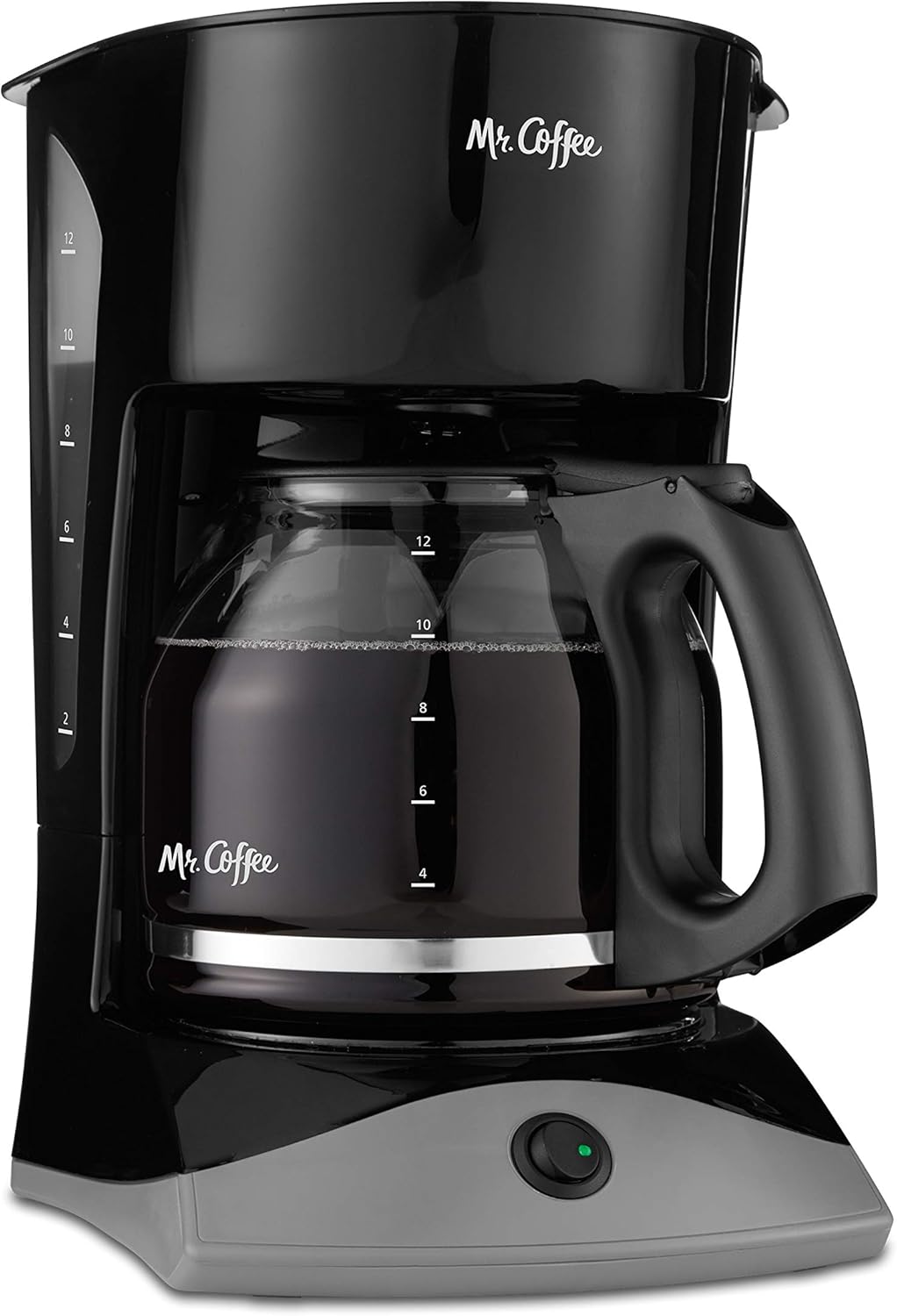
Figure 1: Mr. Coffee 12-Cup Coffee Maker, Black.
Safety Precautions
- Always unplug the coffee maker from the electrical outlet before cleaning or when not in use.
- Do not immerse the cord, plug, or coffee maker in water or other liquids.
- Close supervision is necessary when any appliance is used by or near children.
- Do not operate any appliance with a damaged cord or plug, or after the appliance malfunctions or has been damaged in any manner.
- Use only attachments recommended by the manufacturer.
- Do not place on or near a hot gas or electric burner, or in a heated oven.
- Do not use the appliance for other than intended use.
Setup
Before First Use
- Unpack the coffee maker and remove all packaging materials.
- Wash the carafe and removable filter basket in warm, soapy water. Rinse thoroughly.
- Wipe the exterior of the coffee maker with a soft, damp cloth.
- For initial cleaning, brew a full carafe of water without coffee grounds. Discard the water.
Placement
Place the coffee maker on a flat, stable, heat-resistant surface, away from the edge of the counter. Ensure there is adequate space around the unit for ventilation.
Operating Instructions
Brewing Coffee
- Open the top lid of the coffee maker.
- Fill the glass carafe with the desired amount of fresh, cold water. The carafe has markings for up to 12 cups.
- Pour the water from the carafe into the water reservoir, located under the top lid. Use the dual water window on the side to ensure you do not overfill.

Figure 2: Dual Water Window for precise filling.
- Place a standard basket-style paper filter or the reusable filter (if included) into the removable filter basket.
- Add the desired amount of ground coffee to the filter. A general guideline is one tablespoon of coffee per cup, but adjust to your taste.

Figure 3: Removable filter basket for easy filling.
- Close the top lid securely.
- Place the empty glass carafe on the warming plate.
- Plug the coffee maker into a standard electrical outlet.
- Press the ON/OFF switch to begin brewing. The indicator light will illuminate, signaling that the brewing process has started.

Figure 4: Power On/Off Light indicates brewing status.
- The coffee maker features a Grab-A-Cup Auto Pause function, which temporarily stops the flow of coffee if you remove the carafe during brewing. This allows you to pour a cup before the brewing cycle is complete. Replace the carafe within 20 seconds to prevent overflow.

Figure 5: Grab-A-Cup Auto Pause in action.
- Once brewing is complete, the indicator light will remain on, keeping the coffee warm. Remember to manually turn off the coffee maker by pressing the ON/OFF switch when you are finished. This model does not feature an automatic shut-off.
Maintenance
Daily Cleaning
- After each use, unplug the coffee maker and allow it to cool.
- Remove the filter basket and discard used coffee grounds and paper filter. Wash the filter basket and carafe in warm, soapy water or place them on the top rack of your dishwasher.
- Wipe the exterior surfaces of the coffee maker with a soft, damp cloth. Do not use abrasive cleaners or scouring pads.
Descaling (Mineral Deposit Removal)
Mineral deposits (calcium and lime) can build up in your coffee maker and affect its performance. Descale your coffee maker regularly, typically every 80 brew cycles or monthly, depending on water hardness.
- Pour 4 cups of undiluted white household vinegar into the water reservoir.
- Place an empty paper filter in the filter basket and close the lid.
- Place the empty carafe on the warming plate.
- Turn on the coffee maker and allow half of the vinegar solution to brew into the carafe.
- Turn off the coffee maker and let it soak for at least 30 minutes.
- Turn on the coffee maker again and brew the remaining vinegar solution.
- Discard the vinegar solution from the carafe and rinse the carafe thoroughly.
- Fill the water reservoir with fresh, cold water and brew a full carafe of plain water to rinse the system. Repeat this step two more times.
Cord Storage
The coffee maker features convenient cord storage at the back to help manage unnecessary counter clutter when not in use.
Troubleshooting
| Problem | Possible Cause | Solution |
|---|---|---|
| Coffee maker does not turn on. | Not plugged in; power outage; faulty outlet. | Ensure the coffee maker is securely plugged into a working electrical outlet. Check your circuit breaker. |
| Coffee does not brew. | No water in reservoir; filter basket not properly seated; carafe not on warming plate. | Fill water reservoir. Ensure filter basket is correctly placed. Confirm carafe is centered on the warming plate. |
| Coffee overflows from filter basket. | Too much coffee grounds; filter not properly seated; carafe removed too long during Auto Pause. | Reduce coffee grounds. Ensure filter is correctly placed. Replace carafe quickly when using Auto Pause. |
| Coffee tastes weak or too strong. | Incorrect coffee-to-water ratio; old coffee grounds. | Adjust the amount of coffee grounds to your preference. Use fresh coffee grounds. |
| Mineral deposits affecting performance. | Buildup of calcium and lime. | Perform descaling procedure as described in the Maintenance section. |
Specifications
| Feature | Detail |
|---|---|
| Brand | Mr. Coffee |
| Model Name | 12-Cup Coffee |
| Model Number | SK13-RB |
| Color | Black |
| Product Dimensions (D x W x H) | 11.76"D x 12.3"W x 13.8"H |
| Item Weight | 3.6 pounds |
| Special Feature | Manual, Permanent Filter |
| Coffee Maker Type | Drip Coffee Machine |
| Filter Type | Reusable |
| Operation Mode | Fully Automatic |
| Voltage | 110 |
| UPC | 072179230274 |

Figure 6: Product Dimensions.
Warranty and Support
For detailed warranty information, please refer to the official user manual provided by Mr. Coffee. You can access the full PDF user manual for this product:
Protection Plans
Additional protection plans may be available for your Mr. Coffee 12-Cup Coffee Maker. These plans offer extended coverage beyond the standard manufacturer's warranty. For more information on available protection plans, please visit the product page or contact your retailer.
Contact and Brand Information
For further assistance, product registration, or to explore other Mr. Coffee products, please visit the official Mr. Coffee store:
Related documentsSK13-RB

Ask a question about this manual
Ask about setup, troubleshooting, compatibility, parts, safety, or missing instructions. Manuals+ will review the question and use this page’s manual context to help answer it.