
Introduction
This manual provides essential information for the safe and efficient use of your Daylight D23030-01 Floor Lamp with Wheels. Please read these instructions carefully before assembly and operation, and retain them for future reference.
Safety Instructions
- Ensure the lamp is placed on a stable, level surface to prevent tipping.
- Do not operate the lamp with a damaged cord or plug. If damaged, contact qualified service personnel.
- Keep the lamp away from water or other liquids. Do not use in damp environments.
- Unplug the lamp from the power outlet before cleaning or performing any maintenance.
- Do not attempt to modify or repair the lamp yourself. Refer all servicing to qualified personnel.
- Ensure the voltage rating of the lamp matches your local power supply before plugging in. This lamp operates at 120 Volts (AC).
- Avoid direct eye exposure to the light source for extended periods.
- Keep children and pets away from the lamp during operation.
Package Contents
Please check the package contents against the list below. If any items are missing or damaged, contact your retailer.
- Lamp Head with Flexible Arm
- Main Lamp Pole
- Base with Wheels
- Power Cord
- Instruction Manual (this document)
Setup
Follow these steps to assemble your Daylight D23030-01 Floor Lamp:
- Carefully unpack all components from the box.
- Attach the main lamp pole to the base with wheels. Ensure it is securely fastened.
- Connect the lamp head assembly to the top of the main lamp pole. Ensure all connections are firm.
- Plug the power cord into the lamp's power input, then into a suitable 120V AC wall outlet.
Operating Instructions
Turning On/Off
Locate the power button on the lamp head. Press the button once to turn the lamp on, and press it again to turn it off.
Adjusting the Light
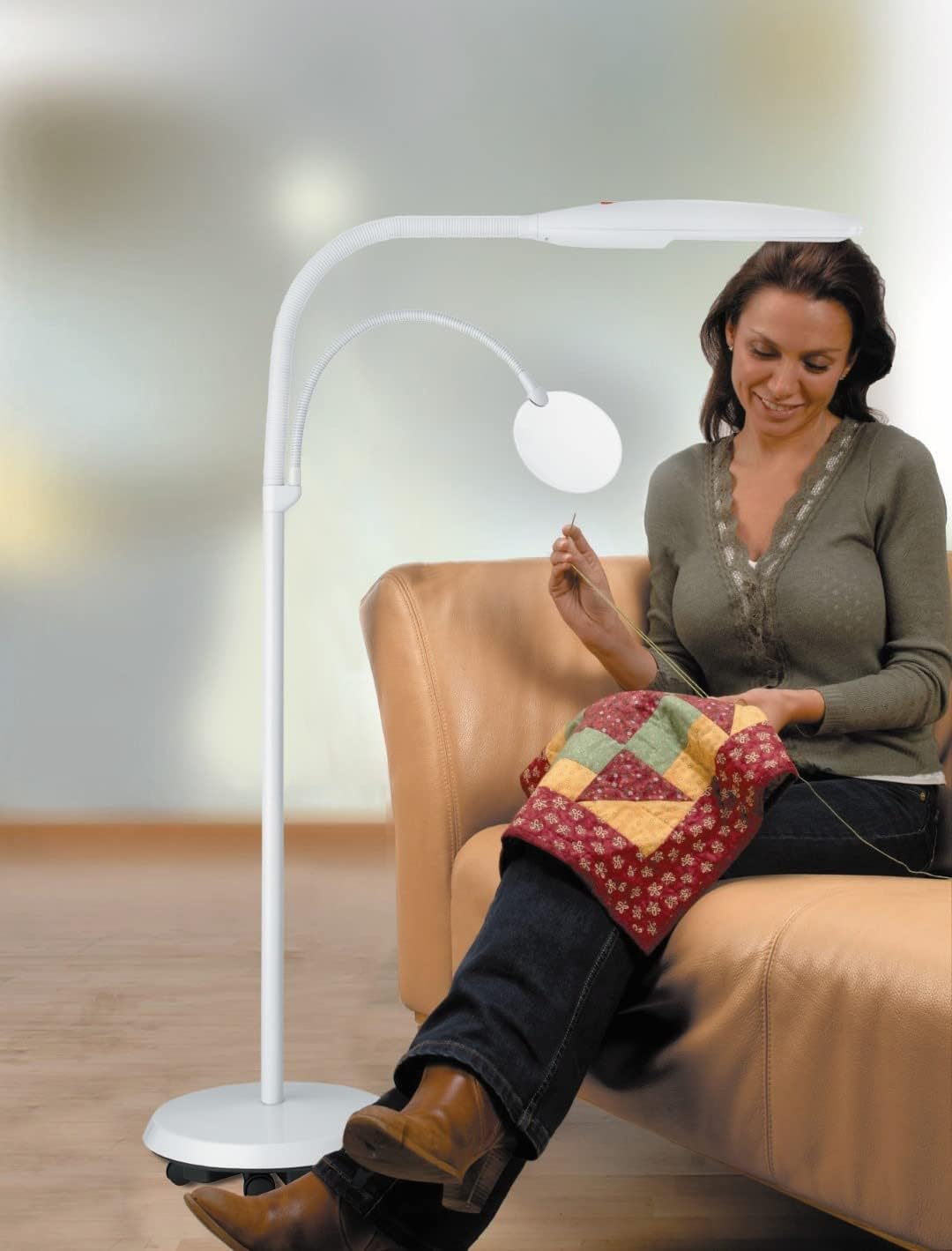
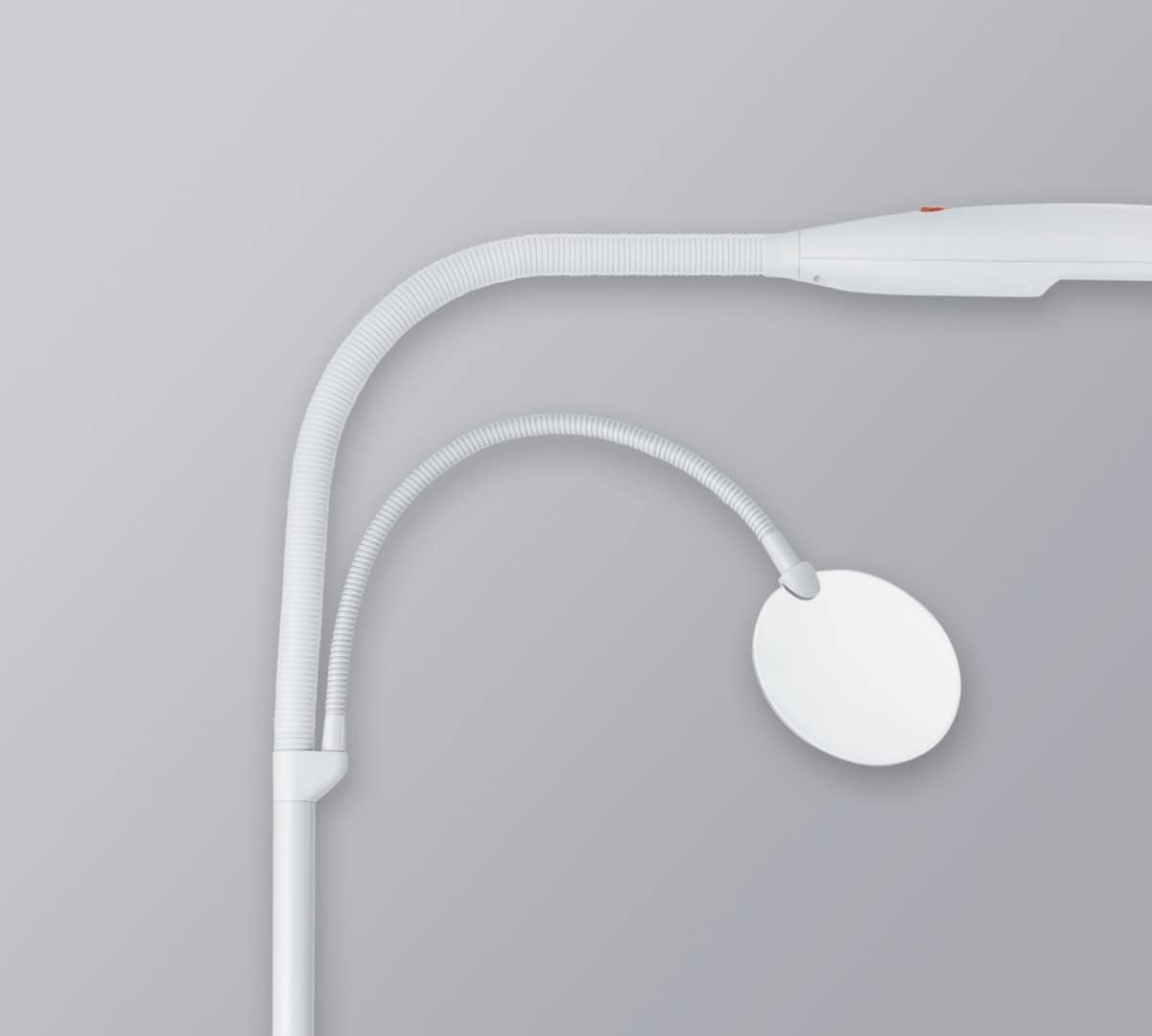
The main lamp head and the secondary flexible arm light can be independently adjusted. Gently bend the flexible arms to position the light exactly where needed for your task. The secondary arm may also feature a magnifier for detailed work.
Mobility
The lamp is equipped with wheels on its base for easy repositioning. Gently push or pull the lamp to move it to your desired location. Ensure the power cord does not become tangled or a tripping hazard during movement.


Maintenance
Cleaning
Before cleaning, always unplug the lamp from the power outlet. Use a soft, dry cloth to wipe down the lamp's surfaces. Do not use abrasive cleaners, solvents, or harsh chemicals, as these can damage the finish. For stubborn marks, a slightly damp cloth can be used, followed by immediate drying.
Bulb Replacement
This lamp uses a fluorescent bulb. If the bulb needs replacement, ensure the lamp is unplugged and cool. Refer to the markings on the bulb or lamp for the correct replacement type. Consult a qualified technician if you are unsure about replacing the bulb.
Troubleshooting
| Problem | Possible Cause | Solution |
|---|---|---|
| Lamp does not turn on. |
|
|
| Light flickers or is dim. |
|
|
| Lamp is unstable. |
|
|
Specifications
| Brand | Daylight |
| Model Number | D23030-01 |
| Color | Off-White |
| Product Dimensions (L x W x H) | 21.7 x 34.3 x 56.5 cm (8.5 x 13.5 x 22.2 inches) |
| Power | 18 Watts |
| Voltage | 120 Volts (AC) |
| Material | Plastic |
| Item Weight | 6.6 Kilograms (14.5 lbs) |
| Lamp Type | Fluorescent |
| Switch Type | Push Button |
Warranty and Support
For warranty information or technical support, please refer to the documentation provided at the time of purchase or contact your retailer. Keep your proof of purchase for any warranty claims.


