
Introduction
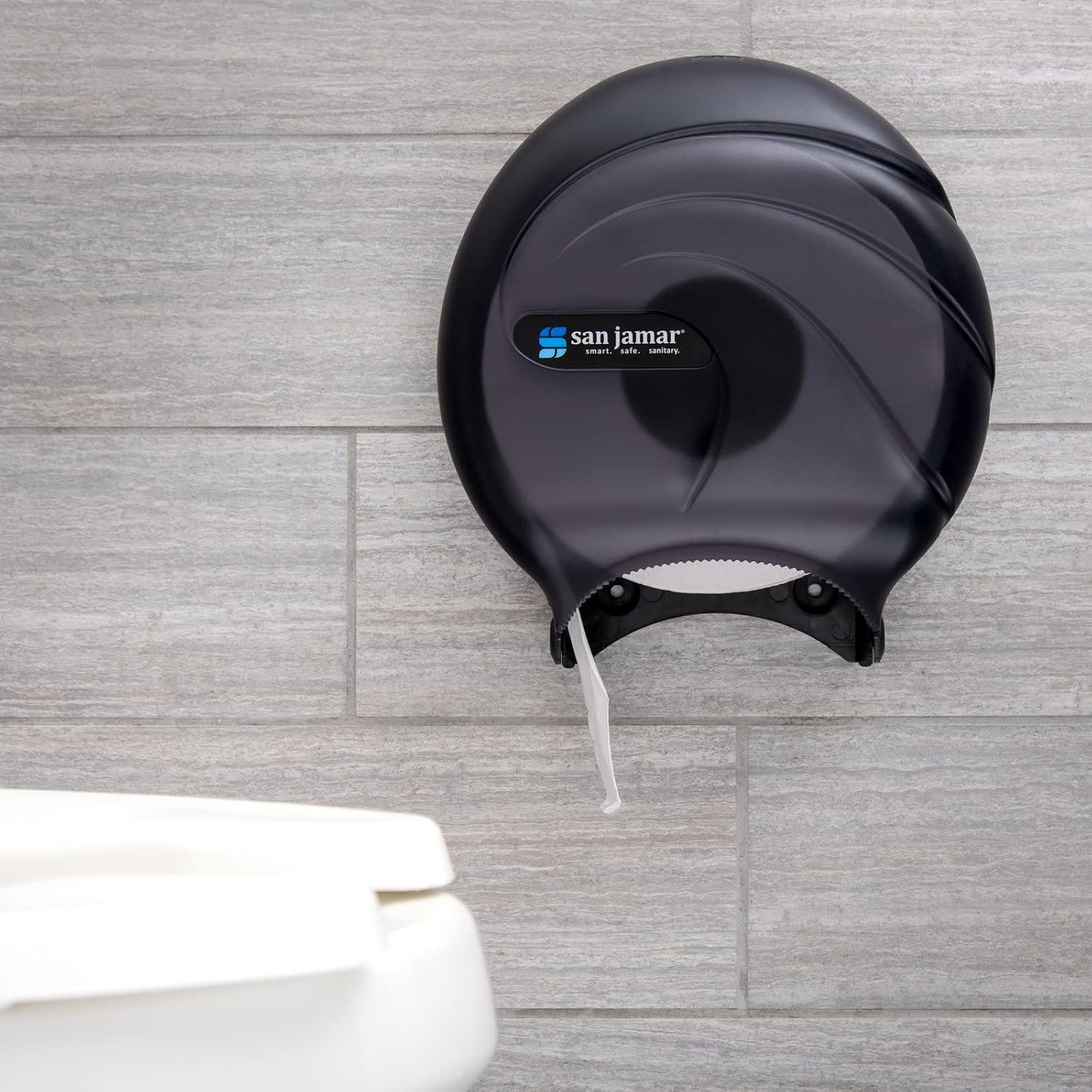
This manual provides essential information for the proper installation, operation, and maintenance of your San Jamar Oceans R2090TBK Single Jumbo Bath Tissue Dispenser. Designed for efficient and reliable tissue dispensing, this unit is built to high-quality standards and accommodates universal jumbo bath tissue rolls, including 9-inch and 12-inch sizes.
Important Safety Information
- Always ensure the dispenser is securely mounted to a stable wall surface to prevent accidental falls.
- Keep the dispenser locked when not being serviced to prevent tampering and ensure hygiene.
- Use only the specified jumbo bath tissue rolls. Using incorrect roll sizes may cause jamming or damage to the dispenser.
- Do not use abrasive cleaners or solvents on the dispenser, as this may damage the plastic finish.
Package Contents
Verify that all items are present before beginning installation:
- San Jamar Oceans R2090TBK Single Jumbo Bath Tissue Dispenser (1 unit)
- Mounting Hardware (screws and wall anchors, typically included)
- Dispenser Key (for opening and locking the unit)
Setup and Installation
The San Jamar Oceans R2090TBK dispenser is designed for screw-in installation. Follow these steps for secure mounting:
- Choose Location: Select a suitable wall location in the restroom, ensuring adequate clearance for opening the dispenser and dispensing tissue.
- Open Dispenser: Use the provided key to unlock and open the front cover of the dispenser.
- Mark Drilling Points: Hold the back plate of the dispenser against the wall at the desired height. Use a pencil to mark the locations for the mounting screws through the pre-drilled holes on the back plate.
- Drill Pilot Holes: Using an appropriate drill bit for your wall type (e.g., masonry for tile/concrete, smaller bit for drywall), drill pilot holes at the marked locations. If installing into drywall, insert wall anchors into the pilot holes.
- Mount Dispenser: Align the dispenser's back plate with the drilled holes. Insert the mounting screws through the dispenser and into the wall/anchors. Tighten securely, but do not overtighten to avoid cracking the plastic.
- Close and Lock: Close the front cover of the dispenser and lock it with the key.


Operating Instructions
Loading and dispensing tissue is a straightforward process:
- Unlock and Open: Insert the key into the lock mechanism at the top of the dispenser and turn to unlock. Gently pull the front cover open.
- Load Tissue Roll: Place a new jumbo bath tissue roll onto the internal spindle. Ensure the tissue feeds from the bottom of the roll.
- Thread Tissue: Pull a length of tissue through the dispensing slot at the bottom of the dispenser.
- Close and Lock: Close the front cover firmly until it clicks into place. Turn the key to lock the dispenser.
- Dispensing: Users can pull tissue downwards from the dispensing slot. The multidirectional tearing feature allows for easy access.


Product Overview Video
Video: A comprehensive overview of the San Jamar Oceans Bath Tissue Dispenser, demonstrating its features, loading process, and design. This video is provided by Amazon Product Imaging.
Maintenance
Regular cleaning and care will ensure the longevity and hygienic operation of your dispenser:
- Cleaning: Wipe the exterior and interior surfaces of the dispenser with a soft cloth dampened with mild soap and water. Rinse with a clean, damp cloth and dry thoroughly.
- Avoid Harsh Chemicals: Do not use abrasive cleaners, strong solvents, or scouring pads, as these can scratch or damage the plastic finish.
- Inspection: Periodically check the mounting screws for tightness and ensure the dispenser cover opens and closes smoothly.
Troubleshooting
If you encounter issues with your dispenser, consider the following common solutions:
- Tissue Not Dispensing: Ensure the tissue roll is correctly loaded onto the spindle and threaded through the dispensing slot. Check for any obstructions or paper jams.
- Cover Not Closing/Locking: Verify that the tissue roll is not oversized or improperly placed, preventing the cover from closing completely. Ensure the key mechanism is clean and free of debris.
- Loose Dispenser: If the dispenser feels loose on the wall, check and retighten the mounting screws. If necessary, relocate the dispenser or use stronger wall anchors.
Specifications
| Brand | Carlisle FoodService Products (San Jamar) |
| Model Number | R2090TBK |
| Material | Acrylonitrile Butadiene Styrene (ABS) |
| Color | Black Pearl |
| Installation Type | Screw-In |
| Product Dimensions (L x W x H) | 10.25" x 5.63" x 5.63" (approximate height based on thickness) |
| Item Weight | 0.91 Kilograms (approx. 2 pounds) |
| Compatible Roll Sizes | Universal jumbo bath tissue, 9 or 12 inch core |

Warranty and Support
For warranty information or technical support, please contact Carlisle FoodService Products directly. Refer to their official website or product packaging for the most current contact details and warranty terms.


