
Introduction
This manual provides instructions for the safe and effective use of your Conair SM10LRX Lysol Steam-Cleaning Mop. This appliance is designed to combine the cleaning power of steam with Lysol All-Purpose Cleaner for effective floor sanitation and dirt removal. Please read all instructions carefully before use and retain this manual for future reference.
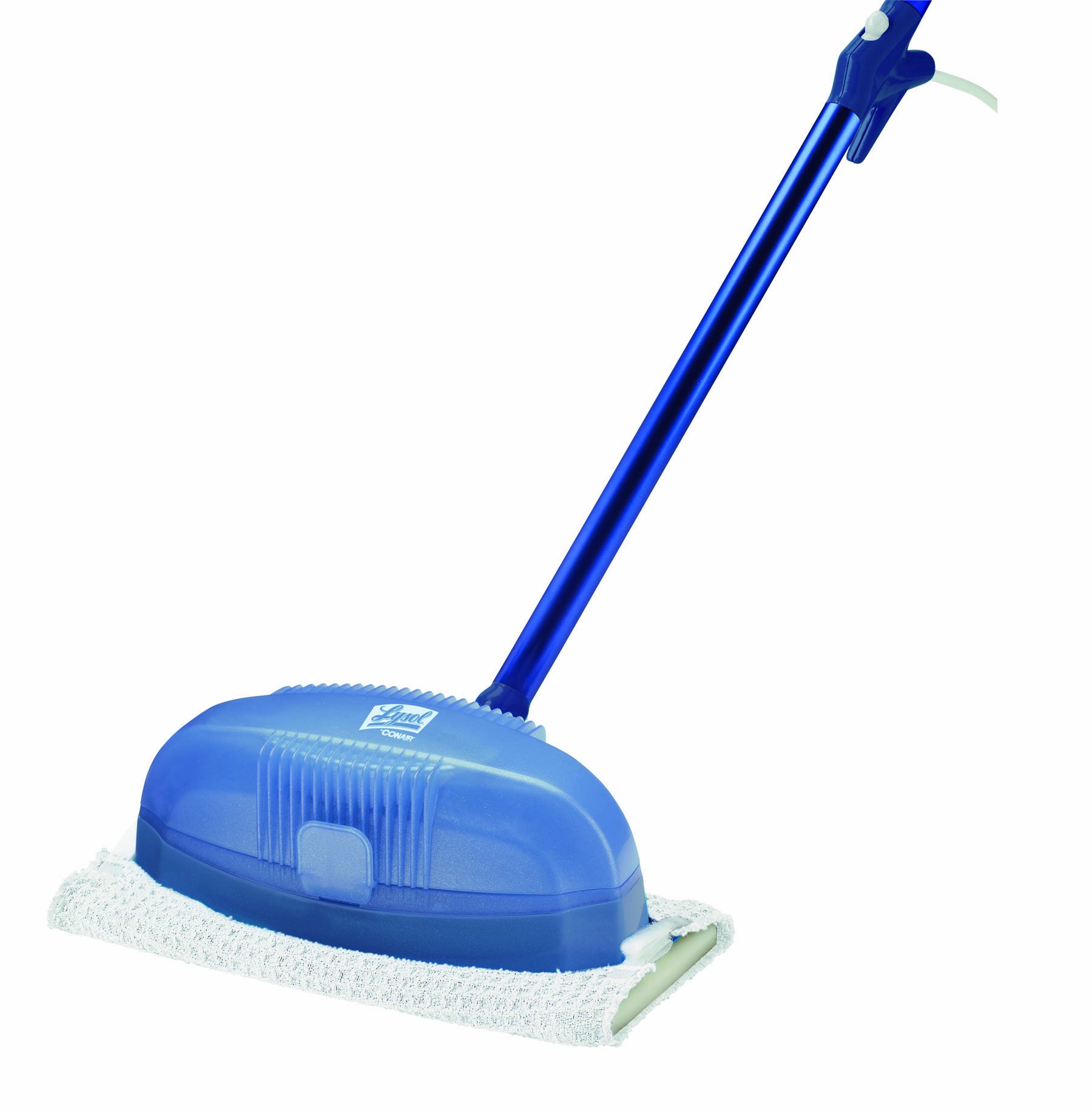
Image: The Conair SM10LRX Lysol Steam-Cleaning Mop, shown upright with its cleaning head and handle.
Important Safety Information
When using electrical appliances, basic safety precautions should always be followed to reduce the risk of fire, electric shock, and injury to persons, including the following:
- Read all instructions before using the appliance.
- Do not leave the appliance unattended when plugged in. Unplug from outlet when not in use and before servicing.
- Do not allow children to operate the steam mop. Close supervision is necessary when any appliance is used by or near children.
- Use only as described in this manual. Use only manufacturer’s recommended attachments.
- Do not use with damaged cord or plug. If appliance is not working as it should, has been dropped, damaged, left outdoors, or dropped into water, return it to a service center.
- Do not pull or carry by cord, use cord as a handle, close a door on cord, or pull cord around sharp edges or corners. Keep cord away from heated surfaces.
- Do not unplug by pulling on cord. To unplug, grasp the plug, not the cord.
- Do not handle plug or appliance with wet hands.
- Do not put any object into openings. Do not use with any opening blocked; keep free of dust, lint, hair, and anything that may reduce airflow.
- Keep hair, loose clothing, fingers, and all parts of body away from openings and moving parts.
- Do not use to pick up flammable or combustible liquids, such as gasoline, or use in areas where they may be present.
- Do not use on unsealed hardwood floors or floors that are sensitive to heat and moisture. Test on a small, inconspicuous area first.
- Use caution when cleaning stairs.
- Store your appliance indoors in a cool, dry area.
- Always unplug the appliance before filling or emptying the water tank.
- Use only tap water or distilled water. Do not add cleaning solutions, perfumes, or other chemicals to the water tank unless specifically instructed (Lysol All-Purpose Cleaner is designed for the designated cleaner tank).
- The steam is very hot. Avoid direct contact with steam.
Package Contents
Verify that all components are present in your package:
- Conair SM10LRX Lysol Steam-Cleaning Mop Unit
- Removable Water Tank
- Lysol All-Purpose Cleaner (28 fluid ounces)
- Fill Cup
- Washable Cotton Cloth Covers (2 units)
- User Manual (this document)
Setup Instructions
- Attach the Mop Head: Securely attach the mop head to the main body of the steam mop. Ensure it clicks into place.
- Attach Cleaning Pad: Place one of the washable cotton cloth covers onto the mop head, ensuring it is centered and securely attached.
- Fill Water Tank:
- Remove the water tank from the main unit.
- Open the water tank cap.
- Using the provided fill cup, fill the water tank with clean tap water or distilled water. Do not overfill.
- Close the water tank cap securely and reinsert the tank into the mop unit until it locks into place.
- Add Lysol Cleaner (Optional):
- Locate the separate cleaner reservoir on the mop.
- Open the cap and carefully pour Lysol All-Purpose Cleaner into this reservoir. Do not mix Lysol with water in the main water tank.
- Close the cleaner reservoir cap securely.
- Power Connection: Plug the power cord into a grounded electrical outlet.
Operating Instructions
- Power On: Press the power control button located on the mop handle. The mop will begin to heat up.
- Wait for Steam: Allow a few moments for the mop to generate steam. You may hear a gurgling sound as it heats.
- Begin Cleaning: Once steam is visible or the mop head feels warm, slowly move the mop across the floor surface. The wide cleaning head is designed for efficient coverage.
- Apply Lysol (if desired): If you have added Lysol cleaner, activate its release mechanism (refer to specific button/lever on your unit, if applicable, otherwise it mixes automatically).
- Continuous Cleaning: The removable water tank allows for continuous cleaning. If the water runs out, unplug the unit, refill the tank, and resume operation.
- After Use:
- Press the power control button to turn off the mop.
- Unplug the power cord from the outlet.
- Allow the mop to cool down completely before handling or storing.
Note: For best results, pre-sweep or vacuum the floor to remove loose debris before steam cleaning.
Care and Maintenance
Regular maintenance ensures optimal performance and extends the life of your steam mop.
Cleaning the Mop Pads
- After each use, remove the washable cotton cloth cover from the mop head.
- The pads can be machine washed with regular detergent. Do not use bleach or fabric softeners, as these can reduce the pad's absorbency.
- Air dry or tumble dry on low heat.
Descaling the Water Tank (Recommended)
To prevent mineral buildup, especially in areas with hard water, descaling is recommended periodically.
- Ensure the mop is unplugged and completely cool.
- Remove the water tank.
- Fill the water tank with a solution of equal parts white vinegar and water.
- Allow the solution to sit in the tank for at least 30 minutes, or up to a few hours for heavy buildup.
- Empty the tank and rinse thoroughly with clean water several times.
- Refill with clean water and run the mop for a few minutes to flush out any remaining vinegar.
Caution: Never pour vinegar or other descaling agents into the Lysol cleaner reservoir.
Storage
- Ensure the water tank and cleaner reservoir are empty before storing.
- Store the mop in an upright position in a cool, dry place.
- Do not wrap the power cord tightly around the mop.
Troubleshooting
| Problem | Possible Cause | Solution |
|---|---|---|
| Mop not producing steam. |
|
|
| Mop is leaking water or leaving puddles. |
|
|
| Mop not cleaning effectively. |
|
|
Product Specifications
| Brand | Conair |
| Model Name | SM10LRX |
| Model Number | SM10LRZ |
| UPC / GTIN | 074108224477 |
| Wattage | 1500 watts |
| Power Source | Corded Electric |
| Item Weight | 2.95 Pounds |
| Capacity (Water Tank) | 1.8 Pounds |
| Color | White |
| Surface Recommendation | Floor |
| Special Features | Wide Cleaning Head, Tough Grease & Scum Removal, Removable Water Tank |
Warranty and Support
Limited One-Year Warranty
The Conair SM10LRX Lysol Steam-Cleaning Mop comes with a limited one-year warranty from the date of purchase. This warranty covers manufacturing defects and workmanship under normal household use. It does not cover damage resulting from misuse, accident, commercial use, or unauthorized modifications.
For warranty claims or service, please retain your proof of purchase. Contact Conair Customer Service for assistance.
Customer Support
If you have any questions about your Conair SM10LRX Lysol Steam-Cleaning Mop, require technical assistance, or need to order replacement parts, please visit the official Conair website or contact their customer service department. Contact information can typically be found on the Conair website or on the product packaging.
Online Support: www.conair.com
