
Woods 59008
Woods 59008 In-Wall Digital Countdown Timer User Manual
Model: 59008 | Brand: Woods
Introduction
The Woods 59008 In-Wall Digital Countdown Timer is designed to automatically turn off connected appliances or lighting after a preset time, promoting energy efficiency and convenience. This timer replaces standard wall switches and offers multiple countdown settings for various applications.
It is ideal for controlling bathroom fans, lights, and other outlets, ensuring they do not run unnecessarily. The unit comes with 5 settings: 10-Minute, 20-Minute, 30-Minute, 60-Minute, and Off. It easily fits decorator switch plates (single or multi-gang) and is compatible with compact fluorescent bulbs, LED, and incandescent lights.
Safety Information
WARNING: Installation should be made by a licensed electrician. To avoid fire, shock, or death, turn off power at the circuit breaker and test that power is OFF before wiring. Neutral wire is required for this timer to function. This timer is not compatible with 3-way switches. For indoor use only. Do not exceed rated capacity.
- Always disconnect power at the circuit breaker before installation or servicing.
- Ensure all wiring connections are secure and comply with local electrical codes.
- Do not exceed the specified electrical ratings of the timer.
- This device is for indoor use only.
- Do not attempt to modify or repair the unit. Refer to qualified personnel for service.
Package Contents
- Woods 59008 In-Wall Digital Countdown Timer
- Wire Nuts (typically included)
- Instruction Manual (this document)
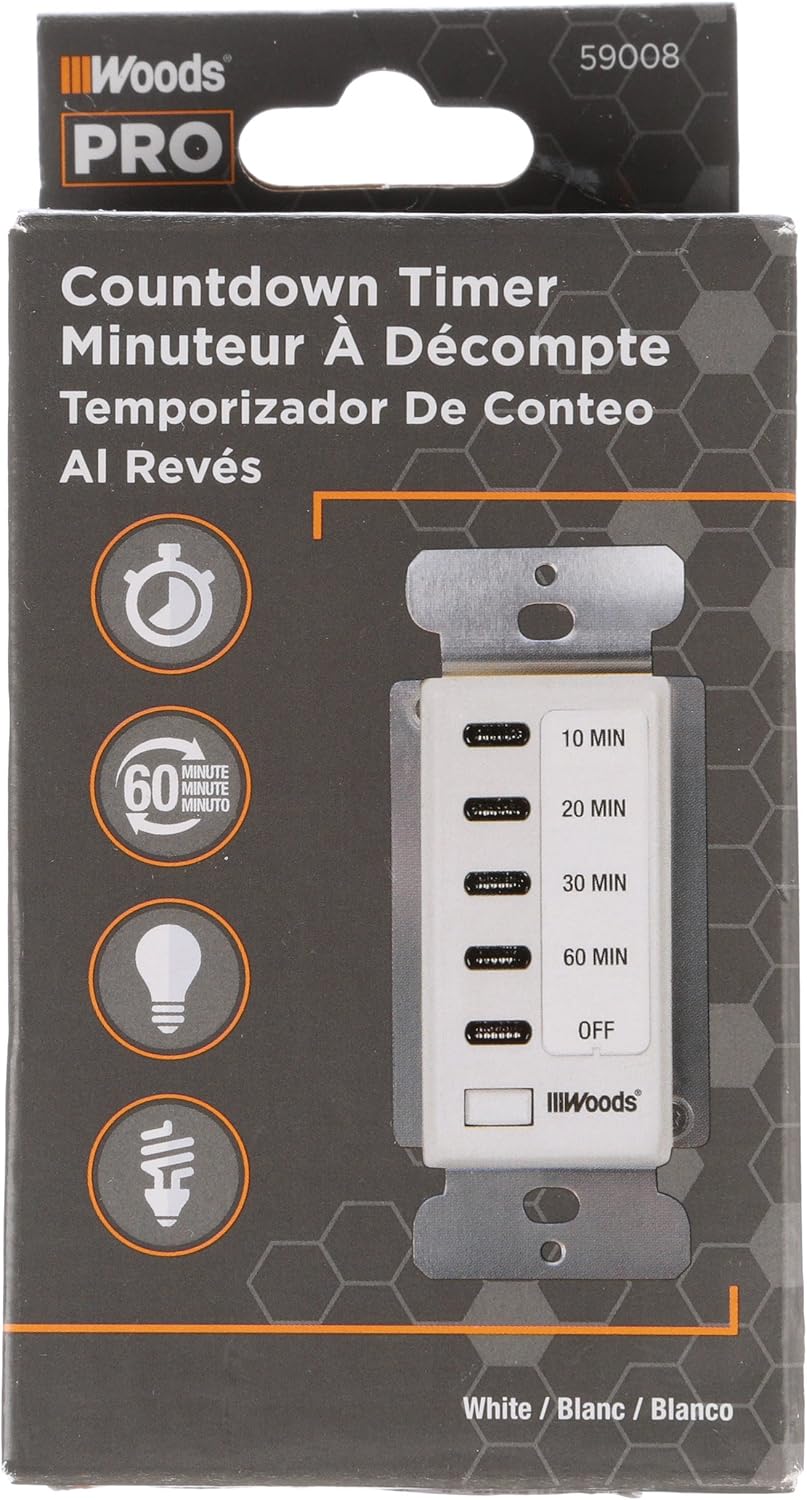
Image: Woods 59008 Countdown Timer in its retail packaging, showing the product and branding.
Installation
This timer is designed to replace a standard single-pole wall switch. A neutral wire is required for proper operation.
Tools Required:
- Screwdriver (Phillips and Flathead)
- Wire Strippers
- Voltage Tester
- Electrical Tape (optional)
Wiring Diagram and Connections:

Image: Side view of the Woods 59008 timer with its wiring diagram clearly visible, indicating connections for Hot (Black), Load (Red), Ground (Green), and Neutral (White).
The timer has four wires: Black (Hot), Red (Load), White (Neutral), and Green (Ground).
Installation Steps:
- Turn off power to the switch at the circuit breaker. Verify power is off using a voltage tester.
- Remove the existing wall plate and switch from the electrical box.
- Carefully disconnect the wires from the old switch. Note which wire was connected to the "line" (hot) and "load" (to the fixture).
- Connect the Woods 59008 timer wires to your house wiring using wire nuts:
- Connect the Black wire from the timer to the Hot (Line) wire from the electrical box.
- Connect the Red wire from the timer to the Load wire (to the light/appliance).
- Connect the White wire from the timer to the Neutral wire from the electrical box. (A neutral wire is typically white and often bundled with other white wires in the box).
- Connect the Green wire from the timer to the Ground wire (bare copper or green insulated wire) from the electrical box.
- Carefully push the wired timer into the electrical box.
- Secure the timer to the electrical box using the provided screws.
- Install a decorator-style wall plate (not included) over the timer.
- Turn power back on at the circuit breaker.
- Test the timer's functionality.

Image: Front view of the Woods 59008 In-Wall Digital Countdown Timer, showing the timer face with 10, 20, 30, 60 minute, and OFF settings, and the attached wiring harness.
Operating Instructions
The Woods 59008 timer features five preset countdown options and an OFF setting.
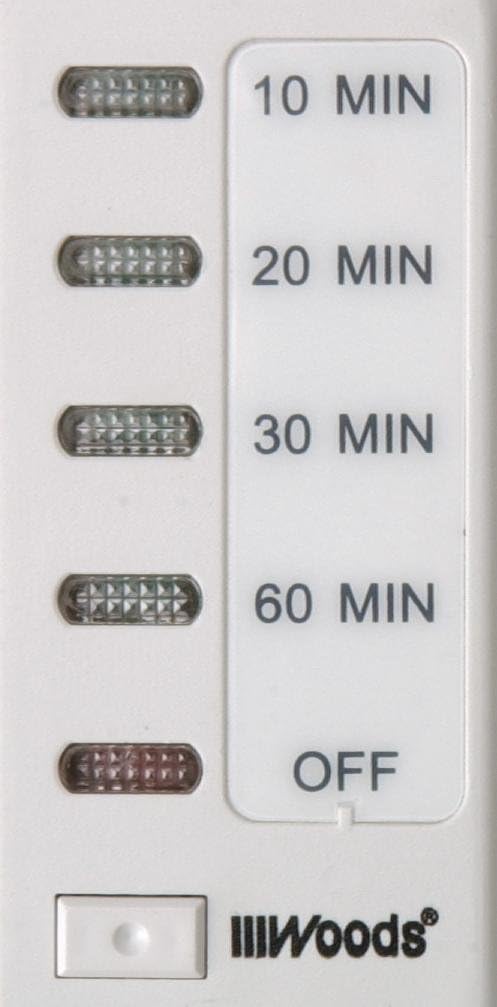
Image: Close-up of the Woods 59008 timer's control panel, clearly showing the 10 MIN, 20 MIN, 30 MIN, 60 MIN, and OFF buttons with their respective indicator lights.
- To activate the timer, press the desired time button (10 MIN, 20 MIN, 30 MIN, or 60 MIN).
- The corresponding LED indicator light next to the selected time will illuminate, indicating the timer is active and counting down.
- The connected device (light, fan, etc.) will turn on.
- Once the selected time has elapsed, the timer will automatically turn off the connected device.
- To manually turn off the device before the countdown completes, press the "OFF" button. The LED indicator will turn off.
The timer provides a visual indication of the remaining time by the illuminated LED. As time progresses, the next lower time setting's LED will illuminate, and the previous one will turn off, until the "OFF" LED is lit, signifying the end of the cycle.
Maintenance
- The Woods 59008 timer requires no special maintenance.
- To clean the surface, wipe with a soft, damp cloth. Do not use abrasive cleaners or solvents.
- Ensure power is off at the circuit breaker before cleaning the unit.
Troubleshooting
| Problem | Possible Cause | Solution |
|---|---|---|
| Timer does not turn on/off device. | No power to the timer; incorrect wiring; faulty timer. | Check circuit breaker. Verify wiring connections (Hot, Load, Neutral, Ground). If wiring is correct and power is present, the timer may be faulty and require replacement. |
| LED indicators do not light up. | No power; loose connection. | Ensure power is on at the breaker. Check all wire connections for tightness. |
| Timer turns off immediately or unexpectedly. | Overload; incorrect load type. | Ensure the connected load does not exceed the timer's maximum ratings (15A Resistive, 8A Tungsten, 8A Ballast). This timer is not compatible with 3-way switches. |
If troubleshooting steps do not resolve the issue, contact Woods customer support or consult a qualified electrician.
Specifications
- Model: 59008
- Color: White
- Input Voltage: 120V AC, 60Hz
- Resistive Load: 15A, 1875W
- Tungsten Load: 8A, 1000W
- Ballast Load: 8A, 1000VA
- Motor: 1/4 HP
- Dimensions: 3"D x 6"W x 2.25"H (Product dimensions, likely referring to the faceplate area and depth)
- Item Weight: 5.6 ounces
- Switch Type: Single-pole (2-way)
- Compatibility: CFL, LED, Incandescent compatible
- Certifications: UL Listed

Image: Back view of the Woods 59008 timer, displaying detailed electrical specifications and certifications.
Warranty and Support
For warranty information or technical support, please refer to the official Woods website or contact their customer service department. Keep your purchase receipt for warranty claims.
Woods Customer Service: Please visit www.woods.com for contact details and further assistance.
Related documents59008


Ask a question about this manual
Ask about setup, troubleshooting, compatibility, parts, safety, or missing instructions. Manuals+ will review the question and use this page’s manual context to help answer it.