
1. Introduction
This manual provides comprehensive instructions for the installation, operation, and maintenance of your Amerec K60 Digital Control and Steamhead. The K60 is a 3-button digital control designed for Amerec steam bath systems, featuring on/off functionality, temperature adjustment, and time duration settings. It includes a remote-mounted temperature sensor, allowing flexible installation either inside or outside the steam room. The display conveniently alternates between the ambient room temperature and the remaining steam time.
2. Safety Information
Please read all safety instructions carefully before installation and operation. Failure to follow these instructions may result in injury or damage to the product. This device is intended for use with Amerec steam generators only. Installation must be performed by a qualified electrician in accordance with all local and national electrical codes.
- Electrical Hazard: Disconnect power at the circuit breaker before installing or servicing.
- Burn Hazard: The steamhead can become very hot during operation. Do not touch the steamhead while the steam generator is active.
- Water Damage: Ensure all connections are watertight to prevent leaks.
- Ventilation: Ensure proper ventilation in the steam room as per local building codes.
3. Package Contents
Verify that all components are present before beginning installation:
- K60 Digital Control Panel
- Remote Temperature Sensor
- Control Cables
- Comfort Flo Steamhead (Oil Rubbed Bronze)
- Installation Guide (this document)
4. Setup and Installation
The Amerec K60 control kit includes the K60 control, a remote sensor, necessary cables, and the Comfort Flo steam head. The control can be mounted either inside or outside the steam room.
4.1. Mounting the Control Panel
Choose a suitable location for the K60 control panel. It should be easily accessible and visible. If mounting inside the steam room, ensure it is not directly in the path of the steam flow. The control panel requires a standard electrical gang box for installation.
- Turn off power to the steam generator at the main circuit breaker.
- Install a standard electrical gang box at the desired control location.
- Route the control cable from the steam generator to the gang box.
- Connect the control cable to the K60 control panel terminals as per the wiring diagram provided with your steam generator.
- Secure the K60 control panel into the gang box.
4.2. Installing the Remote Temperature Sensor
The remote sensor is crucial for accurate temperature readings. Mount it approximately 6 inches below the ceiling, away from the steamhead and any direct drafts.
- Select a location for the sensor, ensuring it is not directly above the steamhead.
- Route the sensor cable from the steam generator to the chosen sensor location.
- Connect the sensor cable to the remote temperature sensor.
- Mount the sensor securely to the wall.
4.3. Installing the Comfort Flo Steamhead
The Comfort Flo steamhead should be installed approximately 6-12 inches above the finished floor, away from the seating area and any direct contact points.
- Ensure the steam line from the generator is properly plumbed to the desired steamhead location.
- Apply thread sealant to the steamhead threads.
- Thread the Comfort Flo steamhead into the steam line fitting.
- Tighten securely, but do not overtighten.
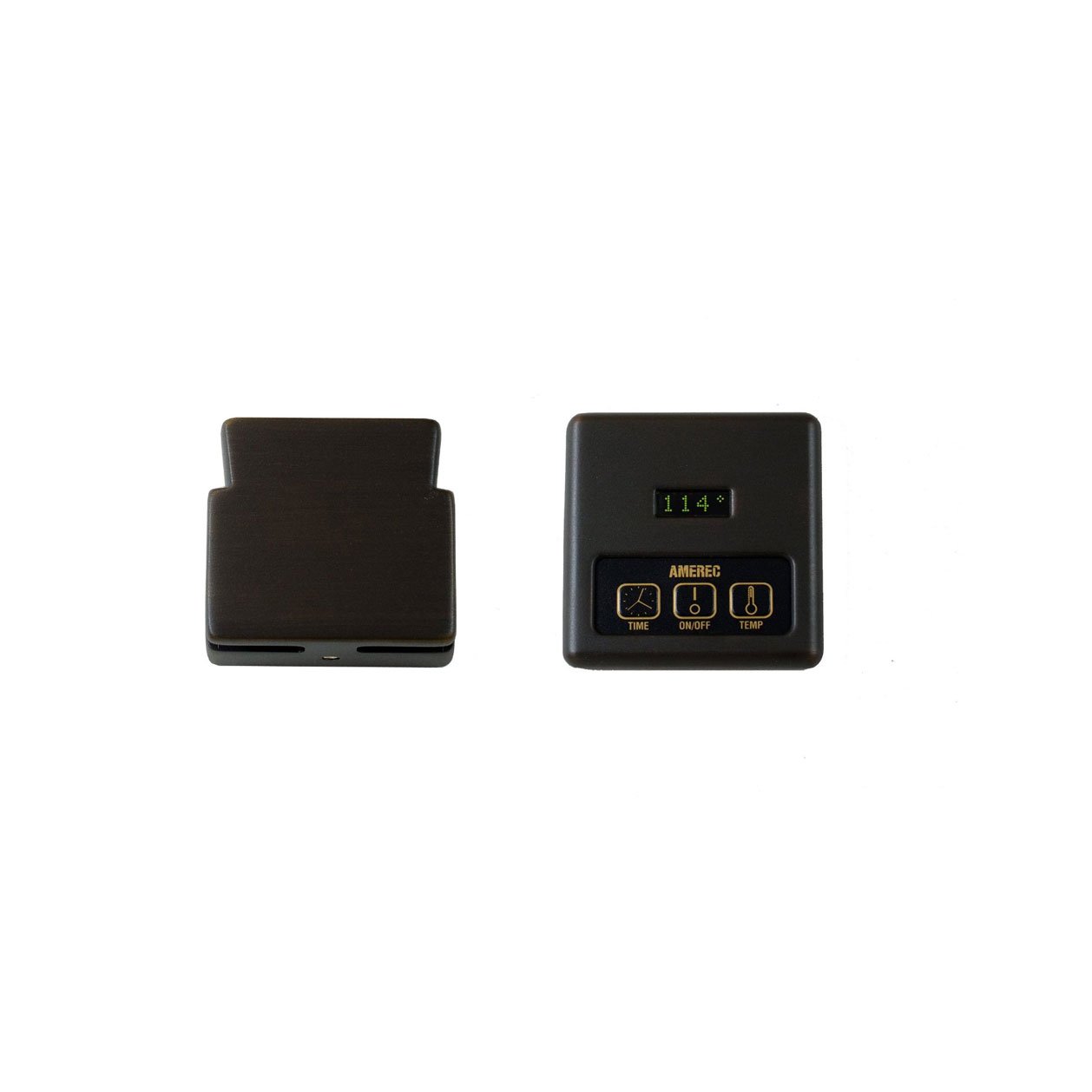
Figure 1: Amerec K60-ORB Digital Control and Comfort Flo Steamhead. This image shows the K60 digital control panel and the matching oil rubbed bronze Comfort Flo steamhead, which are key components of the steam bath system.
5. Operating Instructions
The K60 control features three buttons for easy operation: On/Off, Temperature, and Time Duration.
5.1. Turning On/Off
- Press the ON/OFF button once to start the steam generator. The display will illuminate and show the current room temperature.
- Press the ON/OFF button again to turn off the steam generator.
5.2. Setting Temperature
- While the steam generator is on, press the TEMPERATURE button. The display will show the current set temperature.
- Use the TEMPERATURE button to cycle through available temperature settings. The generator will adjust to maintain the selected temperature.
5.3. Setting Time Duration
- While the steam generator is on, press the TIME button. The display will show the current set duration.
- Use the TIME button to cycle through available time durations. The steam generator will automatically shut off after the set time expires.
- The display alternates between ambient room temperature and time remaining during operation.
6. Maintenance
Regular maintenance ensures optimal performance and longevity of your Amerec K60 Digital Control and Steamhead.
- Cleaning the Control Panel: Wipe the control panel with a soft, damp cloth. Do not use abrasive cleaners or solvents.
- Cleaning the Steamhead: Periodically check the steamhead for mineral buildup. If necessary, gently clean the opening with a soft brush. For stubborn deposits, consult your steam generator's manual for descaling procedures.
- Cable Inspection: Periodically inspect all cables for signs of wear or damage. If any damage is found, contact a qualified technician for replacement.
7. Troubleshooting
If you encounter issues with your K60 control, refer to the following common problems and solutions:
| Problem | Possible Cause | Solution |
|---|---|---|
| Control panel not illuminating. | No power to the steam generator; loose cable connection. | Check circuit breaker. Verify control cable connections at both the control and the generator. |
| Steam generator not producing steam. | Water supply off; generator malfunction; control not sending signal. | Ensure water supply to generator is open. Refer to steam generator manual for troubleshooting. Verify control is powered on and set correctly. |
| Incorrect temperature display. | Faulty sensor; sensor improperly located. | Ensure sensor is correctly installed and not obstructed. If problem persists, contact support. |
For issues not listed here, or if solutions do not resolve the problem, please contact Amerec customer support.
8. Specifications
| Feature | Detail |
|---|---|
| Manufacturer | Amerec |
| Part Number | K60-ORB |
| Item Model Number | 429421 |
| Product Dimensions | 3.5 x 12.5 x 9.25 inches |
| Item Weight | 1 pounds |
| Color | Oil Rubbed Bronze |
| Item Package Quantity | 1 |
| Special Features | Made in the USA |
9. Warranty and Support
Warranty Description: Amerec provides a warranty of five years for parts and two years for labor on the K60 Digital Control and Steamhead.
For technical support, warranty claims, or to purchase replacement parts, please contact Amerec customer service. Refer to the contact information provided with your original steam generator documentation or visit the official Amerec website.


