
Nuvo SF76/268
Nuvo Lighting SF76/268 Two Light Ceiling Fixture
Model: SF76/268 | Brand: Nuvo
1. Introduction
This user manual provides essential information for the safe and efficient installation, operation, and maintenance of your Nuvo Lighting SF76/268 Two Light Ceiling Fixture. Please read this manual thoroughly before beginning installation and retain it for future reference.
The Nuvo Lighting SF76/268 is a transitional style close-to-ceiling fixture designed for indoor use, providing ambient lighting with two E26 medium base bulbs.
2. Safety Information
WARNING: Risk of Electric Shock. Disconnect power at the fuse box or circuit breaker before installation or servicing.
This product may contain chemicals known to the State of California to cause cancer, birth defects, or other reproductive harm. Always handle with care and wash hands after contact.
- Always turn off the main power supply at the circuit breaker or fuse box before installing, cleaning, or replacing bulbs.
- Consult a qualified electrician if you are unsure about the installation process.
- Do not exceed the maximum wattage specified for the bulbs (60 watts per bulb).
- Ensure all electrical connections are secure and comply with local codes and ordinances.
- This fixture is rated for damp locations. Do not install in areas with direct water exposure.
For detailed safety instructions and diagrams, please refer to the official Installation Manual (PDF).
3. Package Contents
Carefully unpack the fixture and inspect for any damage. Ensure all components are present before discarding packaging materials.
- SF76/268 Ceiling Fixture (1 unit)
- Glass Shade (1 unit)
- Mounting Hardware (screws, wire nuts, mounting bracket)
Note: Light bulbs are not included. This fixture requires two E26 medium base bulbs, maximum 60 watts each.
4. Setup and Installation
Installation of this ceiling fixture typically involves mounting it to a standard electrical junction box. Professional installation is recommended for safety and proper functionality.
General Installation Steps:
- Turn Off Power: Locate the circuit breaker or fuse box that controls the power to the light fixture location. Turn off the power completely.
- Prepare Mounting: Attach the mounting bracket to the electrical junction box using the provided screws.
- Wire Connections: Connect the fixture's wires to the corresponding house wires (black to black, white to white, ground to ground) using wire nuts. Ensure all connections are secure.
- Mount Fixture: Carefully push the wired fixture up to the ceiling and secure it to the mounting bracket with the provided screws.
- Install Shade and Bulbs: Attach the glass shade to the fixture. Install two E26 medium base bulbs (max 60W each) into the sockets.
- Restore Power: Turn the power back on at the circuit breaker or fuse box.
For detailed diagrams and specific instructions, please refer to the comprehensive Installation Manual (PDF) provided by Nuvo Lighting.
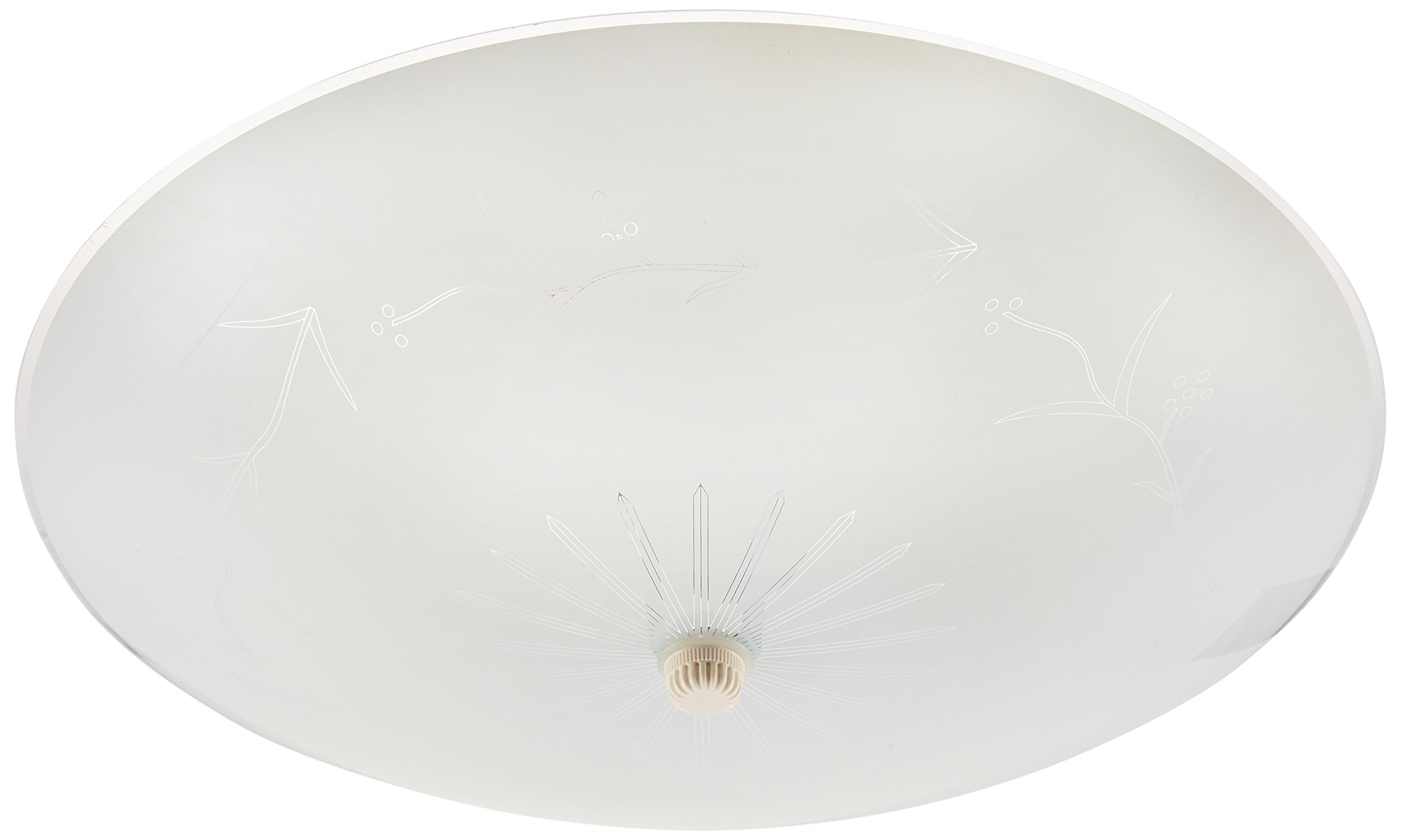
Image: Front view of the Nuvo Lighting SF76/268 Two Light Ceiling Fixture with its white glass shade.
5. Operating Instructions
The Nuvo Lighting SF76/268 Two Light Ceiling Fixture operates via a standard wall switch or a compatible dimmer switch (if installed). Ensure the correct type of bulbs are used for dimmer functionality.
- Turning On/Off: Flip the wall switch connected to the fixture to the 'ON' or 'OFF' position.
- Dimming (Optional): If a dimmer switch is installed and compatible dimmable bulbs are used, adjust the dimmer control to achieve the desired light intensity.
6. Maintenance
Regular maintenance will help prolong the life and appearance of your lighting fixture.
Cleaning:
- Always ensure the power is turned off and the fixture is cool before cleaning.
- Wipe the fixture and glass shade with a soft, dry, or slightly damp cloth.
- Do not use abrasive cleaners, solvents, or polishes as they may damage the finish or glass.
Bulb Replacement:
- Turn off the power to the fixture at the circuit breaker.
- Allow bulbs to cool completely before touching.
- Carefully unscrew the old bulb and screw in a new E26 medium base bulb.
- Do not exceed the maximum wattage of 60 watts per bulb.
7. Troubleshooting
If you encounter issues with your fixture, try the following common troubleshooting steps:
| Problem | Possible Cause | Solution |
|---|---|---|
| Light does not turn on | No power to fixture Loose wire connection Faulty bulb | Check circuit breaker/fuse Verify all wire connections are secure (power off) Replace bulb |
| Light flickers | Loose bulb Incorrect bulb type for dimmer Faulty dimmer switch | Tighten bulb Use dimmable bulbs with dimmer Consult electrician to check dimmer |
| Bulbs burn out quickly | Incorrect wattage Poor ventilation Voltage fluctuations | Ensure bulbs are 60W max Ensure proper air circulation Consult electrician |
If the problem persists after trying these solutions, please contact Nuvo Lighting customer support or a qualified electrician.
8. Specifications
| Attribute | Detail |
|---|---|
| Model Number | SF76/268 |
| Brand | Nuvo |
| Fixture Type | Close To Ceiling Light Fixture |
| Dimensions (L x W x H) | 12"L x 0.03"W x 4.75"H |
| Item Weight | 1.94 pounds |
| Number of Light Sources | 2 |
| Bulb Base | E26 Medium |
| Max Wattage per Bulb | 60 watts |
| Voltage | 120 Volts |
| Material | Glass |
| Finish | White |
| Safety Rating | CUL, Damp Location Listed |
| Indoor/Outdoor Usage | Indoor |

Image: Nuvo Lighting, a brand under Satco, offers a wide range of lighting solutions for various spaces.
9. Warranty and Support
This Nuvo Lighting fixture is covered by a manufacturer's warranty. For specific details regarding the warranty period and terms, please refer to the documentation included with your purchase or visit the official Nuvo Lighting website.
For technical support, replacement parts, or warranty claims, please contact Nuvo Lighting customer service. Contact information can typically be found on the manufacturer's website or on the product packaging.
Manufacturer: Nuvo Lighting
Related documentsSF76/268

Ask a question about this manual
Ask about setup, troubleshooting, compatibility, parts, safety, or missing instructions. Manuals+ will review the question and use this page’s manual context to help answer it.