
Introduction
The Gelid Solutions PWM Y Splitter Cable Adapter (Model CA-PWM-01) is designed to connect and control two Pulse Width Modulation (PWM) fans from a single fan header on your motherboard or fan controller. This cable allows for efficient fan management, optimizing cooling performance and reducing system noise by synchronizing fan speeds.
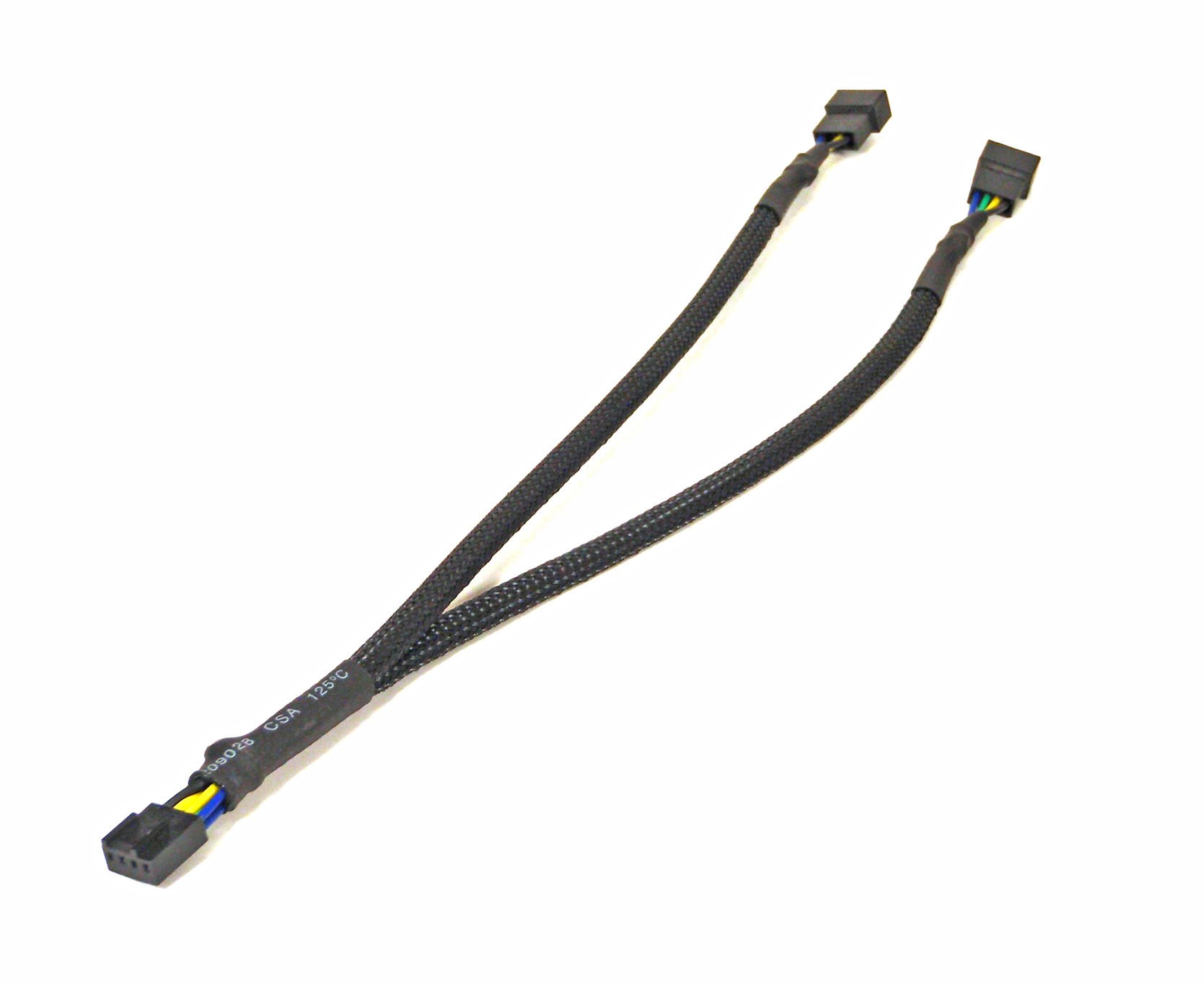
Image showing the Gelid Solutions PWM Y Splitter Cable Adapter, a black braided cable with one 4-pin male connector splitting into two 4-pin female connectors.
Setup Instructions
- Identify Motherboard Fan Header: Locate an available 4-pin PWM fan header on your computer's motherboard. This is typically labeled as 'CPU_FAN' or 'SYS_FAN'.
- Connect Splitter to Motherboard: Plug the single 4-pin male connector of the Gelid Solutions PWM Y Splitter Cable Adapter into the identified 4-pin PWM fan header on your motherboard. Ensure the connector is fully seated.
- Connect Fans to Splitter: Connect the 4-pin female connectors of the splitter cable to your two PWM fans. Ensure both fan connectors are securely attached.
- Cable Management: Route the cable to ensure it does not obstruct airflow or interfere with other components. The cable's length provides flexibility for placement within the case.
- Multiple Y Cables: For systems requiring more cooling, multiple Y cables can be used to connect a series of up to five PWM fans to a single motherboard header.
Note: When two fans are connected via a Y splitter, only one fan will report its RPM speed to the motherboard. This is standard behavior for fan splitters and does not affect the PWM control of both fans.
Operating Principles
The PWM Y Splitter Cable Adapter utilizes the Pulse Width Modulation signal from your motherboard to control the speed of the connected fans. This allows for dynamic adjustment of fan speeds based on system temperature, typically the CPU temperature. An idle CPU generates less heat, requiring slower fan speeds, which reduces overall system noise. As the CPU temperature rises under load, the PWM signal instructs the fans to spin faster, providing increased cooling. This process is automatic and managed by the motherboard's fan control settings, ensuring optimal balance between cooling performance and acoustic levels.
Maintenance
The Gelid Solutions PWM Y Splitter Cable Adapter requires minimal maintenance. Periodically inspect the cable for any signs of wear, damage, or loose connections. Ensure the connectors are free from dust and debris to maintain optimal electrical contact. The cable features a tangle-free design, which helps in maintaining a neat and organized internal computer environment.
Troubleshooting
- Fans Not Spinning:
- Ensure all connectors (motherboard header, fan connectors) are securely seated.
- Verify that the motherboard's fan header is enabled and configured correctly in the BIOS/UEFI settings.
- Test fans individually by connecting them directly to a known working fan header to rule out fan malfunction.
- Incorrect Fan Speed Readings:
- As noted, only one fan connected to a Y splitter will report its RPM. This is normal. If no fan is reporting RPM, check connections.
- Ensure the fan connected to the 'master' connector (the one with all four pins, including the tachometer signal) is functioning correctly.
- Fans Running at Full Speed Constantly:
- Check motherboard BIOS/UEFI settings for fan control. Ensure PWM mode is selected for the connected header, not DC mode or a fixed speed.
- Verify that the fans themselves are PWM compatible (4-pin connectors).
Specifications
| Model Name | CA-PWM-01 |
| Brand | Gelid Solutions |
| Cable Length | 350 mm |
| Connector Type | 2x 4-pin Female (for fans) |
| Plug Type | 1x 4-pin Male (for motherboard) |
| Maximum Voltage | 12 Volts (DC) |
| Compatible Devices | Personal Computer |
| Special Feature | Tangle Free |
| Color | Black |
Warranty Information
Specific warranty details for the Gelid Solutions PWM Y Splitter Cable Adapter (Model CA-PWM-01) are not provided in this manual. For comprehensive warranty information, please refer to the official Gelid Solutions website or contact their customer support directly. Keep your proof of purchase for any warranty claims.
Support
For further assistance, technical support, or product inquiries, please visit the official Gelid Solutions website or contact their customer service department. You may find additional resources, FAQs, and contact information on their support pages.