
Lasko 2511
Lasko Oscillating Tower Fan User Manual
Model: 2511
Brand: Lasko
Introduction
This user manual provides detailed instructions for the safe and efficient operation, setup, and maintenance of your Lasko Oscillating Tower Fan (Model 2511). Designed for quiet and effective air circulation, this fan is ideal for various indoor spaces such as bedrooms, kitchens, and offices. Please read this manual thoroughly before using the product and retain it for future reference.
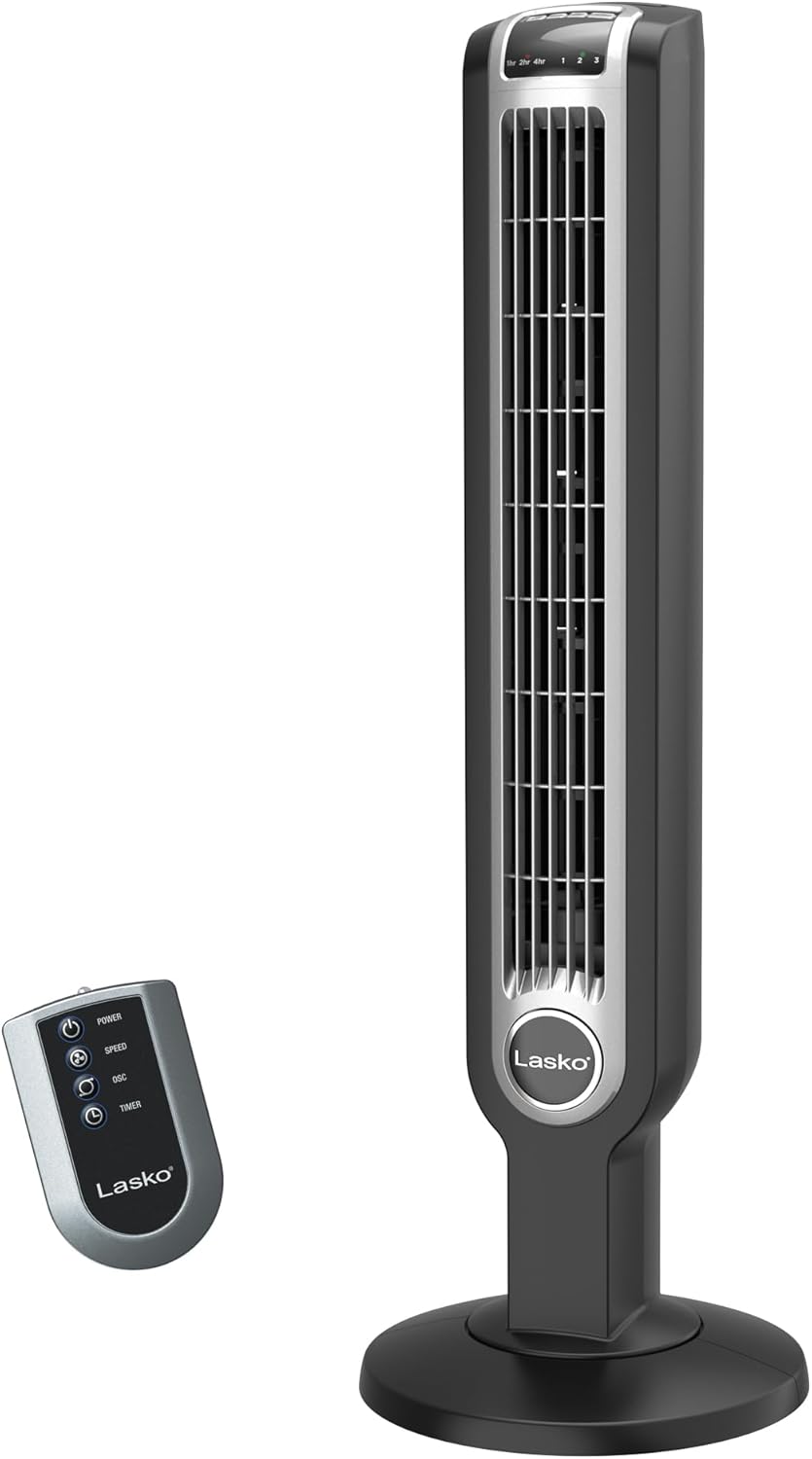
A full view of the Lasko 2511 Oscillating Tower Fan in black, accompanied by its remote control. The fan features a slim, vertical design with a sturdy round base.
Important Safety Instructions
When using electrical appliances, basic precautions should always be followed to reduce the risk of fire, electric shock, and injury to persons, including the following:
- Read all instructions before using this fan.
- Always plug fans directly into a wall outlet/receptacle. Never use with an extension cord.
- Do not operate any fan with a damaged cord or plug. Discard fan or return to an authorized service facility for examination and/or repair.
- Do not run cord under carpeting. Do not cover cord with throw rugs, runners, or similar coverings. Arrange cord away from traffic area where it will not be tripped over.
- This product contains chemicals known to the State of California to cause cancer and birth defects or other reproductive harm.
- Unplug fan from outlet when not in use or when moving fan.
- Do not insert or allow fingers or foreign objects to enter any ventilation or exhaust opening as it may cause an electric shock or fire, or damage the fan.
- Do not block air openings or exhaust in any manner.
- Do not use outdoors.
- This fan is not intended for use in wet or damp locations.
Package Contents
Upon opening the package, please ensure all the following components are present and in good condition:
- Lasko 2511 Tower Fan Unit
- Remote Control
- User Manual
Setup
The Lasko 2511 Tower Fan requires minimal assembly. Follow these steps to set up your fan:
- Carefully remove the fan and all components from the packaging.
- Attach the sturdy base to the bottom of the tower fan. Ensure it is securely fastened to provide wide stability.
- Place the fan on a firm, level surface.
- Plug the power cord into a standard 120V AC electrical outlet.

An image highlighting the fan's dimensions (36 inches tall, 12-inch base) and its lightweight, slim design, with a person dancing in the background to show scale.
Operating Instructions
Your Lasko Tower Fan can be operated using the control panel on top of the unit or the included remote control.
Control Panel and Remote Functions

A detailed view of the fan's top control panel, showing buttons for oscillation, power, fan speed, and timer. The remote control is also visible, mirroring these functions.
- Power Button (⏻): Press to turn the fan ON or OFF.
- Speed Button (☻): Press repeatedly to cycle through the 3 quiet fan speeds (Low, Medium, High).
- Oscillation Button (↻): Press to activate or deactivate the widespread 60-degree oscillation feature, distributing air across a wider area.
- Timer Button (⏱): Press to set the automatic shut-off timer. You can set the timer for 1, 2, 4, or 7 hours. The corresponding indicator light will illuminate.
- ION Button (ION): Activates or deactivates the optional ionizer function, which helps to refresh the air.

The fan is depicted in a room with air currents illustrating its 60-degree oscillation, providing wide area cooling.

A visual summary of the fan's convenient features: 3 fan speeds, 7-hour timer, integrated carry handle, and remote storage.
Maintenance
Proper maintenance ensures the longevity and optimal performance of your Lasko Tower Fan. Always unplug the fan before cleaning.
- Cleaning: Use a soft cloth to gently wipe the exterior surfaces of the fan. Do not use water, wax, polish, or any chemical solutions. The front grill can be removed with a simple twist for easier cleaning of internal components.
- Storage: When storing the fan, cover it with a plastic bag to protect it from dust. Store it in a cool, dry place.
- Motor: The motor is permanently lubricated and requires no oiling.
Troubleshooting
If your fan fails to operate, please check the following:
- Ensure the power cord is securely plugged into a working electrical outlet.
- Check if the circuit breaker has tripped or if a fuse has blown.
- Verify that the fan is turned ON using the power button on the control panel or remote.
- If the fan does not oscillate, ensure the oscillation function is activated.
- For any other issues, please refer to the support section or contact customer service.
Specifications
| Feature | Detail |
|---|---|
| Brand | Lasko |
| Model Name | Lasko 2511 Tower Fan with Remote Control |
| Model Number | 2511 |
| Color | Black |
| Product Dimensions | 12"D x 12"W x 36"H |
| Item Weight | 9.9 pounds (4.5 Kilograms) |
| Power Source | Corded Electric |
| Voltage | 120.0 V |
| Wattage | 36 watts |
| Noise Level | 64.5 dB |
| Number of Speeds | 3 |
| Special Features | Remote Controlled, Timer, Oscillating, Ionizer |
| Timer | Up to 7 hours (1, 2, 4, 7 hr settings) |
| Oscillation | Widespread 60-degree |
| Material | Plastic / Metal |
| Safety Certification | ETL |
Warranty Information
This Lasko product is covered by a 1-year limited warranty from the date of purchase. This warranty covers manufacturing defects in materials and workmanship under normal use. For full details regarding warranty coverage, limitations, and how to make a claim, please refer to the official warranty documentation included with your product or visit the Lasko website.
Support
For further assistance, product registration, or to purchase replacement parts, please visit the official Lasko website or contact their customer service department. Contact information can typically be found on the Lasko website or on the product packaging.
You can also find additional resources and FAQs by visiting the Lasko Store on Amazon.
Related documents2511


Ask a question about this manual
Ask about setup, troubleshooting, compatibility, parts, safety, or missing instructions. Manuals+ will review the question and use this page’s manual context to help answer it.