
1. Introduction and Overview
The DIGITUS 19-inch 1U Fixed Installation Shelf (Model: DN-19 TRAY-1-SW) is designed to provide versatile storage within 19-inch network and server cabinets. This robust shelf is ideal for housing various devices that do not feature their own 19-inch mounting options, such as routers, modems, AV accessories, mini PCs, NUCs, KVM switches, power supplies, and NAS devices.
Constructed from high-quality, perforated steel plate, the shelf ensures optimal air circulation, which is crucial for cooling equipment within the cabinet. It is designed for fixed installation on the front profile rails of your cabinet.
The package includes the necessary mounting hardware, such as screws, cage nuts, and washers, to facilitate a straightforward installation process.

Figure 1: Front view of the DIGITUS 19-inch 1U Fixed Installation Shelf.
2. Setup and Installation
This shelf is designed for easy, fixed installation within standard 19-inch network or server cabinets. It occupies one height unit (1U) and is compatible with DIGITUS 19-inch network cabinets with a minimum depth of 450 mm.
2.1 Package Contents
- 1 x DIGITUS 19-inch 1U Fixed Installation Shelf
- Mounting kit (screws, cage nuts, washers)
Figure 2: The product is delivered in a sturdy cardboard box.
2.2 Installation Steps
- Identify Mounting Location: Choose the desired 1U slot on the front 19-inch profile rails of your network or server cabinet. Ensure the cabinet has a minimum depth of 450 mm to accommodate the shelf.
- Prepare Mounting Points: Insert the provided cage nuts into the square holes of the 19-inch profile rails at the chosen 1U height. You will need two cage nuts on each side (left and right) for a total of four.
- Position the Shelf: Align the mounting ears of the shelf with the installed cage nuts on the profile rails.
- Secure the Shelf: Use the provided screws and washers to firmly attach the shelf to the profile rails. Tighten all four screws securely, but do not overtighten to avoid damaging the cabinet or shelf.

Figure 3: Example of the shelf installed in a network cabinet.
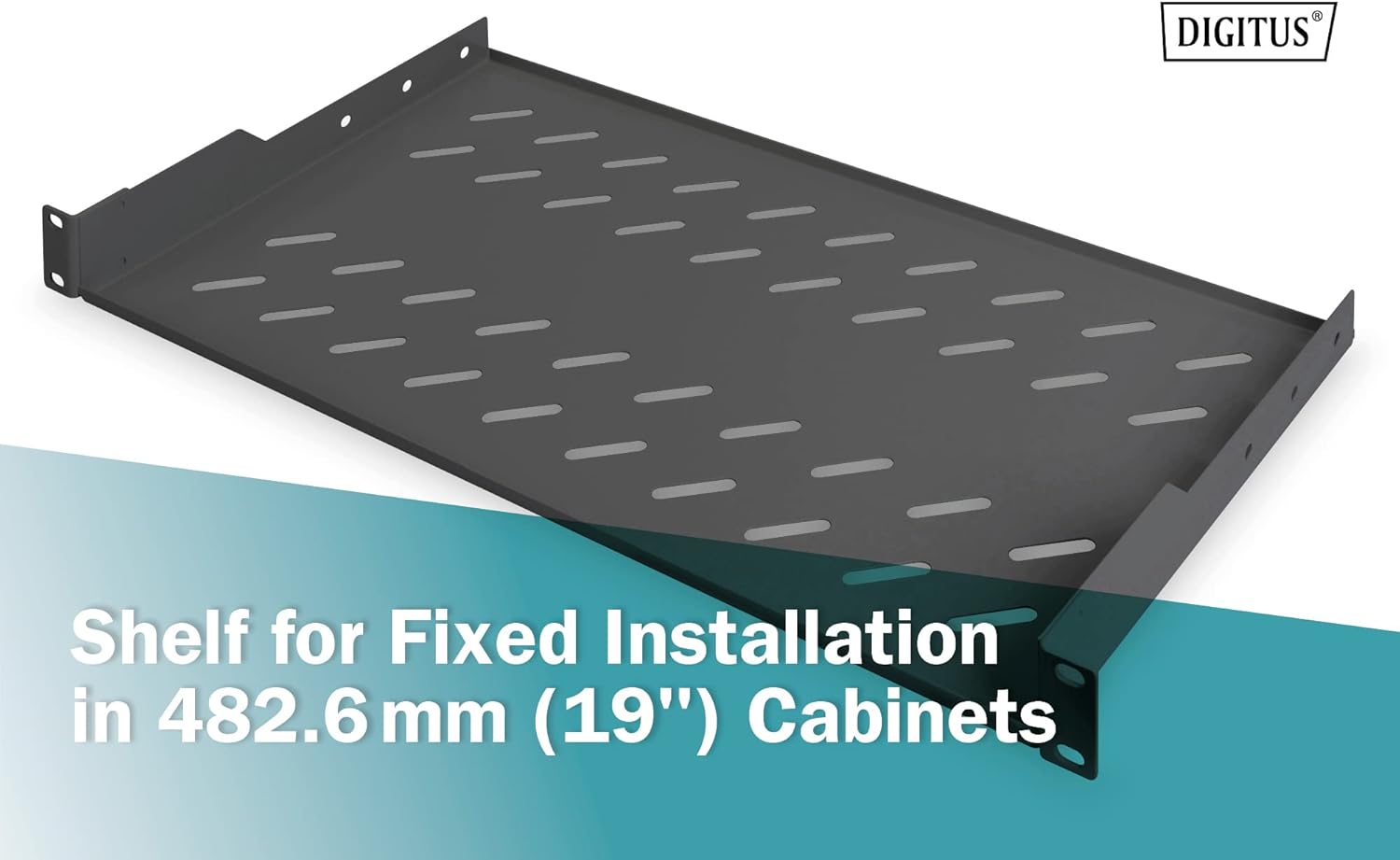
Figure 4: The shelf is designed for fixed installation in 482.6 mm (19-inch) cabinets.
3. Operating Instructions
The DIGITUS fixed installation shelf is a passive component designed to support other equipment. Proper operation primarily involves adhering to its load capacity and ensuring adequate ventilation.
- Load Capacity: Do not exceed the maximum load capacity of 15 kg (33 lbs). Distribute the weight of the devices evenly across the shelf surface to prevent stress on the mounting points.
- Ventilation: The shelf features perforations to facilitate airflow. Ensure these perforations are not blocked by equipment or cables to maintain proper cooling for all devices in the cabinet.
- Device Placement: Place devices carefully on the shelf. For optimal stability and airflow, avoid stacking devices directly on top of each other if possible.
4. Maintenance
The DIGITUS fixed installation shelf requires minimal maintenance to ensure long-term performance.
- Cleaning: Periodically clean the shelf surface with a soft, dry cloth to remove dust and debris. Avoid using abrasive cleaners or solvents that could damage the finish.
- Fastener Check: Annually, or as needed, inspect all mounting screws to ensure they remain tight. Loose screws can compromise the stability and load-bearing capacity of the shelf.
- Perforation Inspection: Ensure the ventilation perforations remain clear of obstructions to maintain effective airflow within the cabinet.
5. Troubleshooting
If you encounter any issues with your DIGITUS fixed installation shelf, refer to the following troubleshooting tips:
- Shelf Instability: If the shelf feels wobbly or unstable, re-check all four mounting screws. Ensure they are properly seated in the cage nuts and tightened securely. Verify that the cage nuts are correctly installed in the cabinet's profile rails.
- Overheating Devices: If devices placed on the shelf are overheating, confirm that the shelf's perforations are not blocked. Ensure there is adequate space around the devices for air circulation. Check the overall ventilation system of your network cabinet.
- Difficulty Installing: If you have trouble installing the shelf, double-check that your cabinet is a standard 19-inch model and has a minimum depth of 450 mm. Ensure you are using the correct mounting hardware provided.
6. Specifications
| Feature | Detail |
|---|---|
| Model | DN-19 TRAY-1-SW |
| Material | Metal |
| Mounting Type | Rack mounting (Fixed Installation) |
| Rack Units (U) | 1U |
| Load Capacity | 15 kg (33 lbs) |
| Product Dimensions (D x W x H) | 25 cm x 48.3 cm x 4.4 cm |
| Internal Storage Dimensions (W x D) | 441 mm x 250 mm |
| Color | Black (RAL 9005) |
| Suitable Cabinet Depth | From 450 mm |
| Included Components | Shelf, Mounting Kit (screws, cage nuts, washers) |

Figure 5: Detailed dimensions of the shelf: 48.31 cm width, 25 cm depth, 4.5 cm height.

Figure 6: Technical drawing highlighting the 250mm installation depth and 482.6mm (19-inch) mounting brackets.
7. Warranty and Support
This DIGITUS product comes with a 2-year legal warranty. For any warranty claims or technical support, please contact your retailer or the official DIGITUS support channels.
Spare parts availability within the EU is guaranteed for 1 year.
7.1 Official Product Video
Video 1: A 360-degree view of the DIGITUS 19-inch 1U Fixed Installation Shelf, showcasing its design and features from all angles. This video provides a comprehensive visual overview of the product.


