
Introduction
The Steinel IS 140-2 is an infrared-controlled motion detector designed for reliable and efficient movement detection. This manual provides comprehensive instructions for the setup, operation, and maintenance of your device, ensuring optimal performance and longevity. It features a 140° angle of coverage, a range of up to 14 meters, and an optical system that swivels through 180° and tilts through 90° for precise detection zone adjustment. The housing is made of UV-resistant plastic, suitable for both indoor and outdoor use.

Figure 1: Front view of the Steinel IS 140-2 Motion Sensor, showing its compact and discreet design.
Setup and Installation
Proper installation is crucial for the optimal performance of your IS 140-2 motion detector. This device is designed for wall mounting and can be installed quickly and easily.
Package Contents
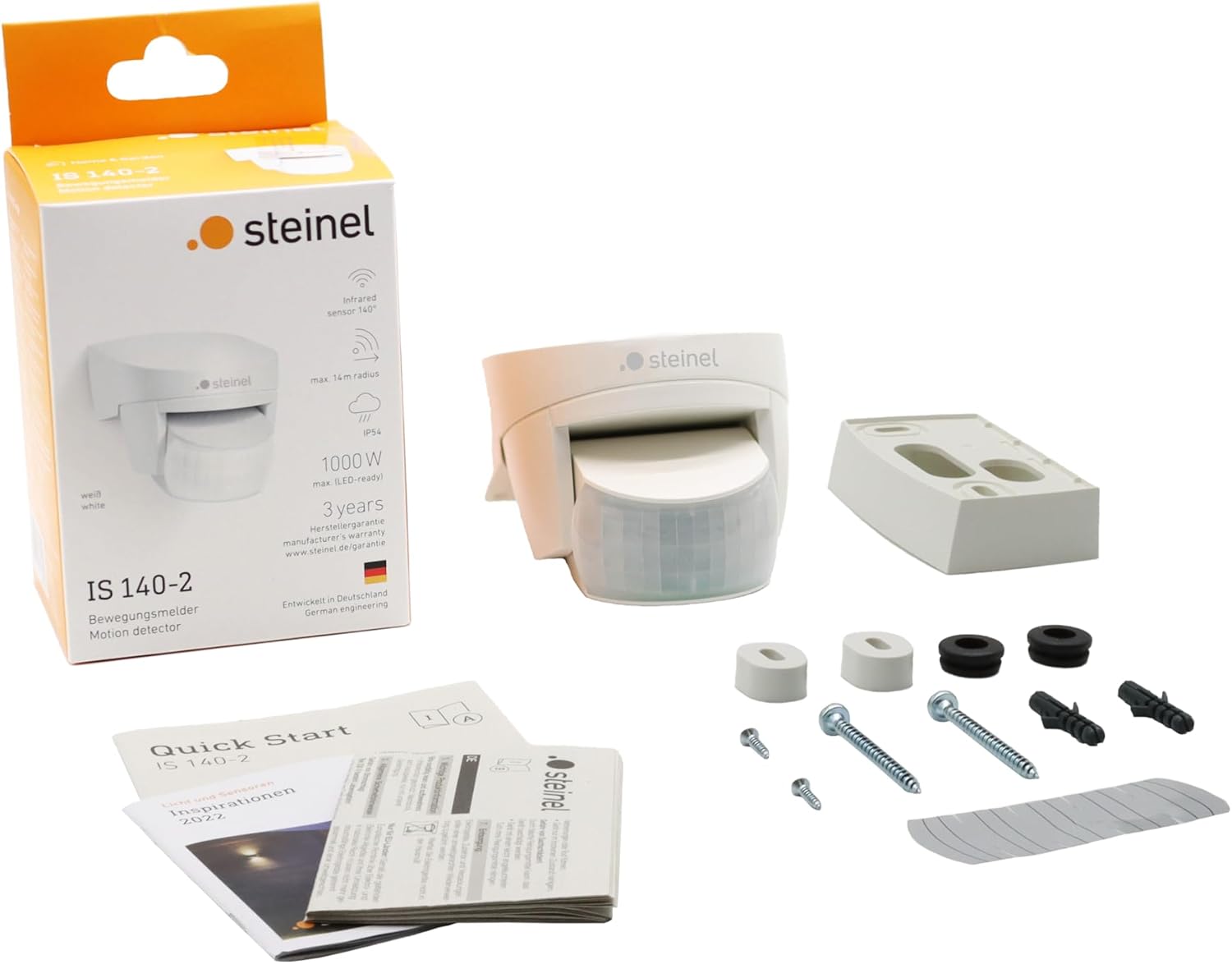
Figure 2: Contents of the Steinel IS 140-2 package, including the sensor unit, mounting hardware, and documentation.
Before beginning installation, ensure all components are present:
- Steinel IS 140-2 Motion Sensor unit
- Mounting screws and wall plugs
- Shrouds for detection zone customization
- Quick Start Guide and Instruction Manual
Mounting the Sensor
The IS 140-2 can be mounted on a wall or in a corner. Corner wall mounts are available as accessories if needed. Ensure the mounting surface is stable and suitable for the device.
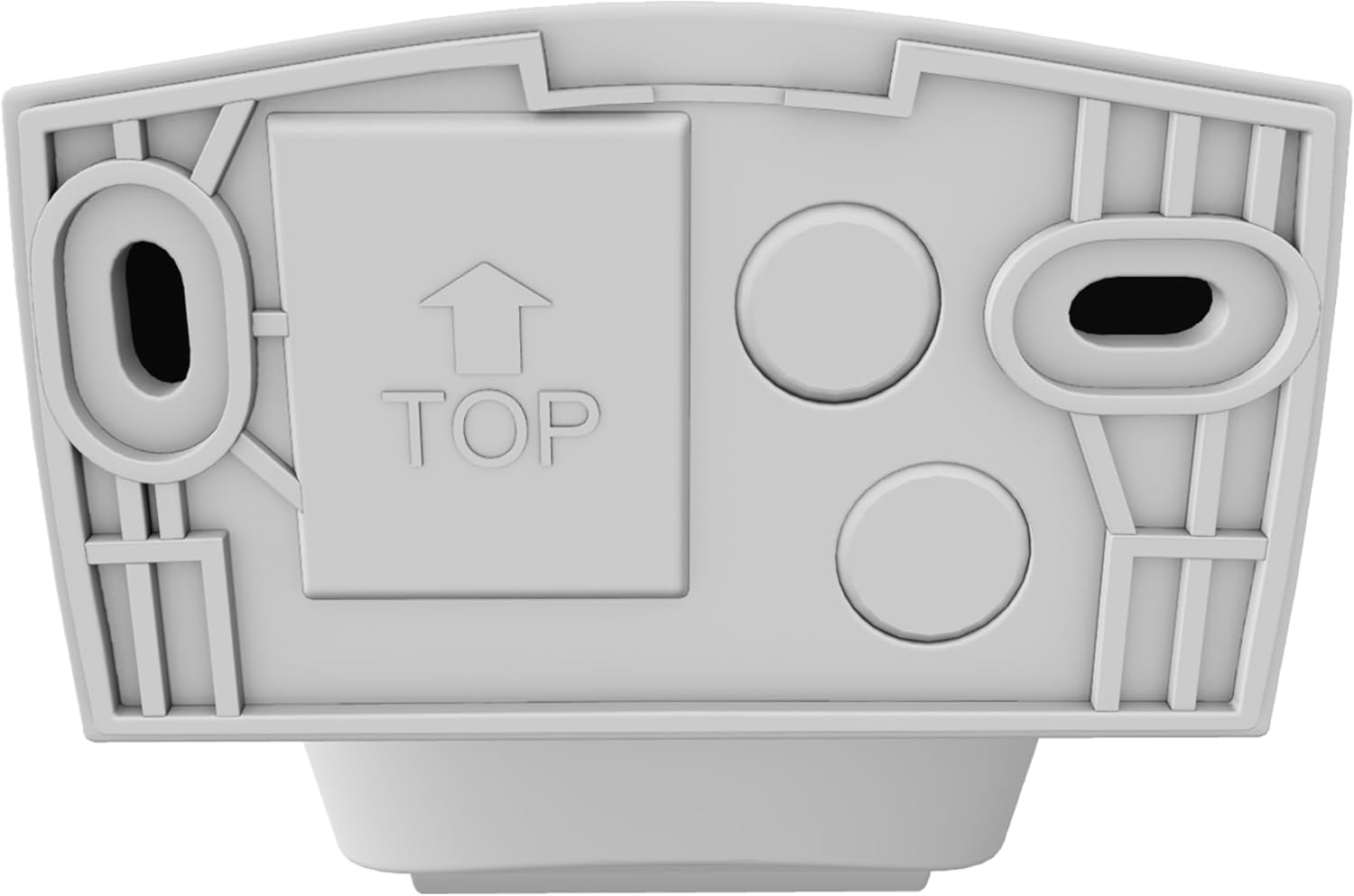
Figure 3: Rear view of the sensor, indicating the "TOP" orientation for correct mounting and cable entry points.
- Identify the desired mounting location. Consider the detection area and avoid obstructions.
- Mark the drilling points using the sensor's mounting plate as a template.
- Drill holes and insert wall plugs if necessary.
- Wire the sensor according to local electrical codes. The sensor is designed for AC power (230 Volts).
- Secure the sensor to the wall using the provided screws. Ensure the "TOP" indicator on the back of the unit is oriented correctly.
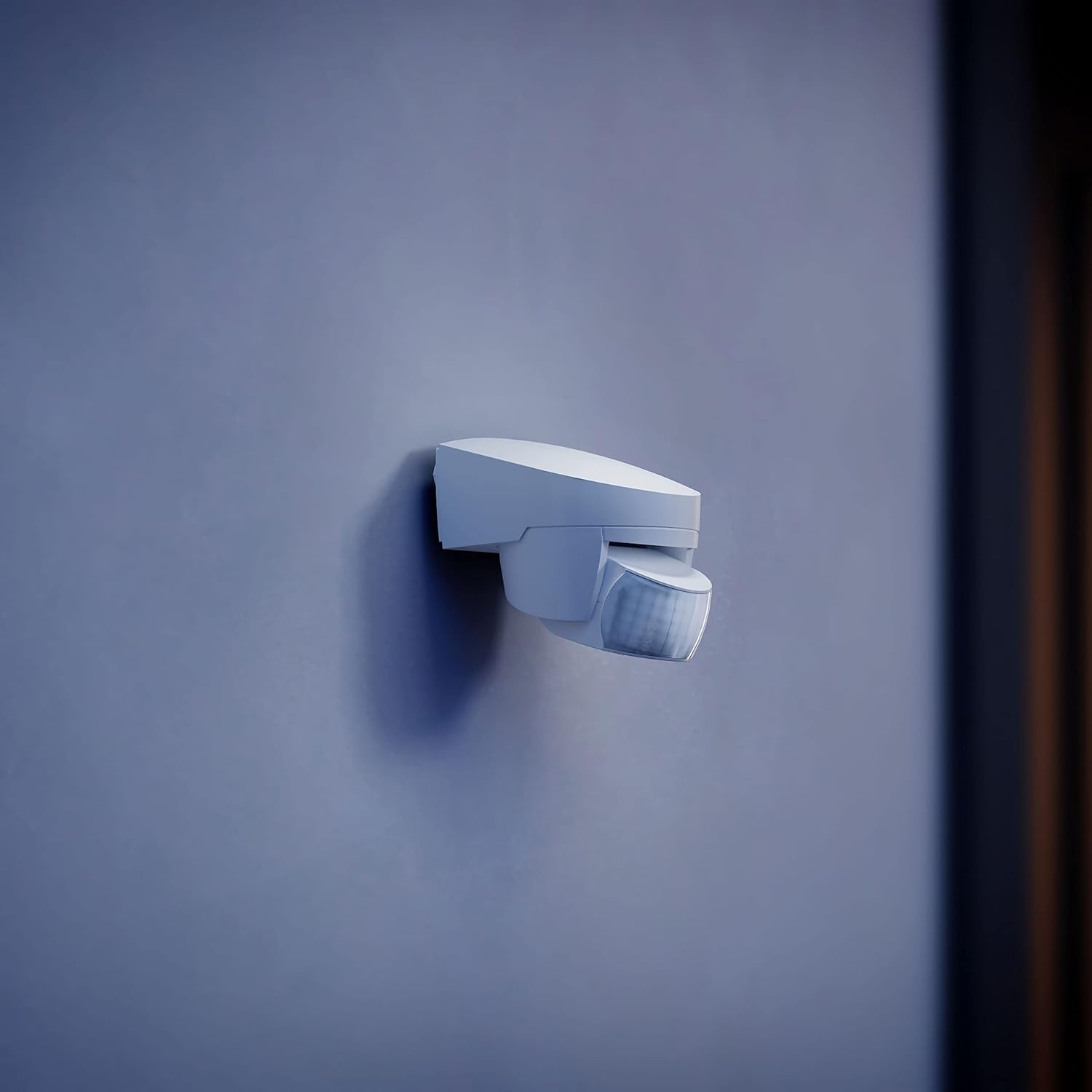
Figure 4: The Steinel IS 140-2 Motion Sensor discreetly mounted on a wall, ready for operation.
Operating the Sensor
The IS 140-2 motion detector offers flexible adjustments to suit various environmental conditions and detection requirements.
Adjusting Detection Zone and Range
The sensor has a 140° angle of coverage and a maximum range of 14 meters. The optical system can be swiveled through 180° horizontally and tilted through 90° vertically to precisely define the detection area. Shrouds are provided to further customize and limit the detection zone, preventing unwanted triggers.
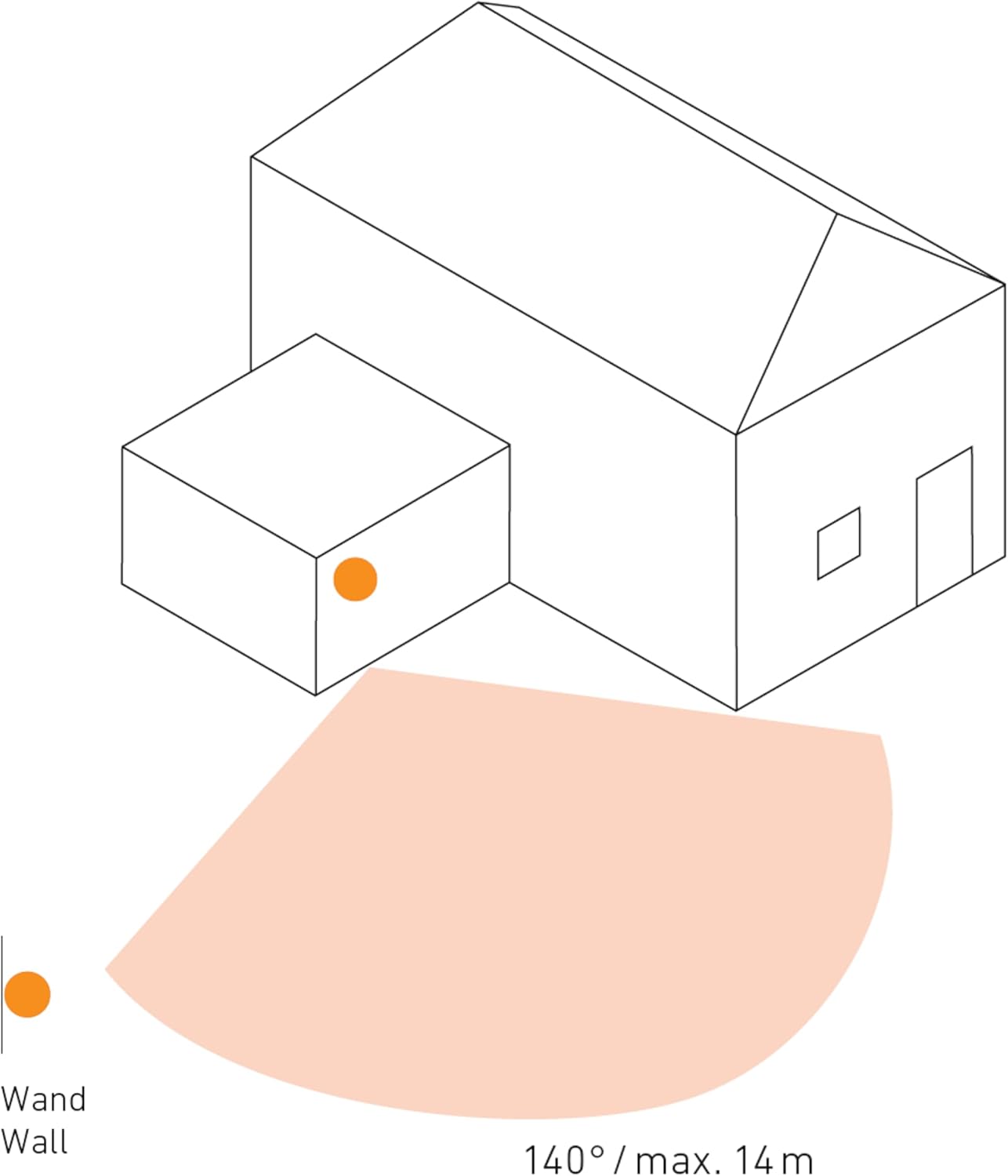
Figure 5: Illustration of the sensor's 140° detection angle and maximum 14-meter range from a wall-mounted position.
Setting Time and Luminosity
The sensor features adjustable settings for light sensitivity (luminosity) and the duration the connected light remains on after detection (time). These adjustments are typically made via dials located on the sensor unit.
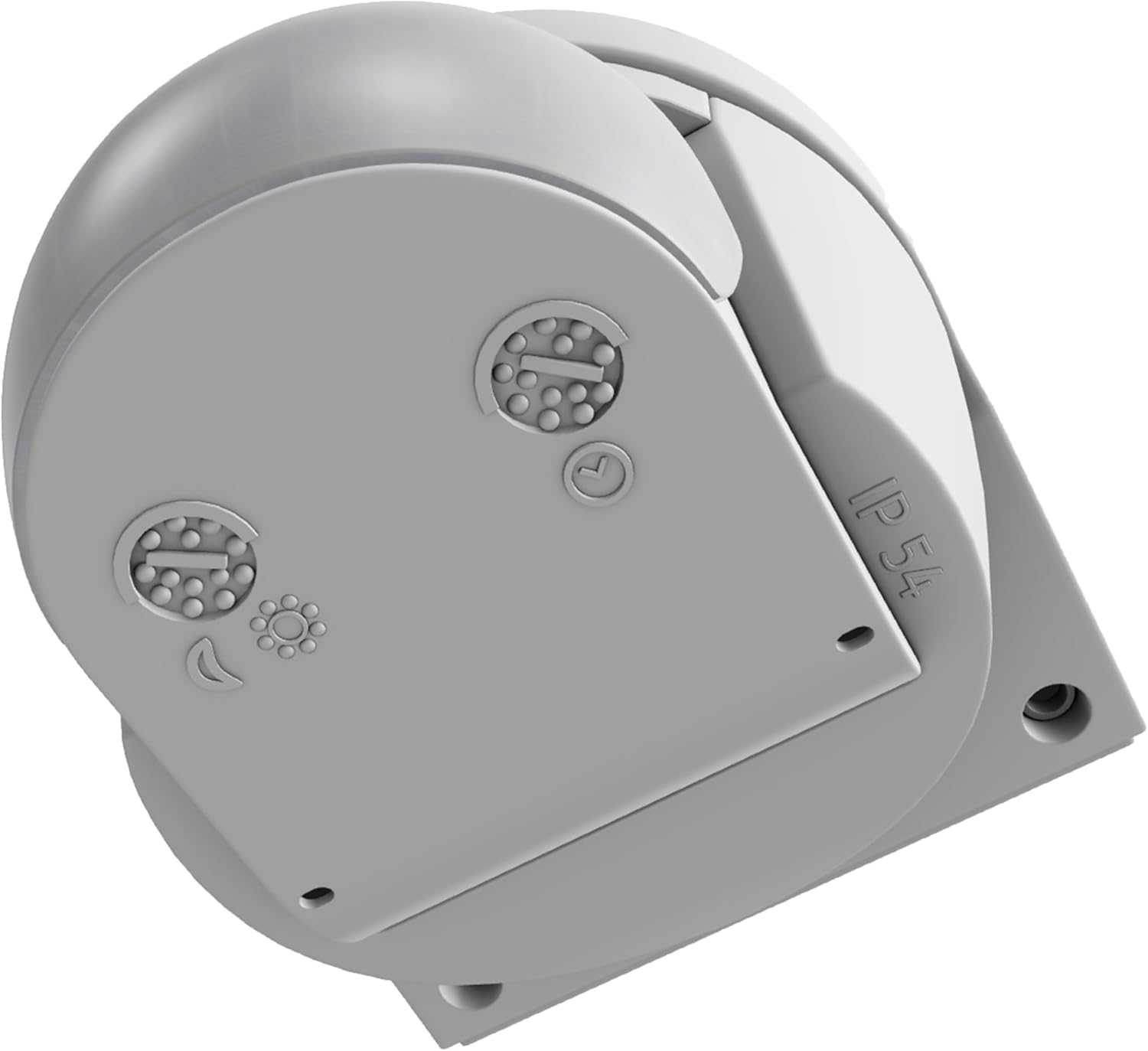
Figure 6: Side view of the sensor revealing the adjustment dials for setting time and luminosity thresholds.
- Luminosity (Lux): Adjusts the ambient light level at which the sensor becomes active. The response value luminosity is 2 to 2000 lx. Turn the dial towards the sun icon for activation in brighter conditions, or towards the moon icon for activation in darker conditions.
- Time (Duration): Sets how long the connected light stays on after motion is detected. The adjustable range is from 8 seconds to 35 minutes.
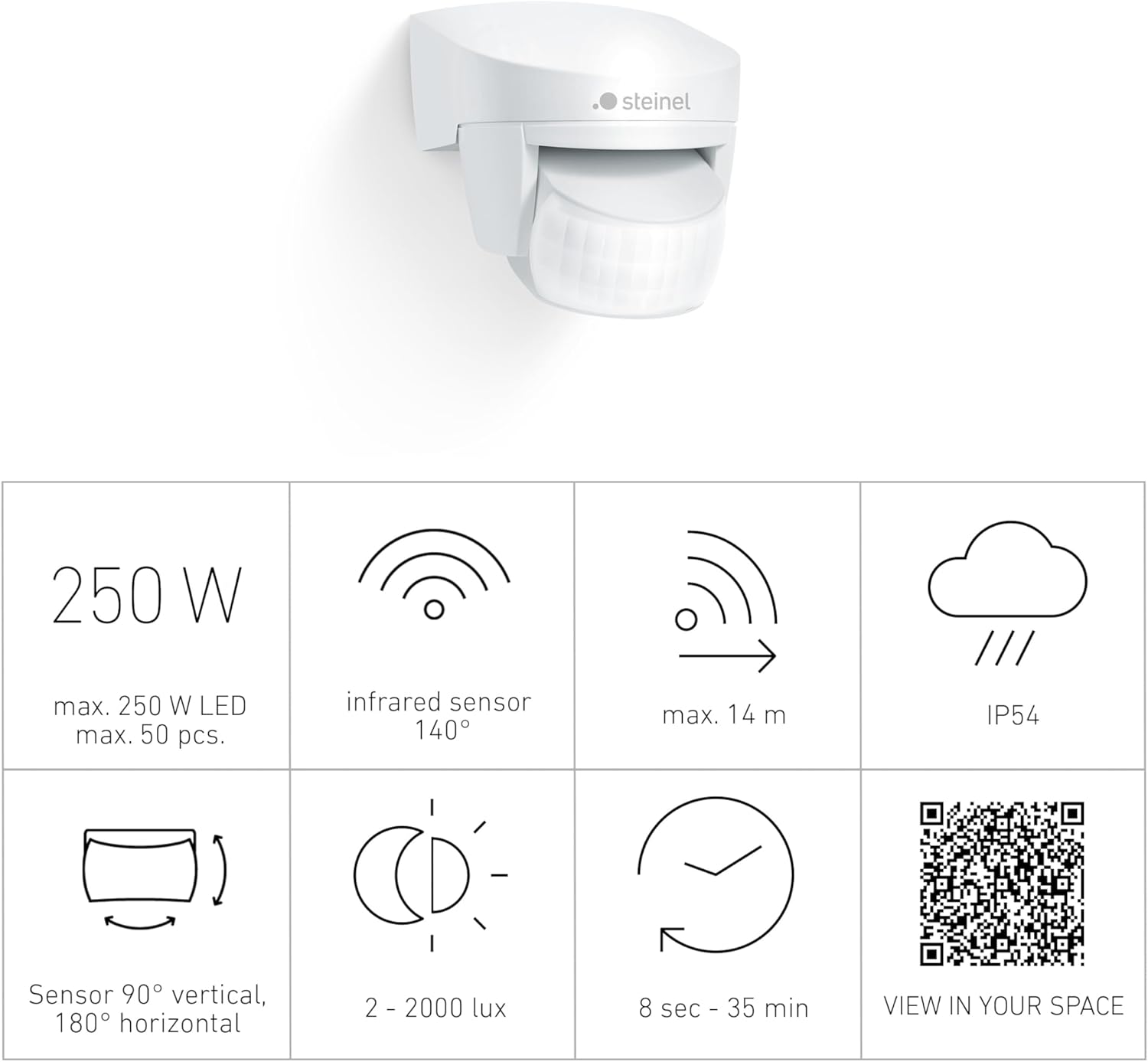
Figure 7: Infographic detailing key specifications such as max wattage (250W LED / 1000W incandescent), 140° infrared sensor, 14m max range, IP54 rating, 90° vertical/180° horizontal sensor adjustment, 2-2000 lux, and 8 sec - 35 min time settings.
For an augmented reality view of the product, scan the QR code or visit: Steinel AR View
Maintenance
The Steinel IS 140-2 motion sensor is designed for durability and requires minimal maintenance. Its housing is made of UV-resistant plastic, ensuring long-term performance even when exposed to outdoor elements.
- Cleaning: Periodically wipe the sensor lens and housing with a soft, damp cloth to remove dust and dirt. Avoid using abrasive cleaners or solvents, as these can damage the plastic.
- Inspection: Regularly check the mounting for stability and ensure no vegetation or objects are obstructing the detection zone.
- Environmental Considerations: While the sensor is robust, extreme weather conditions (e.g., heavy snow, ice buildup) may temporarily affect its performance. Ensure the sensor is clear of such obstructions.
Troubleshooting
If you encounter issues with your Steinel IS 140-2 motion sensor, refer to the following common problems and solutions:
| Problem | Possible Cause | Solution |
|---|---|---|
| Light does not switch on when motion is detected. |
|
|
| Light stays on continuously or switches on randomly. |
|
|
| Detection range is shorter than expected. |
|
|
Specifications
Detailed technical specifications for the Steinel IS 140-2 Motion Sensor:
| Feature | Detail |
|---|---|
| Brand | Steinel |
| Model Number | 608910 |
| Color | White |
| Power Source | AC |
| Voltage | 230 Volts |
| Wattage (Max.) | 1000 watts (incandescent), 250W (LED, max. 50 pcs) |
| Item Weight | 170 Grams (approx. 6 ounces) |
| Maximum Range | 14 Meters |
| Detection Angle | 140° Infrared |
| Optical System Adjustment | Swivels 180° (horizontal), Tilts 90° (vertical) |
| Luminosity Response Value | 2 to 2000 lx |
| Time Setting | 8 seconds to 35 minutes |
| Mounting Type | Wall Mount |
| Product Dimensions (L x W x H) | 3.9"D x 3.39"W x 3.23"H (approx. 99mm x 86mm x 82mm) |
| IP Rating | IP54 (Protection against dust and splashing water) |
| Upper Temperature Rating | 50 Degrees Celsius |
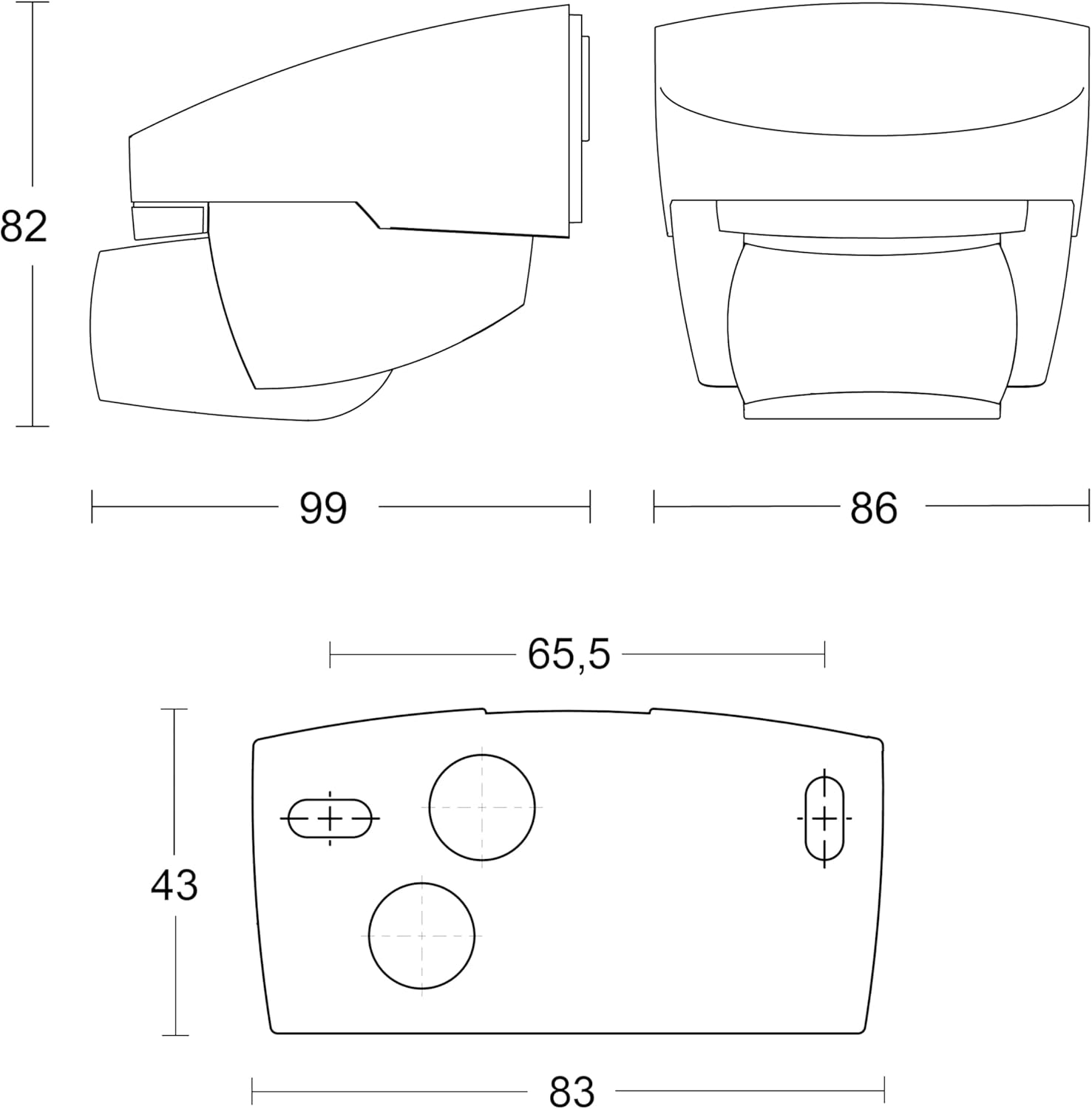
Figure 8: Technical drawing illustrating the precise dimensions of the Steinel IS 140-2 Motion Sensor in millimeters.
Warranty and Support
Warranty Information
The Steinel IS 140-2 Motion Sensor comes with a 3-year manufacturer's warranty. This warranty covers defects in materials and workmanship under normal use. Please retain your proof of purchase for warranty claims.
Customer Support
For technical assistance, troubleshooting beyond this manual, or warranty inquiries, please contact Steinel customer support. You can find more information and contact details on the official Steinel website or by visiting the Steinel Store on Amazon:


