
Introduction
Pro Evolution Soccer 2011 (PES 2011) is a football simulation game developed by Konami for the PlayStation 3 platform. This manual provides essential information for game setup, gameplay, and maintenance, ensuring an optimal experience.

Figure 1: Pro Evolution Soccer 2011 game cover.
1. Game Setup
1.1. System Requirements
- Compatible Console: Sony PlayStation 3, Sony PlayStation 3 Slim, Sony PlayStation 3 Super Slim
1.2. Installation
- Insert the Pro Evolution Soccer 2011 game disc into your PlayStation 3 console.
- Follow the on-screen prompts to install the game data to your console's hard drive.
- Ensure sufficient storage space is available on your console before installation.
2. Operating Instructions
2.1. Basic Controls (Standard PlayStation 3 Controller)
The game utilizes the standard PlayStation 3 controller. Specific button assignments can be customized within the game's options menu.
- Left Analog Stick: Player Movement
- Right Analog Stick: Feints and Skill Moves
- X Button: Pass / Pressure (Defense)
- Square Button: Shoot / Slide Tackle (Defense)
- Circle Button: Lob Pass / Clear (Defense)
- Triangle Button: Through Pass / Goalkeeper Charge (Defense)
- L1 Button: Change Player / Manual Control Modifier
- R1 Button: Dash / Contain (Defense)
- L2 Button: Strategy / Cursor Change
- R2 Button: Special Controls / Super Cancel
- START Button: Pause Menu
- SELECT Button: Radar On/Off
2.2. Key Gameplay Features
- Total Control: Enhanced 360-degree passing ratio for precise control over passes, shots, throw-ins, through balls, and lofted through balls. Players can pass into space and move with freedom.
- Shot and Stamina Gauge: A detailed meter indicating player fitness. Constant sprinting affects performance and statistics.
- New Defender AI: Defenders maintain natural positions, closing down attackers to force mistakes rather than chasing every ball.
- Animation and Player Physics: Reworked in-game animations with over 1,000 new motions for realistic acceleration, inertia, jostling, blocking, and tackling styles. Ambient animations enhance the atmosphere.
- Speed of Play: Varied game pace depending on the situation, allowing for quick counterattacks or slow build-up play. Success depends on quick passes to create space.
- Tactical and Strategy: An all-new 'Drag and Drop' mechanism for team management, with animated settings for better understanding of altered plays.
- Feint Settings: Users can map favorite skill move sequences to the right analog stick for easier execution.
- Master League Online: The popular Master League element is available online, allowing players to bid for players and build competitive squads against global opponents.
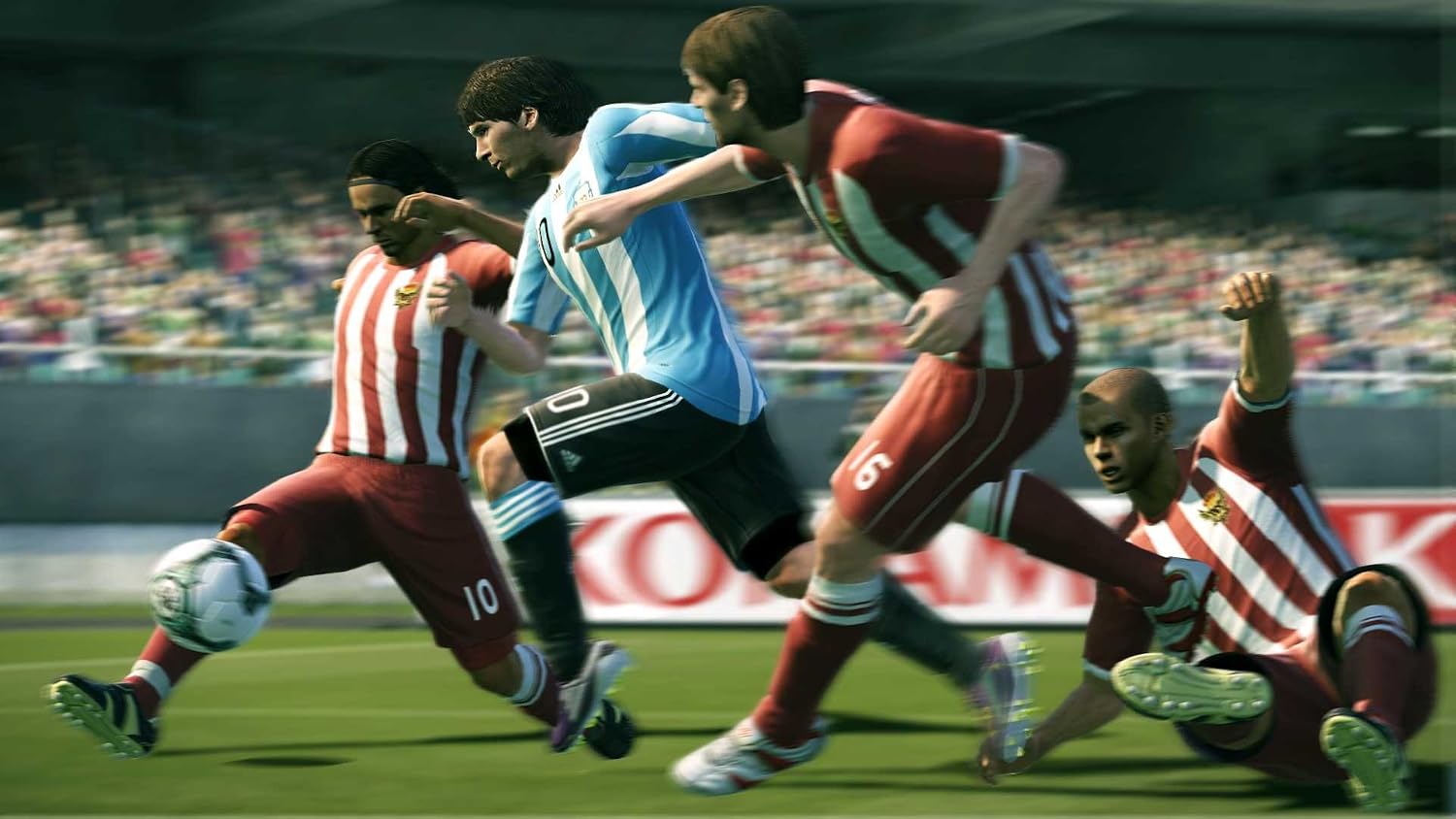
Figure 2: Player demonstrating total control during dribbling.

Figure 3: Realistic player animations during a header challenge.

Figure 4: Team management interface for tactical adjustments.

Figure 5: Visual guide for executing advanced feint moves.
2.3. Official Product Videos
Watch the official game trailers for Pro Evolution Soccer 2011 to see gameplay in action and learn more about its features.
Video 1: Pro Evolution Soccer 2011 - Official Trailer (2:45). This video showcases various gameplay elements and highlights of the game.
Video 2: Pro Evolution Soccer 2011 - Trailer 2 (5:57). This extended trailer provides a deeper look into the game's mechanics and visual enhancements.
Video 3: Pro Evolution Soccer 2011 - Trailer 3 (7:46). This video focuses on the Copa Santander Libertadores tournament, featuring teams and stadium environments.
3. Maintenance
3.1. Disc Care
- Keep the game disc clean and free from scratches.
- Store the disc in its original case when not in use to prevent damage.
- Clean the disc with a soft, lint-free cloth, wiping gently from the center outwards. Avoid abrasive materials.
3.2. Console Maintenance
- Ensure your PlayStation 3 console is well-ventilated to prevent overheating during extended gameplay sessions.
- Keep the console and its surroundings dust-free to maintain optimal performance.
4. Troubleshooting
4.1. Game Not Loading
- Check if the disc is clean and free of scratches or smudges.
- Ensure the disc is inserted correctly into the console's disc drive.
- Restart the PlayStation 3 console.
- Verify that your console's system software is up to date.
4.2. Freezing or Crashing
- Ensure the game disc is clean and undamaged.
- Close any other applications or background processes running on your PS3.
- If the issue persists, try reinstalling the game data from the disc.
4.3. Controller Input Issues
- Verify your controller is properly connected (wired) or paired and charged (wireless).
- Check the in-game control settings for any custom configurations that might be causing issues.
- Reset controller settings to default if necessary.
5. Specifications
| Feature | Detail |
|---|---|
| Publication Date | October 19, 2010 |
| Platform | PlayStation 3 |
| UPC | 083717202042, 083717202035 |
| Compatible Console Models | Sony PlayStation 3, Sony PlayStation 3 Slim, Sony PlayStation 3 Super Slim |
| ASIN | B002I0J69G |
| Item Model Number | 20203 |
| Product Dimensions | 6.73 x 5.35 x 0.55 inches |
| Item Weight | 4.8 ounces |
| ESRB Rating | Everyone |
6. Warranty and Support
For warranty information, technical support, or further assistance regarding Pro Evolution Soccer 2011, please refer to the official Konami website or contact their customer service. Product registration may be required for warranty claims.
Visit the Konami Store for more products and information.


