
ACTIVISION 84470
007 Legends - Nintendo Wii U User Manual
Model: 84470
Brand: ACTIVISION
1. Introduction
Welcome to the official user manual for 007 Legends on the Nintendo Wii U. This guide provides comprehensive instructions for setting up, operating, and maintaining your game, ensuring an optimal gaming experience. 007 Legends is an action-packed first-person shooter that brings together iconic moments from six classic James Bond films, culminating in a seventh mission inspired by the film Skyfall.
The Nintendo Wii U version of 007 Legends offers exclusive features designed to leverage the unique capabilities of the Wii U GamePad. Players can utilize the GamePad's touch screen for enhanced control, including manipulating the environment, accessing gadgets, and viewing an expanded map for strategic gameplay.

Figure 1.1: Front cover of the 007 Legends game for Nintendo Wii U. It displays James Bond holding a pistol, alongside scenes from the game including a golden woman, a luxury car, and a character with a menacing expression.
2. Setup Guide
Follow these steps to set up 007 Legends on your Nintendo Wii U console:
- Insert the Game Disc: Ensure your Nintendo Wii U console is powered on. Gently insert the 007 Legends game disc into the disc slot on the front of the console, with the label facing up. Push until it clicks into place.
- Launch the Game: On the Wii U GamePad or TV screen, select the 007 Legends icon from the Wii U Menu. The game will begin to load.
- Controller Connection: Ensure your Wii U GamePad is charged and connected to the console. For multiplayer or alternative control schemes, connect additional controllers such as Wii Remote Plus, Nunchuk, or Wii U Pro Controllers as prompted by the game or console settings.
- Initial Setup: The first time you launch the game, you may be prompted to adjust display settings, audio preferences, or create a save data profile. Follow the on-screen instructions.
3. Operating Instructions
3.1. Basic Controls
007 Legends utilizes a standard first-person shooter control scheme. Refer to the in-game tutorial for a detailed breakdown of all controls. Key actions typically include:
- Movement: Left analog stick (Wii U GamePad/Pro Controller) or Nunchuk analog stick (Wii Remote + Nunchuk).
- Aiming: Right analog stick (Wii U GamePad/Pro Controller) or pointing the Wii Remote at the screen.
- Fire Weapon: Right trigger (Wii U GamePad/Pro Controller) or B button (Wii Remote).
- Reload: Press the designated button (e.g., X on GamePad/Pro Controller).
- Interact: Press the designated button (e.g., A on GamePad/Pro Controller).
3.2. Wii U GamePad Exclusive Features
The Wii U GamePad enhances gameplay with unique interactive elements:
- Tactile Interaction: Use the GamePad's touch screen to "control the hand of Bond" for actions like flipping switches, breaking into safes, and other environmental manipulations.
- Gadget Access: Quickly select and deploy Bond's gadgets with a simple tap on the GamePad screen, providing seamless access during missions.
- Enhanced Map: The GamePad displays an expanded map, offering increased visibility of objectives, enemy positions, and hidden collectibles, aiding in strategic planning.

Figure 3.1: An in-game scene from 007 Legends, depicting a first-person perspective during a firefight within an indoor facility. Another character is visible in the foreground, also engaged in combat.
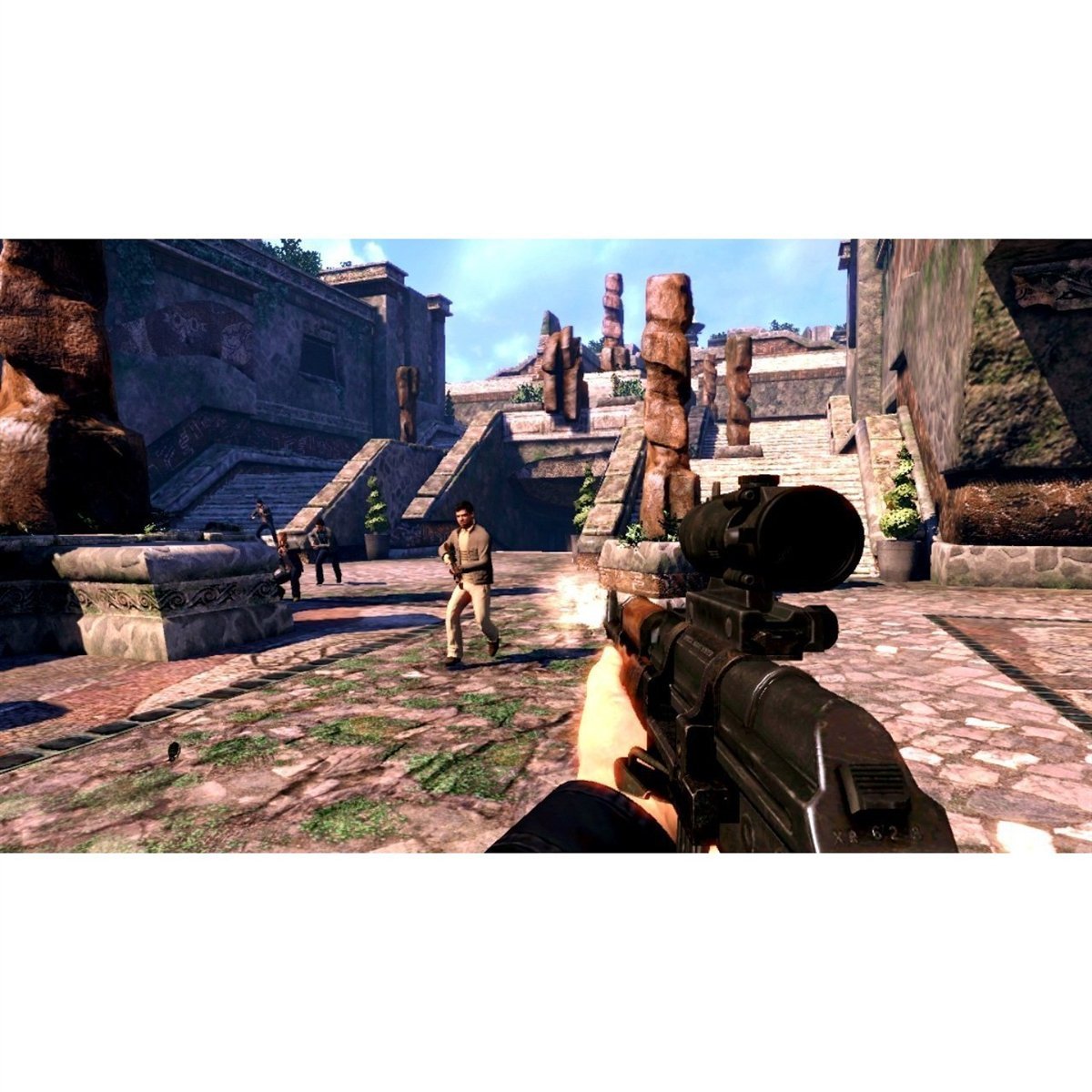
Figure 3.2: An in-game screenshot from 007 Legends, showing a first-person view of combat in an outdoor area with ancient ruins. Multiple enemies are visible, and the player is firing a rifle.
3.3. Game Modes
007 Legends features various game modes:
- Campaign: Play through the main story, experiencing missions inspired by classic James Bond films.
- Multiplayer: Engage in competitive or cooperative gameplay with friends. The Wii U version includes unique split-screen multiplayer modes.
- Challenges: Test your skills in specific scenarios and earn rewards.
3.4. Saving Progress
The game features an auto-save function at key checkpoints. You can also manually save your progress from the pause menu in most game modes. Ensure you do not power off your console during a save operation to prevent data corruption.
4. Maintenance and Care
Proper care of your game disc and console will ensure long-lasting enjoyment:
- Disc Care: Always handle the game disc by its edges. Store the disc in its original case when not in use to protect it from dust, scratches, and direct sunlight. If the disc becomes dirty, gently wipe it with a soft, lint-free cloth from the center outwards. Do not use abrasive cleaners.
- Console Ventilation: Ensure your Wii U console has adequate ventilation. Do not block the air vents, and avoid placing the console in enclosed spaces or on soft surfaces that can obstruct airflow.
- System Updates: Periodically check for and install system updates for your Nintendo Wii U console. These updates can improve performance, add features, and resolve compatibility issues.
5. Troubleshooting
If you encounter issues while playing 007 Legends, try the following solutions:
| Problem | Solution |
|---|---|
| Game does not load or freezes. |
|
| Controller is unresponsive. |
|
| No audio or distorted audio. |
|
If the problem persists, consult the Nintendo Wii U console manual or visit the official Activision support website.
6. Product Specifications
| Feature | Detail |
|---|---|
| Product Title | 007 Legends |
| Platform | Nintendo Wii U |
| Model Number | 84470 |
| Manufacturer | Activision |
| Release Date | December 11, 2012 |
| ESRB Rating | Teen (T) |
| Number of Players | 1 (Campaign), Multiple (Multiplayer) |
| Product Dimensions | 5.3 x 0.5 x 7.5 inches |
| Item Weight | 2.4 ounces |
| Language | English |
7. Warranty and Support
For information regarding product warranty, please refer to the documentation included with your game purchase or visit the official Activision support website. Warranty terms and conditions may vary by region and retailer.
For technical support, frequently asked questions, or to report an issue, please visit the Activision Support portal:
Please have your game title and console information ready when contacting support.
8. Video Content
No official product videos from the seller were available for embedding in this manual based on the provided data. Please refer to online resources or the game's official website for video content.
Related documents84470


Ask a question about this manual
Ask about setup, troubleshooting, compatibility, parts, safety, or missing instructions. Manuals+ will review the question and use this page’s manual context to help answer it.