
Introduction
This manual provides comprehensive instructions for the safe and effective use of your Fujifilm Finepix S200EXR Digital Camera. Please read this manual thoroughly before using the camera and keep it for future reference.
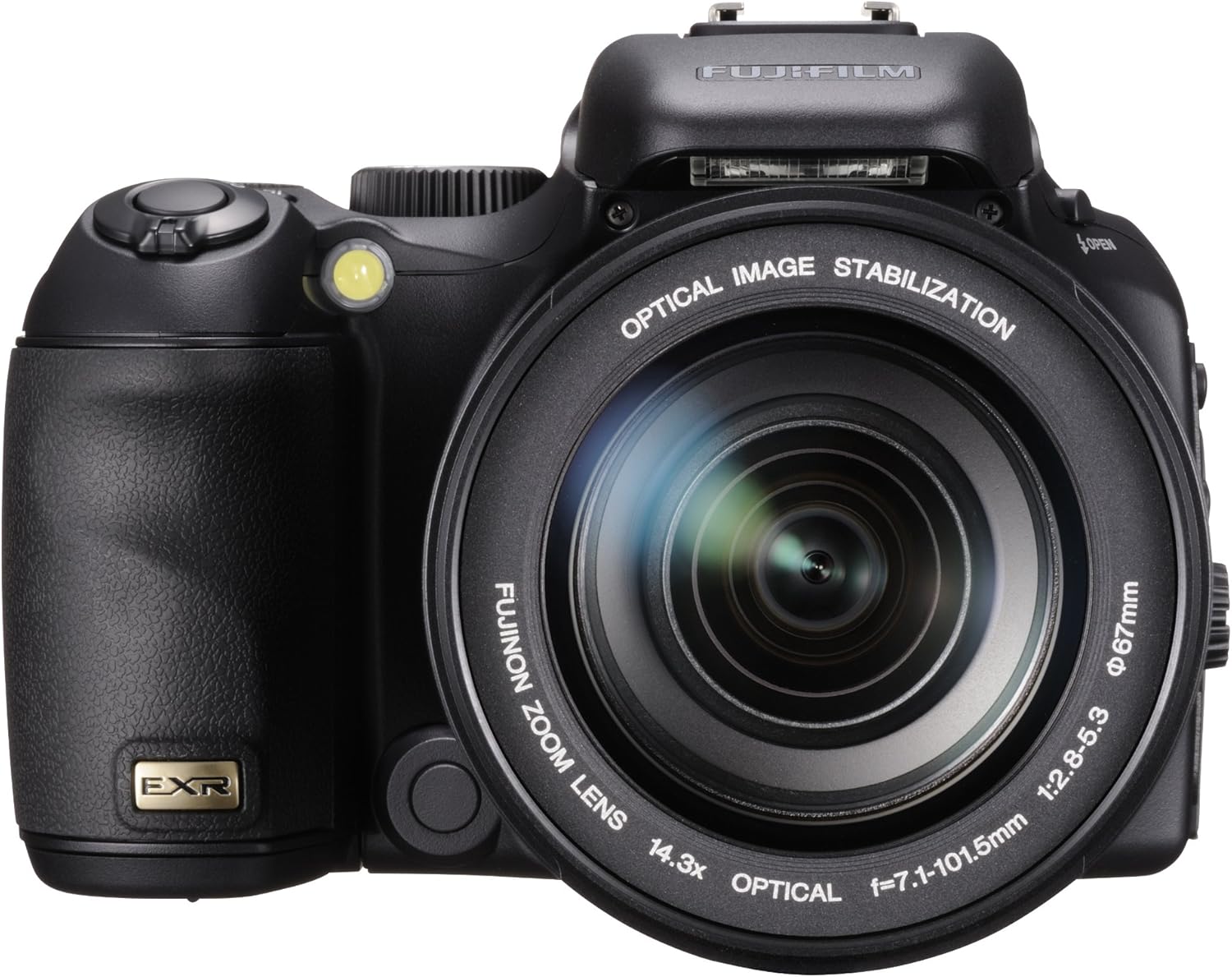
Figure 1: Front view of the Fujifilm Finepix S200EXR Digital Camera, showcasing its 14.3x optical zoom lens and ergonomic design.
Setup
What's in the Box
Verify that all items listed below are included in your camera package:
- Li-ion battery NP-140
- Battery charger BC-140
- Strap
- Lens cap
- Lens cap holder
- USB cable
- A/V cable
- CD-ROM
- Owner's manual (this document)
Battery Installation and Charging
- Ensure the camera is turned off.
- Open the battery compartment cover located at the bottom of the camera.
- Insert the NP-140 Li-ion battery, ensuring the correct orientation as indicated inside the compartment.
- Close the battery compartment cover securely.
- To charge the battery, insert the NP-140 battery into the BC-140 battery charger. Connect the charger to a power outlet. The charging indicator light will show the charging status.
- A full charge typically takes approximately 3 hours. The camera can provide up to 370 shots per charge.
Memory Card Insertion
The Finepix S200EXR uses SD/SDHC memory cards (not included). Ensure the camera is off before inserting or removing a memory card.
- Locate the memory card slot, typically near the battery compartment.
- Insert the SD/SDHC card with the label facing the front of the camera until it clicks into place.
- To remove, gently push the card in until it clicks, then release to allow it to eject.
Operating Your Camera
Basic Controls and Display

Figure 2: Rear view of the Fujifilm Finepix S200EXR, showing the LCD screen, electronic viewfinder, and control buttons.
- Power On/Off: Use the power button located on the top of the camera.
- Shutter Button: Press halfway to focus, press fully to capture an image.
- Zoom Control: The 14.3x Fujinon optical zoom lens is manually operated, offering precise control over focal length (30.5mm-436mm equivalent).
- LCD Display: The 2.7-inch high contrast 230k-pixel LCD provides a clear view for framing shots and reviewing images. It is viewable at 160-degrees both vertically and horizontally.
- Electronic View Finder (EVF): The 0.2" 200K-pixel EVF offers an alternative for framing shots, especially in bright conditions.
Shooting Modes
The Finepix S200EXR features a versatile EXR sensor with several shooting modes to optimize image quality for various scenes.
- EXR Priority Modes:
- High Resolution (HR) Mode: Utilizes all 12 million pixels for maximum detail in well-lit conditions.
- Wide Dynamic Range (DR) Mode: Captures two exposures to preserve detail in both highlights and shadows, ideal for high-contrast scenes.
- High Sensitivity and Low Noise (SN) Mode: Combines adjacent pixels to create larger photodiodes, reducing noise and improving quality in low-light environments.
- EXR Auto Mode: Automatically detects the scene (e.g., Portrait, Night, Macro, Landscape) and optimizes camera settings, including the EXR sensor mode (HR, SN, or DR), focus, color balance, exposure, flash, and sensitivity.
- Pro Focus Mode: Uses Multi-Frame Technology to create a shallow depth of field effect, blurring the background and foreground to emphasize the main subject. Ideal for portraits.
- Pro Low-light Mode: Captures a burst of four high-sensitivity images and combines them using Pixel Fusion Technology to produce a single image with significantly reduced noise in low-light conditions.
- Film Simulation Modes: Replicates the look of traditional Fujifilm films.
- Velvia/Vivid: For rich, saturated landscapes.
- PROVIA/Standard: For excellent, sharp, standard photography.
- ASTIA/Soft: For soft, fine, smooth tonality.
- Black & White: For dramatic monochrome images.
- Sepia: For a nostalgic, antique look.
Flash and Image Stabilization
- Super Intelligent Flash: This system automatically adjusts flash output to ensure subjects and backgrounds are brightly and naturally lit, preventing overexposure (flash wash-out). Effective for macro and night photography.
- Dual Image Stabilization: Combines Optical Image Stabilization (to counteract camera shake) with Fujifilm High ISO (to reduce blur from subject movement) for enhanced clarity and sharpness, especially in low light.

Figure 3: The Fujifilm Finepix S200EXR with its built-in flash in the popped-up position, ready for use.
Advanced Settings
- Manual Control: Offers full manual control over shutter speeds (1/4,000 to 30 seconds), ISO sensitivity, and aperture (F2.8 - F11 in 1/3 EV steps). Bulb exposure up to 30 seconds is also available.
- Multi Bracketing:
- Film Simulation Bracketing: Captures three frames simultaneously with PROVIA, Velvia, and ASTIA film simulations.
- Dynamic Range Bracketing: Captures three frames with dynamic range set to 100%, 200%, and 400%.
- AE Bracketing: Captures three frames with even, under, and over exposure.
- Combined CCD RAW (EXR)/JPEG Shooting: Allows simultaneous capture of both RAW files (for maximum post-processing flexibility) and JPEG files (for immediate use).
- Movie Mode: Records videos at 640 x 480 resolution at 30 frames per second. The optical zoom can be used during video recording.
Maintenance
Cleaning the Camera
- Camera Body: Use a soft, dry cloth to wipe the camera body. For stubborn dirt, dampen the cloth slightly with water or a mild cleaning solution, then wipe dry. Avoid harsh chemicals.
- Lens: Use a lens brush or a blower to remove dust. For smudges, use a specialized lens cleaning cloth and lens cleaning fluid. Do not touch the lens surface with your fingers.
- LCD Screen: Gently wipe with a soft, lint-free cloth. Avoid pressing too hard.
Battery Care and Storage
- Store the battery in a cool, dry place when not in use.
- If storing for extended periods, charge the battery every 6-12 months to maintain its capacity.
- Avoid exposing the battery to extreme temperatures.
General Storage
When not in use, store the camera in a dry, dust-free environment, ideally in a camera bag or case to protect it from impacts and moisture.
Troubleshooting
| Problem | Possible Cause | Solution |
|---|---|---|
| Camera does not power on. | Battery is dead or incorrectly inserted. | Charge the battery fully. Ensure the battery is inserted with correct polarity. |
| Images are blurry. | Camera shake, subject movement, or out of focus. | Use Dual Image Stabilization. Ensure proper focus. Use a tripod if necessary. Increase shutter speed. |
| Images are noisy/grainy in low light. | High ISO setting in dark conditions. | Activate Pro Low-light Mode. Use flash if appropriate. |
| Flash images are overexposed (washed out). | Subject too close or flash too powerful. | Utilize Super Intelligent Flash feature. Increase distance from subject or adjust flash compensation. |
| Memory card error. | Card is full, corrupted, or incompatible. | Delete unnecessary files or use a new/formatted card. Ensure card is SD/SDHC type. |
Specifications
| Feature | Detail |
|---|---|
| Model Name | Fujifilm Finepix S200EXR |
| Sensor Type | 1/1.6-inch Super CCD EXR |
| Effective Still Resolution | 12 Megapixels |
| Optical Zoom | 14.3x Fujinon (30.5mm-436mm equivalent) |
| Maximum Aperture | F2.8 (Wide) - F5.3 (Tele) |
| Image Stabilization | Optical (Dual Image Stabilization) |
| LCD Screen | 2.7-inch, 230k-pixel high contrast LCD |
| Viewfinder | 0.2-inch, 200k-pixel Electronic View Finder (EVF) |
| ISO Sensitivity | Expanded ISO Minimum 100, Expanded ISO Maximum 3200 (up to 12800 in SN mode at reduced resolution) |
| Shutter Speed | 1/4000 to 30 seconds |
| File Formats | JPEG, RAW (EXR RAW) |
| Movie Recording | 640 x 480 (30 fps), 320 x 240 (30 fps) with optical zoom |
| Storage Media | SD/SDHC memory cards |
| Power Source | Li-ion battery NP-140 |
| Battery Life | Approx. 370 shots (CIPA standard) |
| Connectivity | USB 2.0, A/V Out |
| Dimensions (Approx.) | Item Height: 3.7 inches (Other dimensions not explicitly provided, but can infer from weight/form factor) |
| Weight (Approx.) | 1.91 Pounds (including battery and memory card) |
Warranty and Support
For detailed warranty information, please refer to the warranty card included with your product or visit the official Fujifilm website. Warranty terms and conditions may vary by region.


