
1. Introduction
This manual provides essential information for the safe and effective installation, operation, and maintenance of your Packard 65412 Motor. The Packard 65412 is a genuine OEM replacement part designed for specific fan motor applications. Please read this manual thoroughly before attempting any installation or operation.
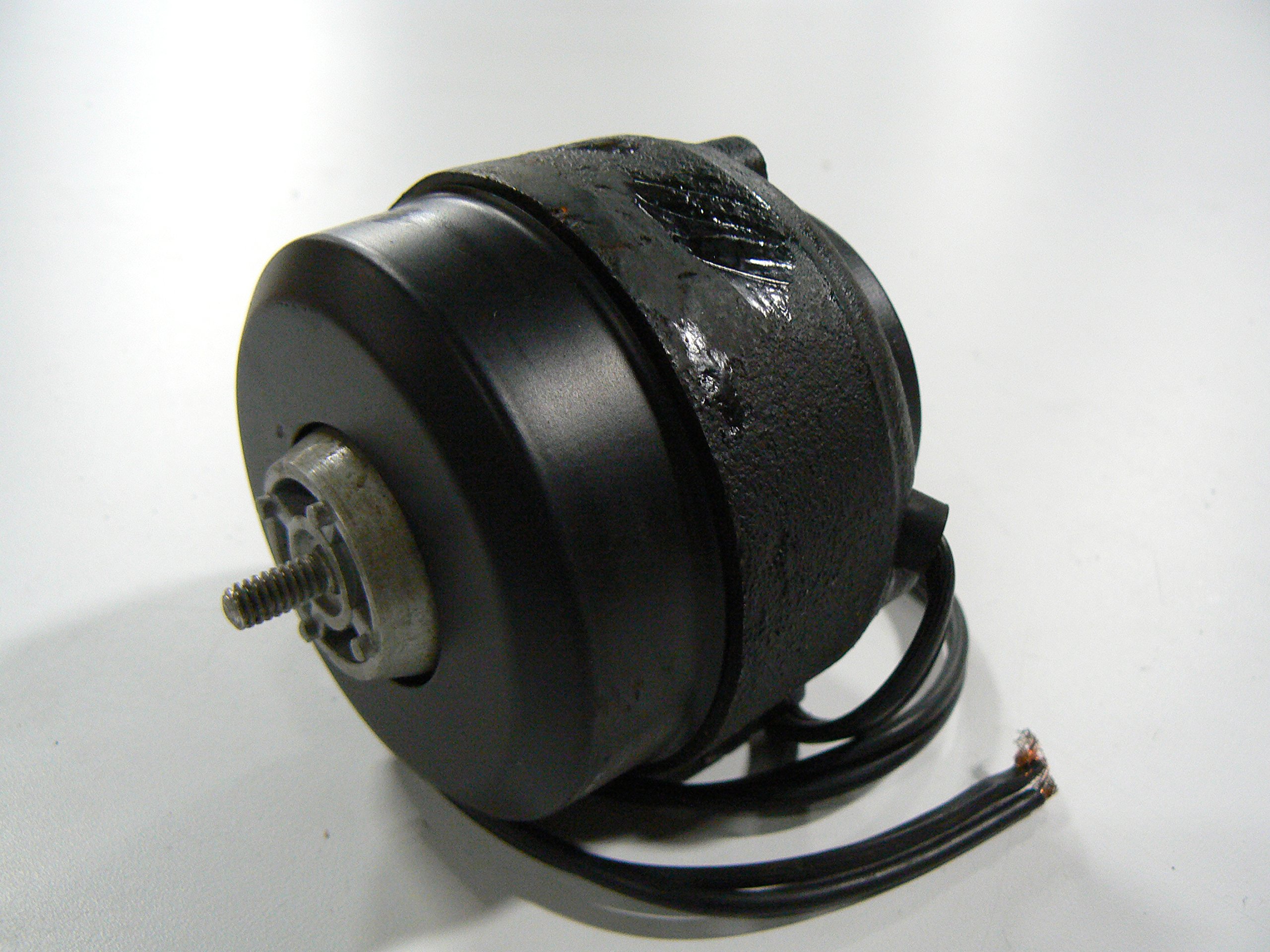
This image displays the Packard 65412 Motor, a compact electrical component typically used in fan applications. The motor features a metallic housing and visible wiring connections.
2. Safety Information
WARNING: Electrical components can cause serious injury or death. Always disconnect power before installing, servicing, or removing this motor. Installation should only be performed by a qualified technician.
- Ensure all local and national electrical codes are followed.
- Wear appropriate personal protective equipment (PPE), including safety glasses and insulated gloves.
- Verify that the power supply voltage matches the motor's specifications.
- Do not operate the motor if it is damaged or if any wiring is exposed.
- Keep hands, tools, and clothing clear of moving parts during operation.
3. Package Contents
Verify that all items are present and undamaged upon opening the package.
- 1 x Packard 65412 Motor
4. Setup and Installation
This motor is a replacement part. Proper installation requires knowledge of electrical systems and mechanical assembly. If you are not qualified, seek professional assistance.
- Disconnect Power: Turn off the main power supply to the appliance or system where the motor will be installed. Confirm power is off using a voltage tester.
- Access Old Motor: Carefully open the appliance or system housing to gain access to the existing motor.
- Document Connections: Before disconnecting, take photos or make detailed notes of all wiring connections and mounting positions of the old motor.
- Remove Old Motor: Disconnect all wiring and unmount the old motor.
- Install New Motor: Mount the Packard 65412 Motor in the same position as the old motor, ensuring it is securely fastened.
- Connect Wiring: Reconnect all wiring according to your documentation, ensuring all connections are tight and secure.
- Secure Housing: Close and secure the appliance or system housing.
- Restore Power: Restore power to the appliance or system.
5. Operating Instructions
Once properly installed, the Packard 65412 Motor operates as an integral part of your appliance or system. Its operation is typically controlled by the primary system's controls (e.g., thermostat, switch).
- Ensure the system is receiving power.
- Activate the system's controls to initiate motor operation.
- Listen for smooth operation and observe for any unusual noises or vibrations.
- If any abnormalities are detected, immediately shut off power and refer to the troubleshooting section.
6. Maintenance
Regular maintenance helps ensure the longevity and efficient operation of your motor. Always disconnect power before performing any maintenance.
- Periodic Inspection: Annually inspect the motor for signs of wear, corrosion, or damage. Check wiring for fraying or loose connections.
- Cleaning: Keep the motor free from dust, dirt, and debris. Use a soft brush or compressed air to clean vents and surfaces. Do not use liquids directly on the motor.
- Lubrication: This motor is typically designed for maintenance-free operation and does not require external lubrication. Refer to the appliance's specific manual for any lubrication requirements related to connected components.
7. Troubleshooting
If you encounter issues with your Packard 65412 Motor, refer to the common problems and solutions below. Always disconnect power before troubleshooting.
| Problem | Possible Cause | Solution |
|---|---|---|
| Motor does not start | No power, loose wiring, faulty control switch, motor overload. | Check power supply. Verify wiring connections. Inspect control switch. Allow motor to cool if overloaded. |
| Motor makes unusual noise | Loose mounting, worn bearings, foreign object. | Tighten mounting bolts. Inspect for obstructions. If bearings are worn, motor replacement may be necessary. |
| Motor overheats | Insufficient ventilation, continuous heavy load, incorrect voltage. | Ensure proper airflow. Reduce load if possible. Verify correct voltage supply. |
If problems persist after troubleshooting, contact a qualified service technician.
8. Specifications
Key technical specifications for the Packard 65412 Motor:
| Specification | Detail |
|---|---|
| Brand | Packard |
| Part Number | 65412 |
| Material | Copper |
| Item Weight | 3.19 Pounds |
| Manufacturer | Packard |
| UPC | 840383150103 |
| Package Dimensions | 4.29 x 4.25 x 4.21 inches |
| Item Package Quantity | 1 |
9. Warranty and Support
Packard products are manufactured to high-quality standards. This motor is covered by the manufacturer's standard warranty against defects in materials and workmanship. For specific warranty details, please refer to the documentation provided with your purchase or contact Packard customer support.
For technical assistance or support, please visit the official Packard website or contact their customer service department. When contacting support, please have your model number (65412) and purchase information readily available.