
Sonos CR200
Sonos CR200 Wireless Control System User Manual
Model: CR200
1. Introduction
The Sonos CR200 is a dedicated wireless controller designed to provide seamless control over your Sonos Multi-Room Music System. It allows you to effortlessly find and stream music from various sources, manage playback in different rooms, and adjust settings with ease. This manual will guide you through the setup, operation, and maintenance of your CR200 controller to ensure an optimal listening experience throughout your home.
Key features include a full-color touch screen, instant access to your iTunes library, over 100,000 free Internet radio stations, and popular online music services like Spotify, Pandora, SiriusXM, Napster, Rhapsody, and more. The CR200 is designed for intuitive use, offering dedicated Mute, Volume, and Zones buttons for immediate access to frequently used functions. It comes with a charging cradle for convenient storage and power.
Product Overview Video
Video: Learn More About the Sonos Digital Music System. This video provides a general overview of the Sonos Multi-Room Music System and its capabilities.
2. Setup
Setting up your Sonos system with the CR200 controller is designed to be straightforward. The system is wireless, allowing you to add music to your home without the need for extensive wiring through walls.
What's in the Box
- SONOS CONTROL (CR200)
- SONOS CRADLE (Charging Cradle)
- Power cord
- Sonos QuickStart Guide with Setup CD
System Requirements
- One Sonos ZonePlayer (minimum)
- High-speed Internet connection
- Wireless Router
Initial Setup Steps
- Place ZonePlayers: Position your Sonos ZonePlayer(s) in the rooms where you desire music. Some ZonePlayers connect to existing home theater or stereo systems, utilizing their amplifiers and speakers. Others are all-in-one units with built-in amplifiers, requiring only speakers to be attached.
- Connect to Network: Ensure your Sonos system is connected to your home network. SonosNet provides robust wireless performance throughout your house.
- Charge CR200: Place your CR200 controller in its charging cradle.
- Add Zone: On the CR200, navigate to System Settings and select 'Add a Zone'. Follow the on-screen prompts, which typically involve pressing specific buttons on the ZonePlayer to establish a wireless connection.
- Name Zone: Once connected, you will be prompted to name the new zone (e.g., 'Living Room', 'Kitchen', 'Bedroom').
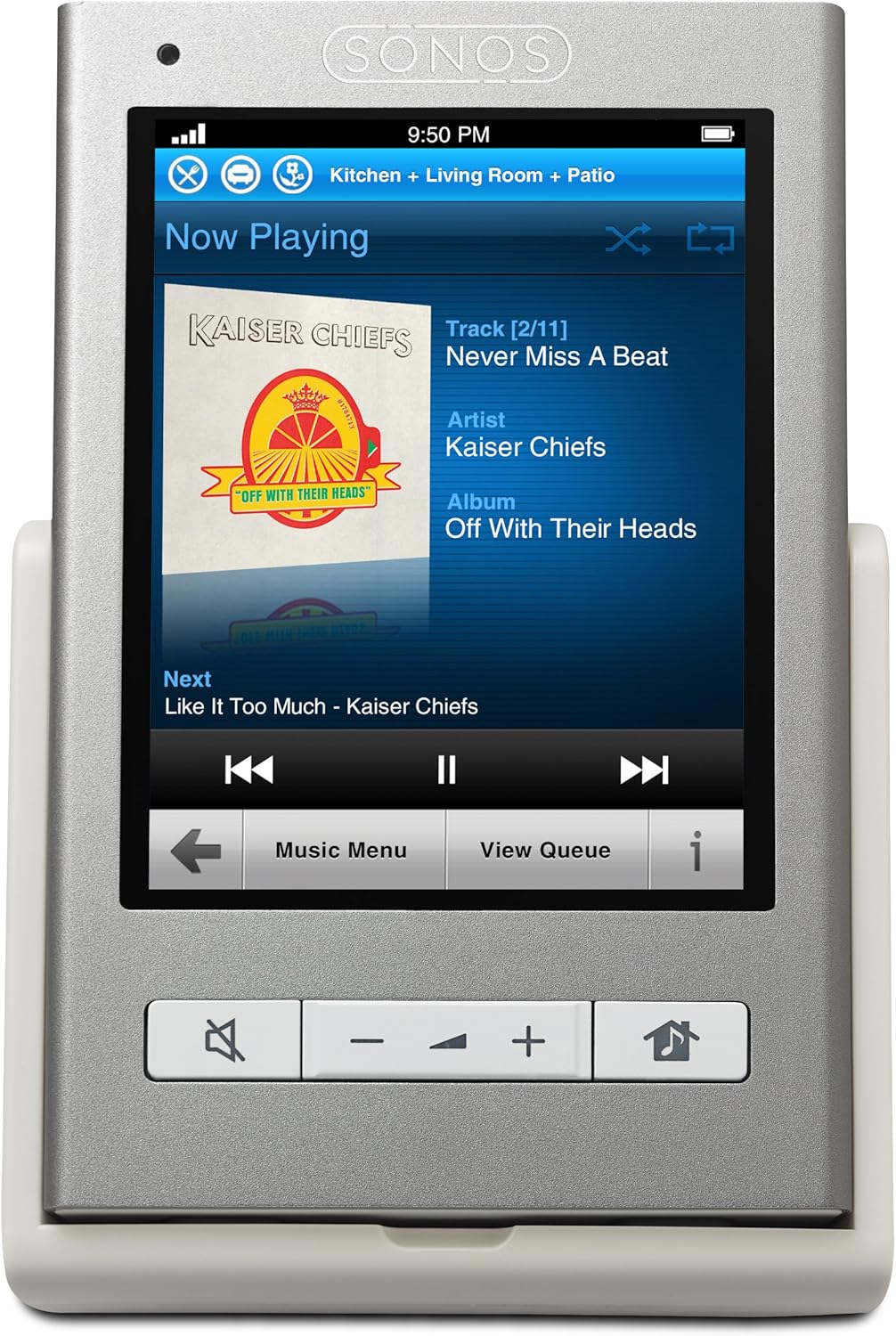
Image: The Sonos CR200 Wireless Controller resting in its charging cradle.
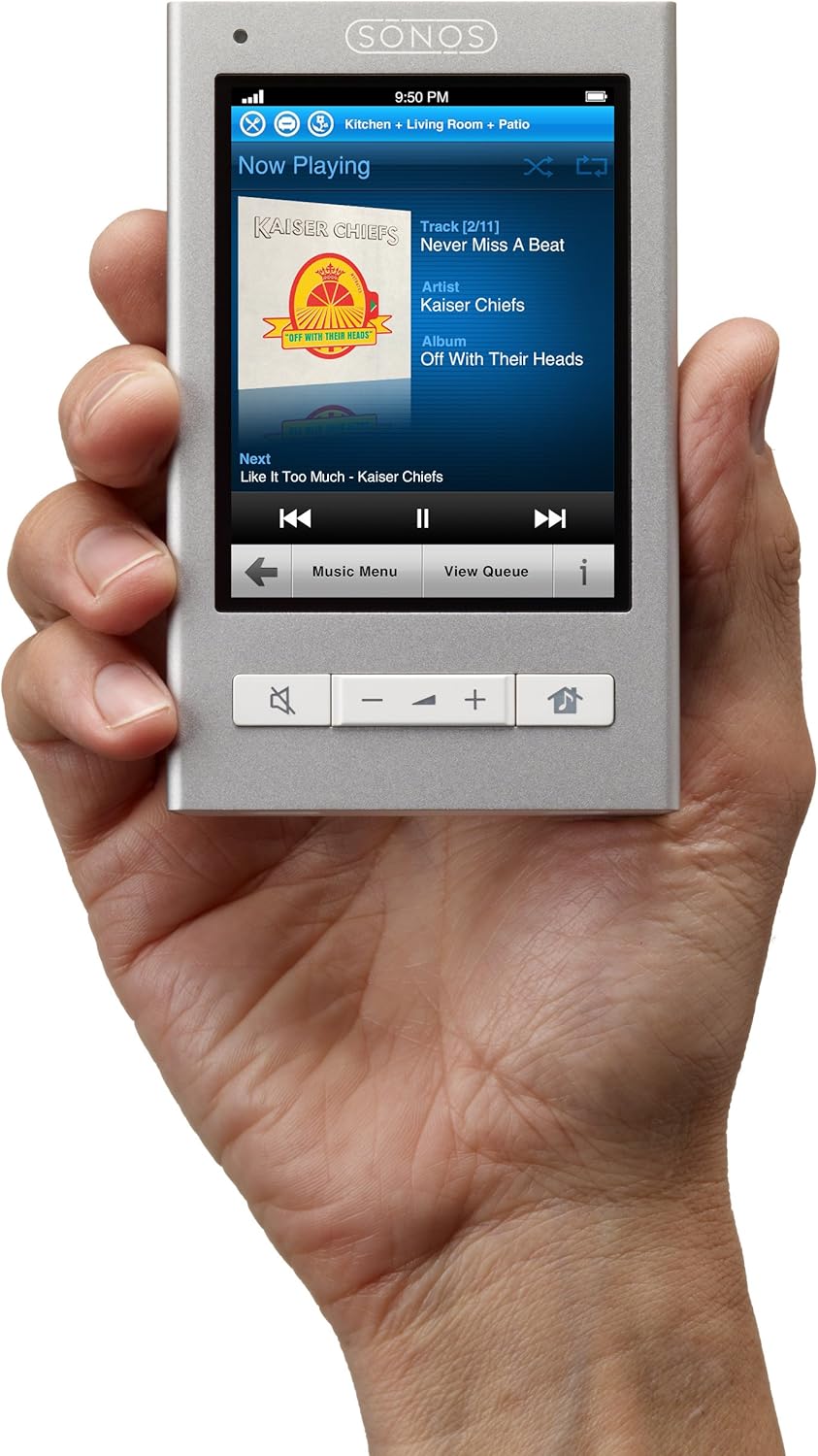
Image: The Sonos CR200 Wireless Controller comfortably held in a user's hand, showcasing its portable design.
System Setup Demonstration
Video: How a Complete Sonos Music System Works. This video demonstrates the process of setting up and expanding a Sonos Multi-Room Music System.
3. Operating Instructions
The Sonos CR200 provides intuitive control over your entire music system. Its touch screen interface and physical buttons are designed for ease of use.
Controlling Music Playback
- Now Playing Screen: The main screen displays the current track, artist, and album. You can control playback (play/pause, skip tracks) directly from here.
- Volume Control: Use the dedicated volume buttons on the CR200 to adjust the volume for the currently selected zone. You can also access a detailed volume screen to control individual zone volumes or group volume.
- Zones Management: The 'Zones' menu allows you to see all active zones in your home. You can group zones together to play the same music in perfect sync, or play different music in different rooms.

Image: The 'Now Playing' screen on the Sonos CR200, showing current track information.

Image: The 'Zones' screen on the Sonos CR200, allowing selection and grouping of different audio zones.
Accessing Music Sources
The CR200 provides access to a vast array of music sources:
- Music Library: Browse and play music stored on your personal computer or network-attached storage (NAS), including your iTunes library.
- Internet Radio: Access over 100,000 free Internet radio stations from around the world. You can browse by genre, talk, sports, or location, or search for specific stations.
- Online Music Services: Seamlessly integrate with popular streaming services such as Spotify, Pandora, SiriusXM, Napster, Rhapsody, MOG, iheartradio, Rdio, Last.fm, Wolfgang's Vault, Aupeo, and Stitcher. Search for artists, albums, or tracks directly from the controller.
- Line-In: If your ZonePlayer has a line-in input, you can play audio from an external device connected to it.

Image: The main 'Music Menu' screen on the Sonos CR200, showing various music source options.

Image: The search interface on the Sonos CR200, allowing users to type and find music.
Alternative Control Options
In addition to the CR200, you can control your Sonos system using:
- Sonos Controller Apps: Free apps are available for smartphones and tablets (Android Market and iTunes App Store) that offer full control functionality.
- Sonos Software for Mac or PC: Turn any desktop or laptop in your home into a Sonos Controller with the free software included with every Sonos player.
4. Maintenance
The Sonos CR200 is designed for low maintenance. Keep the device clean by wiping it with a soft, dry cloth. Ensure it is regularly placed in its included charging cradle to maintain battery life and readiness for use.
Avoid exposing the controller to extreme temperatures, humidity, or direct sunlight. Do not attempt to open or repair the device yourself, as this will void the warranty.
5. Troubleshooting
If you encounter any issues with your Sonos CR200 or the Sonos system, consider the following basic troubleshooting steps:
- No Display/Unresponsive: Ensure the CR200 is properly seated in its charging cradle and has sufficient charge. Try a soft reset by holding down the power button for a few seconds.
- Connectivity Issues: Verify that your wireless router is functioning correctly and that your Sonos ZonePlayers are powered on and connected to the network. Ensure the CR200 is within range of your SonosNet.
- Music Playback Problems: Check your internet connection for online services. For personal music libraries, ensure your computer or NAS is on and accessible on the network.
- Software Updates: Periodically check for system updates through the Sonos app or PC software, as updates often resolve known issues and introduce new features.
For more detailed troubleshooting or persistent issues, please refer to the comprehensive Sonos support resources available online or contact Sonos customer support directly.
6. Specifications
| Feature | Detail |
|---|---|
| Product Dimensions | 6.4 x 6.1 x 3.9 inches |
| Item Weight | 1.6 pounds |
| Manufacturer | Sonos |
| Item Model Number | CR200 |
| Connectivity Technology | Wireless |
| Color | Light Gray |
| Speaker Type | Multi-Room (Controller for Multi-Room System) |
7. Warranty and Support
For information regarding product warranty, please refer to the warranty documentation included with your Sonos CR200 or visit the official Sonos website. Sonos provides dedicated customer support for all its products.
If you require technical assistance, have questions about your product, or need to report an issue, please contact Sonos Customer Support through their official channels. Keep your product model number (CR200) and serial number ready when contacting support for faster service.
Related documentsCR200


Ask a question about this manual
Ask about setup, troubleshooting, compatibility, parts, safety, or missing instructions. Manuals+ will review the question and use this page’s manual context to help answer it.