
Introduction
This manual provides essential instructions for the safe and effective use of your Sony SAL1855 Alpha 18-55mm F3.5-5.6 Zoom Lens. Please read this manual thoroughly before using the lens and retain it for future reference. This lens is designed for Sony A-mount cameras.
Setup
Attaching the Lens
- Ensure both the camera and lens are powered off.
- Remove the rear lens cap and the camera body cap.
- Align the mounting index on the lens with the mounting index on the camera body.
- Insert the lens into the camera mount and rotate it clockwise until it clicks into place. Do not force the lens.
Detaching the Lens
- Ensure the camera is powered off.
- While pressing the lens release button on the camera body, rotate the lens counter-clockwise until it stops.
- Remove the lens from the camera mount.
- Attach the rear lens cap to the lens and the body cap to the camera to protect them from dust.

Image: Rear view of the Sony SAL1855 lens, highlighting the A-mount bayonet and electronic contact pins for communication with the camera body. This is the part that connects to the camera.
Operating the Lens
Focusing
The SAL1855 lens supports both autofocus and manual focus modes. The focus type is Auto Focus.
- Autofocus (AF): Set your camera to AF mode. The lens will automatically adjust focus when the shutter button is half-pressed.
- Manual Focus (MF): Set your camera to MF mode. Rotate the focus ring on the lens to achieve desired focus.
Zooming
To change the focal length, rotate the zoom ring on the lens. The lens offers a focal length range of 18mm (wide-angle) to 55mm (short telephoto).
Aperture Control
This lens has a variable maximum aperture of F3.5 at 18mm and F5.6 at 55mm. The aperture is controlled via the camera body. The minimum aperture is 3.5.
Image Stabilization
This lens features image stabilization, which helps reduce blur caused by camera shake, especially in low light or at longer focal lengths. Ensure your camera's image stabilization settings are configured appropriately.
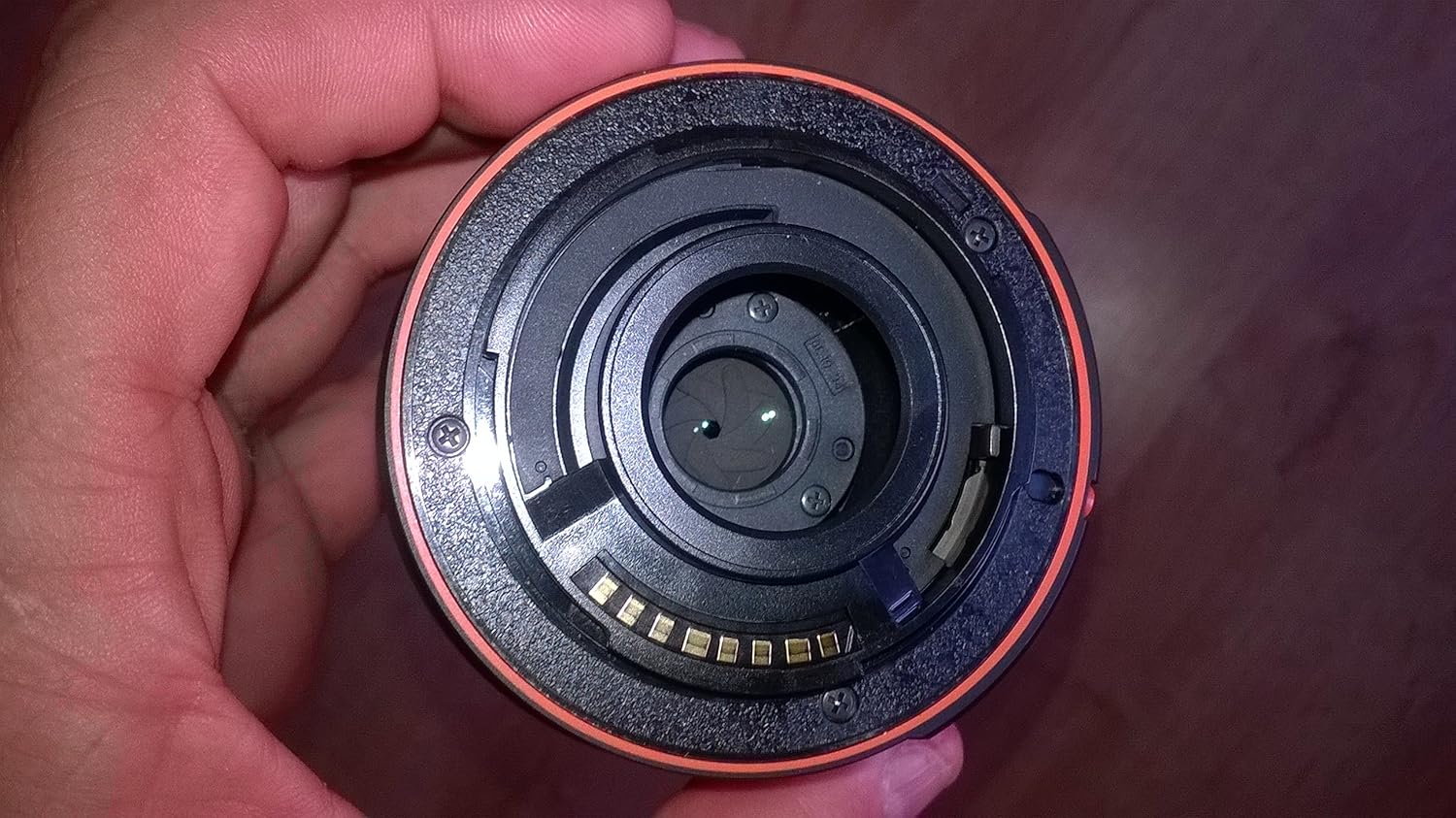
Image: Front view of the Sony SAL1855 lens, displaying the front element, zoom ring, and markings for focal length and minimum focusing distance. The filter thread size is 55mm.
Maintenance
Cleaning the Lens
- Use a blower brush to remove dust from the lens surface.
- For smudges or fingerprints, use a soft, clean lens cloth and a small amount of lens cleaning solution. Wipe gently in a circular motion from the center outwards.
- Never use organic solvents such as paint thinner or benzene to clean the lens.
Storage
- Store the lens with front and rear caps attached in a cool, dry place away from direct sunlight.
- Avoid storing the lens in areas with high humidity to prevent mold growth.
- If storing for extended periods, consider using a desiccant.
Handling Precautions
- Avoid exposing the lens to extreme temperatures or sudden temperature changes.
- Do not drop or subject the lens to strong impacts.
- This lens is not water resistant. Avoid exposure to water or moisture.
Troubleshooting
Common Issues and Solutions
- Lens not attaching to camera: Ensure the mounting indexes are aligned and the lens is rotated clockwise until it clicks. Do not force.
- Autofocus not working: Check if the camera is set to AF mode. Ensure there is sufficient light and contrast in the scene. Clean the lens contacts on both the lens and camera body.
- Blurry images: Check focus mode (AF/MF). Ensure shutter speed is appropriate for the lighting conditions to prevent camera shake. Verify image stabilization is active if needed. Clean the lens elements.
- "Lens not recognized" error: Power off the camera, detach and reattach the lens securely. Clean the electronic contacts on both the lens and camera body.
Specifications
| Feature | Description |
|---|---|
| Brand | Sony |
| Model Name | 18 - 55 mm / F 3,5 - 5,6 SAM |
| Manufacturer Part Number | SAL1855 |
| Lens Type | Zoom Lens |
| Focal Length | 18-55 millimeters |
| Maximum Aperture | F3.5 (at 18mm) - F5.6 (at 55mm) |
| Minimum Aperture | 3.5 |
| Compatible Mountings | Sony A |
| Focus Type | Auto Focus |
| Image Stabilization | Yes |
| Photo Filter Size | 55 Millimeters |
| Number of Diaphragm Blades | 6 |
| Item Weight | 210 Grams |
| Water Resistance Level | Not Water Resistant |
Warranty and Support
For detailed warranty information and customer support, please refer to the official documentation provided with your product or visit the Sony official website. Keep your proof of purchase for warranty claims.


