
1. Introduction
Thank you for choosing the Acctim Freja 13532 Alarm Clock. This clock combines functionality with a classic design, featuring a simple alarm adjustment, light and snooze functions, and luminous hands for easy night viewing. This manual provides detailed instructions for the proper setup, operation, and maintenance of your alarm clock.
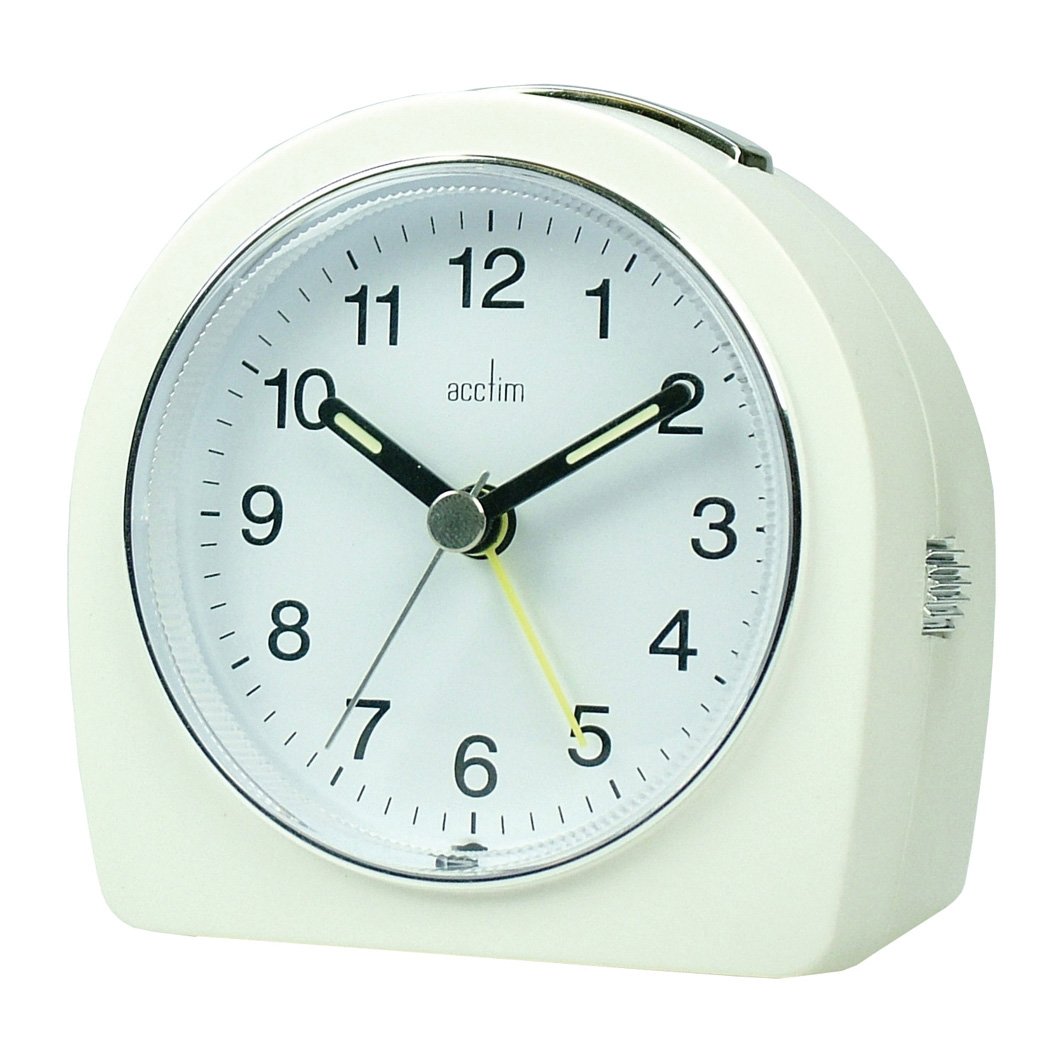
Image: The Acctim Freja 13532 alarm clock in white, showcasing its classic design with a round clock face and two adjustment knobs visible on the back.
2. Safety Information
- Keep the device away from water and high humidity.
- Do not expose to direct sunlight or extreme temperatures.
- Use only the specified battery type.
- Dispose of batteries properly according to local regulations.
- Do not attempt to disassemble or repair the clock yourself. Contact qualified personnel for service.
3. Package Contents
Please check the package for the following items:
- Acctim Freja 13532 Alarm Clock (White)
- Batteries (included)
- User Manual (this document)
4. Setup
4.1 Battery Installation
- Locate the battery compartment cover on the back of the clock.
- Remove the cover by sliding or lifting it.
- Insert the included batteries, ensuring the correct polarity (+ and -) as indicated inside the compartment.
- Replace the battery compartment cover securely.
4.2 Setting the Time
- Locate the time setting knob on the back of the clock.
- Rotate the knob clockwise or counter-clockwise to adjust the hour and minute hands to the current time.
4.3 Setting the Alarm
- Locate the alarm setting knob on the back of the clock.
- Rotate the alarm setting knob to move the alarm hand to your desired alarm time.
- Ensure the alarm ON/OFF switch (if present) is in the "ON" position to activate the alarm.
5. Operating Instructions
5.1 Alarm Function
The clock features a crescendo alarm, which starts softly and gradually increases in volume to gently wake you up.
- When the alarm sounds, you can press the snooze button (usually located on top) to temporarily silence it.
- To turn off the alarm completely, move the alarm ON/OFF switch to the "OFF" position.
5.2 Snooze Function
Press the snooze button when the alarm is sounding. The alarm will pause for a short period (typically 5-9 minutes) and then sound again. This can be repeated multiple times.
5.3 Light Function
The clock is equipped with a light function for viewing the time in the dark. Press the light button (often combined with the snooze button) to illuminate the clock face temporarily. The clock also features luminous hands for continuous visibility in low light conditions.
6. Maintenance
6.1 Cleaning
Wipe the clock with a soft, dry cloth. Do not use abrasive cleaners or chemical solvents, as these may damage the finish.
6.2 Battery Replacement
When the clock's display dims or the alarm weakens, it is time to replace the batteries. Follow the battery installation steps in Section 4.1. Always replace all batteries at the same time with new ones of the same type.
7. Troubleshooting
| Problem | Possible Cause | Solution |
|---|---|---|
| Clock not working / Display dim | Dead or incorrectly installed batteries. | Replace batteries with new ones, ensuring correct polarity. |
| Alarm not sounding | Alarm not set or alarm switch is OFF. | Ensure alarm time is set correctly and the alarm ON/OFF switch is in the "ON" position. |
| Time is inaccurate | Weak batteries. | Replace batteries. |
8. Specifications
- Brand: Acctim
- Model Number: 13532
- Color: White
- Dimensions: 11.94 x 10.67 x 6.35 cm (4.7 x 4.2 x 2.5 inches)
- Weight: 40.82 g (1.44 oz)
- Special Features: Alarm, Snooze, Light, Luminous Hands, Crescendo Alarm
- Power Source: Batteries
- Batteries Included: Yes
- Shape: Square
- GTIN: 05012562135323
9. Warranty and Support
Acctim products are designed for quality and reliability. This product comes with a standard manufacturer's warranty. For specific warranty details, please refer to the packaging or contact Acctim customer support.
If you encounter any issues or have questions regarding your Acctim Freja 13532 Alarm Clock, please visit the official Acctim website or contact their customer service department for assistance.
Note: Warranty terms and conditions may vary by region. Please retain your proof of purchase for warranty claims.


