
Introduction
This manual provides comprehensive instructions for the setup, operation, and maintenance of your Acctim 74277 Kaava Radio Controlled Metal Case Wall Clock. Please read these instructions carefully before use and retain them for future reference.
Product Features
- Radio Controlled: Automatically synchronizes with the atomic clock signal for precise timekeeping (effective in UK & Ireland only).
- Energy Efficient: Designed for longer battery life.
- Durable Construction: Features a brushed aluminium case.
- Clear Display: Equipped with a glass lens and an Arabic dial with black metal hands for easy readability.
- Dimensions: 300mm (12 inch) diameter.

Image: Front view of the Acctim 74277 Kaava Radio Controlled Wall Clock, showcasing its brushed aluminium case, glass lens, and clear Arabic dial with black hands.
Package Contents
Please check that all items are present:
- Acctim 74277 Kaava Radio Controlled Wall Clock
- Instruction Manual (this document)
Note: One AA battery is required for operation and is not included in the package.
Setup
1. Battery Installation
Locate the battery compartment on the back of the clock. Insert one fresh AA battery, ensuring the correct polarity (+ and -) as indicated inside the compartment. The clock will immediately begin its initial setup process.

Image: Rear view of the clock, highlighting the battery compartment and the mechanism for radio control.
2. Radio Control Synchronization
After battery insertion, the clock's hands will sweep around to the 12 o'clock position and then attempt to receive the radio time signal. This process can take several minutes, depending on signal strength. During synchronization, the clock will automatically set itself to the correct time, including adjusting for daylight saving changes.
- For best reception, place the clock near a window and away from electronic devices that may cause interference.
- The radio signal is primarily effective within the UK and Ireland. Operation outside these regions may require manual time setting.
3. Manual Time Setting (If Required)
If the clock does not synchronize automatically after 10-15 minutes, or if you are outside the radio signal reception area, you can set the time manually. On the back of the clock, there are usually buttons for manual adjustment. Refer to the markings on the clock's mechanism for specific button functions (e.g., "SET," "M.SET," or "RESET") to advance the hands to the correct time. Once set, the clock will function as a standard quartz clock until a radio signal is detected again.
4. Wall Mounting
The clock is designed for wall mounting. Use a suitable screw, nail, or hook (not included) in your desired location. The clock features a recessed hanging slot on its back for secure placement. Ensure the mounting point is strong enough to support the clock's weight (approximately 880 grams).
Operating the Clock
Once set up, the Acctim Kaava Radio Controlled Wall Clock operates automatically. It continuously monitors the radio time signal to ensure accuracy. There is no need for manual adjustment for time changes, such as daylight saving, as these are handled by the radio control function.
Maintenance
- Cleaning: To clean the clock, wipe the case and glass lens with a soft, dry, lint-free cloth. Do not use abrasive cleaners, solvents, or chemical sprays, as these can damage the finish.
- Battery Replacement: Replace the AA battery annually or when the clock's hands stop moving or become erratic. Always use a fresh, high-quality AA battery.
- Environment: Avoid exposing the clock to extreme temperatures, direct sunlight for prolonged periods, or high humidity.
Troubleshooting
| Problem | Possible Cause | Solution |
|---|---|---|
| Clock hands do not move or display incorrect time after battery insertion. | Battery is dead or incorrectly inserted. Poor radio signal reception. |
|
| Clock loses time or gains time. | Intermittent radio signal reception. Battery low. |
|
| Clock does not adjust for Daylight Saving Time. | No radio signal received for adjustment. |
|
Specifications
| Model Number | 74277 |
| Brand | Acctim |
| Display Type | Analog |
| Special Feature | Radio Controlled |
| Colour | Silver |
| Style | Modern |
| Item Weight | 880 Grams |
| Power Source | 1 x AA Battery (not included) |
| Dimensions | 300mm (12 inch) Diameter |
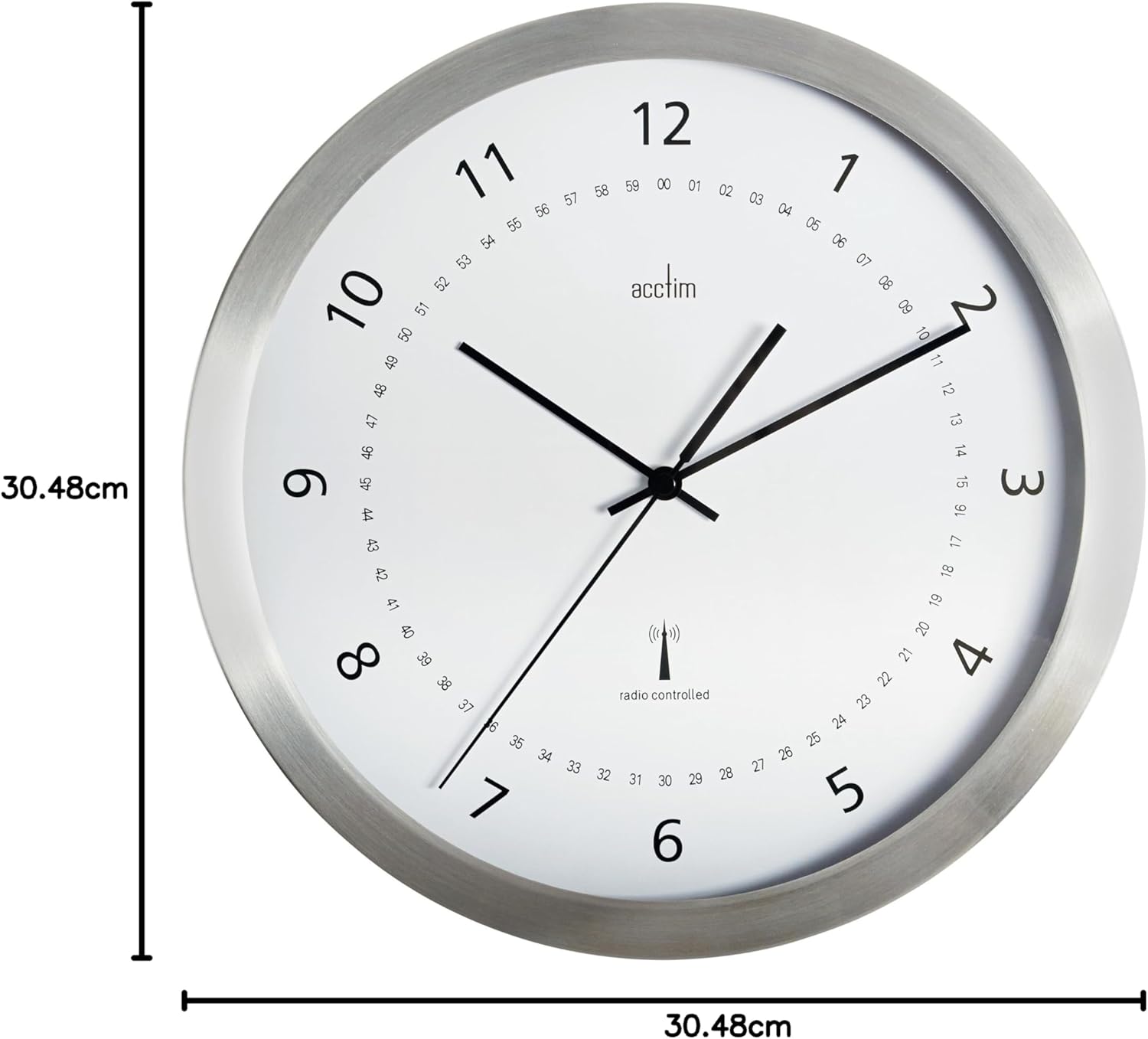
Image: Diagram illustrating the 30.48cm (12 inch) diameter of the Acctim 74277 Kaava Wall Clock.
Warranty Information
For details regarding the warranty period and terms for your Acctim 74277 Kaava Radio Controlled Wall Clock, please refer to the warranty card included with your purchase or contact your retailer. Keep your proof of purchase for any warranty claims.
Customer Support
Should you require further assistance, have questions not covered in this manual, or encounter issues with your clock, please contact Acctim customer support. Contact details can typically be found on the Acctim website or on your product packaging.


