
Introduction
This manual provides essential information for the proper use and maintenance of your Directed Avital 2101L 1-Way Vehicle Keyless Entry System. This system is designed to add the convenience of remote keyless entry to your vehicle, enhancing security and ease of access. Please read these instructions carefully to ensure optimal performance and longevity of your device.
Product Overview
The Avital 2101L system includes a control module, two 4-button remote controls, a status LED indicator light, and a push-button Valet switch. The remote controls feature dedicated buttons for locking, unlocking, trunk release, and auxiliary functions.
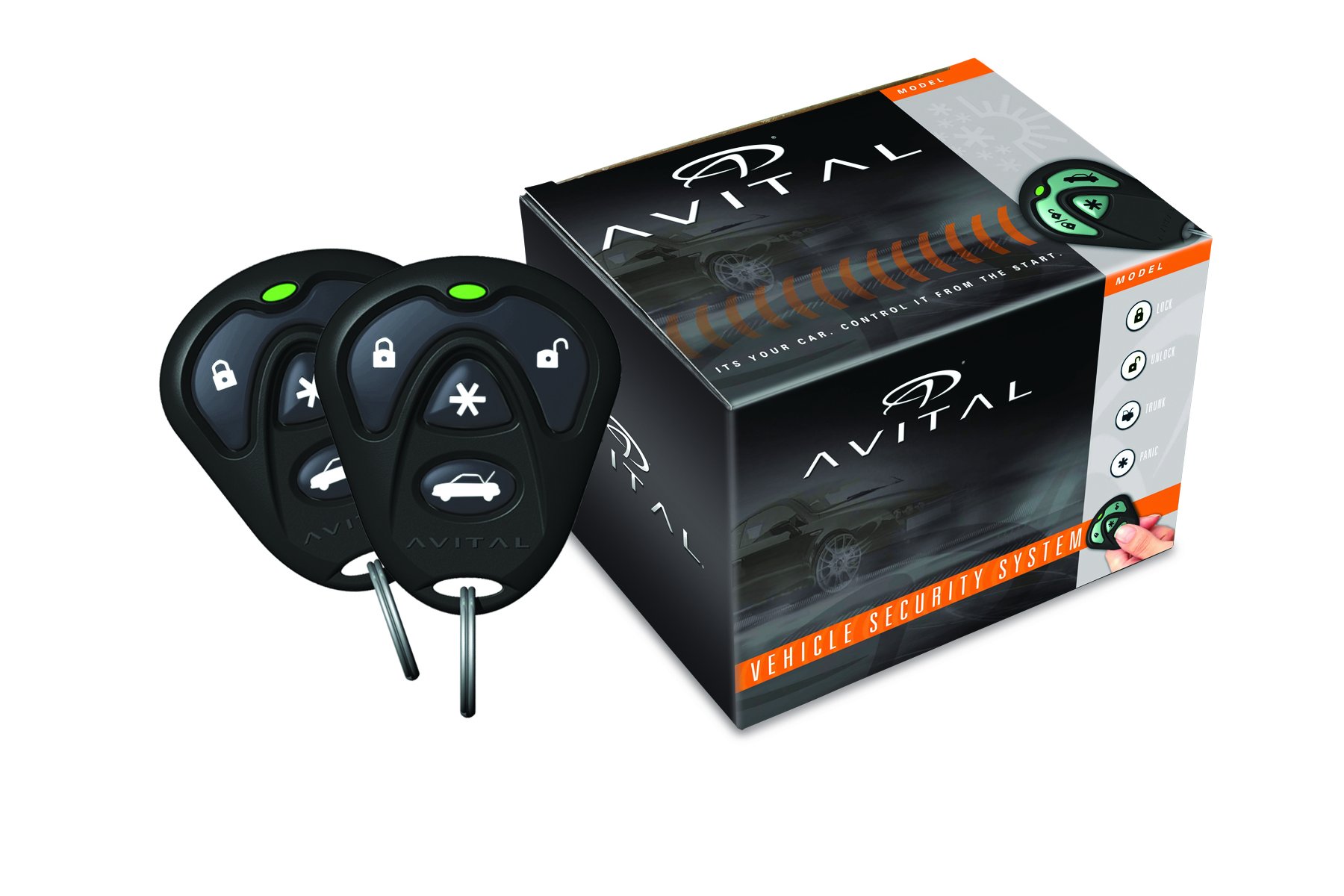
This image displays the Avital 2101L keyless entry system, featuring two black 4-button remote controls and the product's retail packaging. Each remote has dedicated buttons for lock, unlock, trunk release, and auxiliary functions, along with a green LED indicator.
The control module integrates with your vehicle's electrical system, providing remote control over door locks and other features. The LED indicator provides visual feedback on the system's status, while the Valet switch allows for temporary system override and programming functions.
Setup and Installation
Installation of the Avital 2101L keyless entry system requires knowledge of automotive electrical systems. For optimal performance and to prevent damage to your vehicle or the system, professional installation is strongly recommended. The system includes door lock relays onboard for direct integration with most vehicle door lock systems.
Key components for installation include:
- Control Module: The central processing unit of the keyless entry system.
- Remote Controls: Two 4-button transmitters for remote operation.
- Status LED Indicator: Provides visual feedback on system status.
- Valet Switch: Used for system override and programming.
A detailed wiring diagram and specific vehicle wiring information are crucial for correct installation. Consult the comprehensive installation guide provided with the product for detailed wiring instructions tailored to your vehicle's make and model.
Operating Instructions
Your Avital 2101L system is designed for straightforward operation using the provided 4-button remote controls.
- Lock Button (
 ): Press this button once to lock all vehicle doors. The parking lights may flash once, and the horn may chirp once (if configured).
 - Unlock Button (): Press this button once to unlock the driver's door. Press it a second time within 3 seconds to unlock all other doors. The parking lights may flash twice, and the horn may chirp twice (if configured).
- Trunk Release Button (): Press and hold this button for approximately 2 seconds to activate the vehicle's power trunk release (if connected).
- Auxiliary/Panic Button (): This button can be configured for various auxiliary functions. Press and hold this button for approximately 3 seconds to activate the panic alarm. Press any button on the remote to turn off the panic alarm.
The system's LED indicator will provide visual cues regarding the system's armed or disarmed status. Refer to the full user guide for a complete list of LED indications.
Maintenance
To ensure reliable operation of your Avital 2101L system, follow these simple maintenance guidelines:
- Remote Control Battery Replacement: When the remote's range decreases significantly, it may be time to replace the battery. Refer to the remote's specific instructions for battery type and replacement procedure. Typically, this involves opening the remote casing and replacing the coin-cell battery.
- Cleaning: Keep the remote controls and the system's components clean and free from dust and moisture. Use a soft, dry cloth for cleaning. Avoid using harsh chemicals or abrasive cleaners.
- Avoid Extreme Conditions: Protect the remote controls from extreme temperatures, direct sunlight, and water exposure.
Troubleshooting
If you experience issues with your Avital 2101L system, consider the following common troubleshooting steps:
- Remote Not Responding: Check the remote control battery. Replace if necessary. Ensure you are within the operating range of the system.
- Doors Not Locking/Unlocking: Verify that the vehicle's power door locks are functioning correctly manually. Check if the system is in Valet mode (indicated by the LED). If so, exit Valet mode.
- Reduced Range: This often indicates a low remote control battery. Environmental factors and radio interference can also affect range.
- System Not Arming/Disarming: Ensure all doors, hood, and trunk are securely closed.
For persistent issues or complex problems, it is recommended to contact a professional installer or Directed customer support for assistance.
Specifications
| Feature | Specification |
|---|---|
| Brand | Directed |
| Model Number | 2101L |
| Manufacturer | DIRECTED ELECTRONICS INC |
| Compatible Devices | Cars, Trucks, Motorcycles |
| Remote Control Included | Yes (Two 4-button remotes) |
| Item Type Name | Remote start security |
| Item Weight | 0.75 Pounds |
Warranty Information
The Directed Avital 2101L Keyless Entry System comes with a manufacturer's warranty of 18 months from the date of purchase. This warranty covers defects in materials and workmanship under normal use. Please retain your proof of purchase for warranty claims. For full details regarding warranty terms, conditions, and exclusions, refer to the warranty card included with your product or contact Directed customer support.
Support
For technical assistance, installation inquiries, or warranty service, please contact your authorized Directed dealer or visit the official Directed Electronics website for support resources. Ensure you have your product model number (2101L) and proof of purchase available when seeking support.


