
1. Introduction
This manual provides detailed instructions for the installation, operation, and maintenance of the Moen 113957 Plug Button and Screw Set. This component is designed as a replacement part for various Moen faucet handles, ensuring a secure and functional connection.
2. Product Overview
The Moen 113957 is a critical replacement part for securing faucet handles. It consists of a plug button and a set screw, typically used to fasten a handle onto a faucet stem. The chrome finish provides a clean, reflective appearance.
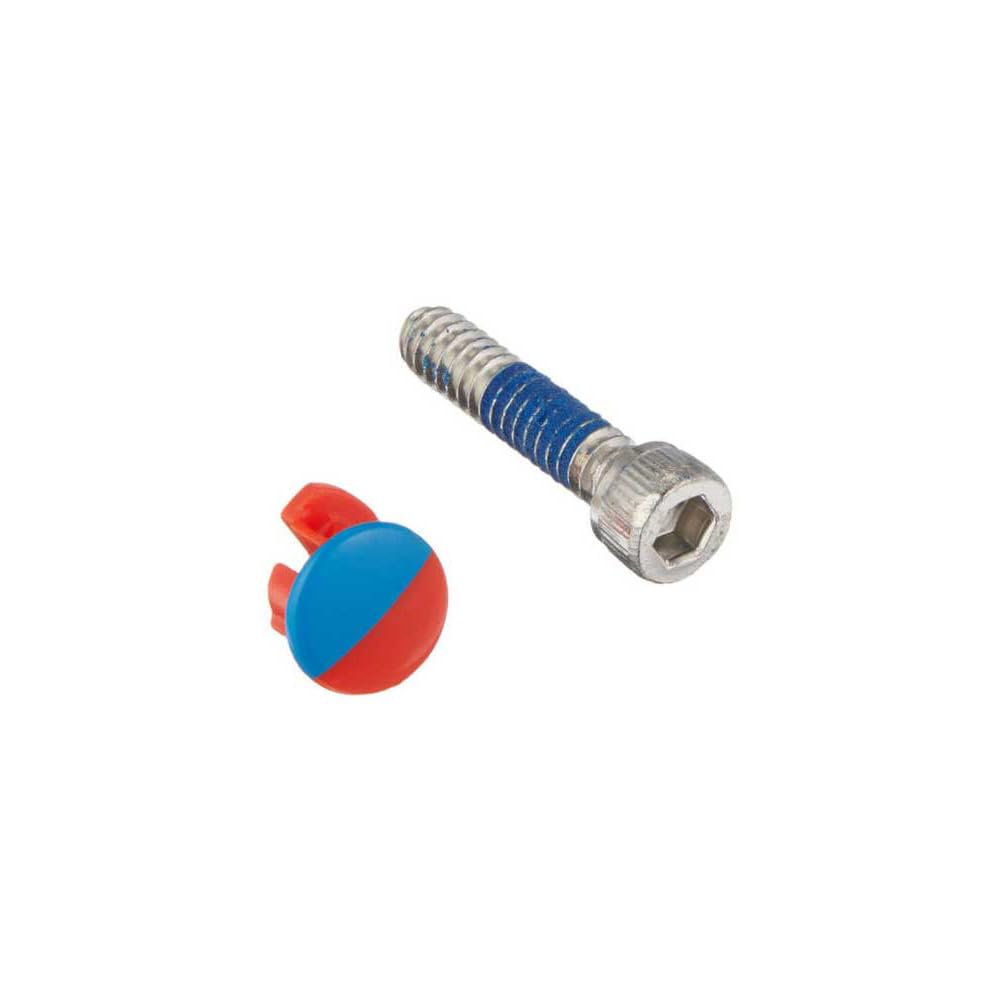
Figure 1: Moen 113957 Plug Button and Screw Set. This image displays the small metal screw and the matching plug button, both essential for securing a faucet handle.
3. Package Contents
Verify that all components are present before beginning installation:
- 1 x Plug Button
- 1 x Set Screw
4. Specifications
| Attribute | Detail |
|---|---|
| Part Number | 113957 |
| Brand | Moen |
| Material | Metal (Brass) |
| Color/Finish | Chrome |
| Included Components | Plug Button & Set Screw |
| Product Dimensions | 3.62 x 0.87 x 0.02 inches |
| Item Weight | 0.353 ounces |
| Special Feature | Easy to Install |
5. Setup and Installation
This part is intended for replacement of existing Moen faucet handle plug buttons and set screws. Basic tools, such as a small screwdriver (often an Allen wrench, depending on the faucet model), may be required.
Installation Steps:
- Identify the Faucet Handle: Locate the faucet handle requiring the replacement part.
- Remove Old Plug Button (if present): If an old plug button is still in place, carefully pry it out using a thin, non-marring tool.
- Remove Old Set Screw (if present): Use an appropriate screwdriver (e.g., Allen wrench) to loosen and remove the old set screw from the handle.
- Position the Handle: Place the faucet handle onto the valve stem, ensuring it is correctly aligned.
- Insert New Set Screw: Insert the new Moen 113957 set screw into the designated hole on the faucet handle.
- Tighten the Set Screw: Using the appropriate screwdriver, tighten the set screw until the handle is firmly secured to the valve stem. Do not overtighten, as this can strip the screw or damage the handle.
- Insert New Plug Button: Press the new Moen 113957 plug button into the hole, covering the set screw. Ensure it sits flush with the handle surface.
- Test Operation: Gently operate the handle to confirm it is securely attached and functions correctly.
Note: For specific faucet models, refer to the original faucet's instruction manual for detailed handle removal and installation procedures.
6. Operating
The Moen 113957 Plug Button and Screw Set functions to securely attach your faucet handle to the faucet's valve stem. Once installed, the handle will operate as intended, allowing for control of water flow and temperature (depending on faucet type). The plug button serves to conceal and protect the set screw.
7. Maintenance
To maintain the appearance and function of your Moen 113957 Plug Button and Screw Set:
- Cleaning: Clean the chrome plug button with a soft, damp cloth. Avoid abrasive cleaners, harsh chemicals, or scouring pads, as these can damage the finish.
- Periodical Check: Periodically check the faucet handle for any looseness. If the handle becomes loose, gently tighten the set screw.
8. Troubleshooting
Common Issues and Solutions:
- Handle is Loose After Installation:
- Ensure the set screw is fully tightened.
- Verify that the handle is correctly seated on the valve stem.
- Confirm that the Moen 113957 is the correct replacement part for your specific faucet model.
- Plug Button Does Not Sit Flush:
- Check if the set screw is fully recessed.
- Ensure there is no debris in the plug button hole.
- Part Does Not Fit:
- Confirm that Moen 113957 is the correct part number for your faucet model. Moen offers various replacement parts, and compatibility is crucial.
- Contact Moen customer support for assistance in identifying the correct part.
9. Warranty and Support
Moen products are manufactured to high standards of quality and performance. For detailed warranty information, please refer to the warranty documentation included with your original Moen faucet or visit the official Moen website. For technical support, replacement part inquiries, or further assistance, please contact Moen Customer Service directly.
Moen Official Website: www.moen.com


