
1. Introduction
Welcome to the magical world of LEGO Harry Potter: Years 1-4 for Xbox 360. This game allows players to experience the first four years of Harry Potter's adventures at Hogwarts School of Witchcraft and Wizardry, reimagined in the unique LEGO style. This manual provides essential information to help you navigate the game, understand its mechanics, and ensure a smooth gaming experience.
The game combines elements of action, puzzle-solving, and exploration, allowing players to relive iconic moments from the Harry Potter books and films. You will encounter familiar characters, locations, and magical challenges throughout your journey.
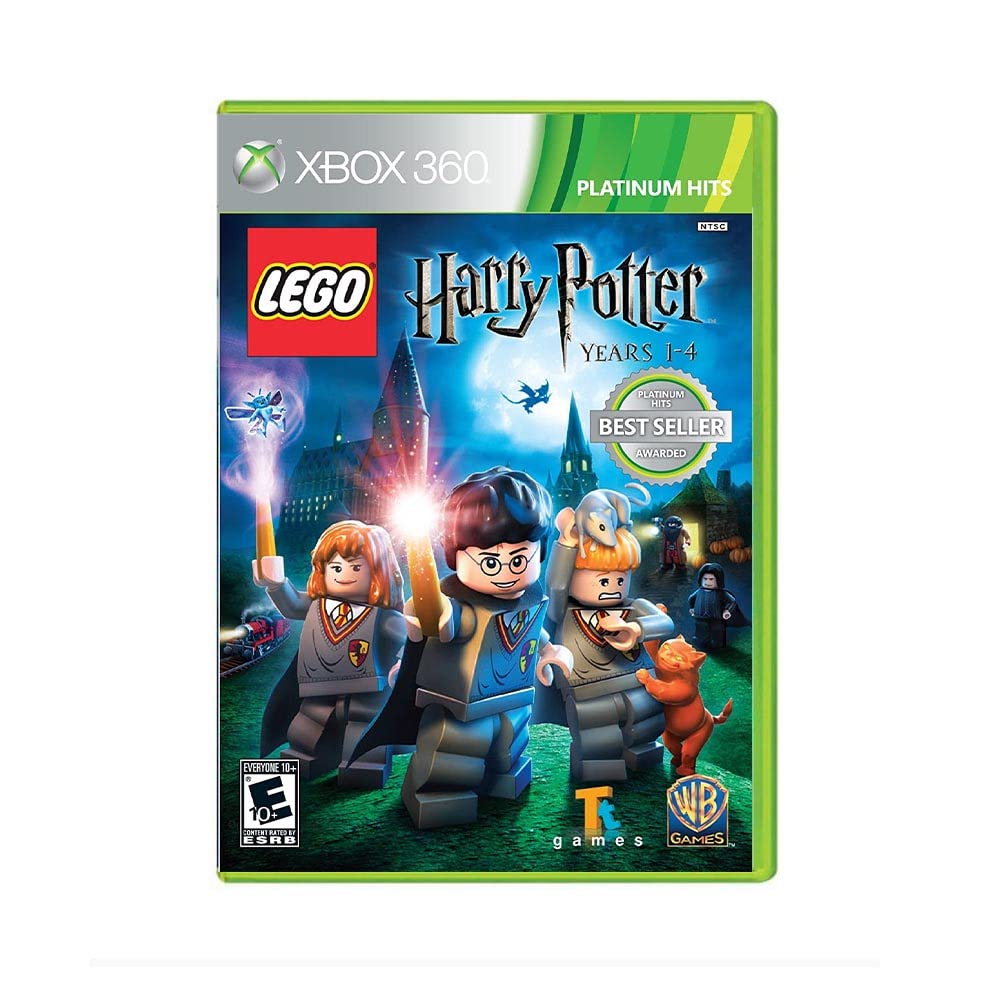
Image 1: Front cover of the LEGO Harry Potter: Years 1-4 game for Xbox 360.
2. Setup
2.1. System Requirements
- Xbox 360 console
- Standard Xbox 360 controller
- Television or monitor with appropriate input cables
2.2. Installing the Game
- Ensure your Xbox 360 console is powered off.
- Insert the LEGO Harry Potter: Years 1-4 game disc into the disc tray of your Xbox 360 console.
- Close the disc tray.
- Power on your Xbox 360 console.
- The game should automatically start or appear as an option on the Xbox 360 dashboard. Select it to begin.
3. Operating the Game
3.1. Basic Controls
Refer to the in-game tutorial for detailed control mapping. Generally, the left analog stick controls character movement, the right analog stick controls the camera, and face buttons are used for actions such as jumping, interacting, and casting spells. The trigger buttons are often used for specific magical abilities or character switching.
3.2. Gameplay Overview
Experience your favorite Harry Potter moments through the proven prism of the LEGO video game franchise. The game covers the storylines of the first four Harry Potter books and films, allowing players to explore iconic settings and solve puzzles.
- Character Selection: Play as Harry Potter, Ron Weasley, Hermione Granger, and over 100 other favorite characters. Each character possesses unique abilities essential for progression.
- Spell Casting: Attend lessons to learn new spells and use them to solve puzzles, defeat enemies, and interact with the environment.
- Potion Mixing: Discover ingredients and mix potions to gain temporary abilities or unlock new areas.
- Exploration: Explore iconic settings including Hogwarts castle, Diagon Alley, the Forbidden Forest, and the village of Hogsmeade. LEGO Hogwarts castle is a grand, immersive 3-D environment and the largest, most detailed LEGO game location ever built.
- Collecting Items: Collect LEGO studs, character tokens, red bricks, and other hidden items to unlock new content and achieve 100% game completion.

Image 2: An in-game scene showing LEGO Harry Potter and Ron Weasley in a library, casting spells with their wands.
3.3. Co-op Play
The game supports local co-operative play, allowing two players to experience the adventure together. The screen dynamically splits to accommodate both players as they move independently through the game world.
3.4. Official Game Videos
Below are official video clips and trailers for LEGO Harry Potter: Years 1-4, providing insights into gameplay and story elements.
LEGO Harry Potter - Amazon Clip
Video 1: An official clip showcasing various gameplay elements and scenes from LEGO Harry Potter: Years 1-4.
LEGO Harry Potter Years 1-4 Trailer 2
Video 2: The second official trailer for LEGO Harry Potter: Years 1-4, highlighting more of the game's features and story.
LEGO Harry Potter - Year Three
Video 3: A video focusing on the events and gameplay from Harry Potter's third year at Hogwarts within the LEGO game.
LEGO Harry Potter - Lighthouse Trailer
Video 4: A trailer for LEGO Harry Potter: Years 1-4, featuring scenes related to the lighthouse and surrounding areas.
LEGO Harry Potter: Years 1-4 - Trailer
Video 5: The main trailer for LEGO Harry Potter: Years 1-4, offering a comprehensive look at the game's features and magical world.
4. Maintenance
4.1. Game Disc Care
- Always handle the game disc by its edges to avoid touching the playing surface.
- Store the disc in its original case when not in use to protect it from dust and scratches.
- If the disc becomes dirty, gently wipe it with a soft, lint-free cloth from the center outwards. Do not use abrasive cleaners or solvents.
4.2. Console Care
- Ensure your Xbox 360 console is placed in a well-ventilated area to prevent overheating.
- Keep the console and its surroundings free from dust.
5. Troubleshooting
5.1. Game Not Loading
- Check Disc: Inspect the game disc for scratches or smudges. Clean the disc if necessary.
- Restart Console: Power off your Xbox 360, wait a few seconds, and then power it back on.
- Verify Disc Tray: Ensure the disc is inserted correctly into the disc tray.
5.2. Game Freezing or Crashing
- Clear Cache: Clear the system cache on your Xbox 360. Instructions can be found in your Xbox 360 console manual or online support.
- Console Ventilation: Ensure the console has adequate ventilation to prevent overheating, which can cause performance issues.
- Updates: Ensure your Xbox 360 system software is up to date.
5.3. Audio or Video Issues
- Check Cables: Verify all audio and video cables are securely connected to both your console and television/monitor.
- TV Settings: Check your television's input and audio settings.
6. Specifications
| Brand Name | Warner Home Video |
| Model Name | LEGO Harry Potter: Years 1-4 |
| Model Number | 883929085828 |
| UPC | 883929085828 |
| Manufacturer | Warner Bros |
| Item Type Name | video game |
| Number of Players | 1 (local co-op available) |
| Age Range Description | Kid (ESRB Rating: Everyone 10+) |
| Item Weight | 1.6 ounces |
| Item Dimensions | 0.56 x 5.33 x 7.54 inches |
7. Warranty & Support
For information regarding product warranty, technical support, or customer service, please refer to the official documentation included with your game purchase or visit the Warner Bros. Interactive Entertainment support website. Specific warranty terms and conditions may vary by region and retailer.
Always ensure you are purchasing from authorized retailers to guarantee product authenticity and eligibility for support services.
