
Introduction
This manual provides instructions for the proper use and care of your Sony 50mm f/1.8 SAM DT Lens (SAL50F18). This fixed focal length lens is designed for Sony Alpha Digital SLR cameras utilizing an APS-C type sensor. Its large f/1.8 aperture is ideal for achieving shallow depth of field and excellent low-light performance.
Setup and Installation
Attaching the Lens
- Ensure both the camera and the lens are powered off.
- Remove the rear lens cap from the lens and the body cap from the camera. Avoid touching the lens elements or the camera's image sensor.
- Align the mounting index (usually a white dot or line) on the lens barrel with the corresponding index on the camera body.
- Insert the lens into the camera's mount and rotate it clockwise until it clicks into place. Do not force the lens.

Image: Rear view of the SAL50F18 lens, illustrating the mounting mechanism and electrical contacts for attachment to a compatible camera body.
Detaching the Lens
- Power off the camera.
- While pressing the lens release button on the camera body, rotate the lens counter-clockwise until it stops.
- Carefully remove the lens from the camera.
- Attach the rear lens cap to the lens and the body cap to the camera to protect them from dust and damage.
Operating Instructions
Focus Mode Switch (AF/MF)
The lens features a switch to select between Autofocus (AF) and Manual Focus (MF) modes. Set the switch to the desired mode before shooting.
- AF (Autofocus): The camera automatically focuses on the subject. This is the standard mode for most shooting situations.
- MF (Manual Focus): You manually adjust the focus ring on the lens to achieve focus. This mode is useful for precise focusing or in situations where autofocus struggles.

Image: Side view of the SAL50F18 lens, highlighting the AF/MF switch for selecting focus mode.
Aperture and Depth of Field
This lens has a maximum aperture of f/1.8, allowing for significant control over depth of field. A wider aperture (smaller f-number like f/1.8) creates a shallower depth of field, blurring the background and isolating your subject. A narrower aperture (larger f-number) increases the depth of field, keeping more of the scene in focus.
Fixed Focal Length
The SAL50F18 is a fixed focal length (prime) lens, meaning it does not zoom. To change your composition, you must physically move closer to or further from your subject.
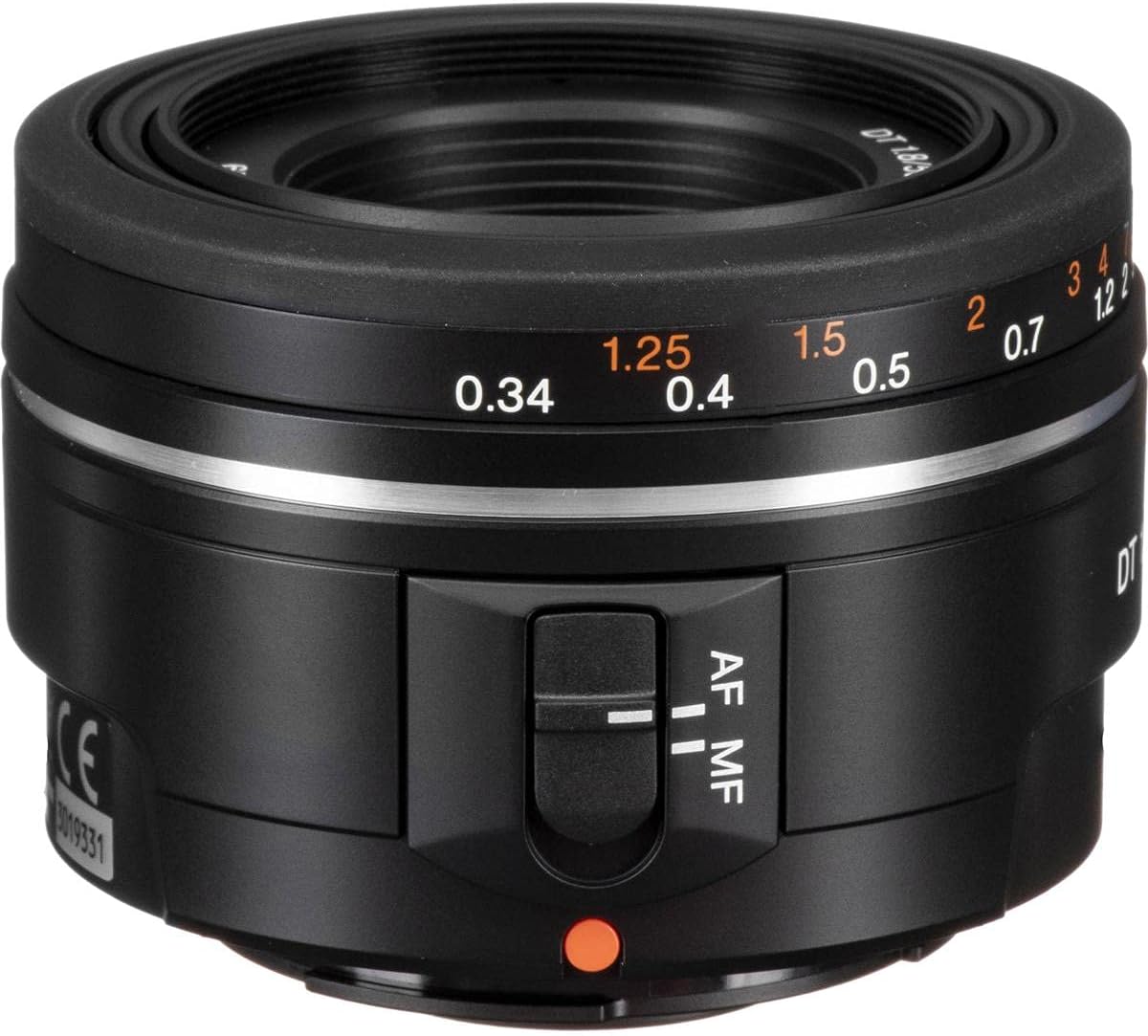
Image: Top-down view of the SAL50F18 lens, displaying the focus distance scale in meters and feet.
Maintenance and Care
Cleaning the Lens
- Use a blower brush to remove dust from the lens surface.
- For smudges or fingerprints, use a soft, clean lens cloth specifically designed for optical surfaces. Apply a small amount of lens cleaning solution to the cloth, not directly to the lens.
- Never use abrasive materials, solvents, or harsh chemicals to clean the lens.
Storage
- Always attach the front and rear lens caps when the lens is not in use.
- Store the lens in a cool, dry place, away from direct sunlight and extreme temperatures.
- If storing for an extended period, consider using a dehumidifying agent to prevent mold growth.
General Precautions
- Avoid exposing the lens to water or excessive moisture.
- Do not drop or subject the lens to strong impacts.
- Keep the lens away from strong magnetic fields.
Troubleshooting
Lens Not Focusing
- Check if the AF/MF switch on the lens is set to the correct mode (AF for autofocus).
- Ensure the lens is securely attached to the camera body.
- Verify that the camera's focus mode is set appropriately (e.g., Single-shot AF, Continuous AF).
- Clean the electrical contacts on both the lens and the camera body with a clean, dry cloth.
Noise During Video Recording
- The SAM (Smooth Autofocus Motor) in this lens may produce audible noise during autofocus, which can be picked up by the camera's internal microphone during video recording.
- For video recording where audio quality is critical, consider using manual focus (MF) or an external microphone positioned away from the lens.
Image Quality Issues (Blurry, Soft)
- Ensure the lens elements are clean and free from dust or smudges.
- Check that the focus is accurate. In manual focus, ensure the focus peaking or magnification assist features of your camera are used.
- Verify that the shutter speed is fast enough to prevent camera shake, especially in low light.
Specifications
| Feature | Detail |
|---|---|
| Model Name | SAL50F18 |
| Focal Length | 50mm (Fixed) |
| Maximum Aperture | f/1.8 |
| Minimum Aperture | f/32 |
| Lens Type | Standard, Fixed |
| Compatible Mounts | Sony/Minolta Alpha (A-mount) |
| Autofocus Type | SAM (Smooth Autofocus Motor) |
| Filter Diameter | 49mm |
| Weight | 170 Grams |
| Image Stabilization | Digital (Camera body dependent) |
| Angle of View | 32 Degrees |

Image: Modulation Transfer Function (MTF) chart for the DT 50mm F1.8 SAM lens, illustrating its optical performance in terms of contrast and resolution at various distances from the optical center.
Warranty Information
This product comes with a FULL 14 DAY SATISFACTION GUARANTEE and a FULL 90 DAY PARTS AND LABOR WARRANTY. Please retain your proof of purchase for warranty claims. For specific terms and conditions, refer to the warranty card included with your product or contact Sony customer support.
Customer Support
For technical assistance, service, or further inquiries regarding your Sony 50mm f/1.8 SAM DT Lens, please visit the official Sony support website or contact Sony customer service in your region. You can find contact information on the Sony website or in the documentation provided with your camera system.
Sony Official Website: www.sony.com


