
1. Introduction
This manual provides comprehensive instructions for the installation, operation, and maintenance of the Elite PBS-3 3-Button Control Station. This device is designed to provide reliable control for gate and door operators, featuring dedicated buttons for Open, Close, and Stop functions. Please read this manual thoroughly before installation and use to ensure proper function and safety.
2. Safety Information
WARNING: Electrical shock hazard. Installation and wiring should only be performed by qualified personnel in accordance with all local electrical codes and regulations. Disconnect power to the operator before installing or servicing this control station.
- Ensure all power is disconnected before beginning installation or maintenance.
- Use appropriate tools and personal protective equipment.
- Verify wiring connections are secure and correct to prevent damage to the unit or operator.
- This unit is designed for indoor surface mount applications (NEMA 1).
3. Package Contents
- 1 x Elite PBS-3 3-Button Control Station
- Mounting hardware (screws, anchors) - may vary by package
4. Product Overview
The Elite PBS-3 is a robust 3-button control station housed in a steel enclosure, designed for reliable operation of gate and door systems. It features three distinct momentary contact buttons:
- OPEN Button (Green, Up Arrow): Initiates the opening sequence of the gate or door.
- CLOSE Button (Green, Down Arrow): Initiates the closing sequence of the gate or door.
- STOP Button (Red, Circle): Halts the current movement of the gate or door.
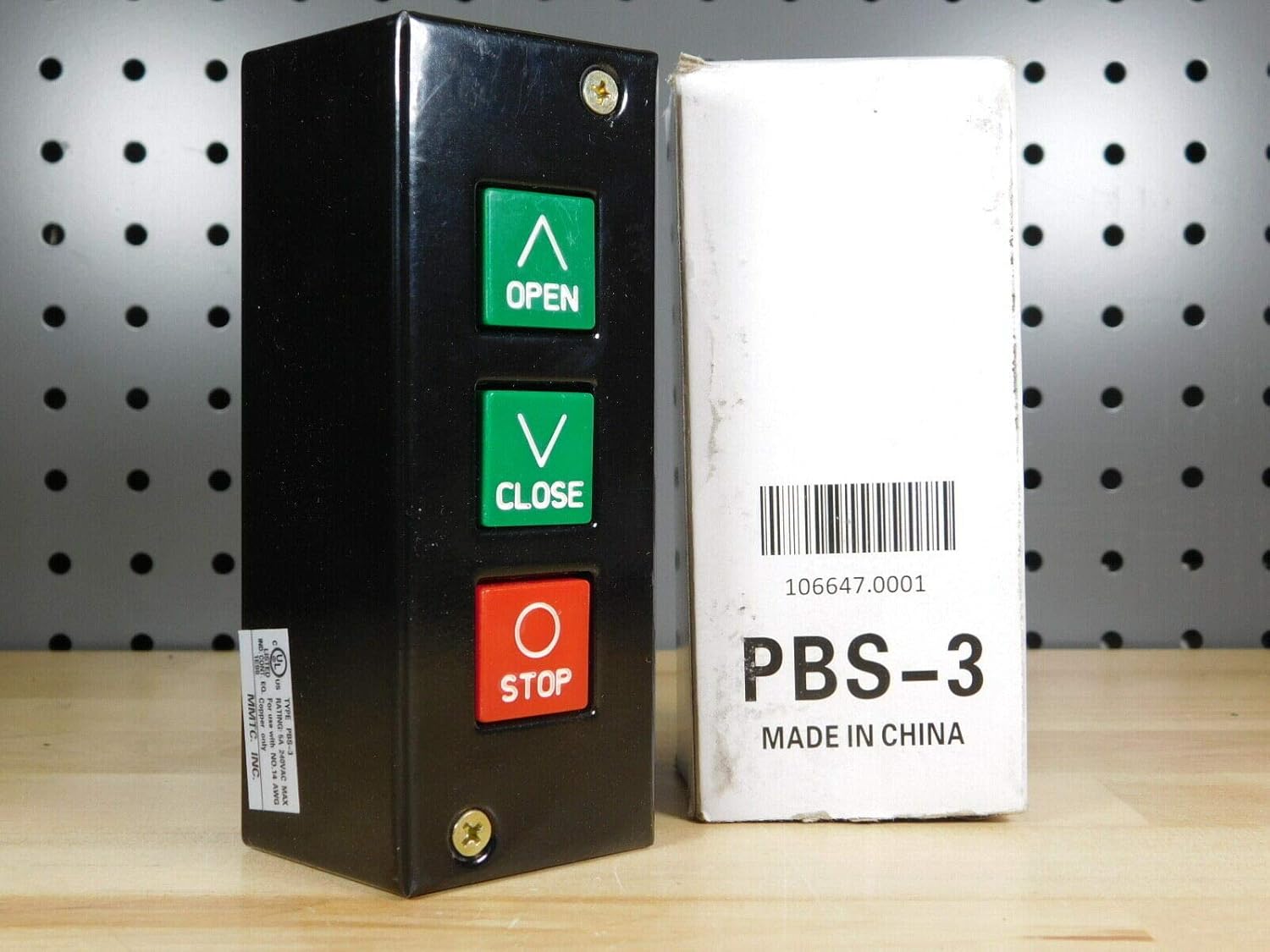
Figure 1: Elite PBS-3 3-Button Control Station. The image shows the black control station with three buttons: green 'OPEN' (up arrow), green 'CLOSE' (down arrow), and red 'STOP' (circle). A white product box labeled 'PBS-3' is visible next to it.
5. Installation and Setup
This control station is designed for surface mounting. Ensure the mounting location is secure, dry, and protected from direct weather exposure, consistent with its NEMA 1 rating.
5.1 Mounting the Control Station
- Choose a suitable indoor location near the gate or door operator, ensuring easy access for users.
- Mark the desired mounting points on the wall using the control station as a template.
- Drill pilot holes if necessary and secure the control station to the surface using appropriate screws.
5.2 Wiring Instructions
The PBS-3 uses screw terminals for wiring connections. Refer to your gate or door operator's manual for specific wiring diagrams and terminal designations. The control station provides momentary contact closures for Open, Close, and Stop commands.
- Disconnect all power to the gate/door operator before making any wiring connections.
- Connect the appropriate wires from the operator's control board to the corresponding screw terminals within the PBS-3 unit.
- Ensure all connections are tight and secure.
- The unit is rated for 5A 240VAC MAX and is designed for use with NO.14 AWG copper wire only.
- After wiring, carefully close the control station enclosure.
6. Operation
Once installed and wired correctly, the Elite PBS-3 provides straightforward control of your gate or door operator.
- To Open: Press and release the OPEN button. The gate/door will begin to open.
- To Close: Press and release the CLOSE button. The gate/door will begin to close.
- To Stop: Press and release the STOP button. The gate/door will immediately cease movement.
Note: The exact behavior (e.g., auto-close timers, safety reversal) is determined by the connected gate/door operator's settings, not the control station itself.
7. Maintenance
The Elite PBS-3 control station requires minimal maintenance.
- Cleaning: Periodically wipe the exterior with a soft, damp cloth. Do not use abrasive cleaners or solvents.
- Inspection: Annually inspect the wiring connections for tightness and signs of wear. Ensure the enclosure is securely mounted.
- Functionality Check: Regularly test all three buttons (Open, Close, Stop) to ensure they respond correctly.
8. Troubleshooting
| Problem | Possible Cause | Solution |
|---|---|---|
| Buttons do not respond. | No power to operator; loose wiring connection; faulty operator. | Check power supply to the operator. Inspect all wiring connections at the control station and operator. Consult operator manual for troubleshooting. |
| Only some buttons respond. | Specific button wiring issue; faulty button. | Verify wiring for the non-responsive button. If wiring is correct, the button may be faulty and require replacement of the unit. |
| Gate/door moves unexpectedly. | Incorrect wiring; short circuit in wiring. | Immediately disconnect power. Re-check all wiring against the operator's manual. Ensure no bare wires are touching. |
If troubleshooting steps do not resolve the issue, contact a qualified technician or the product support for further assistance.
9. Specifications
| Model Number | PBS 3 |
| Brand | Elite |
| Operation Mode | Manual |
| Contact Type | Momentary, Normally Open |
| Connector Type | Screw Terminals |
| Actuator Type | Push Button |
| Contact Material | Alloy Steel |
| Enclosure Material | Steel |
| International Protection Rating | IP54 (NEMA 1 equivalent for indoor use) |
| Number of Positions | 3 (Open, Close, Stop) |
| Dimensions (L x W x H) | 6 x 3 x 2 inches |
| Item Weight | 12.8 ounces |
| Max Voltage/Current Rating | 5A 240VAC |
| Recommended Wire Gauge | No. 14 AWG Copper only |
10. Warranty and Support
For warranty information and technical support, please refer to the documentation provided with your purchase or contact Elite customer service. Keep your purchase receipt as proof of purchase.


