
Introduction
This manual provides instructions for the proper setup, operation, and maintenance of your Fisher Stereo Headphones, Model 9720950000. These headphones are designed for clear audio reproduction and comfortable use, featuring robust construction, swivel ear cups, and padded earphones for extended listening sessions. They are equipped with both 1/4 inch stereo and 1/8 inch plugs for versatile connectivity.
Product Overview
The Fisher Stereo Headphones are designed for durability and sound quality. Key components include:
- Padded Headband: For comfortable fit during prolonged use.
- Swivel Ear Cups: Allow for flexible positioning and storage.
- Padded Earphones: Provide comfort and sound isolation.
- Coiled Audio Cable: Durable and flexible, with dual plug options.
- 1/4 inch Stereo Plug: For connecting to larger audio equipment.
- 1/8 inch Plug: For connecting to standard audio jacks.
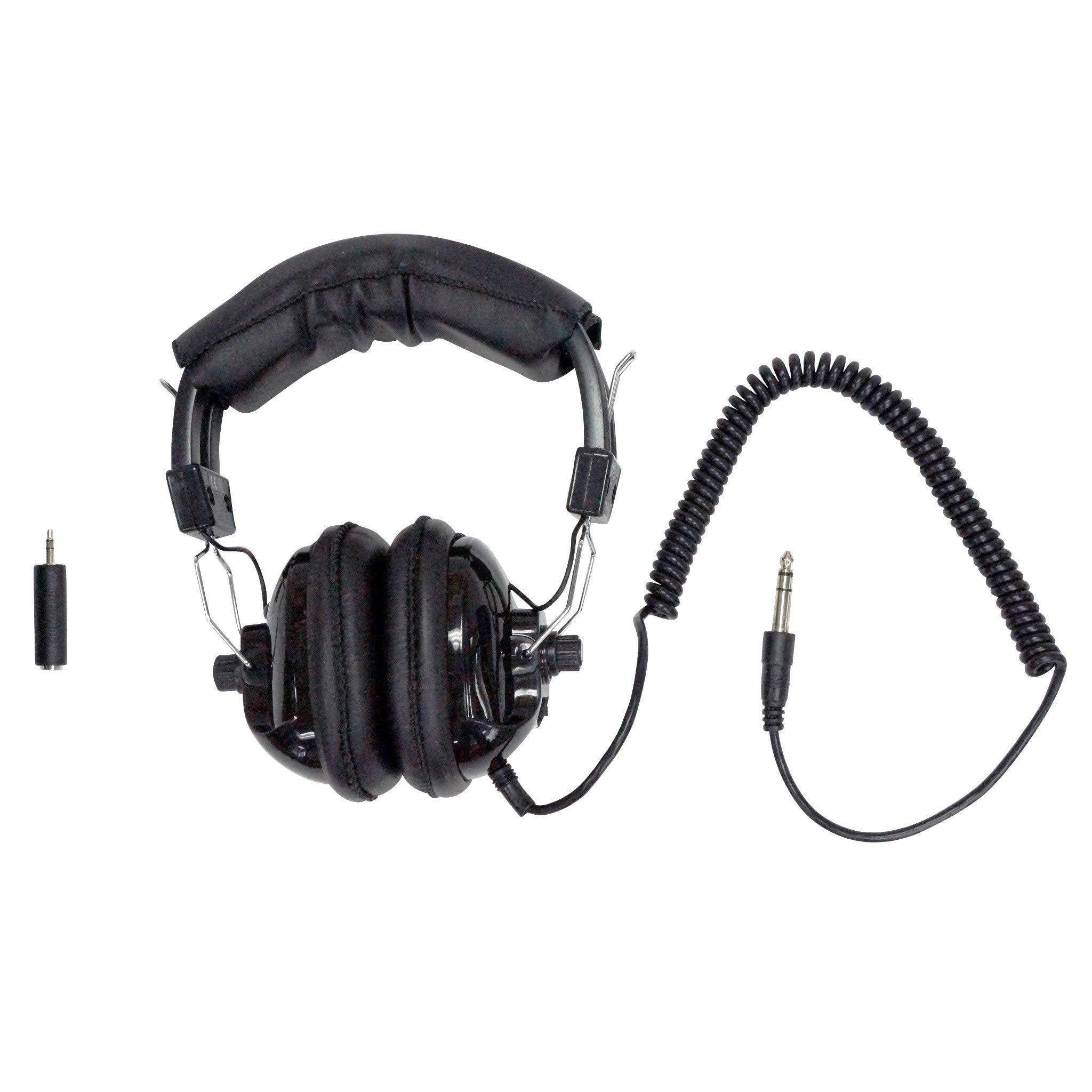
Figure 1: Front view of Fisher Stereo Headphones, showing the padded headband, ear cups, coiled cable, and dual audio plugs.

Figure 2: Angled view of Fisher Stereo Headphones, highlighting the padded ear cups and the robust coiled cable.
Setup
- Connect to Audio Source: Identify the appropriate audio jack on your device (e.g., desktop, laptop, gaming console). The headphones come with both a 1/4 inch stereo plug and an 1/8 inch plug. Use the plug that matches your device's input.
- Adjust Headband: Gently extend or retract the headband slides to fit comfortably over your head. The padded headband should rest securely without excessive pressure.
- Position Ear Cups: Ensure the padded ear cups fully cover your ears. The swivel mechanism allows for minor adjustments to achieve optimal comfort and sound isolation.
Operating Instructions
- Power On Audio Source: Ensure your audio device is powered on and playing audio.
- Adjust Volume: Control the audio volume directly from your connected device. These headphones are designed for true stereo sound reproduction.
- Sound Isolation: The over-ear design and padded ear cups provide sound isolation, enhancing your listening experience by reducing external noise.
Maintenance
- Cleaning: Use a soft, dry cloth to wipe the exterior of the headphones. For the padded ear cups, a slightly damp cloth with mild soap can be used, but ensure they are completely dry before use. Avoid harsh chemicals or abrasive cleaners.
- Storage: When not in use, store the headphones in a clean, dry place away from direct sunlight and extreme temperatures. The swivel ear cups allow for a more compact storage.
- Cable Care: Avoid sharply bending or pulling the coiled cable. Store it neatly to prevent tangles and damage.
- General Care: These headphones feature robust construction. However, avoid dropping them or subjecting them to strong impacts to maintain their integrity.
Troubleshooting
- No Sound:
- Ensure the audio cable is fully plugged into both the headphones and the audio source.
- Check the volume level on your audio source.
- Test the headphones with a different audio source to rule out device issues.
- Poor Sound Quality (Distortion, Low Volume):
- Verify the audio cable connection is secure.
- Adjust the volume on your audio source.
- Ensure the audio source is playing high-quality audio.
- Check for any damage to the cable or plugs.
- Uncomfortable Fit:
- Adjust the headband and swivel ear cups until a comfortable position is found.
- Ensure the ear cups are properly seated over your ears.
Specifications
| Feature | Detail |
|---|---|
| Brand | Fisher |
| Model Number | 9720950000 |
| Color | Black |
| Ear Placement | Over Ear |
| Form Factor | Over Ear |
| Noise Control | Sound Isolation |
| Connectivity Technology | Wired |
| Headphone Jack | 6.35 mm Jack (1/4 inch) and 3.5 mm Jack (1/8 inch) |
| Frequency Range | 20 Hz - 20,000 Hz |
| Item Weight | 1.1 Pounds |
| Material | Fabric (Enclosure) |
| Compatible Devices | Desktops, Laptops, Gaming Consoles |
| Special Features | True Stereo, Robust Construction, Swivel Ear cups, Padded Earphones, Lightweight |
Warranty and Support
Fisher products are manufactured to high-quality standards. For information regarding warranty coverage and customer support, please refer to the warranty card included with your purchase or visit the official Fisher website. Keep your proof of purchase for any warranty claims.
For technical assistance or further inquiries, please contact Fisher customer service through their official channels.