
1. Product Overview
The Winco TD-220 Double Roll Jumbo Toilet Paper Dispenser in black is designed for commercial and high-traffic environments, offering a reliable solution for restroom maintenance. This durable dispenser accommodates two jumbo-sized toilet paper rolls, ensuring extended service intervals and reducing the frequency of refills. Its thoughtful design includes features for efficient paper dispensing and easy monitoring of paper levels.
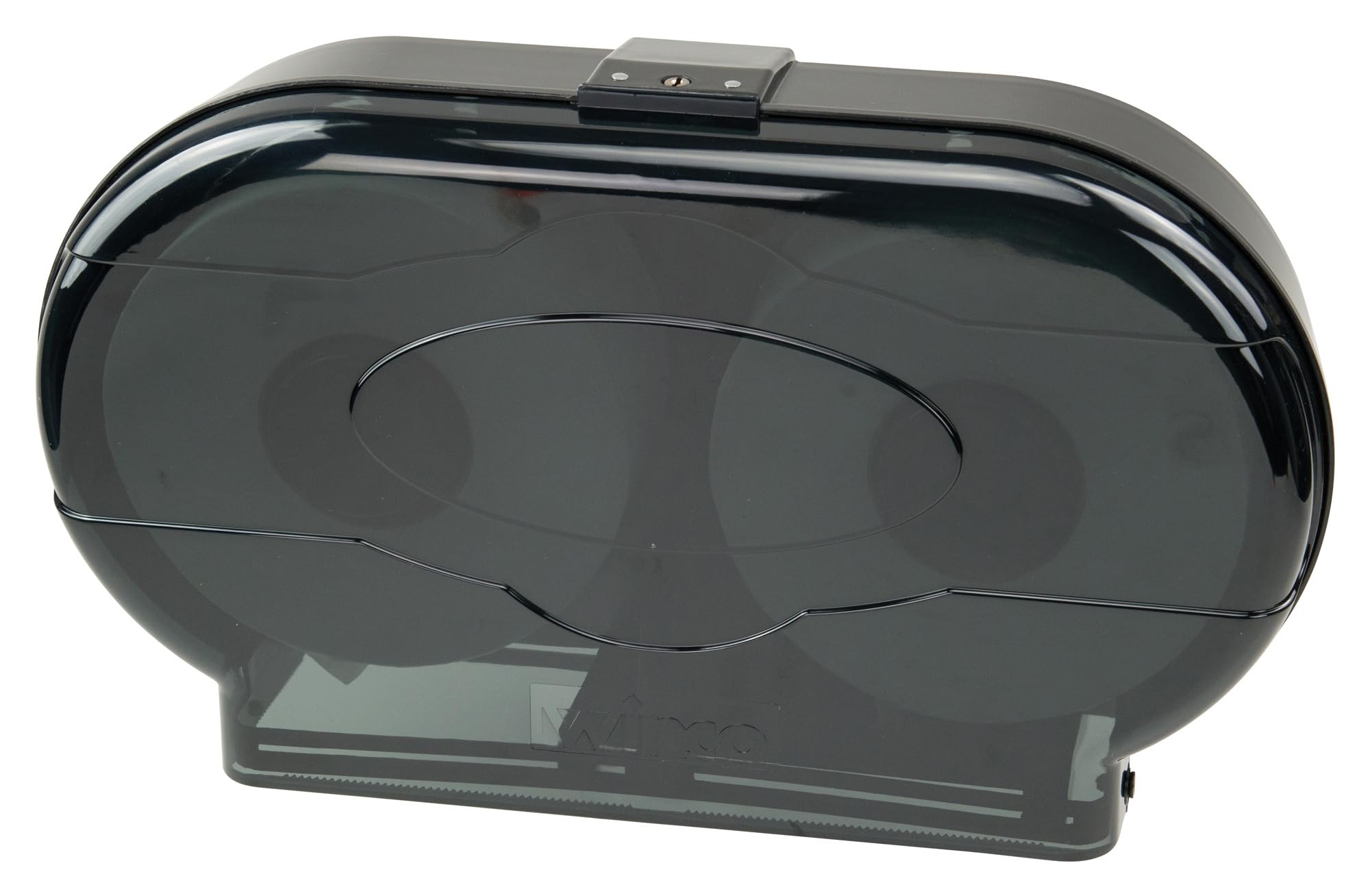
Image 1: Front view of the Winco TD-220 Double Roll Jumbo Toilet Paper Dispenser.
2. Package Contents
Please ensure all items are present before beginning installation:
- 1 x Winco TD-220 Double Roll Jumbo Toilet Paper Dispenser Unit
- 1 x Set of Mounting Hardware (screws, wall anchors)
- 1 x Set of Keys for locking mechanism
3. Setup and Installation
Follow these steps to properly install your toilet paper dispenser:
- Preparation: Choose a suitable wall location. Ensure the wall surface is clean and dry.
- Unlock and Open: Use one of the provided keys to unlock the dispenser. Insert the key into the lock at the top of the unit and turn it to release the front cover. Open the front cover to expose the back mounting plate.
- Mark Mounting Holes: Hold the dispenser's back plate against the desired wall location. Use a pencil to mark the positions for the mounting screws through the designated holes on the back plate.
- Drill Holes: Using an appropriate drill bit for your wall type (e.g., 1/4 inch for drywall anchors), drill pilot holes at the marked locations.
- Insert Anchors: If installing into drywall or other hollow surfaces, insert the provided wall anchors into the drilled holes. Tap them gently with a hammer until flush with the wall surface.
- Secure Dispenser: Align the dispenser's back plate with the drilled holes/anchors. Insert and tighten the screws to firmly secure the dispenser to the wall. Do not overtighten.
- Reattach Front Cover: Close the front cover and ensure it clicks into place. Lock it with the key to prevent tampering.

Image 2: Back view of the dispenser, highlighting the mounting points for installation.
Installation Video Guide
Video 1: A detailed review and installation guide for the Winco TD-220 Double Roll Tissue Dispenser, demonstrating the unboxing and mounting process.
4. Operating Instructions
- Loading Rolls: Unlock the dispenser with the key and open the front cover. Place two jumbo toilet paper rolls onto the internal spindles. Ensure the paper feeds from the bottom of the rolls. Close and lock the front cover.
- Dispensing Paper: The dispenser is designed to allow access to one roll at a time. When the first roll is depleted, a sliding mechanism will automatically allow the second roll to become accessible.
- Tearing Paper: Pull the desired amount of paper downwards against the serrated edge located at the bottom of the dispenser to tear it cleanly.

Image 3: The dispenser shown open with two jumbo toilet paper rolls correctly loaded onto the spindles.
5. Maintenance
- Cleaning: To maintain hygiene and appearance, regularly wipe the exterior of the dispenser with a damp cloth and a mild, non-abrasive cleaning solution. Avoid harsh chemicals or abrasive scrubbers that could scratch the surface.
- Refilling: The dispenser features visible windows on the front cover, allowing you to monitor the paper levels of both rolls. When a roll is low or empty, unlock the dispenser, remove the empty core, and replace it with a new jumbo roll. Ensure the new roll is properly seated on the spindle before closing and locking the cover.
6. Troubleshooting
- Paper Not Dispensing Smoothly:
- Check if the paper roll is correctly seated on the spindle.
- Ensure the paper is feeding from the bottom of the roll.
- Verify that the paper is not jammed or caught within the dispenser mechanism.
- Dispenser Not Locking:
- Ensure the front cover is fully closed and aligned before attempting to lock.
- Check if the key is fully inserted and turned correctly.
- Dispenser Feels Loose on Wall:
- Re-tighten the mounting screws.
- If the issue persists, the wall anchors may need to be replaced or stronger mounting hardware used, depending on the wall material.
7. Specifications
| Brand | Winco |
| Model Number | TD-220 |
| Color | Black |
| Material | Plastic (ABS) |
| Installation Type | Wall Mounted |
| Product Dimensions | 19.38 x 5 x 11.13 inches |
| Item Weight | 3.8 Pounds |
| Roll Capacity | Two jumbo rolls (up to 9.44" diameter by 3.93"H) |
| UPC | 842169125145 |
8. Warranty and Support
For warranty information or technical support regarding your Winco TD-220 Double Roll Jumbo Toilet Paper Dispenser, please contact Winco customer service. Refer to your purchase documentation or the official Winco website for specific warranty terms and contact details.
