
1. Introduction
This manual provides essential information for the proper installation and maintenance of the Gentex GOE-R Weatherproof Outdoor Device Enclosure Back Box. This enclosure is designed to protect compatible fire alarm devices, such as horns and horn/strobes, in outdoor environments.
The Gentex GOE-R is specifically engineered for use with GEH Series Horns and WGE Series Strobe & Horn/Strobe devices, ensuring compliance with ANSI/UL 464 standards when installed correctly.
2. Safety Information
WARNING:
- Installation must be performed by qualified personnel in accordance with all local and national electrical codes and standards.
- Disconnect all power to the fire alarm system before installation or servicing to prevent electrical shock and/or equipment damage.
- Ensure all wiring connections are secure and properly insulated.
- This enclosure is designed for specific Gentex devices. Using incompatible devices may compromise its weatherproof rating and UL listing.
3. Package Contents
Verify that all components are present before beginning installation:
- Gentex GOE-R Outdoor Enclosure Back Box (Red)
- Mounting hardware (if included by manufacturer)
- Instruction sheet (this document)

Figure 1: Gentex GOE-R product packaging. The box shows the red enclosure and indicates "Outdoor Enclosure" and "Wall Mount".
4. Setup and Installation
The GOE-R enclosure is designed for wall-mount outdoor applications. Follow these steps for proper installation:
- Select Mounting Location: Choose a suitable outdoor location that provides adequate protection and visibility for the fire alarm device. Ensure the mounting surface is flat and sturdy.
- Prepare Wiring: Route the necessary electrical wiring to the chosen mounting location. Ensure the wiring meets all local electrical codes. The enclosure is designed for wired electric power sources.
- Mount the Back Box:
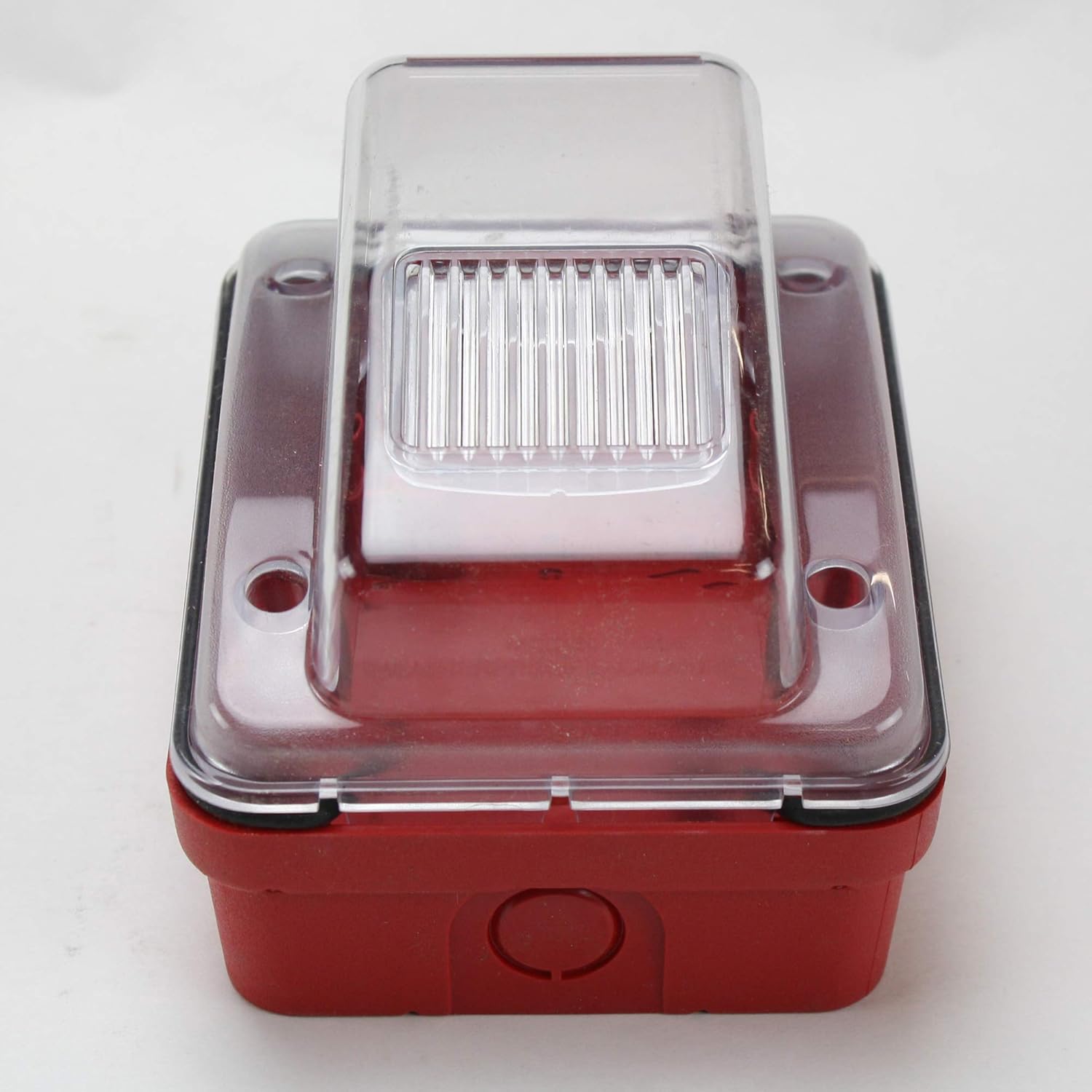
Figure 2: Front view of the Gentex GOE-R enclosure, showing the clear bubble cover and red base.
- Position the GOE-R back box on the wall.
- Mark the drilling points through the designated mounting holes on the back box.
- Drill appropriate pilot holes for the mounting screws.
- Secure the back box to the wall using suitable mounting hardware (not always included). Ensure a tight seal against the mounting surface to maintain weatherproof integrity.
- Install Fire Alarm Device:
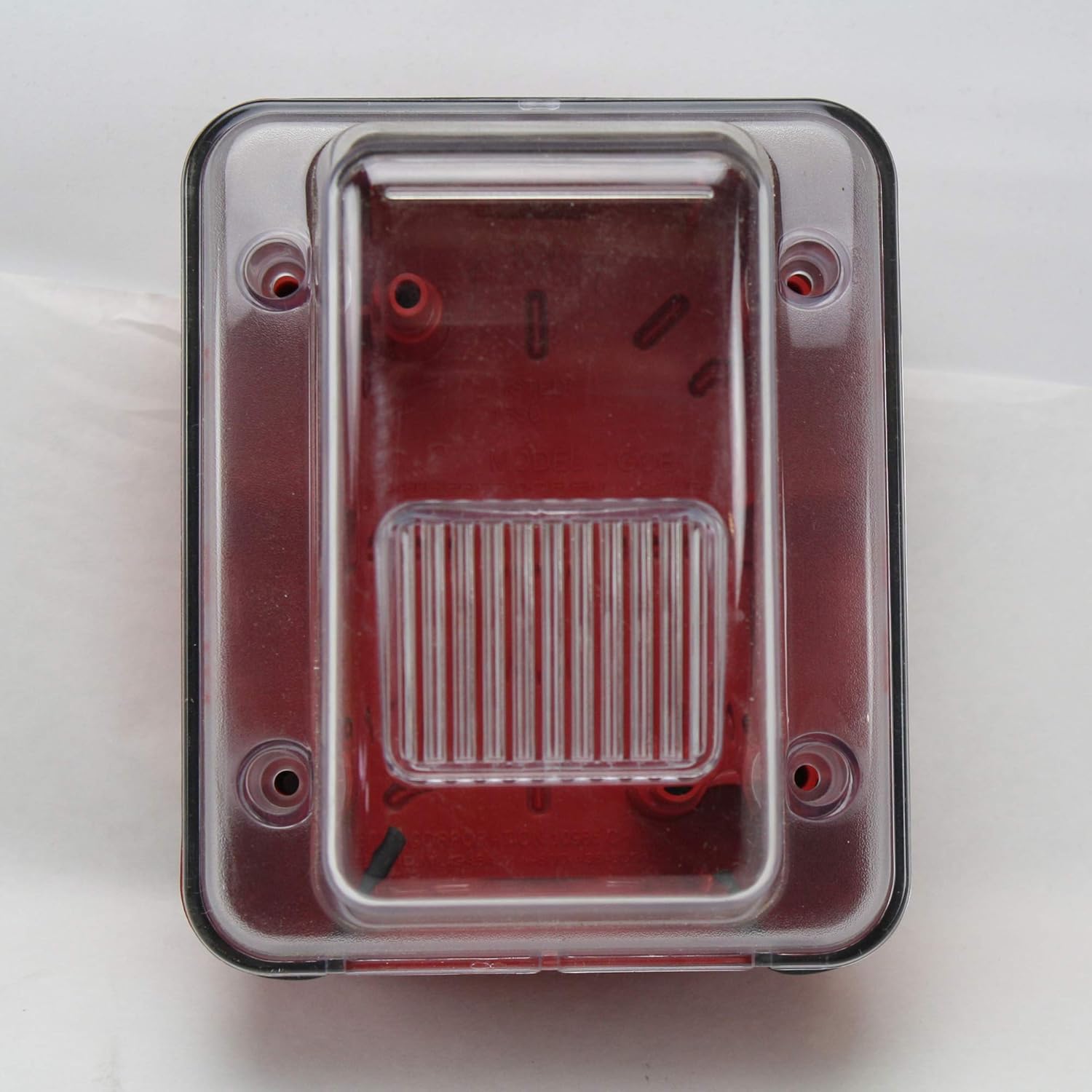
Figure 3: Rear view of the Gentex GOE-R enclosure, showing internal mounting points and wiring access.
- Connect the fire alarm device (e.g., GEH Series Horn or WGE Series Strobe & Horn/Strobe) to the electrical wiring inside the GOE-R back box. Follow the specific wiring instructions provided with the fire alarm device.
- Mount the fire alarm device securely within the GOE-R enclosure, aligning it with the internal mounting points.
- Ensure all gaskets and seals are properly seated to maintain the weatherproof rating.
- Close and Secure Enclosure: Carefully close the clear bubble cover of the GOE-R enclosure and secure it with the provided screws or latches. Do not overtighten.
- Test System: After installation, test the entire fire alarm system according to the manufacturer's instructions and local codes to ensure proper operation.
5. Operation
The Gentex GOE-R is a passive enclosure designed to protect an active fire alarm device. It does not have operational controls itself. Its function is to provide a weatherproof housing for the installed device, allowing it to operate reliably in outdoor conditions.
6. Maintenance
Regular maintenance ensures the longevity and effectiveness of the GOE-R enclosure:
- Periodic Inspection: Visually inspect the enclosure periodically (e.g., quarterly or annually) for any signs of damage, cracks, or deterioration of seals.
- Cleaning: Clean the exterior of the enclosure, especially the clear bubble cover, with a soft, damp cloth. Avoid abrasive cleaners or solvents that could damage the material.
- Seal Integrity: Ensure that the weatherproof seals remain intact and properly seated. If seals appear damaged or worn, contact Gentex for replacement parts.
7. Troubleshooting
As a passive enclosure, the GOE-R itself has limited troubleshooting scenarios. Most issues will relate to installation or the device housed within it.
| Problem | Possible Cause | Solution |
|---|---|---|
| Water ingress into enclosure | Improperly sealed mounting, damaged gasket, loose cover. | Check mounting screws for tightness. Inspect and replace damaged gaskets. Ensure cover is securely fastened. |
| Device not functioning (e.g., horn not sounding) | Issue with the fire alarm device itself, wiring error, power supply problem. | Refer to the instruction manual for the specific fire alarm device. Check all wiring connections. Verify power supply to the device. |
| Enclosure appears loose on wall | Mounting screws are loose or insufficient. | Tighten mounting screws. If necessary, use more robust mounting hardware or relocate to a more secure surface. |
8. Specifications
| Feature | Detail |
|---|---|
| Model Number | GOE-R |
| Manufacturer | GENTEX CORPORATION |
| Compatibility | GEH Series Horn & WGE Series Strobe & Horn/Strobe |
| Listing | ANSI/UL 464 Listed |
| Color | Red |
| Dimensions (L x W x H) | 0.75 x 0.83 x 0.75 inches (Product dimensions, likely for the internal component, not the full box) Note: These dimensions appear to be for a component, not the full enclosure. Refer to manufacturer's technical data sheet for full enclosure dimensions. |
| Item Weight | 9.6 ounces |
| Power Source | Wired electric (for housed device) |
| Application | Outdoor |
9. Warranty and Support
For warranty information and technical support, please contact Gentex Corporation directly. Details regarding specific warranty periods and terms are typically provided with the product or available on the manufacturer's official website.
For further assistance, visit the official Gentex website or contact their customer service department.