
Important Safety Information
WARNING: This product can expose you to chemicals including lead, which is known to the State of California to cause cancer and birth defects or other reproductive harm. For more information, go to www.P65Warnings.ca.gov.
Always read and understand all instructions and warnings before using this product. Keep this manual for future reference.
Product Overview
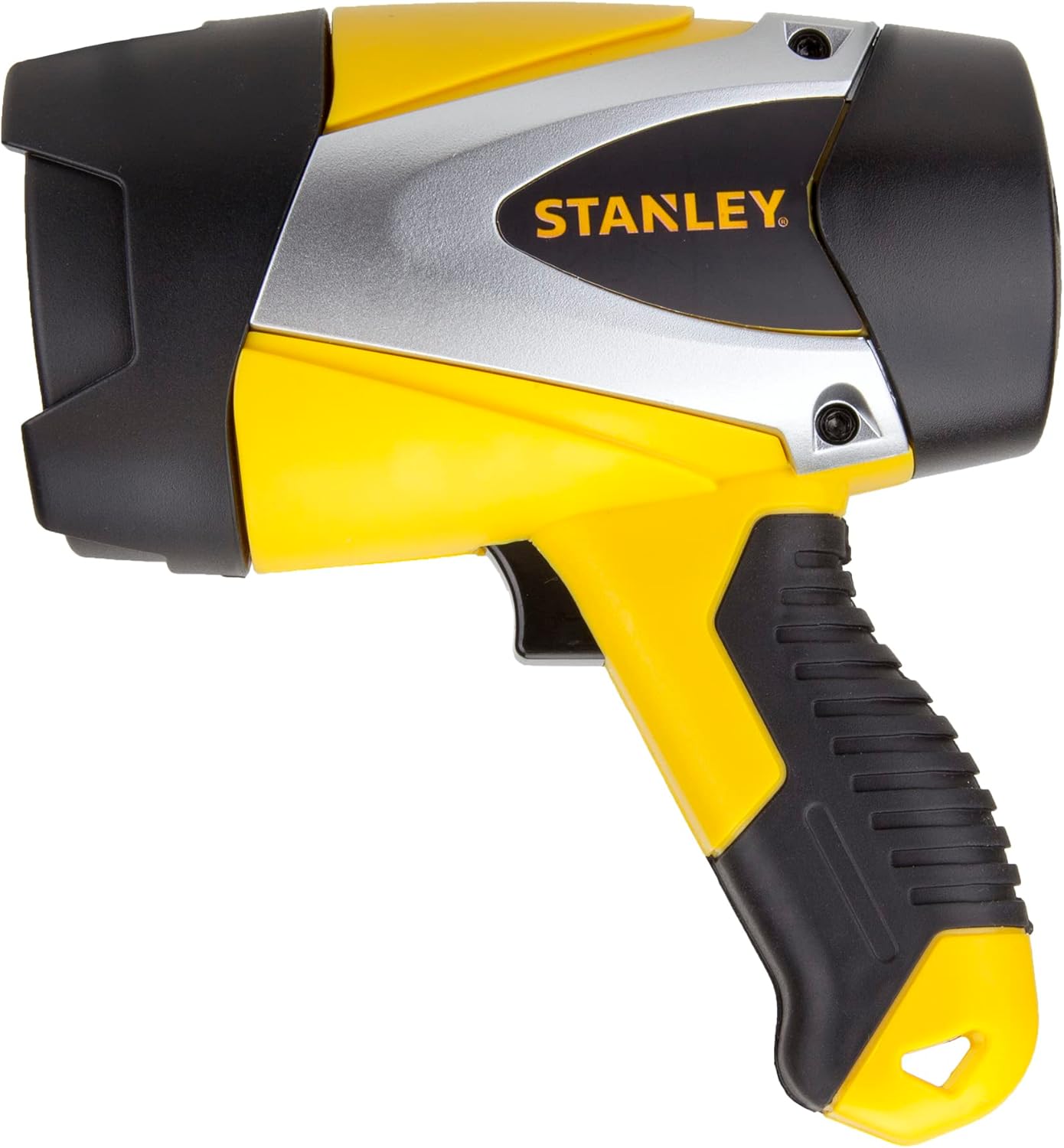
The STANLEY SL5W09 is a 5W Lithium Ion rechargeable spotlight designed for various lighting needs. It features a robust construction with an impact-resistant polymer housing and rubber bezel, ensuring durability for demanding environments. The ergonomic pistol-grip handle provides a comfortable and secure grip during use.
Key Features:
- Ultra-bright 5W LED spotlight delivering up to 1,000 lumens on high setting and 500 lumens on low setting.
- Long runtime of up to 10 hours on a single charge.
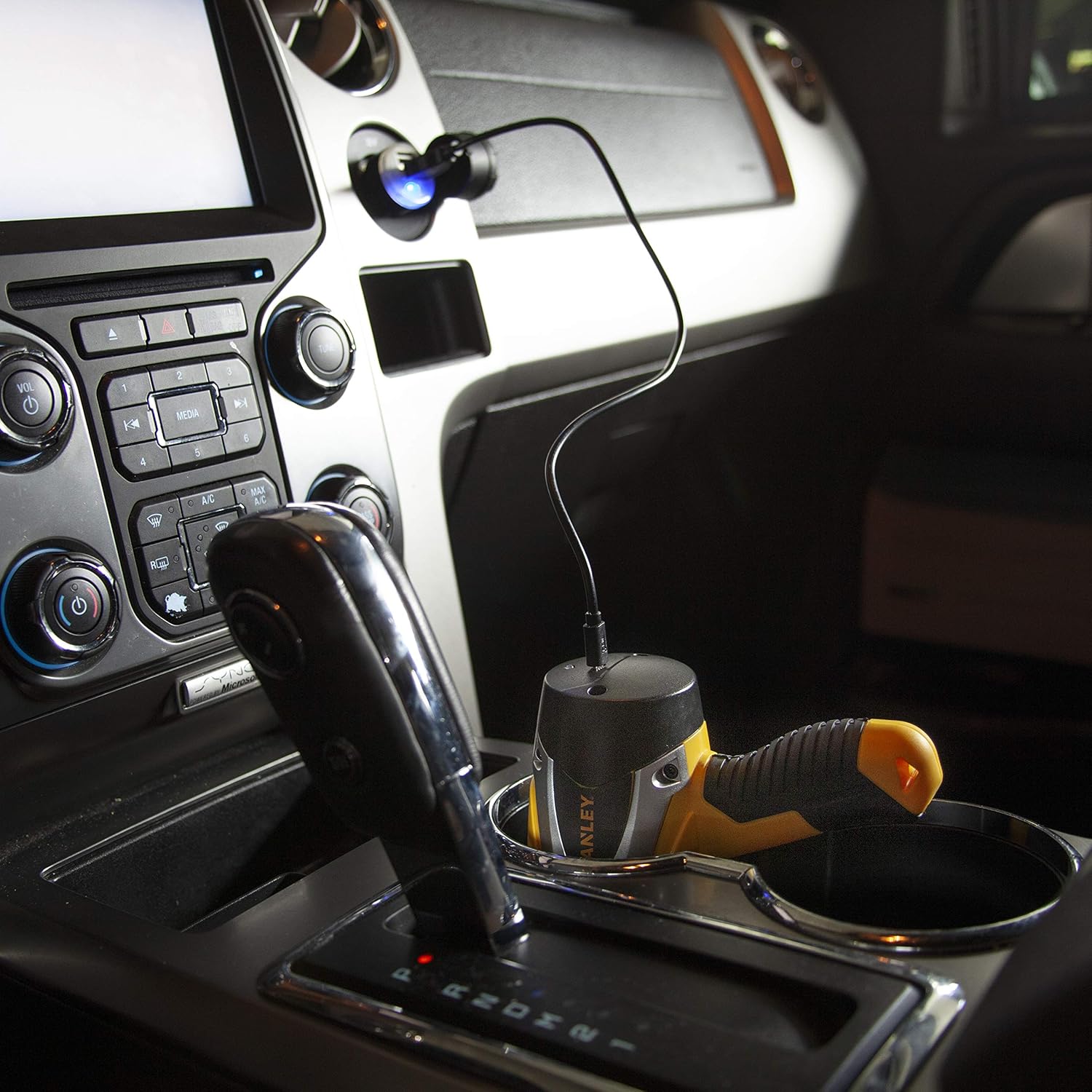
- Rechargeable via a convenient micro USB charging port.
- Lithium Ion battery designed to hold its charge for up to 12 months.
- Three-position trigger (high/low/off) for versatile lighting control.
- Durable impact-resistant polymer housing and rubber bezel for enhanced longevity.
- Equipped with a carry lanyard for easy portability.
Product Components:



Setup
Initial Charging:
Before first use, fully charge the STANLEY SL5W09 spotlight.
- Locate the micro USB charging port on the back of the spotlight.
- Connect the provided micro USB cable to the spotlight's charging port.
- Connect the other end of the USB cable to a compatible USB power source (e.g., wall adapter, car charger, computer USB port).
- The charging indicator light will illuminate to show charging status. Allow the unit to charge until the indicator shows a full charge.
- The Lithium Ion battery is designed to hold its charge for up to 12 months, but regular charging is recommended for optimal performance.

Operating Instructions
The STANLEY SL5W09 spotlight features a simple three-position trigger for easy operation and mode selection.
- High Setting: Press the trigger fully to activate the high beam, providing up to 1,000 lumens for maximum brightness and reach. This setting is ideal for illuminating large areas or distant objects.
- Low Setting: Partially press the trigger to activate the low beam, providing 500 lumens. This setting conserves battery life and is suitable for closer tasks or extended use.
- Off: Release the trigger to turn the spotlight off.
The spotlight offers a runtime of up to 10 hours on the low setting, making it reliable for prolonged use during power outages, camping trips, or other outdoor activities.

Maintenance
Cleaning:
- Wipe the exterior of the spotlight with a soft, damp cloth. Do not use abrasive cleaners or solvents.
- Ensure the micro USB charging port is free of dust and debris.
Battery Care:
- To maintain battery health, recharge the spotlight regularly, even if not in frequent use.
- Avoid completely draining the battery before recharging.
- Store the spotlight in a cool, dry place when not in use.
Troubleshooting
If you encounter issues with your STANLEY SL5W09 spotlight, refer to the following common troubleshooting steps:
| Problem | Possible Cause | Solution |
|---|---|---|
| Spotlight does not turn on. | Battery is depleted. | Charge the spotlight using the micro USB cable until the charging indicator shows full. |
| Light is dim or flickers. | Low battery charge. | Recharge the spotlight. |
| Charging indicator does not light up. | Cable not properly connected or power source issue. | Ensure the micro USB cable is securely connected to both the spotlight and the power source. Try a different USB port or power adapter. |
| Reduced runtime. | Battery degradation over time or improper charging habits. | Ensure regular charging and avoid deep discharges. If the issue persists after prolonged use, battery capacity may have naturally diminished. |
If these steps do not resolve the issue, please refer to the support information in the Warranty and Support section.
Specifications
| Feature | Detail |
|---|---|
| Model Number | SL5W09 |
| Light Source Type | LED |
| White Brightness (High) | Up to 1000 Lumens |
| White Brightness (Low) | 500 Lumens |
| Power Source | Battery Powered |
| Battery Type | Lithium Ion |
| Voltage | 3.7 Volts |
| Runtime | Up to 10 hours (on low setting) |
| Charging Port | Micro USB |
| Material | Plastic (Impact-resistant polymer housing, rubber bezel) |
| Color | Yellow |
| Product Dimensions | 2.1"D x 2.5"W x 6"H |
| Item Weight | 0.16 ounces |
| Water Resistance Level | Water Resistant |
| Manufacturer | Baccus Global LLC |
| Country of Origin | China |
Warranty and Support
Manufacturer's Warranty:
The STANLEY SL5W09 Rechargeable LED Spotlight includes a limited 1-year manufacturer warranty. Please retain your proof of purchase for warranty claims. For specific warranty terms and conditions, refer to the documentation included with your product or contact STANLEY customer support.
Additional Resources:
- For a comprehensive user guide, download the PDF: User Guide (PDF)
- For the full user manual, download the PDF: User Manual (PDF)
- For further assistance or inquiries, please visit the official STANLEY website or contact their customer service department.


