
NOYAFA 98025
Cen-Tech Digital Multimeter User Manual
Model: 98025
1. Introduction
The Cen-Tech Digital Multimeter (Model 98025), manufactured by NOYAFA, is a versatile 7-function multimeter designed for accurate electrical measurements. It provides precise readings for DC voltage, DC current, AC voltage, resistance, transistor tests, diode tests, and battery tests. Featuring an easy-to-read 3-1/2 digit LCD readout and a positive set selector switch, this device is suitable for a wide range of electrical diagnostic tasks.
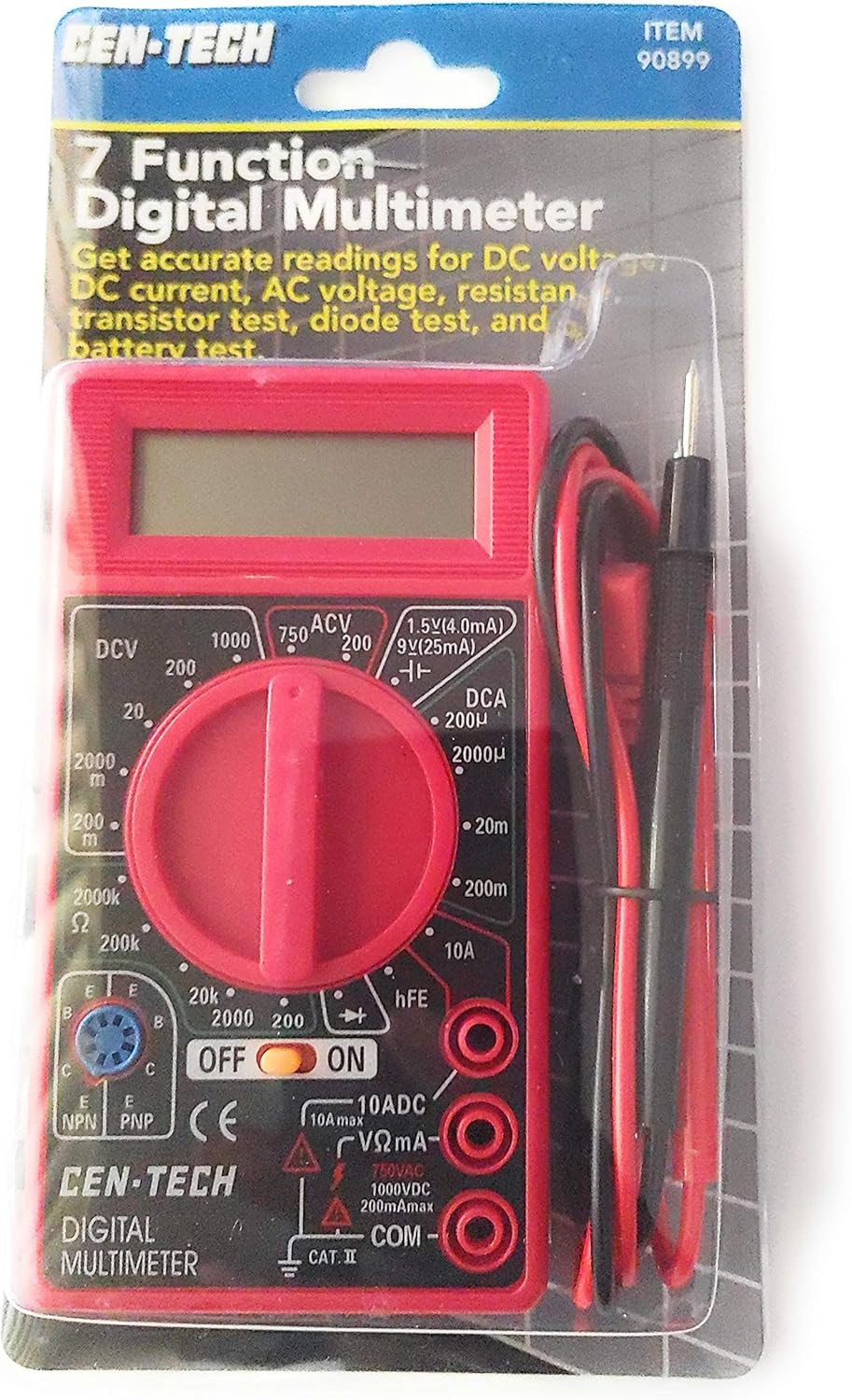
Figure 1: Cen-Tech Digital Multimeter in its retail packaging.
2. Safety Information
Always read and understand all instructions and safety precautions before using this multimeter. Failure to follow these guidelines may result in electrical shock, injury, or damage to the meter or other equipment.
- Electrical Shock Hazard: Always assume that any circuit you are testing is live until proven otherwise.
- Voltage Limits: Do not test AC voltage higher than 750V. Do not test DC voltage higher than 1000V. Exceeding these limits can cause severe injury or damage.
- Current Limits: Do not test circuits with current higher than 10 Amps.
- Proper Use: Ensure the test leads are securely connected to the correct input jacks for the desired measurement.
- Inspect Before Use: Before each use, inspect the meter and test leads for any damage. Do not use if any part is damaged.
- Battery: Replace the battery when the low battery indicator appears to ensure accurate readings.
- Environment: Use the meter in a dry environment. Avoid exposure to moisture or extreme temperatures.
3. Package Contents
Verify that all items are present and in good condition upon opening the package:
- Cen-Tech Digital Multimeter (Model 98025)
- One pair of Test Leads (Red and Black)
- User Manual
4. Product Overview
Familiarize yourself with the components of your digital multimeter:
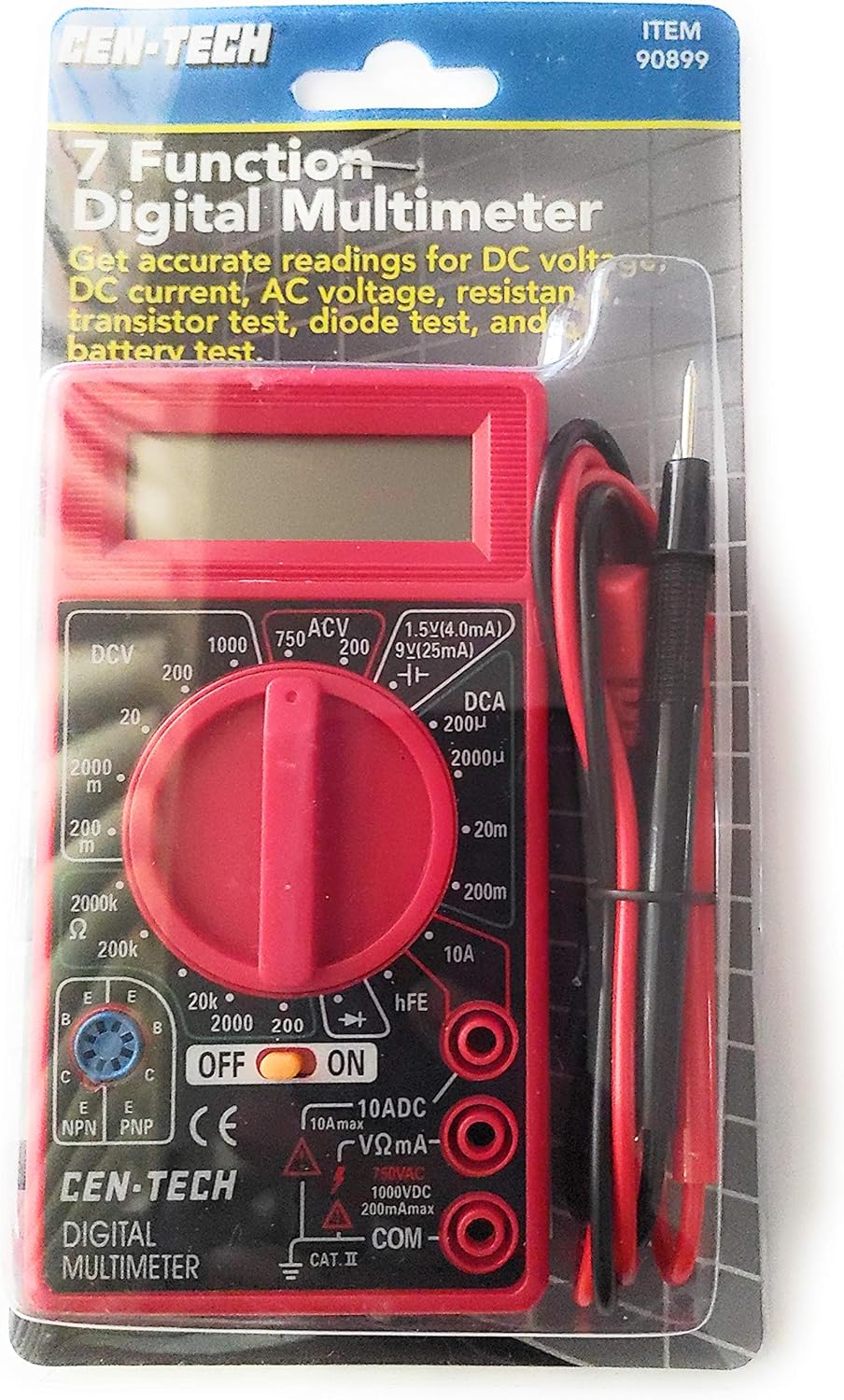
Figure 2: Front view of the Cen-Tech Digital Multimeter with test leads.
Components:
- LCD Display: 3-1/2 digit liquid crystal display for reading measurements.
- Rotary Switch: Used to select the desired measurement function and range.
- Input Jacks:
- COM (Common) Jack: For the black (negative) test lead.
- VΩmA Jack: For the red (positive) test lead for voltage, resistance, and small current measurements.
- 10ADC Jack: For the red (positive) test lead for high current (up to 10A) measurements.
- Transistor (hFE) Socket: For testing transistors.
- Test Leads: Red (positive) and Black (negative) leads for connecting to circuits.

Figure 3: Back view of the Cen-Tech Digital Multimeter.
5. Setup
Battery Installation:
The multimeter requires 2 AAA batteries (not included) for operation.
- Locate the battery compartment on the back of the multimeter.
- Use a screwdriver to open the battery compartment cover.
- Insert 2 AAA batteries, observing the correct polarity (+ and -) as indicated inside the compartment.
- Replace the battery compartment cover and secure it with the screw.
6. Operating Instructions
General Operation:
To use the multimeter, select the desired function by rotating the central switch. Connect the black test lead to the COM jack and the red test lead to the appropriate input jack (VΩmA for most measurements, 10ADC for high current). Always start with a higher range setting and decrease it if necessary for more precise readings.
Measurement Modes:
- DC Voltage (DCV):
Ranges: 0-200mV, 2000mV, 20V, 200V, 1000V.
Use for measuring direct current voltage, such as from batteries or DC power supplies. Connect leads in parallel with the circuit. - AC Voltage (ACV):
Ranges: 0-200V, 750V.
Use for measuring alternating current voltage, such as from wall outlets. Connect leads in parallel with the circuit. - DC Current (DCA):
Ranges: 0-200µA, 2000µA, 20mA, 200mA, 10A.
Use for measuring direct current. Connect leads in series with the circuit. For 10A range, move the red lead to the 10ADC jack. - Resistance (Ω):
Ranges: 0-200Ω, 2000Ω, 20KΩ, 200KΩ, 2000KΩ.
Use for measuring electrical resistance. Ensure the circuit is de-energized before measuring resistance. - Diode Test:
Use to check the functionality of diodes. The display will show the forward voltage drop. - Transistor Test (hFE):
Use to measure the DC current gain (hFE) of NPN and PNP transistors. Insert the transistor leads into the appropriate sockets. - Battery Test:
Ranges: 1.5V, 9V.
Use to check the approximate charge level of 1.5V and 9V batteries.
7. Maintenance
Proper maintenance ensures the longevity and accuracy of your multimeter.
- Cleaning: Wipe the meter with a dry, soft cloth. Do not use abrasive cleaners or solvents.
- Battery Replacement: Replace batteries promptly when the low battery indicator appears to avoid inaccurate readings. Remove batteries if the meter will not be used for an extended period.
- Storage: Store the multimeter in a cool, dry place, away from direct sunlight and extreme temperatures.
- Fuse Replacement: The meter is fuse and diode protected. If the meter stops functioning correctly, check the fuse (refer to specifications for fuse type).
8. Troubleshooting
If you encounter issues with your multimeter, try the following common troubleshooting steps:
| Problem | Possible Cause / Solution |
|---|---|
| No display / Meter does not turn on | Check battery installation and charge. Replace batteries if dead. |
| Inaccurate readings | Ensure correct function and range are selected. Check test lead connections. Replace battery if low. |
| "OL" or "1" displayed | Indicates over-range. Select a higher range or check for open circuit. |
| No reading for current | Check if the fuse is blown. Ensure red lead is in the correct current input jack (VΩmA or 10ADC). |
9. Specifications
| Feature | Specification |
|---|---|
| Brand | NOYAFA (Cen-Tech) |
| Model Number | 98025 |
| Measurement Type | Voltmeter, Multimeter |
| DC Voltage (DCV) | 0-200mV, 2000mV, 20V, 200V, 1000V |
| AC Voltage (ACV) | 0-200V, 750V |
| DC Current (DCA) | 0-200µA, 2000µA, 20mA, 200mA, 10A |
| Resistance (Ω) | 0-200Ω, 2000Ω, 20KΩ, 200KΩ, 2000KΩ |
| Diode Test | Yes |
| Transistor Test (hFE) | Yes |
| Battery Test | 1.5V, 9V |
| Display | 3-1/2 Digit LCD |
| Sample Time | 2.5x per second |
| Power Source | 2 AAA batteries (required) |
| Dimensions (L x W x H) | 8.2 x 1.2 x 4.4 inches |
| Item Weight | 5.6 ounces |
| Operating Temperature | 32°F to 104°F (0°C to 40°C) |
| Protection | Fuse and Diode Protected Circuit |
10. Warranty and Support
For information regarding warranty coverage, technical support, or replacement parts, please refer to the documentation provided with your purchase or contact NOYAFA customer service directly. Keep your purchase receipt as proof of purchase.
Related documents98025


Ask a question about this manual
Ask about setup, troubleshooting, compatibility, parts, safety, or missing instructions. Manuals+ will review the question and use this page’s manual context to help answer it.