
Introduction
This manual provides essential information for the safe and effective use of your Pentax D-LI88 Li-ion Battery. Please read this manual thoroughly before using the battery to ensure optimal performance and longevity. This battery is designed for use with compatible Pentax digital cameras, specifically the Pentax Optio P70 Digital Camera.
Safety Precautions
Observe the following safety guidelines to prevent accidents, injury, or damage to the battery or camera.
- Do not disassemble, modify, or attempt to repair the battery.
- Keep the battery away from fire, heat sources, and direct sunlight. Exposure to high temperatures can cause explosion or leakage.
- Do not immerse the battery in water or expose it to moisture.
- Use only the specified charger for this battery. Using an incompatible charger may cause damage or fire.
- Keep the battery out of reach of children.
- If the battery leaks, avoid contact with the fluid. If contact occurs, wash immediately with water and seek medical attention.
- Do not short-circuit the battery terminals with metal objects.
- Dispose of used batteries according to local regulations. Do not dispose of in household waste.
Setup and First Use
Charging the Battery
Before initial use, fully charge the D-LI88 battery. Use only a Pentax-approved charger designed for this battery model. Refer to your camera's or charger's instruction manual for specific charging procedures.
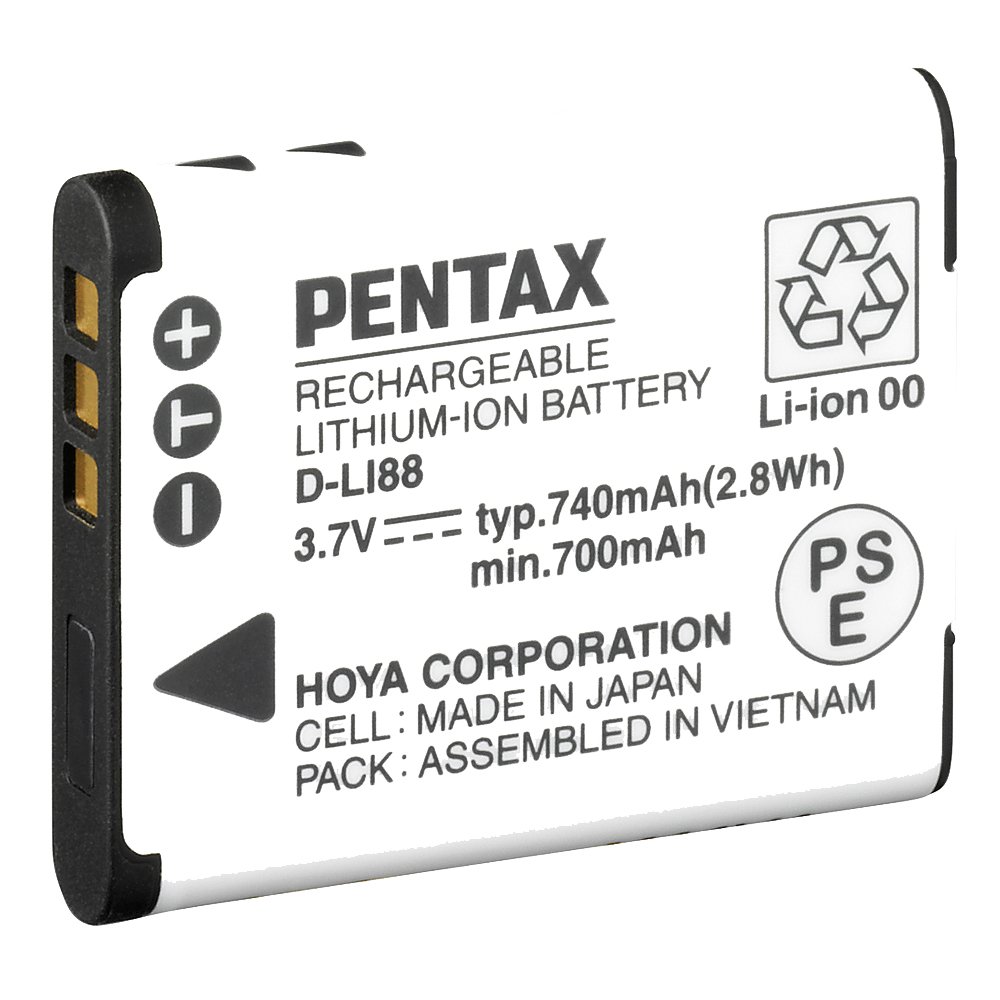
Image: The Pentax D-LI88 Li-ion Battery. This image shows the compact design of the rechargeable battery, which is essential for powering compatible Pentax digital cameras.
Typically, the charging process involves:
- Insert the battery into the designated battery charger.
- Connect the charger to a power outlet.
- Observe the charger's indicator light, which usually changes color or turns off when charging is complete.
Inserting the Battery into the Camera
Ensure the camera is turned off before inserting or removing the battery.
- Open the battery compartment cover on your Pentax Optio P70 Digital Camera.
- Align the battery with the compartment, matching the contacts correctly.
- Gently push the battery into place until it clicks or is securely seated.
- Close the battery compartment cover firmly.
Operation
Using the Battery
Once inserted and charged, the D-LI88 battery powers your Pentax Optio P70 Digital Camera. The battery life will vary depending on usage, such as taking photos, recording videos, using the flash, and reviewing images.
Battery Level Indicator
Your camera's LCD screen or viewfinder will display an icon indicating the current battery level. Monitor this indicator to know when recharging is necessary. It is recommended to recharge the battery before it is completely depleted to maintain its overall health.
Maintenance and Storage
Cleaning
Periodically inspect the battery terminals and the camera's battery contacts for dirt or corrosion. Clean them gently with a dry, soft cloth if necessary. Do not use abrasive materials or liquids.
Storage
For long-term storage, charge the battery to approximately 50% capacity and store it in a cool, dry place away from direct sunlight and extreme temperatures. Avoid storing fully charged or fully depleted batteries for extended periods, as this can reduce battery life.
Disposal
Li-ion batteries contain materials that should not be disposed of with regular household waste. Please recycle the battery at an authorized recycling center or return it to your retailer for proper disposal, following all local environmental regulations.
Troubleshooting
If you encounter issues with your D-LI88 battery, consider the following common solutions:
- Battery not charging: Ensure the charger is properly connected to a power source and the battery is correctly inserted into the charger. Check for any damage to the battery or charger.
- Camera not turning on: Verify that the battery is fully charged and correctly inserted into the camera. The battery terminals and camera contacts should be clean.
- Short battery life: Battery life naturally decreases over time and with usage cycles. Ensure the battery is fully charged. Reduce power-intensive camera features like flash or continuous shooting if extended use is needed.
- Battery feels hot during charging/use: A slight warmth is normal. If the battery becomes excessively hot, discontinue use immediately and contact customer support.
Specifications
| Brand | Pentax |
| Model Number | 39774 (D-LI88) |
| Battery Chemistry | Lithium Ion (Li-Ion) |
| Rechargeable | Yes |
| Voltage | 3.7 Volts |
| Compatibility | Pentax Optio P70 Digital Camera |
| Item Weight | 15 Grams |
| Item Dimensions | 3.94 x 3.94 x 3.94 inches |
Warranty and Support
For information regarding the warranty period and terms for your Pentax D-LI88 Li-ion Battery, please refer to the warranty card included with your purchase or visit the official Pentax (Ricoh Imaging) website. If you require technical assistance or have questions not covered in this manual, please contact Pentax customer support.
You can find support information and contact details on the official Pentax website: Ricoh Imaging Global


