
1. Product Overview
The Bogen BPA60 is a robust solid-state power amplifier engineered for professional and commercial sound system applications. It delivers a continuous 60 watts RMS output, ensuring high-quality audio amplification. This amplifier is designed for reliable performance across various audio environments.
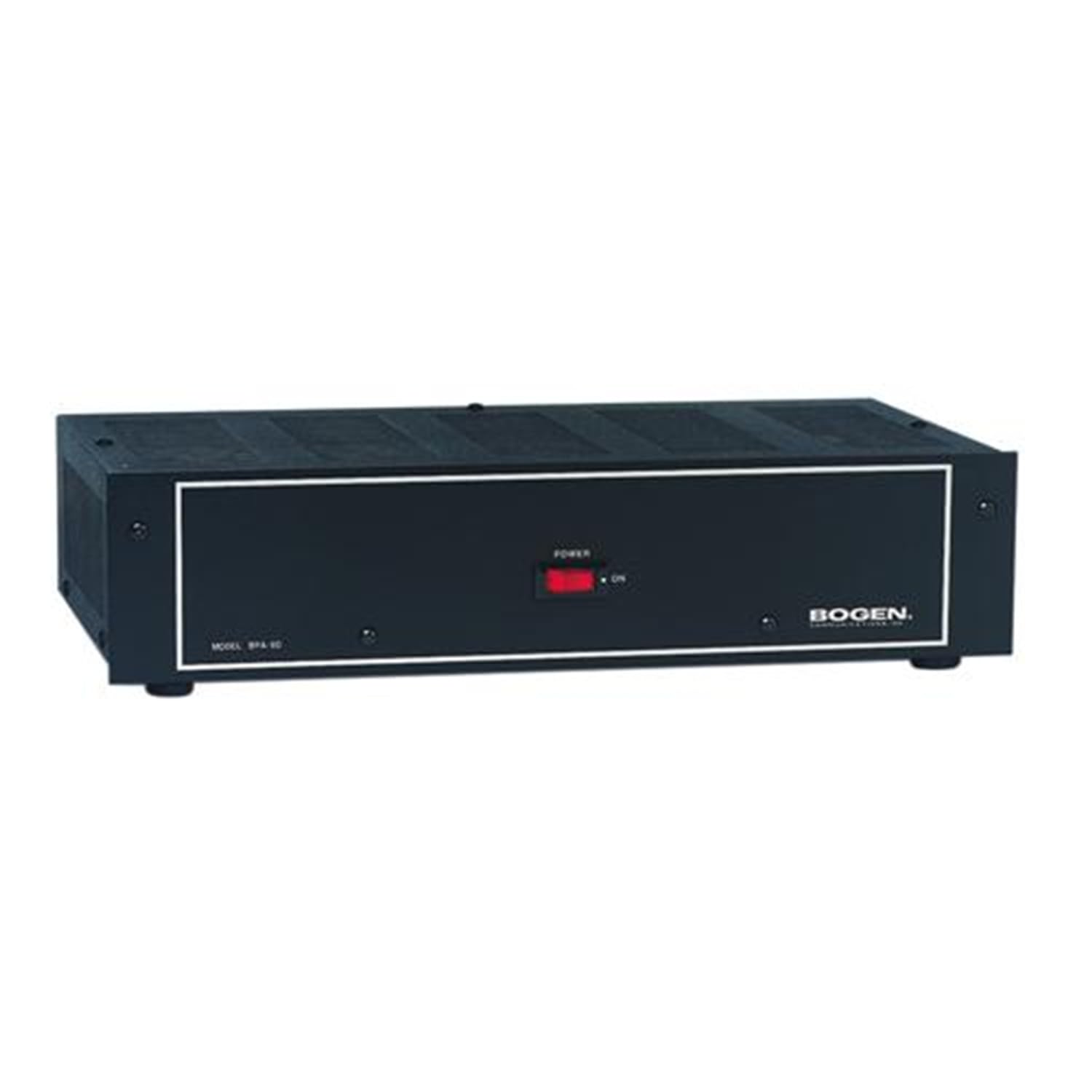
Figure 1: Front view of the Bogen BPA60 Power Amplifier. The amplifier features a black chassis with a white border around the central panel, a red power switch, and the Bogen logo on the right side. The model number "MODEL BPA 60" is visible on the left.
2. Key Features
- Output Power: 60 watts RMS output.
- Input Flexibility: Features 1 input Hi Z unbalanced, compatible with an accessory transformer (TL600) for Lo Z balanced input.
- Output Options: Supports 8 ohm, 25V, 16 ohm, 25VCT, and 70V outputs.
- Audio Quality: Provides continuous high-quality sound with total harmonic distortion less than 2% at rated output from 50Hz to 15 kHz.
- Controls: Includes an input level control and a lo-cut filter switch for audio shaping.
3. Package Contents
Upon opening the package, verify that all components are present and undamaged. The standard package for the Bogen BPA60 Power Amplifier includes:
- Bogen BPA60 Power Amplifier Unit
Note: Any additional accessories, such as the TL600 accessory transformer, are sold separately unless specified by your vendor.
4. Safety Information
Before operating the Bogen BPA60 Power Amplifier, please read and understand all safety instructions. Failure to follow these instructions may result in electric shock, fire, or damage to the unit.
- Power Source: Connect the amplifier only to the specified power supply voltage as indicated on the unit.
- Ventilation: Ensure adequate ventilation around the unit. Do not block ventilation openings.
- Moisture: Do not expose the unit to rain or moisture. Do not place objects filled with liquids, such as vases, on the apparatus.
- Servicing: Refer all servicing to qualified service personnel. Do not attempt to service this product yourself.
- Grounding: Ensure the unit is properly grounded to prevent electric shock.
5. Setup and Installation
Proper setup is crucial for optimal performance and safety. Follow these steps for installing your BPA60 amplifier:
- Placement: Place the amplifier on a stable, flat surface with sufficient clearance for ventilation. Avoid placing it near heat sources or in direct sunlight.
- Power Connection: Ensure the amplifier's power switch is in the OFF position. Connect the power cord securely to the amplifier's power inlet and then to a suitable AC power outlet.
- Input Connection: Connect your audio source (e.g., mixer, pre-amplifier) to the amplifier's input. The BPA60 features a Hi Z unbalanced input. For Lo Z balanced input, an optional TL600 accessory transformer is required.
- Output Connection: Connect your speakers or audio distribution system to the amplifier's output terminals. The BPA60 supports 8 ohm, 25V, 16 ohm, 25VCT, and 70V outputs. Ensure correct impedance matching for your speakers.
- Initial Checks: Before powering on, double-check all connections to ensure they are secure and correctly wired.
For detailed wiring diagrams, please refer to the full technical specifications or consult a qualified audio technician.
6. Operating Instructions
Once the amplifier is properly set up, follow these steps to operate it:
- Power On: Flip the power switch on the front panel to the 'ON' position. The power indicator light should illuminate.
- Input Level Adjustment: Slowly adjust the input level control knob to achieve the desired volume. Start with a low setting and gradually increase it to prevent sudden loud sounds.
- Lo-Cut Filter: If desired, engage the lo-cut filter switch to reduce low-frequency rumble or feedback. This can be useful in certain acoustic environments.
- Monitoring: Monitor the audio output to ensure clarity and prevent distortion. If distortion occurs, reduce the input level.
- Power Off: When finished, turn the input level down to minimum, then flip the power switch to the 'OFF' position.
Always ensure that the amplifier is turned off before making any changes to input or output connections.
7. Maintenance
Regular maintenance helps ensure the longevity and optimal performance of your Bogen BPA60 amplifier.
- Cleaning: Use a soft, dry cloth to clean the exterior of the amplifier. Do not use liquid cleaners or aerosols, as they may damage the finish or internal components.
- Ventilation: Periodically check that the ventilation openings are clear of dust and debris. Blocked vents can lead to overheating.
- Connections: Occasionally inspect all input and output connections for looseness or corrosion. Re-secure any loose connections.
- Storage: If storing the amplifier for an extended period, ensure it is in a cool, dry place, away from direct sunlight and extreme temperatures.
Caution: Do not open the amplifier casing. There are no user-serviceable parts inside. Opening the casing voids the warranty and exposes you to dangerous voltages.
8. Troubleshooting
This section provides solutions to common issues you might encounter with your BPA60 amplifier. If the problem persists, contact Bogen customer support.
| Problem | Possible Cause | Solution |
|---|---|---|
| No power | Power cord disconnected; Power outlet faulty; Amplifier fuse blown | Check power cord connection; Test outlet with another device; Contact service for fuse replacement |
| No sound output | Input source not connected; Speaker wires disconnected; Input level too low; Incorrect impedance matching | Verify input source connection; Check speaker wiring; Increase input level; Ensure correct speaker impedance |
| Distorted sound | Input level too high; Faulty input cable; Overloaded speakers | Reduce input level; Replace input cable; Check speaker specifications |
| Hum or buzz noise | Ground loop; Unshielded cables; Nearby electrical interference | Ensure proper grounding; Use shielded audio cables; Move amplifier away from interference sources |
9. Specifications
Detailed technical specifications for the Bogen BPA60 Power Amplifier:
- Model Number: BPA60
- Output Power: 60 Watts RMS
- Frequency Response: 50 Hz - 15 kHz
- Total Harmonic Distortion (THD): Less than 2% at rated output
- Inputs: 1 x Hi Z unbalanced (accessory TL600 transformer for Lo Z balanced)
- Outputs: 8 ohm, 25V, 16 ohm, 25VCT, 70V
- Controls: Input Level, Lo-Cut Filter Switch
- Dimensions (L x W x H): 15 x 7.99 x 2.99 inches (38.1 x 20.3 x 7.6 cm)
- Weight: 17 Pounds (7.7 kg)
- Mounting Type: Surface Mount
- Number of Channels: 1
10. Warranty Information
Bogen products are designed for reliability and performance. For specific warranty terms and conditions, please refer to the warranty card included with your product or visit the official Bogen website. Keep your purchase receipt as proof of purchase for warranty claims.
11. Customer Support
If you require technical assistance, service, or have questions regarding your Bogen BPA60 Power Amplifier, please contact Bogen customer support. Contact information can typically be found on the Bogen website or in the product packaging.
Bogen Website: www.bogen.com
When contacting support, please have your model number (BPA60) and serial number (if applicable) ready.


