
1. Introduction
Welcome to Rhythm Heaven for the Nintendo DS! This game challenges your sense of rhythm and timing through a variety of unique and engaging mini-games. Developed by Nintendo, Rhythm Heaven offers an intuitive gameplay experience where you use the stylus to tap, slide, and flick to the beat of catchy music. Prepare to immerse yourself in a world where precision and musicality are key to success.
This manual provides essential information to help you get started, understand the game mechanics, and troubleshoot common issues. Enjoy the rhythm!
2. Setup
2.1. System Requirements
- Compatible Consoles: Nintendo DS, Nintendo DS Lite, Nintendo DSi, Nintendo DSi XL
- Accessories: Nintendo DS Stylus
2.2. Inserting the Game Card
- Ensure your Nintendo DS system is powered off.
- Locate the Game Card slot on your Nintendo DS system.
- Insert the Rhythm Heaven game card firmly into the slot until it clicks into place.
- Power on your Nintendo DS system. The game icon should appear on the touch screen.
2.3. Initial Game Start
Upon starting the game for the first time, you may be prompted to set up your profile or adjust basic settings. Follow the on-screen instructions to complete this process.
3. Operating Instructions
3.1. Basic Gameplay
Rhythm Heaven is a rhythm-based game where your primary interaction is through the Nintendo DS stylus and touch screen. The game requires precise timing and listening to the musical cues.
- Hold the DS System: For optimal play, hold your Nintendo DS system sideways like a book. This orientation is designed for comfortable stylus interaction.
- Stylus Actions: The game utilizes three main stylus actions:
- Tap: Press the stylus firmly onto the touch screen.
- Flick: Quickly slide the stylus across the touch screen in a specific direction.
- Slide: Drag the stylus across the touch screen, often holding it down for a duration.
- Follow the Rhythm: Each mini-game has its own unique rhythm and visual cues. Listen carefully to the music and observe the on-screen prompts to perform actions at the correct time.
3.2. Game Progression
The game features over 50 rhythm games. You progress by successfully completing mini-games and achieving a passing score. Some games may require multiple attempts to master the rhythm and timing.
3.3. Game Modes
Explore various game modes, including individual mini-games, rhythm challenges, and remixes that combine elements from multiple games. The objective is always to maintain the rhythm and achieve the highest score possible.
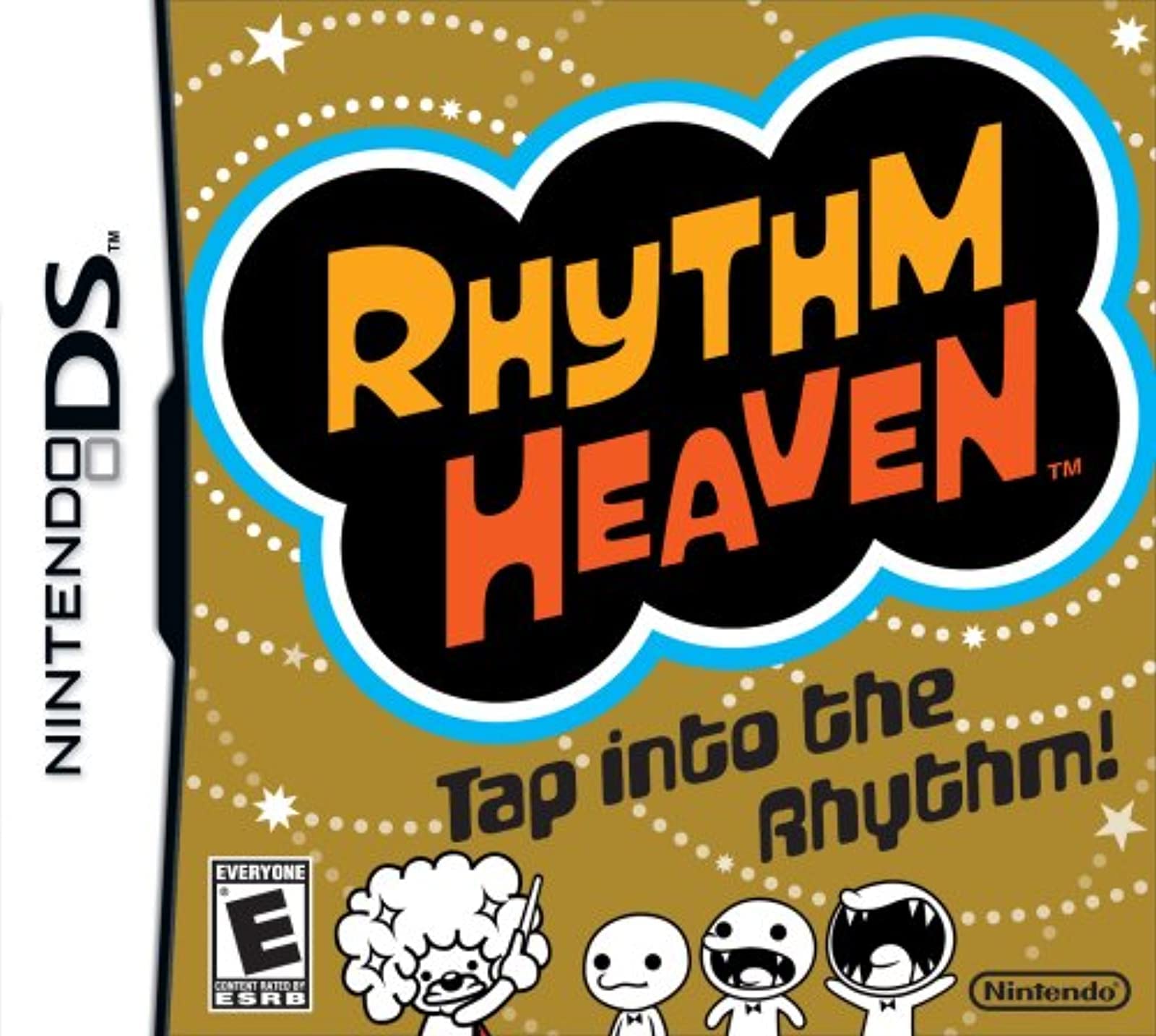
Image 3.3.1: The Rhythm Heaven Nintendo DS game cartridge.
3.4. Official Product Videos
3.4.1. Rhythm Heaven - Beyonce Trailer
Video 3.4.1: A short promotional video for Rhythm Heaven, featuring gameplay snippets and musical elements.
3.4.2. Rhythm Heaven - Nintendo DS Overview
Video 3.4.2: An official video providing an overview of the Rhythm Heaven game for Nintendo DS, showcasing various mini-games and controls.
4. Features
Rhythm Heaven offers a rich and engaging experience with the following key features:
- Intuitive Stylus Controls: Tap, slide, and flick the stylus on the touch screen in time to original music.
- Diverse Mini-Games: Over 50 unique rhythm-based mini-games, each with distinct mechanics and musical themes.
- Catchy Soundtrack: Music composed by the legendary Japanese pop-star producer TSUNKU♂, ensuring memorable tunes.
- Broad Compatibility: Playable on Nintendo DS, Nintendo DS Lite, Nintendo DSi, and Nintendo DSi XL systems.
- Challenging Rhythm: Designed to test and improve your rhythmic abilities in a fun and accessible way.
5. Specifications
| Attribute | Detail |
|---|---|
| Product Title | Rhythm Heaven |
| Brand | Nintendo |
| Model Number | 045496740221 |
| Computer Platform | Nintendo DS |
| Compatible Video Game Console Models | Nintendo DS, Nintendo DS Lite, Nintendo DSi, Nintendo DSi XL |
| Number of Players | 1 |
| Language | English |
| Rated | Everyone |
| Release Date | April 5, 2009 |
| Product Dimensions | 5.51 x 4.88 x 0.71 inches |
| Item Weight | 0.882 ounces |
| ASIN | B001P1ZE68 |
| GTIN / UPC | 045496740238, 885317065726, 045496740221 |
6. Troubleshooting
If you encounter any issues while playing Rhythm Heaven, please refer to the following common solutions:
- Game Not Loading: Ensure the game card is fully inserted into the DS slot. Try removing and reinserting it. Clean the gold contacts on the game card with a soft, dry cloth if necessary.
- Stylus Input Issues: If the touch screen is unresponsive or inaccurate, try recalibrating it through your Nintendo DS system settings. Ensure the stylus tip is clean and undamaged.
- Sound Problems: Check the volume settings on your Nintendo DS system. Ensure headphones are properly connected if you are using them.
- Game Freezes/Crashes: Turn off your Nintendo DS system, remove the game card, wait a few seconds, then reinsert the card and restart the system. Ensure your system's battery is adequately charged.
- Difficulty with Rhythm: Practice is key! Pay close attention to both visual and auditory cues. Some mini-games may require a different approach or understanding of their specific rhythm patterns.
7. Maintenance
To ensure the longevity of your Rhythm Heaven game card and Nintendo DS system, follow these maintenance guidelines:
- Game Card Care: Store the game card in its protective case when not in use. Avoid touching the gold contacts on the back of the card. Keep it away from extreme temperatures, moisture, and direct sunlight.
- Stylus Care: Use only the official Nintendo DS stylus or a compatible replacement. Avoid using sharp objects on the touch screen.
- System Cleaning: Gently wipe the screens and exterior of your Nintendo DS system with a soft, lint-free cloth. Do not use harsh chemicals or abrasive cleaners.
- Battery Life: For optimal battery performance, fully charge your Nintendo DS system before extended play sessions.
8. Warranty and Support
For specific warranty information regarding your Rhythm Heaven game card or Nintendo DS system, please refer to the documentation included with your original purchase or visit the official Nintendo support website.
Nintendo Customer Support:
- For technical assistance, product registration, or service inquiries, please visit the official Nintendo support website for your region.
- Online resources often include FAQs, troubleshooting guides, and contact information for direct support.
Please note that product specifications and support options may vary by region and over time.

