
1. Product Overview
The Hager EMN001 is a staircase time switch designed for controlling lighting duration in stairwells and common areas. It features low switching noise and automatic detection for both 3-wire and 4-wire connections, ensuring versatile installation. The device allows for manual activation, providing options for automatic timed lighting or continuous illumination.
Key Features:
- Low switching noise for quiet operation.
- Controls lighting for a limited, adjustable duration.
- Automatic detection of 3-wire or 4-wire connection types.
- Resettable function for timing adjustments.
- Manual activation options for automatic timed lighting or continuous light.
2. Safety Information
Please read all safety instructions carefully before installation and operation. Failure to follow these instructions may result in electric shock, fire, or serious injury.
- Electrical Hazard: Installation and maintenance must be performed by a qualified and licensed electrician in accordance with all local and national electrical codes.
- Power Disconnection: Always ensure the main power supply to the circuit is disconnected before performing any installation, wiring, or maintenance. Use a voltage tester to confirm power is off.
- Proper Wiring: Ensure all wiring connections are secure and correctly matched to the device terminals. Incorrect wiring can cause damage to the device or electrical system.
- Operating Environment: Do not expose the device to moisture, extreme temperatures, or corrosive environments.
- Intended Use: Use this device only for its intended purpose as a staircase time switch. Do not modify the device.
3. Package Contents
Verify that all items are present in the package:
- 1 x Hager EMN001 Staircase Time Switch
- 1 x Instruction Manual (this document)
4. Setup and Installation
Important: Installation must be carried out by a qualified electrician. Ensure power is disconnected before proceeding.
- Power Disconnection: Locate the main circuit breaker for the area where the time switch will be installed and turn off the power. Confirm with a voltage tester that the circuit is de-energized.
- Mounting: Mount the Hager EMN001 time switch in a suitable electrical enclosure or distribution board. The device is designed for DIN rail mounting.
- Wiring Connections: Connect the electrical wires to the terminals of the EMN001. The device automatically detects 3-wire or 4-wire connections. Refer to the wiring diagram provided on the device or in its packaging for specific terminal assignments. Ensure all connections are tight and secure.
- Restore Power: Once all connections are secure and verified, restore power to the circuit from the main circuit breaker.
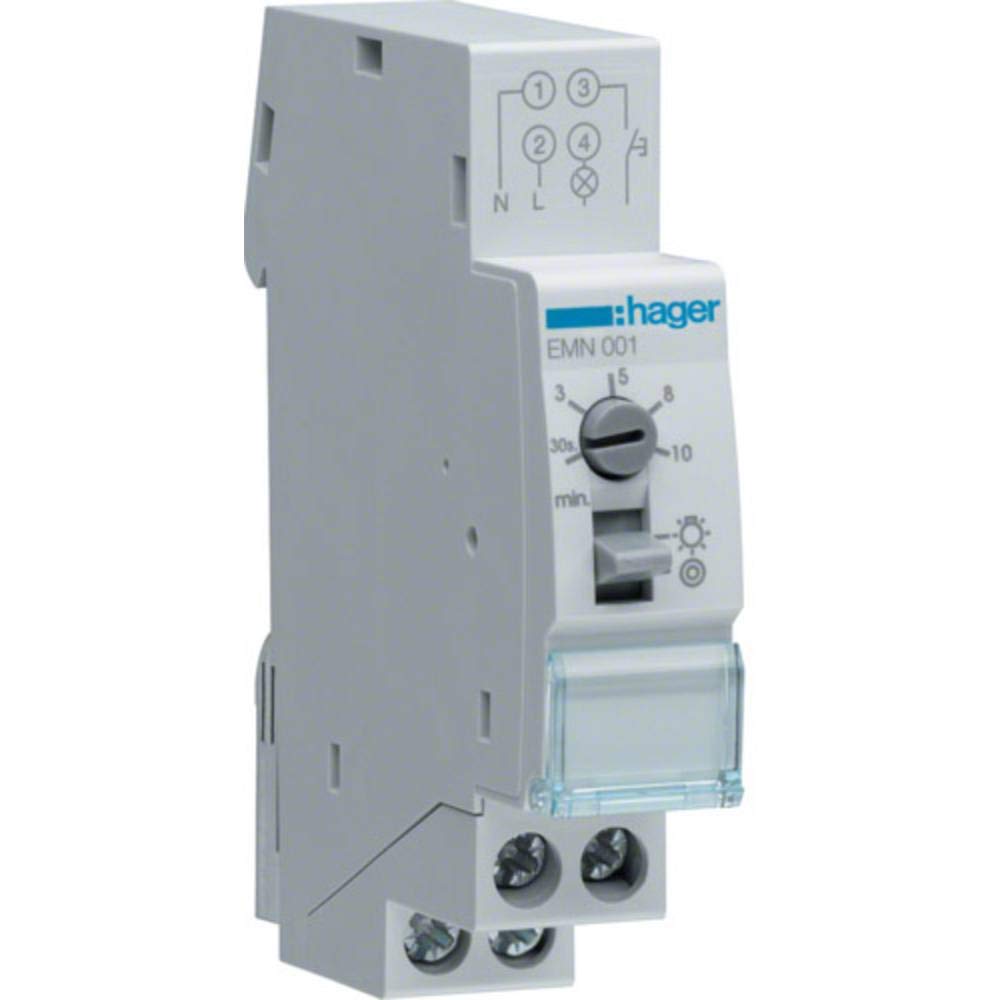
Image 1: Hager EMN001 Staircase Time Switch. This image shows the compact design of the time switch, typically mounted on a DIN rail within an electrical panel.
5. Operating Instructions
After successful installation and power restoration, the Hager EMN001 is ready for operation.
- Automatic Timed Lighting: When activated (e.g., by a push-button switch in the stairwell), the device will turn on the lights for a pre-set duration. After this time expires, the lights will automatically turn off.
- Manual Activation (Continuous Lighting): The EMN001 typically includes a manual override function. Depending on the model variant, this might be a switch or a sequence of activations that allows the lights to remain on continuously until manually switched off or reset to automatic mode. Refer to the specific markings on your device for manual override options.
- Reset Function: The device may have a reset function to restart the timing cycle or clear any manual overrides. Consult the device's front panel for any visible reset buttons or indicators.
6. Maintenance
The Hager EMN001 Staircase Time Switch is designed for long-term, maintenance-free operation.
- Cleaning: If necessary, gently wipe the exterior of the device with a dry, soft cloth. Do not use abrasive cleaners, solvents, or liquids directly on the device.
- No User-Serviceable Parts: The device contains no user-serviceable parts. Do not attempt to open or repair the unit. Any unauthorized tampering will void the warranty.
- Periodic Inspection: It is recommended that a qualified electrician periodically inspect the electrical installation, including the time switch, to ensure continued safe and proper operation.
7. Troubleshooting
If you experience issues with your Hager EMN001, refer to the following common problems and solutions:
- Lights do not turn on:
- Check if the main power supply to the circuit is on.
- Verify that the push-button switch is functioning correctly.
- Ensure all wiring connections to the EMN001 are secure.
- Check if the light bulbs are functional.
- Lights do not turn off (stay on continuously):
- Check if the device is in manual continuous lighting mode. If so, switch it back to automatic mode.
- The internal timing mechanism might be faulty.
- Incorrect timing duration:
- If the device has an adjustable timer, ensure it is set correctly.
- The internal timing mechanism might require professional inspection.
If troubleshooting steps do not resolve the issue, contact a qualified electrician or Hager customer support for assistance. Do not attempt to repair the device yourself.
8. Technical Specifications
| Model Number | HAGEMN001 (EMN001) |
| Brand | Hager |
| Color | White |
| Material | Plastic |
| Product Dimensions (D x W x H) | 2P x 8.5l x 7.5H cm |
| Item Weight | 9 Grams |
| Manufacturer | Hager |
| Global Trade Identification Number (GTIN) | 03250612339969 |
| EU Spare Part Availability | 1 Year |
9. Warranty and Support
The Hager EMN001 Staircase Time Switch is covered by a manufacturer's warranty against defects in materials and workmanship. The specific terms and duration of the warranty may vary by region and purchase date. Please retain your proof of purchase for warranty claims.
For technical support, warranty inquiries, or service, please contact Hager customer service through their official website or the contact information provided with your purchase. Do not attempt to open or repair the device yourself, as this will void the warranty.


