
1. Introduction
This manual provides instructions for the proper use and maintenance of your Weighmax W-2810-5KG Digital Multifunction Kitchen and Food Scale. Please read this manual thoroughly before operating the device to ensure accurate measurements and prolonged product life.
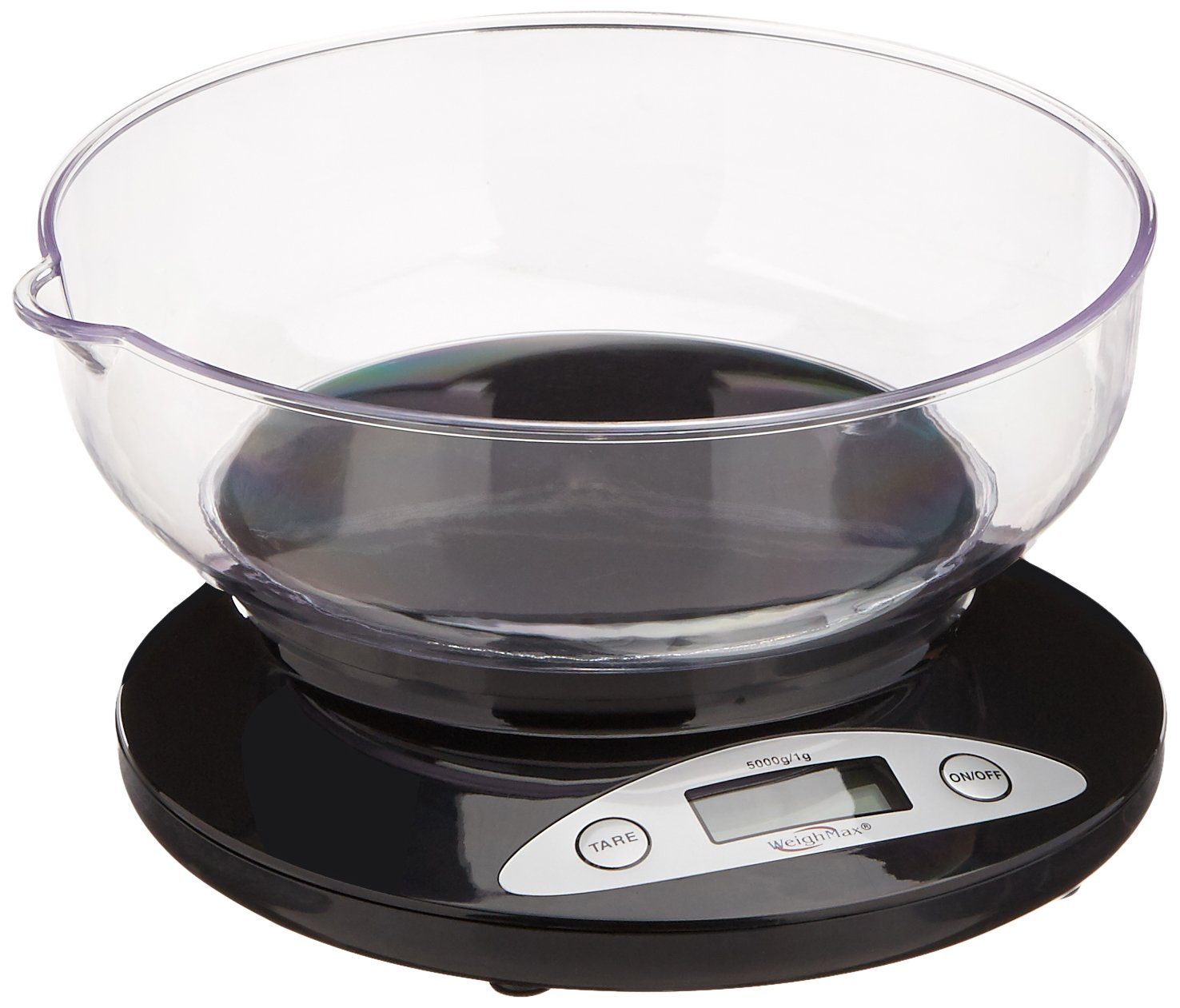
The Weighmax W-2810-5KG is designed for precise weighing of ingredients up to 5000 grams (11 pounds) with an accuracy of 0.1-0.2 ounces. Its removable bowl facilitates easy cleaning and storage.
2. Package Contents
Verify that all items are present in the package:
- Weighmax W-2810-5KG Digital Kitchen Scale
- Removable Weighing Bowl
- 4 x AA Batteries
3. Setup
- Battery Installation: Locate the battery compartment on the underside of the scale. Open the compartment cover and insert the 4 AA batteries, ensuring correct polarity (+/-). Close the cover securely.
- Placement: Place the scale on a flat, stable, and level surface to ensure accurate readings. Avoid placing it on soft or uneven surfaces.
- Attach Bowl: Gently place the removable weighing bowl onto the scale's platform. Ensure it is seated properly.
4. Operating Instructions
4.1 Power On/Off
- To turn on the scale, press the ON/OFF button. The display will illuminate and show "0" or "0.0" when ready.
- To turn off the scale, press and hold the ON/OFF button for a few seconds until the display turns off. The scale also features an auto-off function to conserve battery power after a period of inactivity.
4.2 Unit Conversion
The scale can measure in both grams (g) and ounces (oz).
- To switch between units, locate the unit conversion switch or button (often labeled "UNIT" or "MODE"). Press or flip it to toggle between grams and ounces.
4.3 Tare Function
The tare function allows you to weigh items in a container by subtracting the container's weight.
- Place an empty container (e.g., the removable bowl) on the scale.
- Press the TARE button. The display will reset to "0" or "0.0".
- Add the items you wish to weigh into the container. The display will show only the net weight of the items.
- To clear the tare, remove all items and the container from the scale, then press the TARE button again, or turn the scale off and on.
4.4 Weighing Items
- Ensure the scale is on and displaying "0" or "0.0".
- Place the item(s) directly onto the scale platform or into the tared bowl.
- Read the weight displayed on the LCD screen.
5. Maintenance and Cleaning
- Cleaning: The removable bowl can be washed with warm soapy water. The scale body should be wiped clean with a damp cloth. Do not immerse the scale in water or use abrasive cleaners.
- Storage: Store the scale in a cool, dry place. The removable bowl can be inverted and placed over the scale for compact storage.
- Battery Replacement: If the display shows a low battery indicator or becomes dim, replace all 4 AA batteries simultaneously.
6. Troubleshooting
- "Lo" or "Err" on Display: This indicates low battery power. Replace the batteries.
- Inaccurate Readings:
- Ensure the scale is on a flat, stable surface.
- Check that the bowl is correctly seated.
- Avoid placing items that exceed the maximum weight capacity (5000g / 11 lbs).
- Ensure no external factors (like drafts or vibrations) are affecting the scale.
- Scale Does Not Turn On:
- Verify batteries are installed correctly with proper polarity.
- Replace with new batteries if necessary.
7. Specifications
| Model | W-2810-5KG |
| Weight Capacity | 5000 grams (11 pounds) |
| Accuracy | 0.1 - 0.2 ounces |
| Display Type | LCD |
| Material | Plastic |
| Power Source | 4 x AA Batteries (included) |
| Product Dimensions | 7.2 x 7.2 x 3 inches |
| Item Weight | 1.45 pounds |
8. Warranty and Support
The Weighmax W-2810-5KG Digital Kitchen Scale comes with a 10-year warranty from the date of purchase. This warranty covers manufacturing defects under normal use.
For warranty claims, technical support, or further inquiries, please contact Weighmax customer service. Refer to the product packaging or the official Weighmax website for current contact information.
Please retain your proof of purchase for warranty purposes.

