
Wiha 7148C
Wiha 7148C CentroFix Quick Change Holder Instruction Manual
Model: 7148C
1. Introduction
This manual provides essential instructions for the safe and effective use of your Wiha 7148C CentroFix Quick Change Holder. Please read this manual thoroughly before operating the product and retain it for future reference. The Wiha CentroFix Quick Change Holder is designed for securely holding 1/4 inch hex drive bits, minimizing play and facilitating quick bit changes.
2. Product Overview
The Wiha 7148C CentroFix Quick Change Holder features a specialized holding mechanism that ensures a secure, zero-play connection for all 1/4 inch hex drive bits. This design enhances precision and efficiency during operation. Its robust construction is suitable for demanding applications.

Image 2.1: The Wiha 7148C CentroFix Quick Change Holder, showcasing its design and branding.
Key Features:
- Secure Bit Retention: The CentroFix mechanism provides a firm grip on bits, reducing wobble and improving driving accuracy.
- Reduced Play: Minimizes the gap between the bit and the holder for enhanced stability.
- Single-Handed Operation: Designed for quick and easy bit insertion and removal with one hand.
- Compatibility: Suitable for all bits conforming to DIN 3126, ISO 1173 style C 6.3 and E 6.3 (1/4 inch hex drive).
3. Setup
3.1 Attaching the Holder to a Power Tool
- Ensure your power drill or driver is turned off and unplugged (if corded) or has its battery removed (if cordless).
- Open the chuck of your power tool sufficiently to insert the hex shank of the CentroFix holder.
- Insert the hex shank of the CentroFix holder into the chuck.
- Tighten the chuck securely around the holder to prevent slippage during operation.
3.2 Inserting a Bit
- Select a 1/4 inch hex drive bit compatible with your application.
- Push the bit firmly into the front opening of the CentroFix holder until it clicks into place. The CentroFix mechanism will automatically engage, securing the bit.
- Verify that the bit is securely held by gently pulling on it. It should not easily come out.
3.3 Removing a Bit
- With one hand, firmly grasp the knurled sleeve of the CentroFix holder.
- Pull the sleeve back towards the power tool. This action releases the internal locking mechanism.
- While holding the sleeve back, pull the bit out from the holder.
- Release the sleeve to return it to its locked position.
4. Operating Instructions
Once the CentroFix holder is attached to your power tool and a bit is inserted, you can proceed with your task. The secure hold provided by the CentroFix mechanism is ideal for various driving and drilling applications.
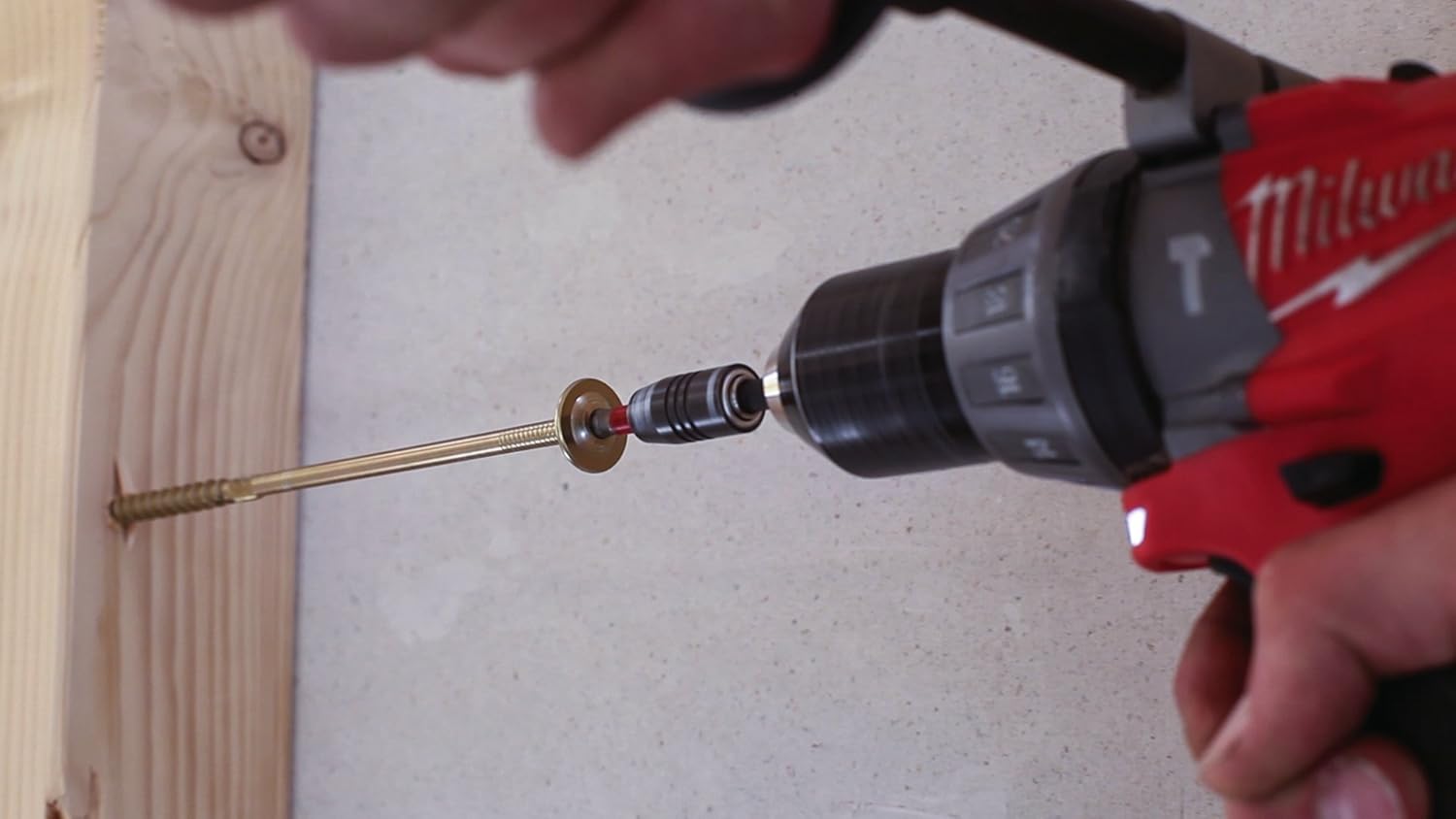
Image 4.1: The Wiha CentroFix holder in use with a power drill, driving a screw into a wooden surface.
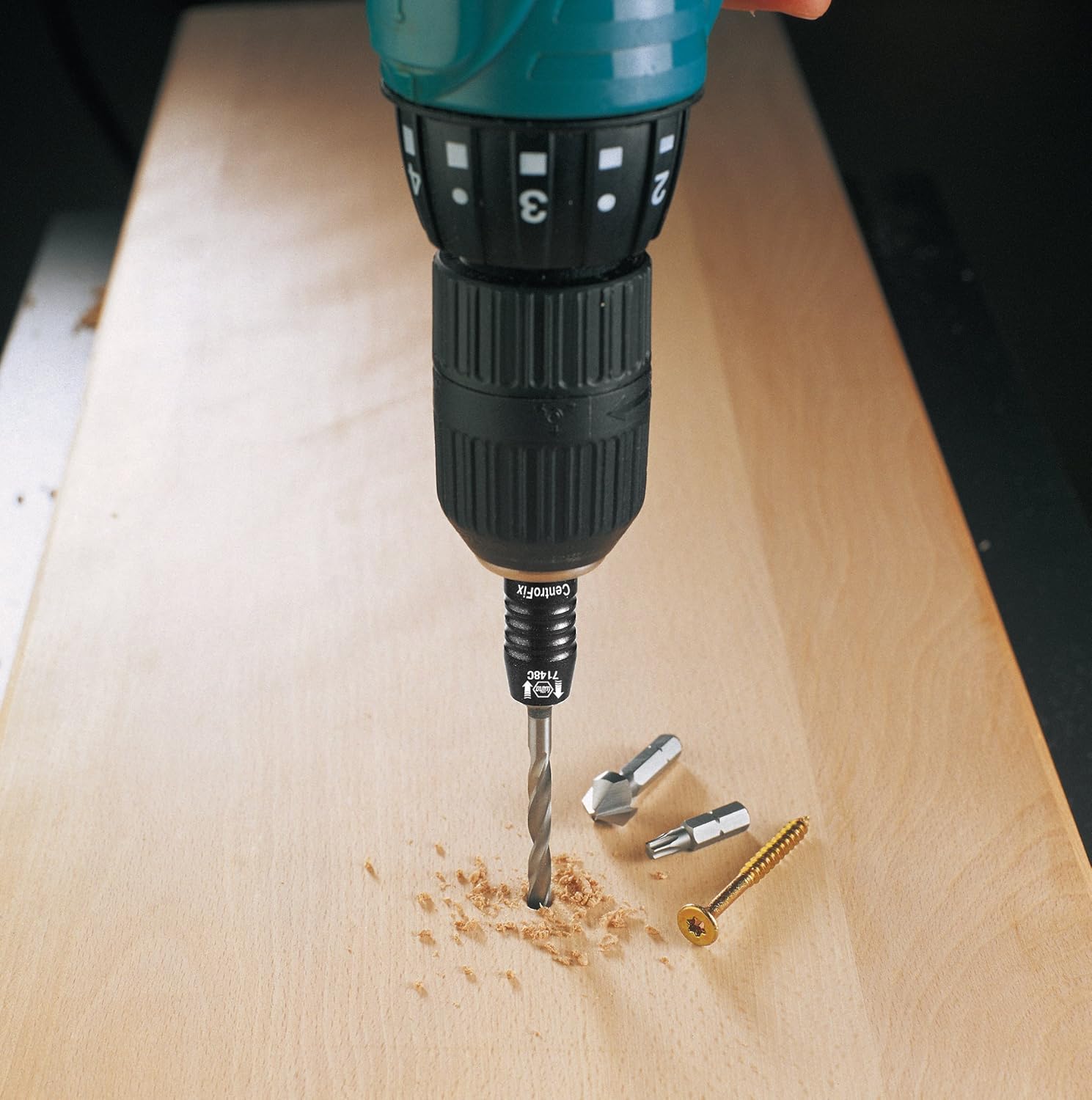
Image 4.2: The Wiha CentroFix holder attached to a power drill, holding a drill bit for precision work.
General Usage Tips:
- Always wear appropriate personal protective equipment (PPE), such as safety glasses, when operating power tools.
- Ensure the workpiece is stable and secured before beginning work.
- Apply steady, even pressure when driving screws or drilling to prevent cam-out or bit breakage.
- For optimal performance, use high-quality 1/4 inch hex drive bits.
5. Maintenance
Proper maintenance ensures the longevity and reliable performance of your Wiha CentroFix Quick Change Holder.
- Cleaning: After each use, wipe down the holder with a clean, dry cloth to remove dust, debris, and any metal shavings. Avoid using harsh chemicals or abrasive cleaners.
- Lubrication: Periodically, a small amount of light machine oil can be applied to the moving parts of the quick-change mechanism to ensure smooth operation. Wipe off any excess oil.
- Storage: Store the holder in a dry environment, away from moisture and extreme temperatures, to prevent corrosion.
- Inspection: Regularly inspect the holder for any signs of wear, damage, or deformation. Discontinue use if any significant damage is observed.
6. Troubleshooting
If you encounter issues with your CentroFix Quick Change Holder, refer to the following common problems and solutions:
- Bit is difficult to insert or remove:
- Ensure the bit is a standard 1/4 inch hex drive. Non-standard bits may not fit correctly.
- Check for debris or buildup inside the holder. Clean as per maintenance instructions.
- Apply a small amount of lubricant to the mechanism.
- Ensure the sleeve is fully pulled back when attempting to remove a bit.
- Bit feels loose or wobbly after insertion:
- Verify that the bit is fully inserted and the CentroFix mechanism has engaged (you should feel a click and the sleeve should return to its forward position).
- Inspect the bit for wear or damage to its hex shank. A worn bit may not be held securely.
- Check the internal mechanism of the holder for damage. If damaged, the holder may need replacement.
- Holder does not attach securely to the power tool chuck:
- Ensure the power tool chuck is fully tightened around the hex shank of the holder.
- Check the hex shank of the holder for damage or deformation.
7. Specifications
| Attribute | Detail |
|---|---|
| Model Number | 7148C |
| Brand | Wiha |
| Material | Metal, coated |
| Drive System | Hex |
| Drive Bit Shank Style | Hex |
| Bit Compatibilities | 1/4 inch hex drive bits (DIN 3126, ISO 1173 style C 6.3 and E 6.3) |
| Item Weight | 1.41 ounces |
| Product Dimensions | 0.39 x 0.39 x 0.39 inches |
| Color | Gray |
| Included Components | CentroFix mechanically lockable bit holder, 1/4 inch |
8. Warranty and Support
For information regarding warranty coverage, technical support, or replacement parts for your Wiha 7148C CentroFix Quick Change Holder, please refer to the official Wiha website or contact Wiha customer service directly. Keep your purchase receipt as proof of purchase.
Wiha Website: www.wiha.com
Ask a question about this manual
Ask about setup, troubleshooting, compatibility, parts, safety, or missing instructions. Manuals+ will review the question and use this page’s manual context to help answer it.