
1. Introduction
This manual provides detailed instructions for the installation, operation, and maintenance of the Seco-Larm Enforcer E-931-S35RRQ Photoelectric Beam Sensor. This device is designed for indoor and outdoor use to monitor entrances, secure perimeters, and detect obstructions by creating an invisible infrared beam. When the beam is broken, it triggers an alert (alarm device sold separately).
The sensor features a rugged, weatherproof enclosure, ensuring reliable performance in various environments.
2. Package Contents
Verify that all components are present in the package:
- Reflector
- Transmitter/Receiver Unit
- Sensor Mounting Bracket
- Reflector Mounting Bracket
- Mounting Hardware
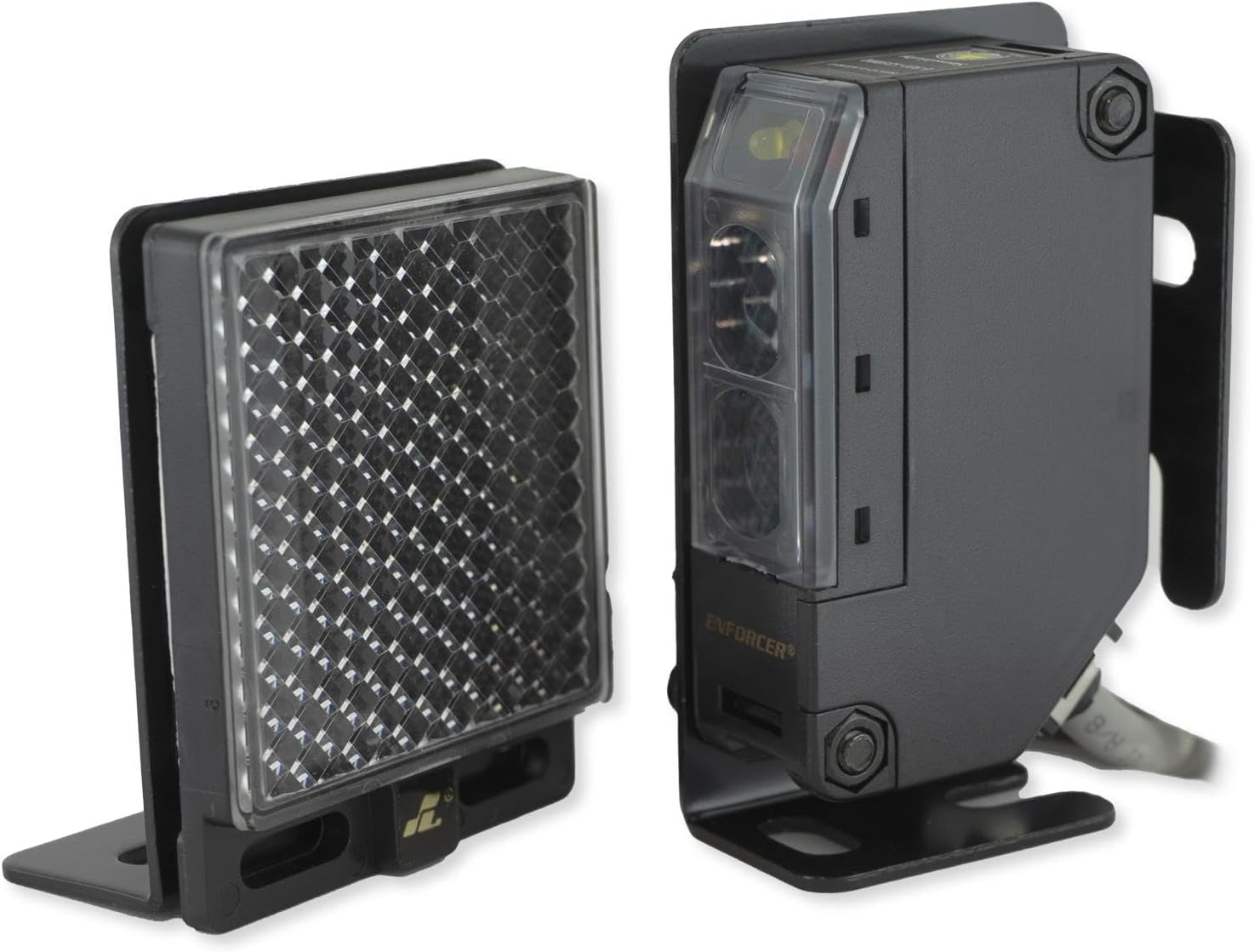
Image 2.1: The Seco-Larm Enforcer E-931-S35RRQ Photoelectric Beam Sensor (right) and its accompanying reflector (left).
3. Installation and Setup
Proper installation is crucial for optimal performance. The sensor and reflector should be mounted securely and aligned precisely.
3.1 Mounting
- Mount the sensor and reflector using the provided mounting brackets and hardware.
- Ensure both units are stable and free from vibrations.
- The sensor is designed for wall mounting and is suitable for both indoor and outdoor environments due to its weatherproof construction.
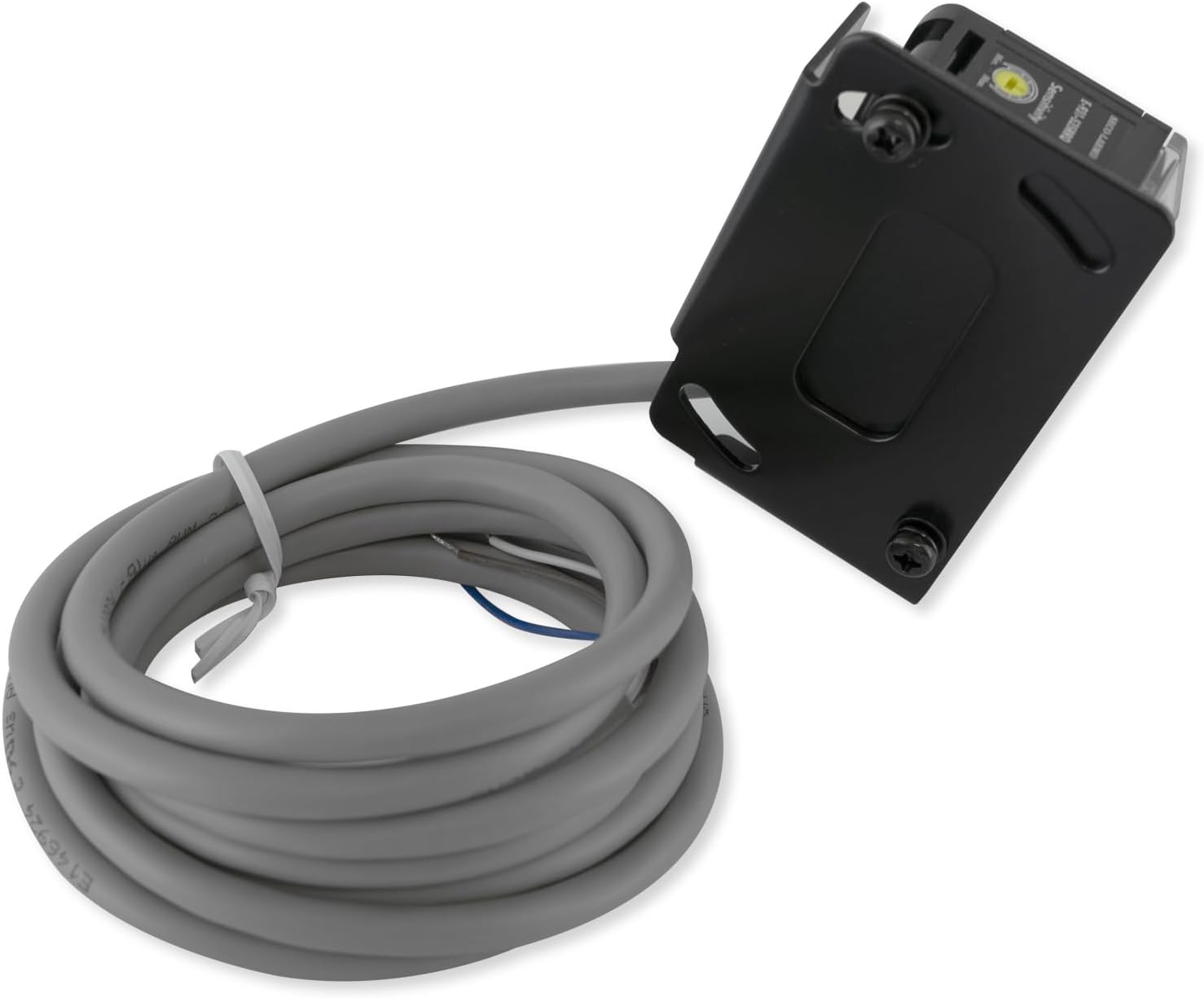
Image 3.1: Close-up view of the sensor unit, showing the attached cable for power and signal connections.
3.2 Wiring
The sensor plugs into a standard power outlet. Connect the sensor to your security system or alarm device (sold separately) according to the wiring diagram provided with your alarm system. The sensor provides an SPDT (Single-Pole Double-Throw) relay output for triggering external devices.
3.3 Alignment
Align the sensor and reflector to establish the infrared beam. The adjustable sensing distance allows for ranges up to 35 feet (11 meters). A yellow LED on the sensor indicates proper alignment. Adjust the position of the sensor and/or reflector until the yellow LED illuminates steadily, confirming the beam is established.

Image 3.2: Detailed view of the sensor's front face, highlighting the yellow alignment LED and red trigger LED.
4. Operation
Once installed and aligned, the Seco-Larm Enforcer E-931-S35RRQ operates by continuously emitting an infrared beam towards the reflector. The reflector bounces the beam back to the sensor. When an object breaks this invisible beam, the sensor's internal relay changes state, triggering the connected alarm or control device.
- Power Status: An LED light on the sensor indicates its power status.
- Alignment Indicator: A yellow LED illuminates when the sensor and reflector are correctly aligned.
- Trigger Indicator: A red LED illuminates when the infrared beam is broken, indicating a trigger event.

Image 4.1: The sensor and reflector units shown together, illustrating their relative positions for beam operation.
5. Maintenance
The Seco-Larm Enforcer E-931-S35RRQ is designed for long-term reliability with minimal maintenance. Periodically inspect the sensor and reflector for any obstructions, dirt, or damage. Clean the lenses of both units with a soft, damp cloth to ensure clear beam transmission and reception. Ensure all mounting hardware remains secure.
6. Troubleshooting
If the sensor is not functioning as expected, consider the following:
- No Alignment (Yellow LED Off): Check for obstructions between the sensor and reflector. Ensure both units are securely mounted and precisely aimed at each other. Verify power supply to the sensor.
- False Triggers (Red LED On without obstruction): Check for environmental factors like direct sunlight or strong light sources interfering with the beam. Ensure the lenses are clean. Verify stable mounting to prevent movement.
- Sensor Not Stopping Gate/Alarm Not Triggering: Confirm the sensor is correctly wired to the gate opener or alarm system. Some gate openers, particularly newer models from certain manufacturers (e.g., Co-z), may have specific compatibility requirements or wiring configurations that differ from standard setups. Consult your gate opener's manual or manufacturer for specific wiring instructions for photoelectric sensors. Ensure the alarm device is functional and correctly connected to the sensor's relay output.
- Intermittent Operation: Check for loose wiring connections or power fluctuations. Ensure the operating temperature is within the specified range.
7. Specifications
| Model Number | E-931-S35RRQ |
| Type | Retro-Reflective Photoelectric Sensor |
| Sensing Range | 0.5' to 35' (0.1 - 11 m) |
| Voltage Supply | 12~240VDC or 24~240VAC |
| Response Time | 10ms (max.) |
| Light Source | IR LED |
| LED Indicators | Yellow LED (Alignment), Red LED (Trigger) |
| Trigger Output | SPDT Relay output |
| Switching Capacity | 250VAC/1A |
| Enclosure Rating | IP 66 Weatherproof |
| Ambient Temperature | -4°~131° F (-20°~55° C) |
| Dimensions | 5.75 x 3.5 x 2 inches |
| Item Weight | 11.2 ounces (0.7 Pounds) |
| Power Source | Corded Electric |
| Mounting Type | Wall Mount |
8. Warranty and Support
The Seco-Larm Enforcer E-931-S35RRQ Photoelectric Beam Sensor comes with a 1-Year Limited Warranty from the date of purchase. This warranty covers defects in materials and workmanship under normal use.
For technical support or warranty claims, please contact Seco-Larm customer service. Keep your proof of purchase for warranty validation.


