
1. Important Safety Information
Please read all instructions carefully before using this heater. Failure to follow these instructions may result in fire, electric shock, injury to persons, or property damage.
- WARNING: RISK OF FIRE. Keep combustible materials such as furniture, pillows, bedding, papers, clothes, and curtains at least 3 feet (0.9 meters) from the front of the heater and away from the sides and rear.
- This heater is hot when in use. To avoid burns, do not let bare skin touch hot surfaces.
- Extreme caution is necessary when any heater is used by or near children or invalids and whenever the heater is left operating and unattended.
- Always unplug heater when not in use.
- Do not operate any heater with a damaged cord or plug or after the heater malfunctions, has been dropped or damaged in any manner.
- Do not use outdoors.
- To disconnect heater, turn controls to OFF, then remove plug from outlet.
- Do not insert or allow foreign objects to enter any ventilation or exhaust opening as this may cause an electric shock or fire, or damage the heater.
- To prevent a possible fire, do not block air intakes or exhaust in any manner. Do not use on soft surfaces, like a bed, where openings may become blocked.
- This heater includes a Tip-Over Safety Switch that automatically turns the unit off if it is accidentally tipped over.
- Features an internal heat-limiting thermostat and thermal cut-off safety device to prevent overheating.

Image: The Optimus H-1382 heater features a tip-over safety switch, which automatically cuts power if the unit is accidentally knocked over, enhancing user safety.
2. Product Overview
The Optimus H-1382 is a portable oscillating fan heater designed to provide efficient and convenient heating for personal spaces. It offers versatile functionality, serving as a heater in colder months and a cooling fan during warmer periods. Its compact design and safety features make it suitable for various indoor environments.
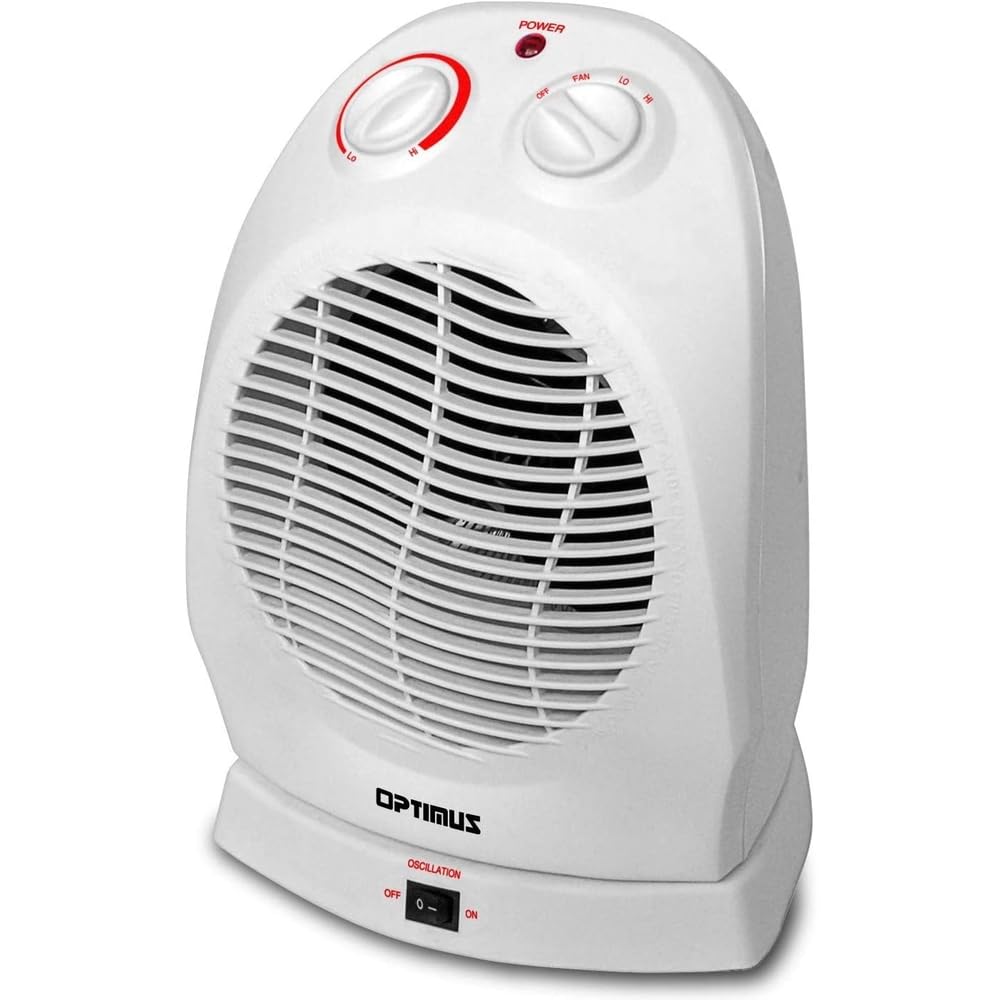
Image: The Optimus H-1382 Portable Oscillating Fan Heater is shown in a living room, highlighting its compact size and suitability for personal heating.
Key Features:
- Two Heat Settings: 750W and 1500W
- Four-position Function Switch: OFF, FAN, LO (Low Heat), HI (High Heat)
- Automatic Thermostat Control
- Motorized Oscillating Base (rotates approximately 70-90 degrees)
- Internal Heat-Limiting Thermostat
- Thermal Cut-Off Safety Device
- Overheat Protection Circuit
- Tip-Over Safety Switch
- Power Indicator Light
- Integrated carry handle for portability
3. Setup
Before initial use, ensure the heater is placed on a firm, level surface. Avoid placing it on soft surfaces like rugs or carpets that could block the air intake. Ensure there is at least 3 feet (0.9 meters) of clear space around the heater from any combustible materials. Plug the heater directly into a 120V AC, 60Hz wall outlet. Do not use with extension cords or power strips.
4. Operating Instructions
The Optimus H-1382 features two control knobs and an oscillation switch for easy operation.

Image: A detailed view of the control panel on the Optimus H-1382, showing the thermostat knob, function switch, and oscillation switch.
Function Switch (Right Knob):
- OFF: Turns the heater completely off.
- FAN: Activates the fan-only mode for air circulation without heat.
- LO (Low Heat): Provides 750 watts of heating power.
- HI (High Heat): Provides 1500 watts of heating power.
Thermostat Control (Left Knob):
This knob allows you to set your desired room temperature. Once the room reaches the set temperature, the heater will cycle on and off automatically to maintain it. The power indicator light will illuminate when the heater is actively heating.
- Turn the thermostat knob to the 'HI' position.
- Select your desired heat setting (LO or HI) using the function switch.
- Once the room reaches a comfortable temperature, slowly turn the thermostat knob counter-clockwise until the heater turns off.
- The heater will now automatically maintain this temperature.
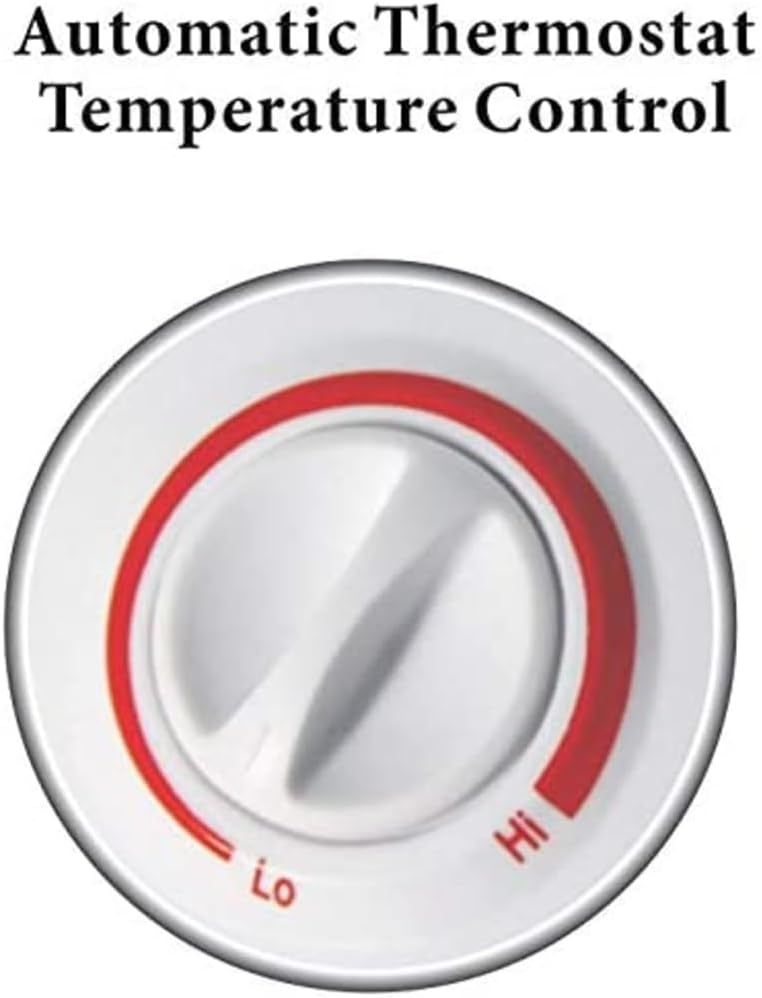
Image: The automatic thermostat control knob on the Optimus H-1382, indicating 'Lo' and 'Hi' settings for temperature regulation.
Oscillation Feature:
The oscillation switch, located at the base of the unit, controls the motorized oscillating base. When turned ON, the heater will rotate approximately 70-90 degrees, distributing heat over a wider area. Turn it OFF to direct heat in a stationary position.
Video: This video provides a general product description of the Optimus H-1382 Portable Oscillating Fan Heater, showcasing its features and operation.
5. Maintenance
Regular maintenance ensures optimal performance and longevity of your heater.
Cleaning:
- Always unplug the heater before cleaning.
- Use a soft, damp cloth to wipe the exterior surfaces of the heater.
- Do not use abrasive cleaners or solvents as they may damage the surface.
- Gently vacuum the air intake and exhaust grilles to remove dust and lint buildup.
- Ensure the heater is completely dry before plugging it back in.
Storage:
When storing the heater, keep it in a cool, dry place. It is recommended to store it in its original packaging to protect it from dust and damage.
6. Troubleshooting
If your heater is not operating correctly, please check the following common issues before contacting support.
- Heater does not turn on:
- Ensure the power cord is securely plugged into a working electrical outlet.
- Check if the function switch is set to 'LO' or 'HI'.
- Verify that the thermostat knob is set to a temperature higher than the current room temperature.
- Check if the tip-over safety switch has been activated (ensure the heater is on a flat, stable surface).
- Confirm that the circuit breaker has not tripped.
- Heater produces no heat in heat mode:
- Ensure the function switch is not set to 'FAN' only.
- Adjust the thermostat to a higher setting.
- Heater cycles on and off too frequently:
- The thermostat may be set too close to the ambient room temperature. Adjust it slightly.
- Ensure the heater is not placed near a draft or an open window, which can cause rapid temperature fluctuations.
- Reduced airflow or unusual noise:
- Check for dust or obstructions in the air intake and exhaust grilles. Clean as per maintenance instructions.
7. Specifications
| Feature | Specification |
|---|---|
| Brand | Optimus |
| Model Number | H-1382 |
| Power Settings | 750W (Low), 1500W (High) |
| Function Switch | OFF, FAN, LO, HI |
| Thermostat | Automatic Control |
| Oscillation | Motorized, approx. 70-90 degrees |
| Safety Features | Tip-Over Safety Switch, Internal Heat-Limiting Thermostat, Thermal Cut-Off, Overheat Protection Circuit |
| Product Dimensions | 12.5 x 9 x 9 inches |
| Item Weight | 3.7 pounds |
| Color | White |
| Indoor/Outdoor Usage | Indoor |
| Power Source | Electric |
8. Warranty and Support
This Optimus H-1382 Portable Oscillating Fan Heater comes with a 3-year limited warranty from the manufacturer, Optimus Enterprise Inc. For warranty claims, technical support, or any inquiries regarding your product, please refer to the contact information provided in your product packaging or visit the official Optimus website.
Please retain your proof of purchase for warranty validation.


