
Introduction
This manual provides essential information for the safe assembly, operation, and maintenance of your Walker Edison Traditional Wood Universal TV Stand. Please read all instructions carefully before beginning assembly and retain this manual for future reference.
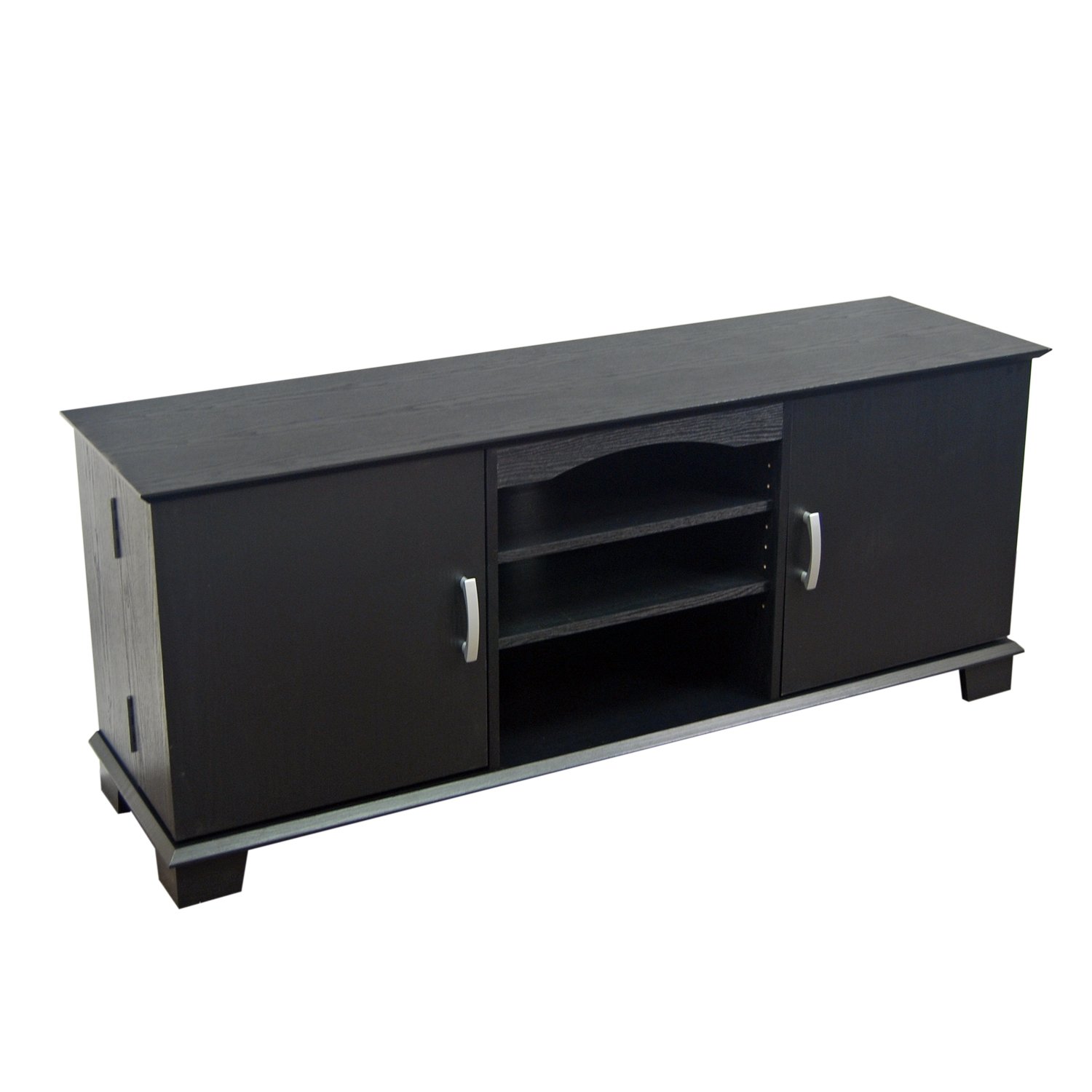
Image 1: Assembled TV Stand with a television and decor.
Safety Information
- Always follow assembly instructions precisely. Incorrect assembly can lead to instability and potential injury.
- Do not exceed the maximum weight capacity of 250 lbs (113 kg) for the top surface.
- Ensure the TV stand is placed on a level, stable surface to prevent tipping.
- Keep small parts and packaging materials away from children and pets during assembly.
- Periodically check all fasteners to ensure they remain tight.
- This product is designed for indoor use only.
Package Contents
Before beginning assembly, verify that all components listed in the included hardware and parts list are present and undamaged. If any parts are missing or damaged, do not proceed with assembly. Contact customer support for assistance.
Setup and Assembly
The Walker Edison Traditional Wood Universal TV Stand is designed for home assembly. While specific step-by-step diagrams are provided in the separate assembly guide included with your product, the general process involves:
- Unpacking: Carefully remove all components from the packaging. Lay them out on a soft, clean surface to prevent scratches.
- Identifying Parts: Match each part to the corresponding labels in the assembly guide.
- Frame Assembly: Begin by assembling the main frame structure using the provided fasteners.
- Shelf Installation: Install the adjustable center shelves and fixed shelves as indicated.
- Door Attachment: Attach the cabinet doors, ensuring proper alignment. Adjust hinges if necessary to ensure doors close smoothly and evenly.
- Back Panel: Secure the back panel, utilizing the cable management cutouts.
- Final Checks: Once assembled, ensure all connections are secure and the stand is stable.
Assembly typically requires two adults and may take approximately 1.5 to 2.5 hours. Basic tools such as a Phillips head screwdriver may be required.

Image 2: TV Stand with cabinet doors open, showcasing internal storage.
Operating Instructions
This TV stand is designed to accommodate most televisions up to 64 inches in size and up to 250 lbs. Its features include:
- Television Placement: Carefully place your television on the top surface of the stand. Ensure it is centered and stable.
- Adjustable Shelving: The center shelving is adjustable, allowing you to customize the space for various media components such as DVD players, gaming consoles, or soundbars.
- Cable Management: Utilize the integrated cable management features (cutouts in the back panel) to route and organize power cords and AV cables, maintaining a tidy appearance.
- Side Cabinets: The two side cabinets provide enclosed storage for DVDs, books, CDs, or other items, helping to keep your living space organized.

Image 3: Detail of the center open shelves for media components.
Maintenance
To maintain the appearance and longevity of your TV stand:
- Cleaning: Wipe the surfaces with a soft, damp cloth. Avoid using harsh chemicals or abrasive cleaners, which can damage the finish.
- Spills: Clean up spills immediately to prevent staining or damage to the wood laminate.
- Sunlight: Avoid prolonged exposure to direct sunlight, which can cause fading or discoloration.
- Heat: Do not place hot items directly on the surface without protective padding.
Troubleshooting
| Problem | Possible Cause | Solution |
|---|---|---|
| Doors do not align or close properly. | Hinges are not adjusted correctly or screws are loose. | Adjust the hinge screws to align the doors. Ensure all hinge screws are tightened securely. Refer to the assembly guide for detailed hinge adjustment instructions. |
| Stand feels wobbly or unstable. | Fasteners are not fully tightened or the stand is on an uneven surface. | Ensure all cam locks and screws are fully tightened. Move the stand to a level surface. If the issue persists, disassemble and reassemble carefully, ensuring all parts are correctly oriented. |
| Missing or damaged parts. | Packaging error or transit damage. | Do not proceed with assembly. Contact Walker Edison customer support for replacement parts. |
Specifications
- Model Number: W60C73BL
- Dimensions (L x W x H): 60 x 16 x 24 inches (152.4 x 40.6 x 61 cm)
- Item Weight: 110 pounds (49.9 kg)
- Material: High-grade MDF and durable laminate (Engineered Wood)
- Color: Black
- Maximum TV Size: Up to 64 inches
- Weight Capacity (Top Surface): Up to 250 lbs (113 kg)
- Product Care: Wipe with cloth
Warranty Information
This Walker Edison product comes with a 30-day manufacturer's warranty against defects. This warranty covers manufacturing defects in materials and workmanship under normal use. It does not cover damage resulting from improper assembly, misuse, abuse, accidents, or normal wear and tear. Please retain your proof of purchase for warranty claims.
Customer Support
For assistance with assembly, missing parts, or warranty claims, please visit the official Walker Edison website or contact their customer service department. Refer to the contact information provided with your purchase or on the manufacturer's website for the most current support details.
Online Support: www.walkeredison.com/support


