
Clover 434
Clover Chacopy Tracing Paper Model 434 Instruction Manual
Model: 434
Introduction
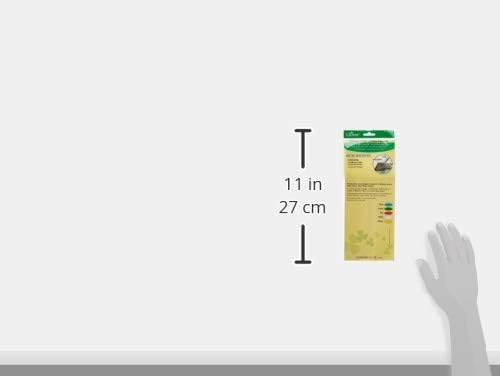
The Clover Chacopy Tracing Paper Model 434 is designed for transferring patterns and designs onto various fabrics and surfaces. This pack includes 5 sheets of assorted colors, each measuring 30 x 25 cm, making it suitable for a range of creative projects.
This tracing paper facilitates easy transfer of designs, ensuring accuracy for sewing, quilting, and other craft applications. The markings are designed to be removable with water.
Product Overview


Setup and Preparation
Before transferring your design, ensure your work surface is clean and flat. A cutting mat or pad is recommended to protect your table and provide a stable base for tracing.
Pre-Use Test
It is highly recommended to perform a test on a scrap piece of the same fabric you intend to use. This allows you to verify that the markings can be removed completely and to observe how the tracing paper interacts with your specific fabric type and color.
- Select a small, inconspicuous area of your fabric.
- Place a small piece of Chacopy tracing paper underneath.
- Trace a small line or mark onto the fabric.
- Attempt to remove the mark using water as described in the "Maintenance" section.
- Confirm satisfactory removal before proceeding with your main project.
Operating Instructions
Follow these steps for effective pattern transfer using Clover Chacopy Tracing Paper:
- Prepare Your Surface: Place your fabric on a firm, flat surface such as a cutting mat or pad. This provides stability and prevents damage to your work area.
- Position Tracing Paper: Lay the Clover Chacopy tracing paper between your fabric and the pattern or design you wish to transfer. Ensure the colored side of the tracing paper is facing down, directly onto the fabric.
- Align Pattern: Place your pattern or design on top of the tracing paper, aligning it precisely with your fabric. Secure both the pattern and fabric to prevent shifting during tracing (e.g., with weights or temporary adhesive).
- Trace Design: Using a tracing wheel or a blunt, pointed tool (such as a stylus or a dull pencil), firmly trace over the lines of your pattern. Apply even pressure to ensure a clear transfer.
- Verify Transfer: Carefully lift the pattern and tracing paper to check if the design has transferred clearly onto the fabric. If lines are faint, re-align and trace again with slightly more pressure.
Important Considerations:
- Fabric Compatibility: This tracing paper is suitable for most fabrics. However, it may be more difficult to apply to thicker or elastic fabrics, such as felt, due to their texture and flexibility.
- Color Selection: The assorted colors allow for better visibility on different fabric colors. Choose a tracing paper color that contrasts well with your fabric for optimal visibility.
Maintenance and Care
Removing Markings
The markings made by Clover Chacopy Tracing Paper are designed to be removed with water. After completing your project, gently wash the marked fabric with water to remove any remaining lines.
Important Warnings:
- Avoid Solvents: Do not use any oil-based solvents, such as benzine, to remove the markings. These can set the marks or damage your fabric.
- Ironing Caution: It is more difficult to remove the chalk markings once the fabric has been ironed. Always remove markings before ironing the fabric.
Storage
Store unused tracing paper sheets flat in their original packaging or a protective sleeve to prevent creasing and damage. Keep them in a cool, dry place away from direct sunlight.
Troubleshooting
- Faint or No Transfer:
- Ensure the colored side of the tracing paper is facing the fabric.
- Apply more firm and even pressure with your tracing tool.
- Check if the fabric is too thick or has a coated/textured surface, which can hinder transfer. Consider using a different marking method for such fabrics if Chacopy does not perform adequately after adjusting pressure.
- Marks Not Removing Completely:
- Ensure you are using only water for removal. Avoid oil-based solvents.
- Do not iron the fabric before attempting to remove the marks, as heat can set them.
- Wash the fabric thoroughly with water. For stubborn marks, a gentle fabric soap may be used, followed by rinsing.
- Always perform a pre-use test on a scrap piece of fabric to confirm removability.
Specifications
| Brand | Clover |
| Model Number | 434 |
| Material | Paper, Pigment, Wax, Activator |
| Sheet Count | 5 sheets per package |
| Sheet Size | 30 x 25 cm (approximately 11.8 x 9.8 inches) |
| Colors | Assorted (multi-colored) |
| Paper Finish | Tracing |
| Item Weight | 1.27 ounces (packaging included) |
Contact and Support
For further assistance or inquiries regarding your Clover Chacopy Tracing Paper, please contact the manufacturer or distributor:
- Distributed in U.S.A. by: CLOVER NEEDLECRAFT, INC.
Ontario, CA 91761 U.S.A.
www.clover-usa.com - Manufacturer: CLOVER MFG. CO., LTD.
3-15-15 Nakamichi, Higashinari-ku, Osaka, Japan
www.clover.co.jp
Related documents434


Ask a question about this manual
Ask about setup, troubleshooting, compatibility, parts, safety, or missing instructions. Manuals+ will review the question and use this page’s manual context to help answer it.