
1. Product Overview
The BLACK+DECKER BDLB14 Mini Bright Light Bar is a portable, battery-powered work light designed for various applications. It features 14 bright LEDs, a durable polycarbonate construction, and is resistant to shocks and water splashes. This light bar provides up to 6 hours of illumination, making it suitable for tasks requiring reliable, hands-free lighting.
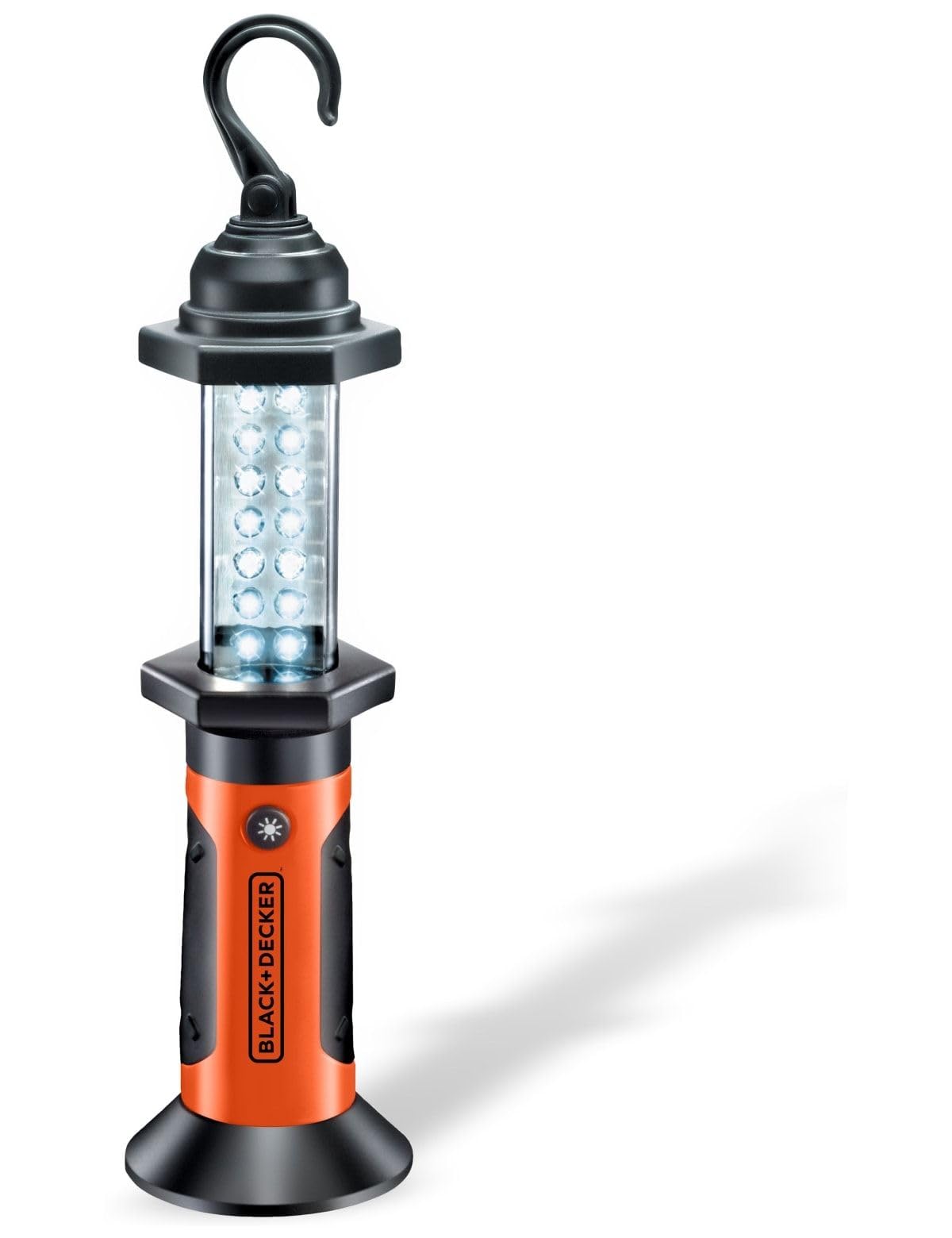
Image 1.1: The BLACK+DECKER BDLB14 Mini Bright Light Bar, a compact and portable lighting solution.
2. Safety Information
Please read and understand all safety instructions before using the light bar. Failure to follow these instructions may result in electric shock, fire, or serious injury.
- Battery Safety: Use only the specified type of batteries. Do not mix old and new batteries, or different types of batteries. Insert batteries with correct polarity. Remove batteries if the device will not be used for an extended period.
- Eye Protection: Do not stare directly into the light beam. The bright LED light can cause temporary vision impairment.
- Water Resistance: The light bar offers protection against water splashes. It is not designed for submersion in water.
- Impact Resistance: While shock-resistant, avoid dropping the device from significant heights to prevent damage.
- Children: Keep out of reach of children. This is not a toy.
3. Setup
3.1 Battery Installation
The BDLB14 Mini Bright Light Bar requires batteries for operation. Ensure you have the correct type and number of batteries as specified in the 'Specifications' section.
- Locate the battery compartment cover, typically at the base or rear of the light bar.
- Open the battery compartment cover. This may involve twisting, sliding, or unlatching.
- Insert the required batteries, ensuring correct polarity (+ and - ends match the markings inside the compartment).
- Close the battery compartment cover securely to ensure water splash protection.
4. Operating Instructions
4.1 Powering On/Off
To turn the light bar on, locate the power button, usually on the handle or body of the device. Press the button once to activate the 14 LEDs. Press the button again to turn the light bar off.
4.2 Using the Integrated Hook
The light bar is equipped with an integrated hook for convenient hands-free operation. Extend the hook from the top of the light bar and hang it from a suitable support, such as a beam, pipe, or tent pole. Ensure the hook is securely fastened before releasing the light bar.

Image 4.1: The BLACK+DECKER BDLB14 Mini Bright Light Bar in use, hanging from a wooden beam to provide illumination for a task.
5. Maintenance
5.1 Cleaning
To clean the light bar, wipe it with a soft, damp cloth. Do not use abrasive cleaners or solvents, as these may damage the polycarbonate material. Ensure the battery compartment is sealed before cleaning.
5.2 Battery Replacement and Storage
Replace batteries when the light output diminishes significantly. Always replace all batteries at the same time with new ones of the same type. For long-term storage, remove the batteries from the light bar to prevent leakage and corrosion. Store the device in a cool, dry place away from direct sunlight.
6. Troubleshooting
- Light does not turn on:
- Check if batteries are inserted correctly with the right polarity.
- Replace old or depleted batteries with new ones.
- Ensure the battery compartment cover is fully closed.
- Light is dim:
- Batteries may be low. Replace them with fresh batteries.
- Ensure the lens is clean and free from dirt or obstructions.
7. Specifications
| Feature | Detail |
|---|---|
| Brand | BLACK+DECKER |
| Model Number | BDLB14 |
| Number of LEDs | 14 |
| Power Source | Battery Powered |
| Battery Type Required | Alkaline batteries |
| Batteries Included | No |
| Run Time | Up to 6 hours |
| Material | Polycarbonate (PC) |
| Water Resistance Level | Splashproof |
| Weight | 567 g |
| Color | Red |
8. Warranty and Support
8.1 Warranty Information
BLACK+DECKER products are manufactured to high-quality standards. For specific warranty details, please refer to the warranty card included with your product or visit the official BLACK+DECKER website. Keep your purchase receipt as proof of purchase.
8.2 Customer Support
If you have any questions, require assistance, or need to report a problem with your BLACK+DECKER BDLB14 Mini Bright Light Bar, please contact BLACK+DECKER customer support. Contact information can typically be found on the official website or in the product packaging.
You can also visit the BLACK+DECKER official website for more information and support resources.

