
1. Introduction
This manual provides essential information for the proper installation, operation, and maintenance of your TRUE TWT-72-ADA Worktop Refrigerator. Please read these instructions thoroughly before operating the unit to ensure safe and efficient performance. Retain this manual for future reference.
2. Important Safety Information
Always follow basic safety precautions when using this appliance to reduce the risk of fire, electric shock, or injury.
- Electrical Safety: Ensure the unit is connected to a properly grounded electrical outlet with the correct voltage (115V/60Hz/1 Phase) and amperage (8.5 Amps). Do not use extension cords or adapter plugs.
- Ventilation: Maintain adequate clearance around the unit for proper airflow to the condenser. Blocked airflow can lead to overheating and reduced efficiency.
- Heavy Appliance: This unit is heavy (375 lbs). Use appropriate lifting equipment and personnel during installation to prevent injury.
- Flammable Materials: Do not store or use gasoline or other flammable vapors and liquids in the vicinity of this or any other appliance.
- Children: Keep children away from the appliance. Never allow children to play with, operate, or crawl inside the refrigerator.
3. Setup and Installation
3.1 Unpacking
- Carefully remove all packaging materials, including tape and protective film.
- Inspect the unit for any shipping damage. Report any damage immediately to the carrier and your dealer.
- Remove any internal packing materials and accessories.
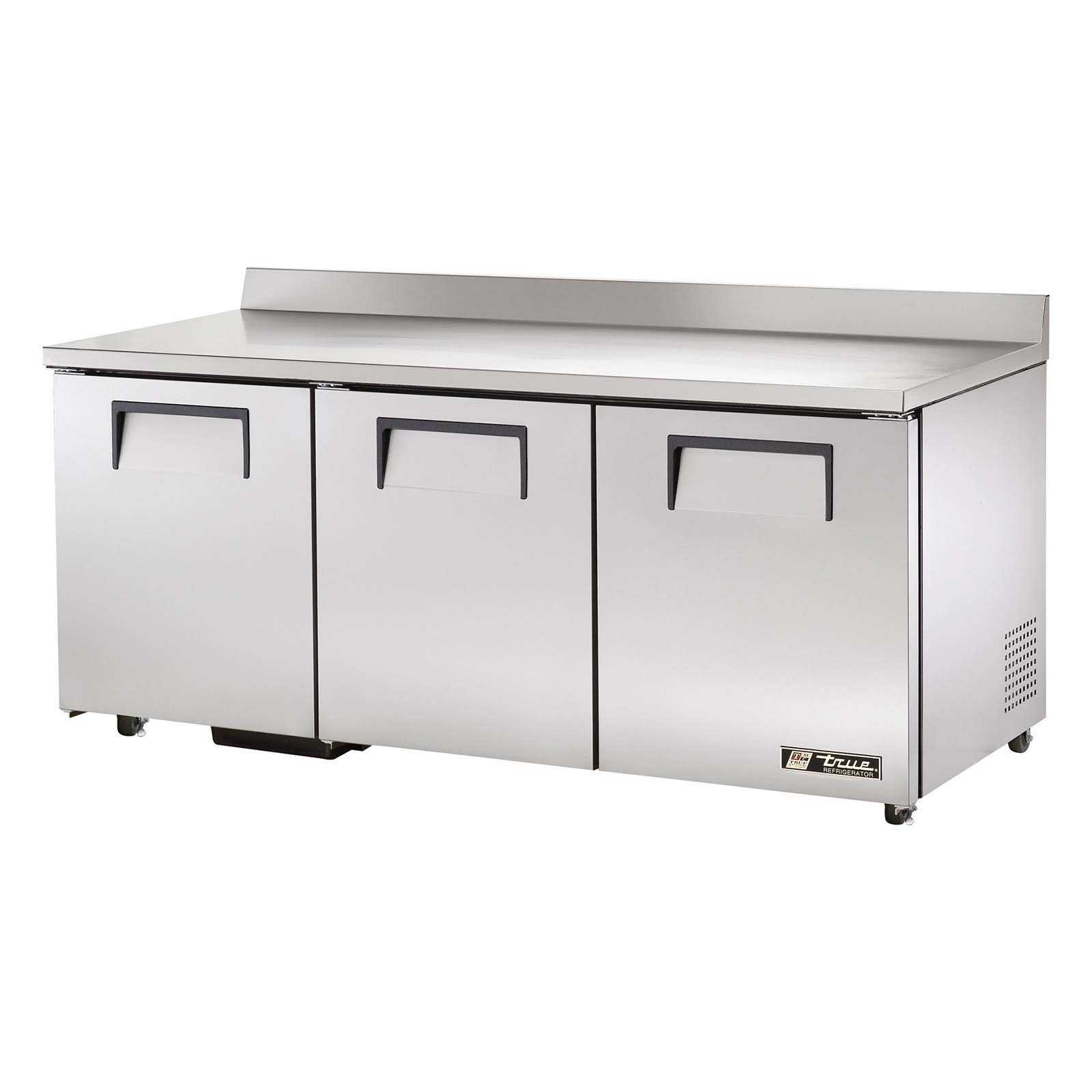
Image 1: Front view of the TRUE TWT-72-ADA Worktop Refrigerator, showcasing its three stainless steel doors and durable stainless steel worktop.
3.2 Placement Requirements
- Place the refrigerator on a strong, level surface capable of supporting its weight when fully loaded.
- Ensure adequate ventilation. Allow at least 6 inches of clearance at the rear and sides for proper air circulation. Do not install in direct sunlight or near heat-producing equipment.
- The unit is equipped with 5 castors for mobility. Ensure all castors are locked once the unit is in its final position to prevent accidental movement.
3.3 Electrical Connection
Before connecting the unit, ensure the electrical supply matches the specifications on the unit's data plate (115V/60Hz/1 Phase, 8.5 Amps). The unit comes with a NEMA 5-15P plug and must be connected to a dedicated, grounded outlet.
3.4 Initial Cleaning
Before first use, clean the interior and exterior of the unit with a mild soap and water solution. Rinse thoroughly and dry completely.
4. Operation Guide
4.1 Powering On
After installation and initial cleaning, plug the unit into the dedicated electrical outlet. The compressor will start automatically, and the unit will begin to cool.
4.2 Temperature Control
The TWT-72-ADA features an electronic temperature control system. The factory-set temperature is optimized for food preservation. Refer to the control panel instructions (typically located inside the unit or behind the front grille) for specific temperature adjustment procedures. Allow several hours for the unit to reach the desired temperature before loading products.
4.3 Loading and Storage
- Do not overload shelves. Ensure proper air circulation around stored items.
- Keep doors closed as much as possible to maintain internal temperature and energy efficiency.
- The unit includes 6 adjustable shelves for flexible storage.
4.4 Automatic Defrost System
This refrigerator is equipped with an automatic defrost system. Frost buildup on the evaporator coil will be periodically melted and drained, eliminating the need for manual defrosting.
5. Maintenance
Regular maintenance ensures optimal performance and extends the life of your refrigerator.
5.1 Cleaning the Interior
- Disconnect the unit from the power supply before cleaning.
- Remove all food items and shelves.
- Wash interior surfaces with a mild detergent and warm water. Rinse with clean water and dry thoroughly.
- Clean shelves with the same solution.
5.2 Cleaning the Exterior
Wipe down exterior stainless steel surfaces with a soft cloth and a non-abrasive stainless steel cleaner. For general cleaning, use mild soap and water. Avoid abrasive cleaners or scouring pads.
5.3 Condenser Coil Cleaning
The condenser coil should be cleaned regularly (monthly or quarterly, depending on environment) to maintain efficiency. Disconnect power, locate the condenser coil (typically at the rear or bottom), and use a stiff brush or vacuum cleaner to remove dust and debris. Failure to clean the condenser coil is a common cause of service calls and can void your warranty.
5.4 Gasket Care
Inspect door gaskets regularly for tears or damage. Clean gaskets with warm water and mild soap. Ensure they form a tight seal when the doors are closed to prevent cold air loss.
6. Troubleshooting
Before calling for service, review the following common issues and solutions:
| Problem | Possible Cause | Solution |
|---|---|---|
| Unit not cooling | No power; thermostat set too high; dirty condenser coil; door left open. | Check power supply; adjust thermostat; clean condenser coil; ensure doors are closed. |
| Excessive noise | Unit not level; loose parts; fan obstruction. | Level the unit; check for loose components; clear any fan obstructions. |
| Water on floor (leaking) | Clogged drain line; unit not level. | Clear drain line; level the unit. |
| Doors not sealing properly | Damaged or dirty gaskets; unit not level. | Clean or replace gaskets; level the unit. |
7. Product Specifications
| Feature | Specification |
|---|---|
| Model Number | TWT-72-ADA |
| Product Dimensions (D x W x H) | 76"D x 33"W x 47"H |
| Weight | 375 Pounds |
| Number of Sections | 3 |
| Number of Doors | 3 |
| Number of Shelves | 6 |
| Electrical Requirements | 115V/60Hz/1 Phase, 8.5 Amps |
| Defrost System | Automatic |
| Installation Type | Rear Mount |
| Color/Finish | Stainless-Steel / Matte |
| Special Features | Electronic Lock, Liftgate Service (delivery related) |
8. Warranty and Customer Support
TRUE Manufacturing Co., Inc. provides a comprehensive warranty for its products. Specific warranty terms and conditions, including duration and coverage, are typically provided with the purchase documentation. Please refer to your original purchase receipt and warranty card for detailed information.
For technical assistance, parts, or warranty claims, please contact TRUE customer support directly. Have your model number (TWT-72-ADA) and serial number ready when contacting support.
Contact Information: Please refer to the official TRUE website or your purchase documentation for the most current customer support contact details.


