
1. Introduction
This manual provides essential instructions for the safe and effective use of your Connex COX662020 Arch Punch. This tool is designed for creating clean, circular holes in various soft materials.
The Connex COX662020 Arch Punch features a hardened and annealed cutting edge, suitable for materials such as leather, cardboard, rubber, and felt. It is constructed from durable chrome-vanadium steel, ensuring longevity and consistent performance.
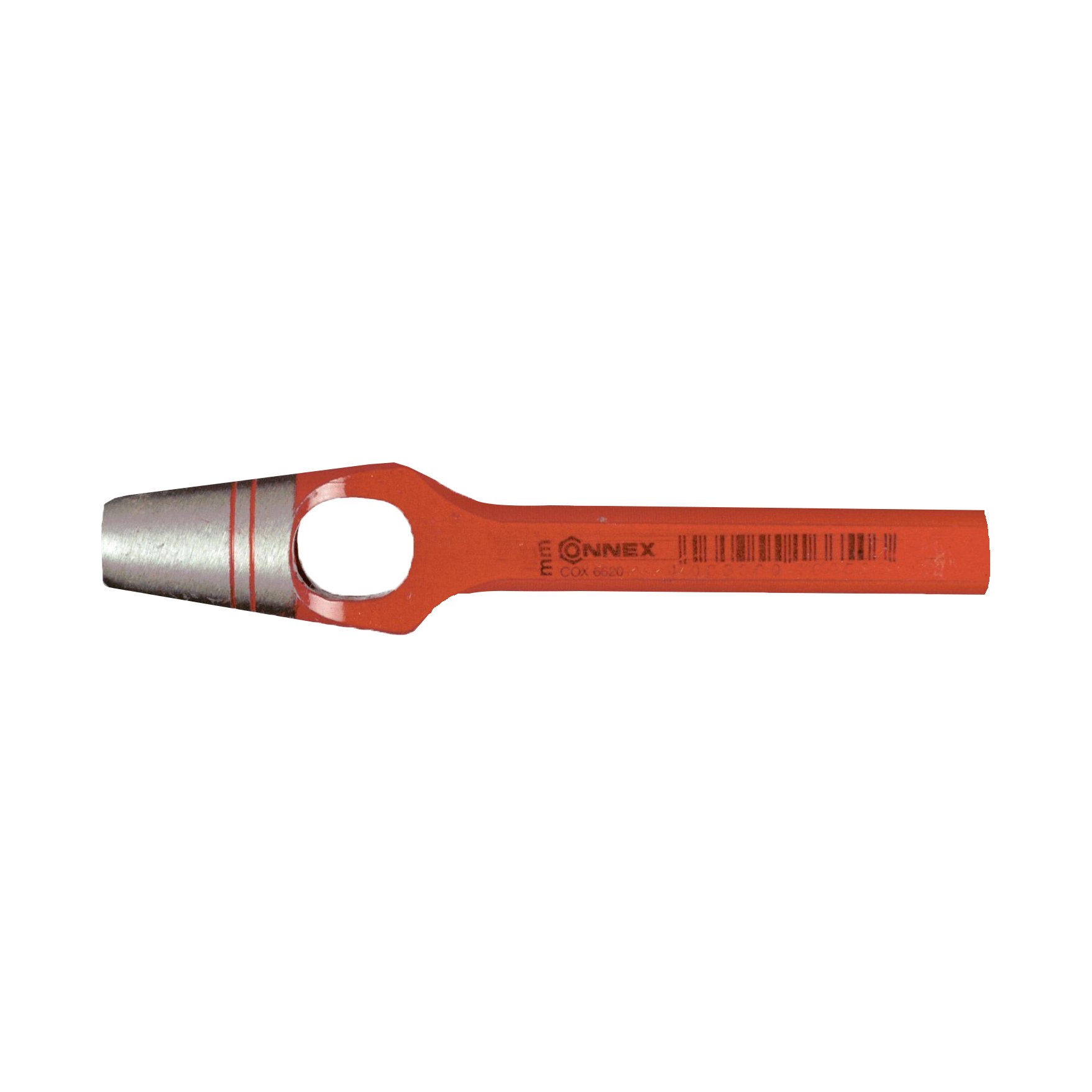
Image 1.1: The Connex COX662020 Arch Punch. This image displays the tool with its red powder-coated handle and silver cutting end, highlighting its robust construction.
2. Safety Information
Always prioritize safety when using hand tools. Failure to follow these guidelines may result in injury or damage to the tool or material.
- Wear appropriate personal protective equipment (PPE), including safety glasses, to protect against flying debris.
- Ensure your work area is well-lit and clear of obstructions.
- Keep hands and fingers away from the cutting edge during use.
- Use the punch on a stable, sacrificial surface (e.g., a cutting mat, thick wood block) to protect your work surface and the punch's edge.
- Do not use the punch on hard materials like metal, as this can damage the tool.
- Store the tool in a dry place to prevent rust.
- Keep out of reach of children.
3. Setup
Before using the Connex Arch Punch, ensure your workspace and materials are prepared.
- Select Material: Confirm the material you intend to punch is suitable for an arch punch (e.g., leather, cardboard, rubber, felt).
- Prepare Work Surface: Place a sturdy, sacrificial surface (such as a cutting mat, thick piece of wood, or specialized punching block) on a stable workbench. This protects both your workbench and the punch's cutting edge.
- Mark Hole Location: If precision is required, use a pencil or marker to clearly mark the exact center of where you want the hole to be punched on your material.
4. Operating Instructions
Follow these steps for effective and safe operation of your arch punch.
- Position the Material: Place your material flat on the sacrificial work surface.
- Align the Punch: Hold the Connex Arch Punch vertically with the cutting edge centered over the marked spot on your material. Ensure the punch is perpendicular to the material surface.
- Apply Force: Using a mallet or hammer (preferably a rawhide, plastic, or rubber mallet to avoid damaging the punch handle), strike the top of the punch firmly and squarely. A single, sharp blow is often more effective than multiple light taps.
- Check the Hole: Lift the punch and inspect the hole. If the material is thick or particularly dense, you may need to strike the punch again.
- Remove Material Slug: The punched-out material slug will typically remain inside the punch. To remove it, gently tap the punch against a hard surface or use a thin rod to push it out from the top.
5. Maintenance
Proper maintenance will extend the life and performance of your Connex Arch Punch.
- Cleaning: After each use, wipe the punch clean with a dry cloth to remove any material residue.
- Lubrication: Periodically apply a light coat of rust-preventative oil to the cutting edge and metal surfaces, especially if storing for extended periods or in humid environments.
- Sharpening: If the cutting edge becomes dull over time, it can be carefully sharpened by a professional tool sharpener or with appropriate sharpening tools. Avoid over-sharpening, which can alter the tool's geometry.
- Storage: Store the punch in a dry, protected area to prevent corrosion and damage to the cutting edge.
6. Troubleshooting
Refer to this section for common issues and their solutions.
| Problem | Possible Cause | Solution |
|---|---|---|
| Hole is not clean or fully cut. | Insufficient force; dull cutting edge; unsuitable material; improper striking surface. | Strike more firmly; consider sharpening the punch; ensure material is soft enough; use a proper sacrificial surface. |
| Punch gets stuck in material. | Material is too thick or dense; punch is not lubricated. | Apply less force or use a thinner material; apply a thin layer of lubricant to the cutting edge (e.g., beeswax for leather). |
| Material slug is difficult to remove. | Accumulation of slugs; sticky material. | Tap the punch against a hard surface or use a thin rod to push out slugs from the top. Clean the punch regularly. |
| Punch shows signs of rust. | Exposure to moisture; improper storage. | Clean and apply rust-preventative oil. Store in a dry environment. |
7. Specifications
Key technical specifications for the Connex COX662020 Arch Punch.
| Feature | Detail |
|---|---|
| Model Number | COX662020 |
| Brand | Connex |
| Diameter | 20 mm |
| Material | Chrome Vanadium Steel, Rubber (handle) |
| Color | Red/Silver |
| Item Weight | 0.3 Kilograms (approx. 10.6 ounces) |
| Product Dimensions | 7.09 x 7.09 x 3.15 inches (packaging) |
| Operation Mode | Manual |
| Suitable Materials | Leather, cardboard, rubber, felt, and other soft materials. |
8. Warranty Information
Connex products are manufactured to high-quality standards. For specific warranty terms and conditions, please refer to the documentation included with your purchase or visit the official Connex website. Keep your proof of purchase for any warranty claims.
9. Customer Support
Should you encounter any issues or have questions regarding your Connex COX662020 Arch Punch that are not covered in this manual, please contact Connex customer support. Contact details can typically be found on the product packaging or the official Connex website.