
Introduction
Welcome to the user manual for your WARN 685013 PullzAll Cordless 24V DC Replacement Battery Pack. This guide provides essential information for the safe and effective use, charging, and maintenance of your NiMH battery pack, ensuring optimal performance with your WARN PullzAll tool.
Safety Information
Please read and understand all safety instructions before using or charging the battery pack. Failure to follow these instructions may result in electric shock, fire, or serious injury.
- Read Instructions: Always read the entire instruction manual for the WARN PullzAll tool and this battery pack before initial use.
- Use Correct Charger: Only use the WARN-approved 24V NiMH battery charger specifically designed for the PullzAll system. Using an incompatible charger can damage the battery and pose a fire risk.
- Avoid Short Circuits: Do not short-circuit the battery terminals. Keep the battery away from metal objects that could bridge the terminals.
- Proper Disposal: Dispose of batteries responsibly according to local regulations. Do not incinerate or mutilate batteries.
- Keep Dry: Do not expose the battery pack to water or excessive moisture.
- Temperature Control: Avoid storing or charging the battery in extreme temperatures (hot or cold). Optimal operating temperature is between 0°C and 45°C (32°F and 113°F).
- Keep Away from Children: Store the battery pack out of reach of children.
- Inspect for Damage: Do not use a damaged battery pack. If the battery casing is cracked or shows signs of leakage, discontinue use immediately.
Package Contents
Verify that all items are present upon unpacking:
- 1x WARN 685013 PullzAll Cordless 24V DC Replacement Battery Pack
Installation
To install the battery pack into your WARN PullzAll Cordless Electric Winch:
- Ensure the PullzAll tool is powered off and disconnected from any power source.
- Locate the battery compartment on the PullzAll tool.
- Align the WARN 685013 battery pack with the battery slot, ensuring the contacts are correctly oriented.
- Slide the battery pack firmly into the compartment until it clicks securely into place. Do not force the battery.
- Verify that the battery is fully seated and locked before operating the tool.
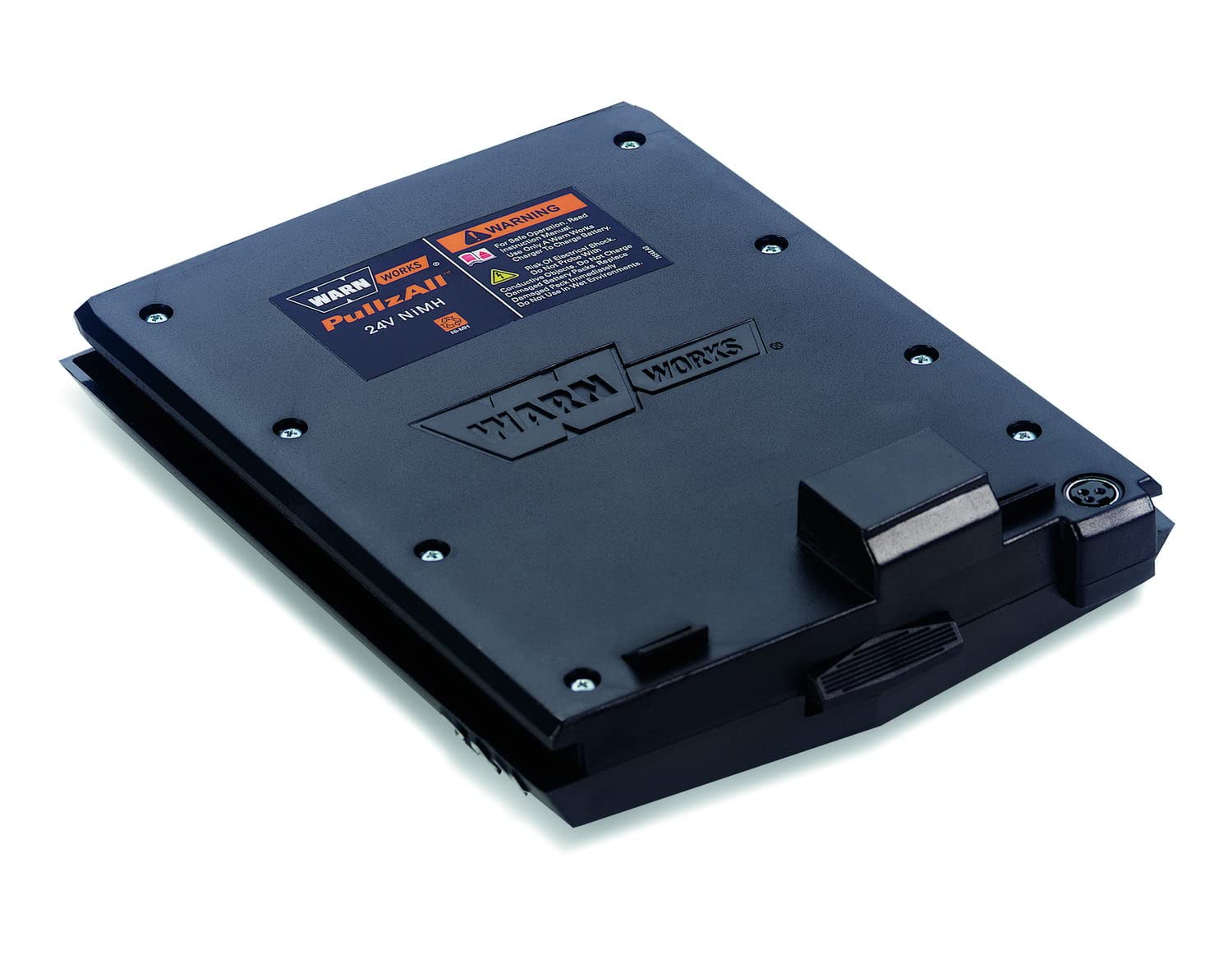
A top-down view of the WARN 685013 PullzAll 24V DC Replacement Battery Pack, showing its black casing and connection points.
Charging Instructions
It is crucial to use the correct charger for your NiMH battery pack. The WARN 685013 battery requires a compatible 24V NiMH charger designed for the PullzAll system. Chargers are typically sold separately or included with the PullzAll tool kit.
- Connect the charger to a suitable power outlet.
- Insert the WARN 685013 battery pack into the charger, ensuring a secure connection.
- Observe the charger's indicator lights. These lights typically show the charging status (e.g., charging, fully charged, error). Refer to your charger's manual for specific indicator meanings.
- Allow the battery to charge completely before first use and whenever the battery level is low.
- Once fully charged, disconnect the battery from the charger. Do not leave the battery on the charger indefinitely after it is full.

A side perspective of the WARN 685013 PullzAll 24V DC Replacement Battery Pack, highlighting its form factor and interface for the PullzAll tool.
Operation
The WARN 685013 battery pack is designed to provide reliable power to your PullzAll Cordless Electric Winch. Once installed and fully charged, the battery enables the portable operation of the winch.
- Secure Connection: Always ensure the battery is securely seated in the PullzAll tool before operation to prevent power interruptions.
- Monitor Power: Pay attention to the PullzAll tool's performance. A decrease in power or speed indicates a low battery charge.
- Avoid Over-Discharge: While NiMH batteries are robust, avoid completely draining the battery pack repeatedly, as this can reduce its overall lifespan. Recharge when power noticeably diminishes.
Maintenance and Storage
Proper care and storage will extend the life of your WARN 685013 battery pack.
- Clean Contacts: Periodically clean the battery terminals and the tool's contacts with a dry cloth to ensure good electrical connection.
- Storage Conditions: Store the battery pack in a cool, dry place, away from direct sunlight, heat sources, and moisture.
- Long-Term Storage: If storing the battery for an extended period (more than one month), charge it to approximately 50-70% capacity. Recharge it every 3-6 months to prevent deep discharge and maintain battery health.
- Avoid Extreme Temperatures: Do not store the battery in locations where temperatures can drop below freezing or exceed 50°C (122°F).
Troubleshooting
If you encounter issues with your battery pack, refer to the following table:
| Issue | Possible Cause | Solution |
|---|---|---|
| Battery not charging | Charger not connected, faulty charger, incompatible charger, power outlet issue. | Ensure charger is properly plugged in. Verify charger is functional and compatible with 24V NiMH batteries. Test power outlet. |
| Short operating time | Battery not fully charged, battery aging, heavy load on tool. | Ensure battery is fully charged before use. NiMH batteries have a finite lifespan and capacity may decrease over time. Reduce load if possible. |
| Battery not fitting into tool | Incorrect battery model, obstruction in compartment. | Verify you have the correct WARN 685013 battery for your PullzAll tool. Check the battery compartment for any debris or obstructions. |
Specifications
Key technical specifications for the WARN 685013 PullzAll Replacement Battery Pack:
| Feature | Detail |
|---|---|
| Brand | WARN |
| Model Number | 685013 |
| Battery Type | NiMH (Nickel-Metal Hydride) |
| Voltage | 24V DC |
| Item Weight | 3 pounds |
| Item Dimensions | 8 x 11 x 2 inches |
| Reusability | Rechargeable |
Warranty and Support
This WARN product is covered by a manufacturer's warranty. For detailed warranty information, specific terms and conditions, or technical support, please refer to the official WARN website or contact their customer service directly.
For further assistance, please visit: