
1. Introduction
Thank you for choosing the VideoSecu DM10W-1CZ CCTV Dome Security Camera. This manual provides essential information for the proper installation, operation, and maintenance of your security camera. This camera is designed for indoor surveillance and is an analog, wired device. It requires connection to a compatible Digital Video Recorder (DVR) and monitor for full functionality. Please read this manual thoroughly before use.
Important Note: This is an analog CCTV camera and is not compatible with HD systems, wireless networks, or Wi-Fi. It must be connected via cable to a traditional analog DVR system.
2. Safety Information
- Ensure the power supply used meets the camera's specifications (12V DC 500mA, not included).
- Do not expose the camera to water or excessive moisture. This camera is rated IP54, suitable for indoor use, but not waterproof.
- Avoid placing the camera in direct sunlight or near heat sources.
- Handle the camera with care to prevent damage to the lens or housing.
- Installation should be performed by qualified personnel if you are unsure about electrical wiring.
- Keep out of reach of children.
3. Package Contents
Please check the package contents carefully. If any items are missing or damaged, contact your retailer.
- VideoSecu DM10W-1CZ CCTV Dome Security Camera
- Mounting Screws and Wall Plugs (typically included, but may vary)
- User Manual (this document)
Items Not Included (Required for Operation):
- 12V DC 500mA Power Supply
- Video Extension Cable (BNC type)
- Digital Video Recorder (DVR)
- Monitor
4. Product Overview
The VideoSecu DM10W-1CZ is a compact dome camera designed for discreet indoor surveillance. It features a Color CCD image sensor and a 3.6mm wide-angle lens, providing a broad field of view with 420 TV lines of resolution. The camera includes automatic white balance and digital automatic backlight compensation for clear imaging in varying light conditions. The camera's internal module can be manually adjusted for 360-degree horizontal rotation and 90-degree vertical tilt.
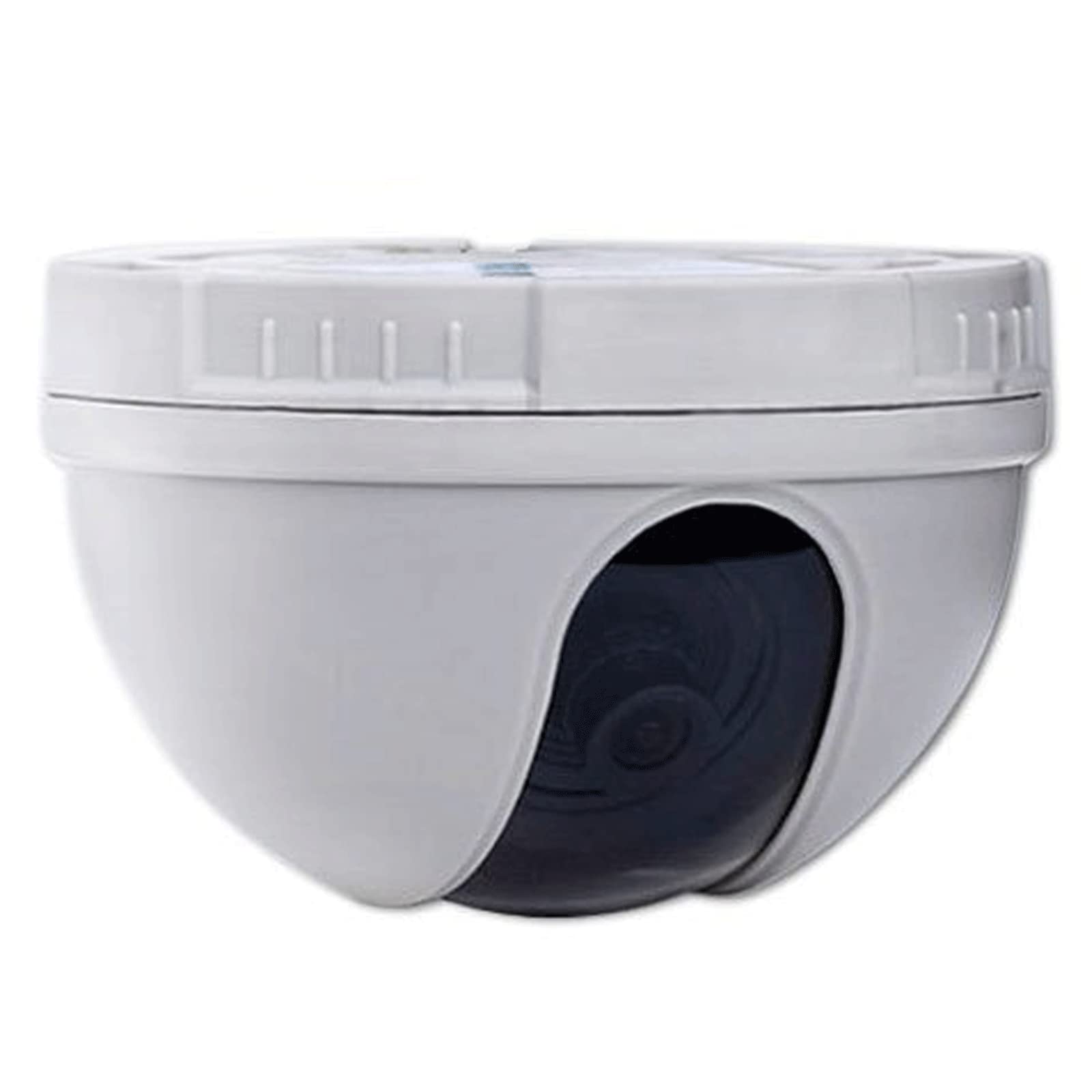
Figure 1: VideoSecu DM10W-1CZ CCTV Dome Security Camera. This image displays the light gray dome camera with its dark lens visible and a black cable with a BNC connector extending from the unit.
5. Setup and Installation
5.1 Mounting Location
This camera is designed for indoor ceiling mount installations. Choose a location that provides the desired viewing angle and is within reach of power and video cables. Ensure the mounting surface is sturdy enough to support the camera's weight.
5.2 Mounting the Camera
- Carefully remove the dome cover by twisting or unlatching it (refer to the camera's physical design for specific method).
- Position the camera base on the desired mounting surface.
- Mark the screw hole positions through the base onto the surface.
- Drill pilot holes at the marked positions. Insert wall plugs if mounting into drywall or similar material.
- Secure the camera base to the surface using the provided mounting screws.
5.3 Wiring Connections
The DM10W-1CZ camera requires two connections: power and video.
- Power Connection: Connect a 12V DC 500mA power supply (not included) to the camera's power input. Ensure correct polarity.
- Video Connection: Connect the camera's BNC video output to an analog DVR or monitor using a BNC video extension cable (not included).
Note: Ensure all connections are secure before powering on the system.
6. Operating Instructions
6.1 Powering On
Once all connections are made, plug in the 12V DC power supply to an electrical outlet. The camera will power on automatically. If connected to a DVR, ensure the DVR is also powered on and configured to display the camera's input.
6.2 Adjusting Camera View
The internal camera module can be manually adjusted to achieve the desired viewing angle. After mounting, carefully adjust the lens assembly within the dome housing. The camera supports 360-degree horizontal rotation and 90-degree vertical tilt. Once the desired view is set, replace the dome cover.
6.3 Image Quality Features
- Automatic White Balance: The camera automatically adjusts color balance to render colors accurately under various lighting conditions.
- Digital Automatic Backlight Compensation (BLC): This feature helps to prevent foreground objects from appearing silhouetted against bright backgrounds, ensuring clearer images in challenging lighting.
- High-Speed Electronic Shutter: Automatically compensates for lighting changes to maintain consistent image brightness.
7. Maintenance
7.1 Cleaning the Camera
To maintain optimal image quality, periodically clean the camera's dome and lens. Use a soft, dry cloth to wipe away dust. For stubborn smudges, a slightly damp cloth with mild, non-abrasive cleaner can be used, followed by a dry wipe. Do not use harsh chemicals or abrasive materials.
7.2 Environmental Considerations
The DM10W-1CZ is designed for indoor use. While it has an IP54 rating for protection against dust and splashing water, it is not intended for outdoor exposure to heavy rain or extreme temperatures. Ensure the operating environment remains within typical indoor conditions.
8. Troubleshooting
| Problem | Possible Cause | Solution |
|---|---|---|
| No image on monitor/DVR |
|
|
| Poor image quality (blurry, distorted) |
|
|
| Camera not adjusting |
|
|
9. Specifications
| Feature | Detail |
|---|---|
| Model Number | DM10W-1CZ |
| Image Sensor | Color CCD |
| Resolution | 420 TV Lines (NTSC system) |
| Lens | 3.6mm Wide Angle, Manual Focus |
| Field of View | Wide Angle |
| Adjustability | 360-degree horizontal, 90-degree vertical (manual) |
| White Balance | Auto White Balance |
| Backlight Compensation | Digital Automatic Backlight Compensation |
| Shutter Speed | High-speed electronic shutter |
| Power Requirement | 12V DC 500mA (Power supply not included) |
| Connectivity | Wired (Analog BNC video output) |
| Indoor/Outdoor Usage | Indoor |
| International Protection Rating | IP54 |
| Dimensions | Approx. 5.3 x 5.2 x 3.8 inches (Package Dimensions) |
| Weight | Approx. 5.6 ounces |
10. Warranty Information
For specific warranty details, please refer to the warranty card included with your product or contact the retailer where the product was purchased. Keep your purchase receipt as proof of purchase for any warranty claims.
11. Customer Support
If you encounter any issues or have questions not covered in this manual, please contact VideoSecu customer support or your authorized dealer for assistance. Please have your model number (DM10W-1CZ) and purchase information ready when contacting support.