
Motion Pro 08-0427
Motion Pro (08-0427) 4.9" Gear Jammer Tool
Instruction Manual
Product Overview
The Motion Pro (08-0427) 4.9" Gear Jammer Tool is designed to securely lock gears in place, facilitating easy installation and removal of components. Constructed from billet 6061 T-6 aluminum, this durable tool was originally developed for the specific task of removing and installing the primary gear on a Honda CRF 450. It is a specialized tool intended for precise mechanical work.
Important Note: This tool is not for use with impact guns.
Setup and Preparation
Before using the Gear Jammer Tool, ensure the work area is clean and well-lit. Identify the gears or components that require locking. The tool's compact size and integrated magnet allow for convenient placement and stability during operation.

Figure 1: The Motion Pro 08-0427 Gear Jammer Tool, featuring its blue anodized aluminum body and integrated paracord loop for easy handling.
Operating Instructions
- Identify Target Gears: Locate the gears that need to be locked to prevent rotation during component installation or removal.
- Position the Tool: Carefully insert the Gear Jammer Tool between two adjacent gears. The design of the tool allows it to wedge securely, preventing movement.
- Utilize Magnet (if applicable): The integrated magnet helps hold the tool in place, providing hands-free stability while you work on the primary gear or clutch basket.
- Perform Task: With the gears locked, proceed with the installation or removal of the desired component (e.g., primary gear, clutch basket nut).
- Remove Tool: Once the task is complete, carefully remove the Gear Jammer Tool from between the gears.
This tool is particularly effective for tasks requiring significant torque application, ensuring that gears do not slip or sustain damage. Its robust construction is designed to withstand the forces involved in such operations.
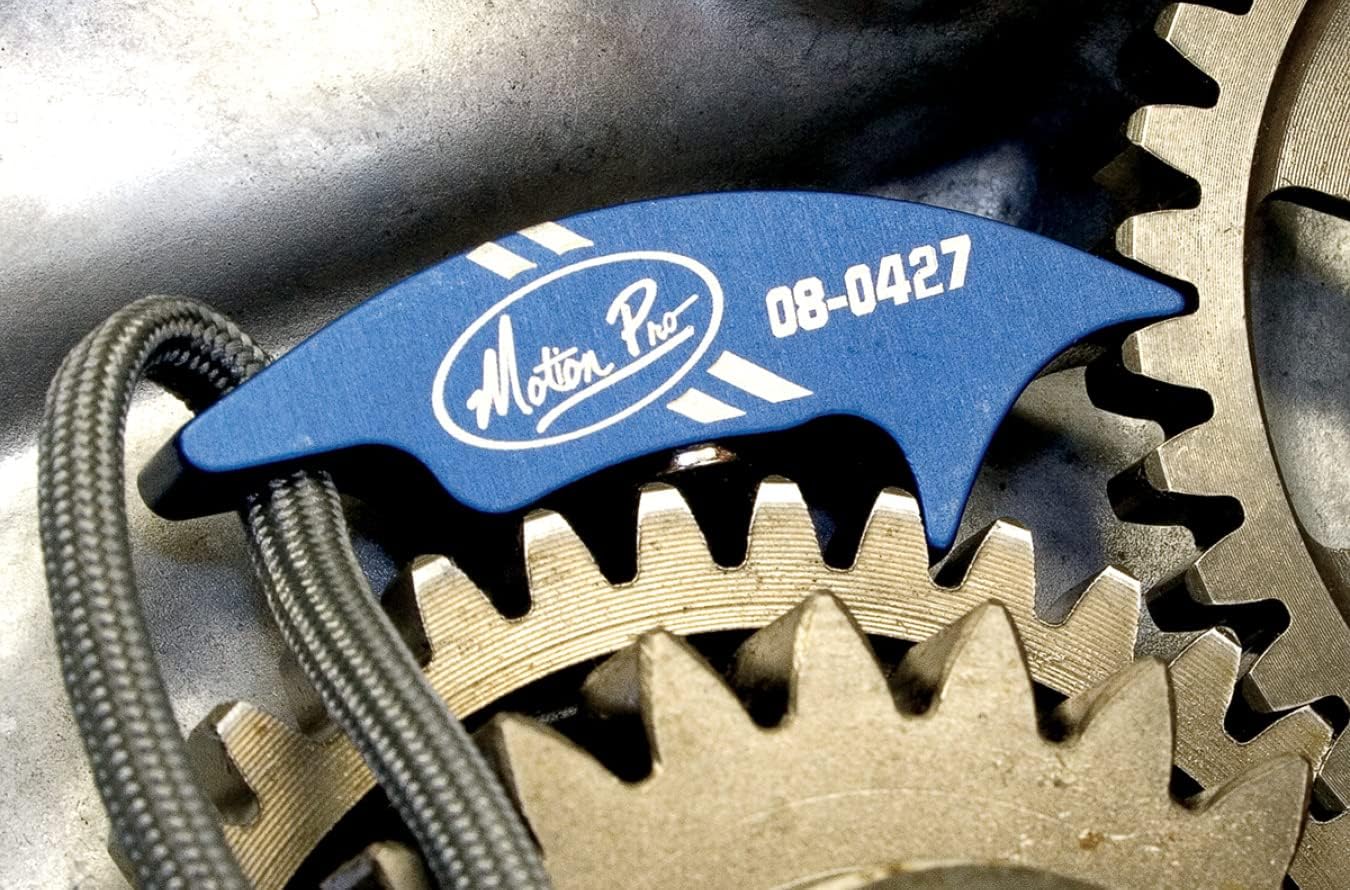
Figure 2: The Gear Jammer Tool correctly positioned between two gears, demonstrating its function in preventing rotation during maintenance.
Care and Maintenance
- Cleaning: After each use, wipe the tool clean with a dry cloth to remove any oil, grease, or debris. For stubborn grime, a mild degreaser can be used, followed by thorough drying.
- Storage: Store the Gear Jammer Tool in a clean, dry place to prevent corrosion and damage. Keep it away from excessive heat or direct sunlight.
- Inspection: Periodically inspect the tool for any signs of wear, cracks, or deformation. While made from durable aluminum, extreme forces or improper use can cause damage. Discontinue use if damage is observed.
Troubleshooting
The Motion Pro Gear Jammer Tool is a simple mechanical device with minimal points of failure. If you encounter issues, consider the following:
- Tool Does Not Fit: Ensure the tool is being used on appropriate gears. Its design is optimized for specific gear tooth profiles. Refer to the product specifications or consult a professional if unsure.
- Gears Still Rotate: Verify that the tool is fully seated and wedged securely between the gears. Ensure no debris is preventing proper engagement. Confirm that excessive force beyond the tool's intended use is not being applied.
- Tool Damage: If the tool appears bent, cracked, or otherwise damaged, discontinue use immediately. Damage can occur from using the tool with impact guns or applying force beyond its design limits.
Technical Specifications
| Feature | Detail |
|---|---|
| Brand | Motion Pro |
| Model Number | 08-0427 |
| Material | Billet 6061 T-6 Aluminum |
| Color | Blue (Anodized) |
| Dimensions (L x W x H) | 4.9 x 1.2 x 1.2 inches |
| Item Weight | 0.352 ounces |
| Number of Pieces | 1 |
| Intended Use | Locks gears for installation/removal (e.g., Honda CRF 450 primary gear) |
Warranty and Support
Specific warranty details for the Motion Pro (08-0427) 4.9" Gear Jammer Tool are not provided in this manual. For information regarding warranty coverage, claims, or technical support, please contact Motion Pro directly through their official website or customer service channels.
Always refer to the manufacturer's official documentation for the most accurate and up-to-date warranty and support information.
Ask a question about this manual
Ask about setup, troubleshooting, compatibility, parts, safety, or missing instructions. Manuals+ will review the question and use this page’s manual context to help answer it.