
Important Safety Information
Please read all instructions carefully before operating the WeighMax W-4820 Industrial Postal Scale. Retain this manual for future reference.
- Do not overload the scale beyond its maximum capacity of 330lb (150kg).
- Place the scale on a firm, flat, and stable surface to ensure accurate readings.
- Avoid exposing the scale to extreme temperatures, humidity, or direct sunlight.
- Keep the scale away from strong electromagnetic fields.
- Do not immerse the scale in water or use abrasive cleaners. Use a soft, damp cloth for cleaning.
- If using batteries, ensure they are inserted with correct polarity. Remove batteries if the scale will not be used for an extended period.
Package Contents
Carefully unpack all components and check for any damage. Ensure all items listed below are present:
- WeighMax W-4820 Scale Platform (Stainless Steel)
- Digital Display Unit with Coiled Cable
- AC Power Adapter
- 9V Battery
- User Manual (this document)
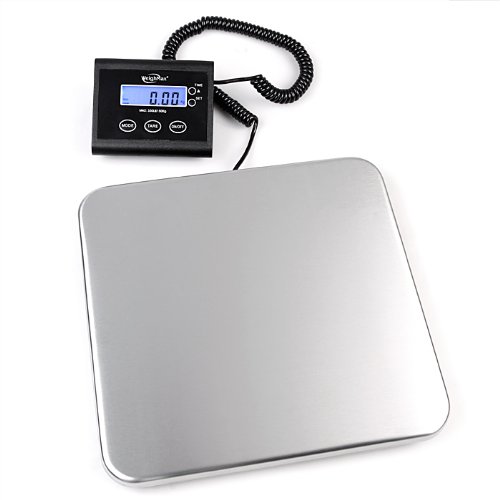
Image: The digital display unit, a 9V battery, and the AC power adapter, which are included with the scale.
Product Overview
The WeighMax W-4820 is a robust industrial postal scale designed for accurate weighing of packages up to 330 pounds (150 kilograms). It features a durable stainless steel platform and a remote digital display for easy reading, even with large items.
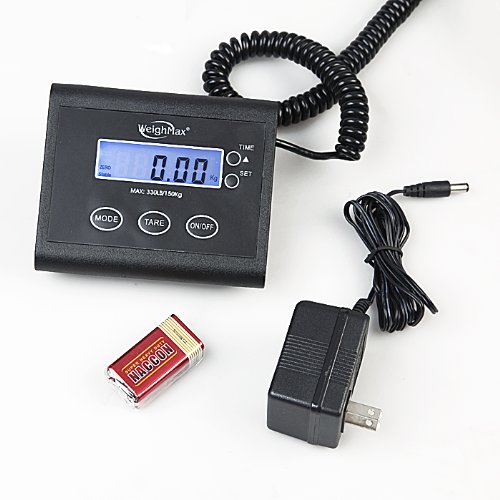
Image: The WeighMax W-4820 scale, showing the stainless steel weighing platform and the connected digital display unit.
Setup
1. Powering the Scale
The W-4820 scale can be powered by either the included AC adapter or a 9V battery.
- AC Adapter: Plug the AC adapter into the power jack on the display unit and then into a standard wall outlet.
- Battery Installation: Open the battery compartment on the back of the display unit. Insert the 9V battery, ensuring correct polarity (+/-). Close the compartment.
2. Connecting the Display Unit
The display unit is connected to the scale platform via a coiled cable. Ensure the cable is securely plugged into both the display unit and the scale platform.
3. Scale Placement
Place the scale platform on a hard, flat, and stable surface. Uneven surfaces can affect accuracy. Position the display unit where it is easily visible and accessible.
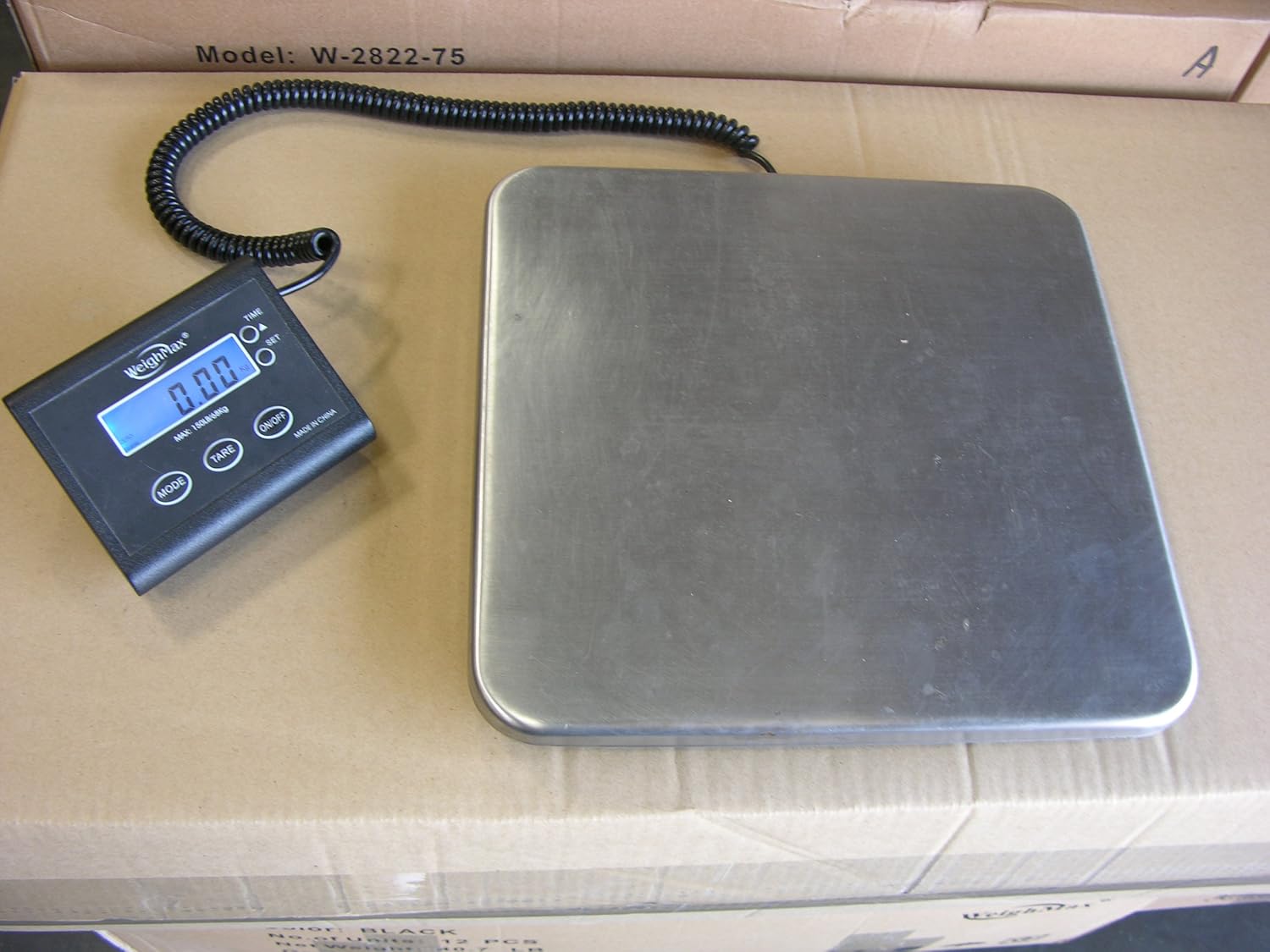
Image: The WeighMax W-4820 scale platform and its remote display unit positioned on a large cardboard box, demonstrating typical setup.
Operating Instructions
1. Turning On/Off
- Press the ON/OFF button to turn the scale on.
- Press the ON/OFF button again to turn the scale off.
2. Unit Conversion (lb/kg)
- With the scale on, press the MODE button to switch between pounds (lb) and kilograms (kg). The selected unit will be displayed on the screen.
3. Tare Function
The Tare function allows you to subtract the weight of a container, so you only weigh the contents.
- Place an empty container on the scale platform.
- Press the TARE button. The display will reset to zero.
- Add the items you wish to weigh into the container. The display will show only the net weight of the items.
- To clear the tare, remove all items from the scale and press TARE again.
4. Weighing an Item
- Ensure the scale is on and displaying "0.00".
- Carefully place the item to be weighed in the center of the scale platform.
- Wait for the reading to stabilize. The weight will be displayed on the digital screen.

Image: A person weighing a large cardboard box on the WeighMax W-4820 scale, holding the remote display unit to easily read the weight.
5. Hold Function
The hold function allows you to lock the weight reading on the display, which is useful for weighing large items that might obscure the display.
- Place the item on the scale.
- Once the weight stabilizes, press the TIME/SET button. The weight will be held on the display.
- Press TIME/SET again to release the hold function.
Maintenance
Cleaning
To clean the scale, wipe the platform and display unit with a soft, damp cloth. Do not use harsh chemicals, abrasive cleaners, or immerse any part of the scale in water.
Storage
Store the scale in a cool, dry place. If storing for an extended period, remove the 9V battery from the display unit to prevent leakage.
Battery Replacement
When the battery indicator (if present) shows low power, or if the scale fails to turn on with battery power, replace the 9V battery. Open the battery compartment on the back of the display unit, remove the old battery, and insert a new 9V battery with correct polarity.
Troubleshooting
- Scale does not turn on:
Check if the AC adapter is securely plugged in or if the 9V battery is correctly installed and not depleted. - Inaccurate readings:
Ensure the scale is on a flat, stable surface. Avoid placing items off-center. Check for any obstructions under the scale platform. Recalibration may be required if issues persist (refer to manufacturer for specific calibration instructions if not in manual). - "Lo" or Low Battery indicator:
Replace the 9V battery. - "O-Ld" or Overload indicator:
The item being weighed exceeds the scale's maximum capacity (330lb/150kg). Remove the item immediately to prevent damage.
Specifications
- Model: W-4820
- Capacity: 330 lb / 150 kg
- Units: Pounds (lb), Kilograms (kg)
- Material: Stainless Steel (Platform)
- Power: 9V Battery (1 required) or AC Adapter
- Item Weight: Approximately 4 lbs (1.81 kg)
- UPC: 692114808308
Warranty and Support
WeighMax products are manufactured to high-quality standards. For warranty information, technical support, or service inquiries, please refer to the contact information provided on your product packaging or the official WeighMax website. Please have your model number (W-4820) and purchase details ready when contacting support.