
1. Introduction to Your Instax MINI 7s Camera
The Fujifilm Instax MINI 7s is an easy-to-use instant film camera designed for capturing and printing memories on the spot. Its straightforward operation makes it suitable for users of all ages, providing immediate physical prints of your photos.
This manual provides essential information on setting up, operating, and maintaining your camera to ensure optimal performance and longevity.
2. What's in the Box
Upon opening your Fujifilm Instax MINI 7s package, please verify that all the following items are included:
- 1 x Instax MINI 7s Camera (Base White)
- 1 x Camera wrist strap
- 4 x AA batteries (included)
- 1 x Instruction manual
- 1 x BONUS Pack Instax mini film (10 shots)

Figure 2.1: Contents of the Fujifilm Instax MINI 7s package.
3. Camera Overview and Controls
Familiarize yourself with the key components and controls of your Instax MINI 7s camera:
- Lens: Fujinon Lens - f=60mm. To turn the camera on, pull the lens barrel outwards. To turn off, push the lens barrel back into the camera body.
- Flash: Built-in auto flash that operates in low light conditions and adjusts automatically. The flash cannot be manually turned off.
- Shutter: Electronic Shutter with a speed of 1/60 sec.
- Exposure Dial: Located on the top of the camera, this dial allows for manual exposure compensation. Settings include Indoor, Outdoor Cloudy, Outdoor Sunny, and Outdoor Bright. Select the appropriate setting based on your lighting conditions to ensure optimal photo quality.
- Viewfinder: Used for framing your shots.
- Film Ejection Slot: Located at the top of the camera, where printed photos emerge.

Figure 3.1: Front view of the Instax MINI 7s camera.
4. Loading Film
The Instax MINI 7s uses Fujifilm Instax Mini Film. Each pack contains 10 shots. Follow these steps to load film:
- Open the film compartment door on the back of the camera.
- Align the yellow mark on the film pack with the yellow mark inside the camera's film compartment.
- Insert the film pack straight into the compartment. Do not force it.
- Close the film compartment door firmly until it clicks.
- Turn on the camera by pulling out the lens. Press the shutter button once. The black protective sheet will be ejected. This indicates the film is correctly loaded and ready for use.
- The film counter on the back of the camera will now show "10" (or the number of remaining shots). Do not open the film compartment door until all shots in the pack have been used, as this will expose the film and render it unusable.
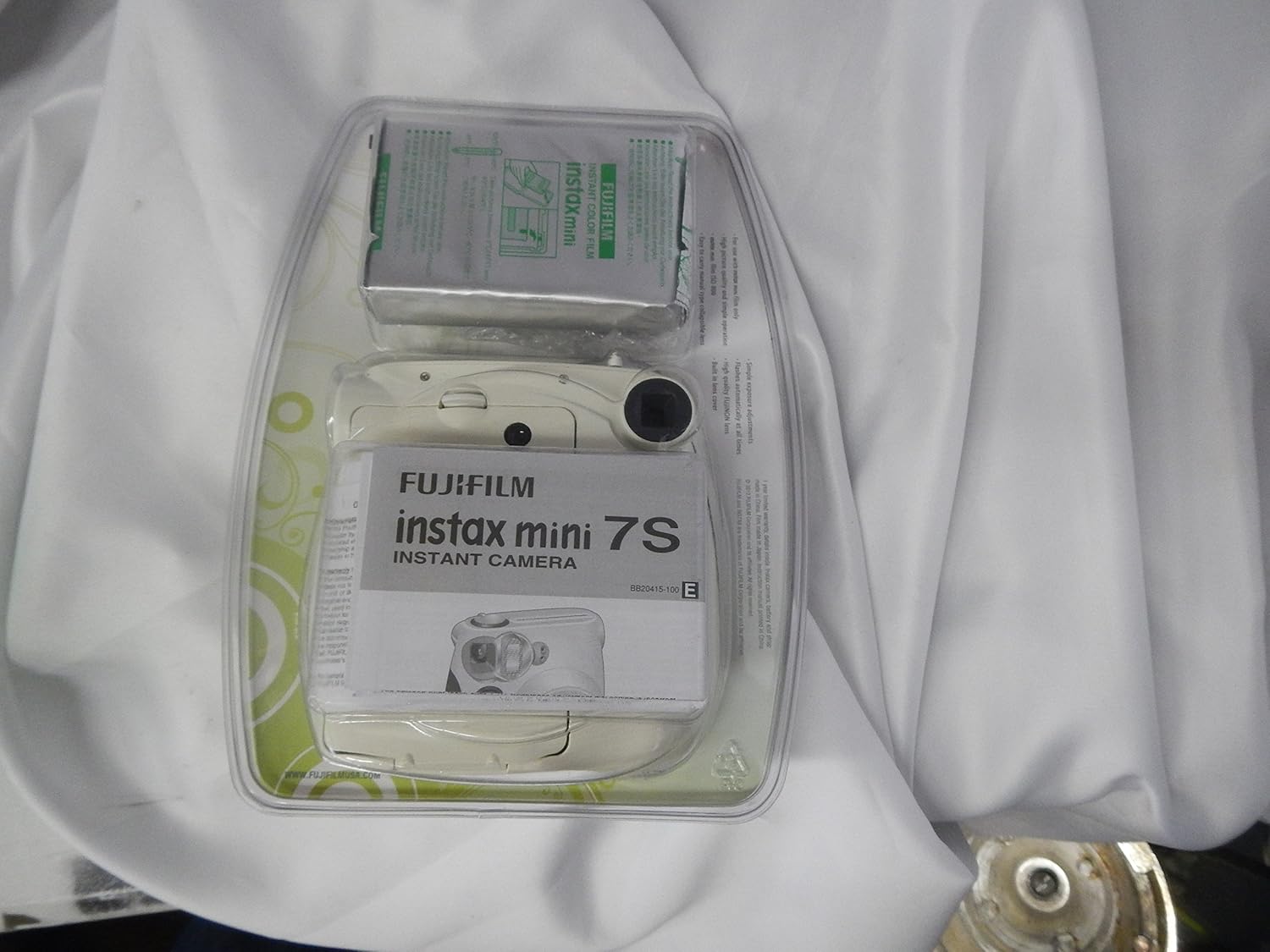
Figure 4.1: Rear view of the Instax MINI 7s, showing the film loading area.
5. Taking Photos
Taking photos with your Instax MINI 7s is a simple point-and-shoot process:
- Turn on the camera by pulling the lens barrel outwards.
- Select the appropriate exposure setting on the dial based on your environment (Indoor, Outdoor Cloudy, Outdoor Sunny, Outdoor Bright).
- Look through the viewfinder to frame your subject.
- Press the shutter button to take the photo. The photo will automatically eject from the top slot.
- Allow the photo to develop for approximately 30 seconds to 1.5 minutes. Do not shake or wave the photo during development.
The resulting instant prints are credit card-sized (Image Size: 2.13" x 3.4"), perfect for sharing or creating photo collages. There is a small white border at the bottom of each print where you can write notes, dates, or names.
6. Maintenance and Care
6.1 Battery Information
The Instax MINI 7s requires 4 AA-size 1.5V alkaline batteries (included). A fresh set of batteries can typically last for approximately 100 shots (about 10 INSTAX Mini film packs). To conserve battery life, always turn off the camera by pushing the lens barrel back into the camera body when not in use.
6.2 Care and Storage
To ensure the longevity of your camera and film, follow these care guidelines:
- Avoid exposing the camera and film to high temperatures or direct sunlight, such as on a car dashboard.
- Keep the camera and film away from wet or humid environments.
- Store film packs in a cool, dark place before use. Always check the expiration date on film packaging.
- Clean the camera body with a soft, dry cloth. Do not use harsh chemicals or abrasive materials.
7. Troubleshooting
If you encounter issues with your Instax MINI 7s, consider the following common problems and solutions:
- Camera not turning on or red lights flashing: This often indicates low or depleted batteries. Replace all four AA batteries with new ones. If the issue persists, there might be an internal malfunction.
- Photos are too dark or too bright: Ensure you have selected the correct exposure setting on the dial for your current lighting conditions. The camera's auto flash cannot be turned off, which may affect photos in certain bright environments.
- Blurry photos: The camera has a fixed focus lens. Ensure your subject is within the optimal focus range (0.6m - ∞). Avoid taking photos of fast-moving subjects, as this camera is not designed for high-speed capture.
- Film not ejecting: Check if the film compartment door is fully closed. Ensure there is film loaded and that the black protective sheet has already been ejected.
8. Specifications
| Feature | Detail |
|---|---|
| Product Dimensions | 5.75 x 5.25 x 3 inches |
| Item Weight | 1.1 pounds |
| Item Model Number | 15834705 |
| Batteries | 4 AA batteries required (included) |
| Film Format Type | Instant |
| Lens | Fujinon Lens - f=60mm |
| Shutter Speed | 1/60 seconds |
| Image Size | 2.13" x 3.4" |
| Exposure Control Type | Manual |
9. Warranty and Support
Your Fujifilm Instax MINI 7s camera comes with a 1-year limited warranty. For detailed warranty information and terms, please refer to the instruction manual included in your package or visit the official Fujifilm support website.
For further assistance or technical support, please consult the comprehensive User Manual (PDF) or contact Fujifilm customer service.

Figure 9.1: Warranty information on product packaging.


